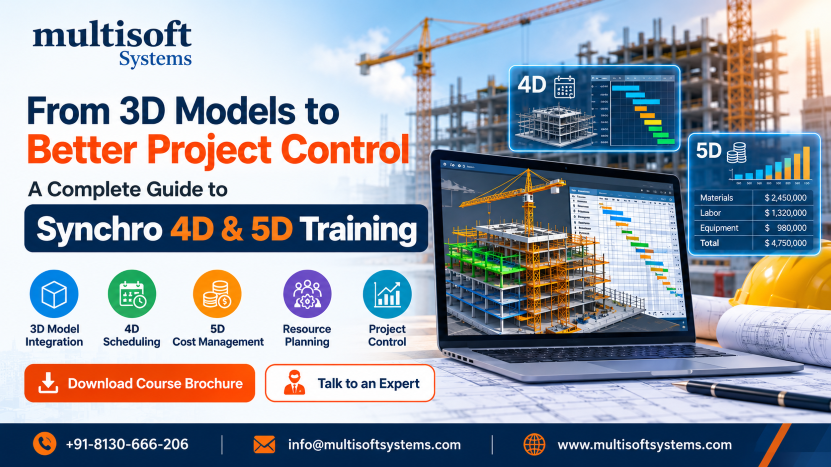
Construction projects are becoming increasingly digital, and professionals are expected to manage more than drawings and schedules. Modern project teams must coordinate design information, construction activities, resources, equipment, quantities, costs, and deadlines. This growing complexity has increased the importance of Building Information Modeling (BIM) and digital construction planning. Synchro 4D and 5D workflows help connect these project elements in a more integrated environment. While 4D BIM adds the time dimension to a 3D model, 5D BIM introduces cost and quantity information. Together, these capabilities can help construction professionals visualize project sequences, understand resource requirements, monitor progress, and work with cost-related information.
Multisoft Systems offers Synchro 4D & 5D Training Online for professionals who want to develop practical knowledge of digital construction planning. The training covers Synchro, scheduling, 3D model integration, resource management, construction visualization, cost management, quantity takeoff, and related BIM workflows.
Understanding 4D and 5D BIM in Construction
Traditional 3D BIM provides a digital representation of physical project elements. However, construction projects involve more than geometry. Teams also need to understand when an activity will happen, what resources will be required, and how much it may cost.
What Is 4D BIM?
4D BIM connects a 3D model with project schedules and time-based activities. Instead of viewing a construction schedule only as a list or chart, professionals can associate activities with model elements and visualize the planned construction sequence. This approach can help teams understand the order of construction activities, identify potential scheduling issues, review project progress, and communicate planned work more effectively.
What Is 5D BIM?
5D BIM extends this approach by adding cost and quantity information. It allows professionals to connect model elements and construction activities with quantities, resources, unit costs, budgets, and other financial information. Quantity takeoff is an important part of 5D workflows because model information can support the identification and calculation of quantities needed for estimating and planning. Cost-loaded schedules can also help teams connect financial information with scheduled activities.
How 4D and 5D Work Together
4D and 5D become particularly useful when model, schedule, resource, and cost information are considered together. A project team can visualize an activity, understand when it is planned, identify the resources associated with it, and examine relevant cost information. This integrated approach can support clearer communication among planners, engineers, BIM professionals, contractors, estimators, and project managers.
Why Synchro Skills Matter for Construction Professionals
Construction professionals increasingly work with digital models and data-driven planning processes. Knowing how to connect a 3D model with schedules, resources, and cost information can provide a broader understanding of project control. Synchro-based workflows can support construction sequence visualization, scheduling, resource management, equipment planning, animation, reporting, and project coordination. Professionals can use these capabilities to create a visual representation of planned construction activities and communicate project information more clearly. The 5D side of the workflow introduces cost estimation, quantity takeoff, budget tracking, and earned value analysis. This gives learners exposure to the relationship between physical project activities and financial information. For professionals working in BIM, planning, project controls, construction management, and cost estimation, these skills can complement existing technical knowledge.
What You Will Learn in Synchro 4D & 5D Training
The training covers a broad range of topics related to 4D construction planning and 5D cost management.
Getting Started with Synchro
Learners are introduced to Synchro and its user interface before moving into more advanced workflows. Understanding the software environment provides the foundation for working with models, schedules, resources, and project information.
Creating Models and Working with Filters
The training introduces importing schedules and 3D models. Participants also learn about filters for tasks, tables, and 3D models. Filtering is useful when working with complex projects because professionals may need to focus on specific elements, activities, or information during planning and analysis.
Scheduling and Task Management
Scheduling is an important component of 4D planning. Learners work with basic scheduling, schedule updates, task linking, and assigning 3D models to tasks. Connecting scheduled activities with model elements allows professionals to create a more visual representation of the construction process.
Resource and Equipment Management
Construction activities depend on people, materials, machinery, and other resources. The training introduces appearance profiles, resources-to-tasks functionality, subdivisions, equipment resources, and task assignments. This helps learners understand how resources and equipment can be incorporated into digital construction planning.
3D Paths and Construction Movement
The course also covers creating and editing 3D paths. These capabilities can be useful for representing movement and logistics within a project environment. By understanding how paths are created and managed, learners can explore ways of visually representing equipment or resource movement as part of construction planning.
Construction Animation and Visualization
One of the useful aspects of 4D BIM is the ability to visualize how construction activities may progress over time. The training covers camera animation, focus-time animation, 3D properties animation, rendering animation, and reporting from animations. These capabilities can help project teams present construction sequences in a visual format. A well-prepared simulation may be easier for stakeholders to understand than a schedule viewed without a corresponding model. Visualization can also support discussions about construction sequencing, site activities, and project progress.
Understanding 5D Cost Management
The 5D component introduces the relationship between construction models, quantities, resources, schedules, and costs. Participants learn about cost estimation and tracking, linking quantities to tasks and resources, importing cost data, model-based quantity takeoff, and extracting quantities from 3D models. The course also introduces assigning unit costs to resources and tasks, cost estimation and control, cost-loaded schedules, budgeted versus actual cost tracking, and earned value analysis reports. These concepts can help professionals understand how cost information can be connected with construction planning rather than being managed separately.
BIM 5D Quantity Takeoff
Quantity takeoff is an important activity in construction estimating and cost planning. The training introduces BIM 5D quantity takeoff workflows using tools such as Revit, Navisworks, and Dynamo. Participants can learn about planning tables, creating parts, parts computations, codes and descriptions, and exporting tables. The purpose is to help learners understand how model information can contribute to quantity-related workflows and support more organized estimating processes.
Dynamo and Navisworks Workflows
The course also provides exposure to Dynamo and Navisworks workflows. Dynamo-related topics include exporting tables, exporting data to Excel, working with Dynamo Player, and exporting to IP-3. The Navisworks section covers exporting from Revit, catalogs and custom resources, virtual computations, workflow optimization, and exporting quantities. Understanding how these applications interact can give learners a broader perspective on BIM-based construction workflows.
Benefits of Learning Synchro 4D & 5D
Developing Synchro 4D and 5D knowledge can provide several practical benefits for construction professionals.
- Better visualization of construction sequences
- Improved understanding of schedule-based planning
- Stronger resource and equipment planning skills
- Greater awareness of cost-related project information
- Improved quantity takeoff knowledge
- Better understanding of model-based project control
- More effective communication between project stakeholders
- Exposure to construction animation and simulation
- Improved understanding of BIM workflows
- Stronger digital construction planning capabilities
The value of these skills will vary according to a professional's existing experience, responsibilities, and the requirements of their organization.
Who Should Attend Synchro 4D & 5D Training?
- Construction Project Managers
- Planning Engineers
- BIM Coordinators
- BIM Managers
- Architects
- Designers
- Cost Estimators
- Infrastructure Engineers
- Structural Engineers
- VDC Specialists
- Facility Managers
- Engineering Students
- Engineering Graduates
- Construction professionals interested in digital planning
Prerequisites for Learning Synchro 4D & 5D
A basic understanding of construction project management is useful before starting the program. Familiarity with BIM and 3D modeling can also help learners understand the relationship between model elements and construction activities. Knowledge of scheduling tools such as Microsoft Project or Primavera can provide additional context when learning schedule-based 4D workflows. A strong prerequisite foundation is not limited to software knowledge. Understanding basic construction processes, project sequencing, and planning concepts can make it easier to connect the technical features with real project requirements.
Online Training for Working Professionals
Online learning provides professionals with an opportunity to develop technical skills without necessarily stepping away from their existing responsibilities. Multisoft Systems provides instructor-led online learning, project-based training, practical exercises, customized learning schedules, and doubt-clearing sessions. This structure can support professionals who prefer a flexible learning environment. The course also includes learning resources, practice quizzes, assessments, and interview preparation resources. These supporting materials can help learners revise concepts and prepare for technical discussions. For working professionals, a combination of live instruction and practical learning can make it easier to connect software features with real construction scenarios.
Career Opportunities After Synchro Training
Knowledge of 4D and 5D BIM workflows can complement careers across construction planning, BIM, project controls, estimating, and digital construction.
Potential career paths include:
- BIM Coordinator
- BIM Manager
- Planning Engineer
- Construction Project Manager
- 4D BIM Specialist
- 5D BIM Specialist
- VDC Specialist
- Construction Scheduler
- Cost Estimator
- BIM Consultant
- Digital Construction Specialist
- Project Controls Professional
Career progression depends on factors such as professional experience, technical capabilities, project exposure, qualifications, and employer requirements.
Why Choose Multisoft Systems?
Multisoft Systems' training combines instructor-led online sessions with project-based learning and practical exercises. The program is designed to help participants understand both the technical features of Synchro and their relevance to construction planning.
Key features include:
- Instructor-led online training
- Project-based learning
- Certified and experienced trainers
- Customized learning schedules
- Practical exercises
- Industry-relevant scenarios
- Course completion certificate
- Learning resources
- Practice quizzes and assessments
- Interview preparation resources
This combination can provide learners with structured guidance while giving them opportunities to explore practical construction planning workflows.
Frequently Asked Questions
What is Synchro 4D?
Synchro 4D connects 3D models with construction schedules and time-based activities, allowing professionals to visualize project sequences and planned progress.
What is 5D BIM?
5D BIM adds cost and quantity information to the model and planning environment. It can support quantity takeoff, cost estimation, budget tracking, and cost-loaded scheduling.
Who can benefit from Synchro training?
Construction managers, planners, BIM professionals, engineers, estimators, architects, VDC specialists, and engineering students can benefit from developing 4D and 5D BIM knowledge.
Is Synchro 4D & 5D training available online?
Yes. Multisoft Systems provides instructor-led online training designed for professionals and learners who want to develop Synchro and digital construction planning skills.
Does the course cover 5D quantity takeoff?
Yes. The curriculum includes 5D cost management and quantity takeoff workflows, along with exposure to Revit, Navisworks, and Dynamo.
Conclusion
Construction is moving toward digital workflows that connect design, scheduling, resources, quantities, and costs. In this environment, understanding how 3D models, time, and cost work together can help professionals develop a more complete view of project planning. Synchro 4D and 5D training provides exposure to construction scheduling, model integration, resource management, animation, cost management, quantity takeoff, and related BIM workflows. These capabilities can help learners understand how digital tools support modern construction planning and project control.
For construction professionals who want to strengthen their BIM and digital project planning skills, structured training can provide a practical foundation for exploring new workflows and applying them to relevant project scenarios.