Course Schedule
| Nov, 2026 | Weekdays | Mon-Fri | Enquire Now |
| Weekend | Sat-Sun | Enquire Now | |
| Dec, 2026 | Weekdays | Mon-Fri | Enquire Now |
| Weekend | Sat-Sun | Enquire Now |
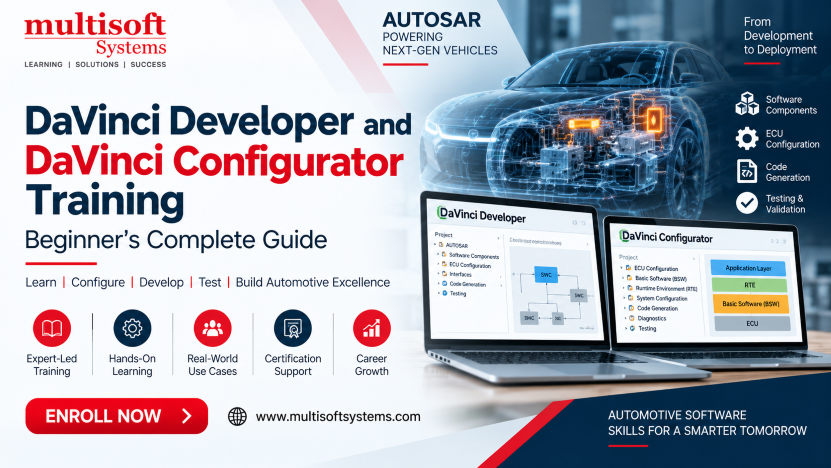
DaVinci Developer and DaVinci Configurator Training: Beginner’s Complete Guide
Modern automotive software is becoming more complex as vehicles depend on electronic control units (ECUs), embedded software and connected systems. Developing this software requires structured tools that help engineers design software components, configure ECU environments, generate code and test configurations efficiently. DaVinci Developer and DaVinci Configurator Training introduces learners to these important concepts through a practical learning approach. Multisoft Systems describes its training as an instructor-led program covering DaVinci Developer, DaVinci Configurator, AUTOSAR concepts, software components, ECU architecture, Basic Software (BSW), Runtime Environment (RTE), code generation and testing. The curriculum is designed to help learners understand how these tools are used during automotive software development and configuration.
For beginners, the terminology around AUTOSAR, SWCs, BSW and RTE can initially seem difficult. This guide explains the subject in simple language and provides a clear introduction to what learners can expect from DaVinci Developer and DaVinci Configurator training.
What Is DaVinci Developer and DaVinci Configurator?
DaVinci Developer and DaVinci Configurator Training are tools used within automotive software development workflows. The Multisoft Systems curriculum introduces both tools in the context of AUTOSAR-based ECU development. DaVinci Developer focuses on software component development and related project activities. According to the course curriculum, learners work with creating projects, importing AUTOSAR software components, designing SWCs, compiling them, generating code, testing SWCs and managing projects. DaVinci Configurator focuses on configuring the Basic Software and Runtime Environment of an AUTOSAR ECU. Learners study configuration, code generation, testing and configuration management. Together, these tools help learners understand different stages of an automotive ECU software workflow.
What Is AUTOSAR?
AUTOSAR stands for AUTomotive Open System ARchitecture. It is an important concept in modern automotive software development and is the foundation of the first module in the Multisoft Systems training curriculum. The course introduces AUTOSAR before moving into DaVinci Developer and DaVinci Configurator. It also covers designing AUTOSAR Software Components, integrating software components from external applications into an ECU architecture and configuring the BSW and RTE. For beginners, it is useful to think of AUTOSAR as a structured approach to organizing automotive software. Instead of treating an ECU application as one large piece of software, the architecture separates different responsibilities and components. This makes concepts such as software components, basic software and runtime environments important when learning DaVinci tools.
Why Learn DaVinci Developer and Configurator?
Automotive software development requires careful configuration and testing. Engineers need to understand how software components fit into an ECU architecture and how the underlying software environment is configured.
DaVinci training can help learners build knowledge in areas such as:
- AUTOSAR fundamentals
- ECU software architecture
- Software Components
- DaVinci Developer
- DaVinci Configurator
- Basic Software configuration
- Runtime Environment configuration
- Code generation
- Software component testing
- Configuration testing
- Project management
The Multisoft Systems course specifically focuses on practical automotive software configuration expertise and hands-on learning.
Understanding ECU Software Development
An ECU is an electronic control unit used in a vehicle to perform specific functions. Modern vehicles can contain many ECUs responsible for different electronic and software-controlled operations. Developing ECU software involves more than writing application code. Engineers also need to consider the software architecture, communication between components, configuration and the underlying basic software. This is where DaVinci Developer and DaVinci Configurator become relevant to the training. Learners are introduced to the process of designing software components and configuring the software environment around them. Understanding this overall workflow is particularly important for beginners because it explains why separate tools and configuration stages are required.
DaVinci Developer for Beginners
DaVinci Developer is one of the core areas of the training. Beginners start by understanding the tool and then progress toward creating and managing projects.
Creating a New Project
Creating a project provides the starting point for organizing software development activities. Learners become familiar with the project environment and the basic steps required to begin working with DaVinci Developer. A clear project structure can make it easier to manage software components and related development activities.
Importing AUTOSAR Software Components
Software components are an important part of AUTOSAR-based development. The course teaches learners how to import AUTOSAR SWCs into DaVinci Developer. For beginners, this step helps explain how existing software components can become part of an ECU project.
Designing Software Components
The course then introduces the design of Software Components. Learners can understand how SWCs are handled within the development environment and how they relate to the ECU architecture. This is a key concept because software components form an important part of structured automotive software development.
Compiling and Generating Code
After software components are developed or configured, they need to be prepared for further use. The curriculum includes compiling SWCs and generating code. Learning this process gives beginners an understanding of how development activities move toward usable software output.
Testing Software Components
Testing is another important part of the DaVinci Developer curriculum. Learners study how to test software components and manage projects. Testing helps identify problems before software moves further into an automotive development workflow.
DaVinci Configurator for Beginners
DaVinci Configurator is the second major tool covered in the training. Its focus is configuration of the ECU software environment.
Configuring Basic Software
Basic Software, commonly referred to as BSW, provides important underlying services for an AUTOSAR ECU. The training introduces BSW configuration so that learners can understand how the basic software environment is prepared for the ECU. For beginners, the important point is that application software does not operate independently. It needs a properly configured software environment.
Configuring the Runtime Environment
The Runtime Environment, or RTE, is another important part of the AUTOSAR architecture covered in the course. The curriculum includes RTE configuration using DaVinci Configurator. Understanding RTE helps learners see how software components interact within the ECU software architecture.
Generating Code
Code generation is included in the DaVinci Configurator module. After configuration activities are completed, learners study how code is generated from the configuration. This gives participants practical exposure to the relationship between configuration and generated software.
Testing the Configuration
Configuration should be tested to make sure it works as expected. The course therefore includes testing the configuration as part of DaVinci Configurator training. Testing provides an important feedback stage before configuration is used further in the development process.
BSW and RTE: A Simple Explanation
Two terms beginners commonly encounter are BSW and RTE. BSW refers to the Basic Software layer of the ECU environment. It provides underlying software services required by the automotive application environment. RTE stands for Runtime Environment. In the course structure, learners study RTE configuration alongside BSW configuration.
A simple way to understand the learning flow is:
AUTOSAR Architecture → Software Components → BSW & RTE Configuration → Code Generation → Testing
This sequence helps beginners understand how the different subjects connect rather than viewing them as unrelated technical terms.
Integrating Software Components
The training also covers integrating software components from different external applications into an ECU architecture. This is useful because automotive projects may involve multiple software components and development sources. Engineers need to understand how these components can be incorporated into the overall ECU environment. Learning integration concepts can also help professionals understand the importance of consistent architecture and configuration.
Code Generation and Validation
Code generation is included in both the DaVinci Developer and DaVinci Configurator learning paths. The process connects design and configuration activities with software output. Validation and testing are equally important. The AUTOSAR module specifically includes configuring, validating and generating BSW and RTE for AUTOSAR ECUs. For beginners, this demonstrates that automotive software development is not simply about creating code. Configuration, validation and testing are also important stages of the workflow.
Hands-On Learning in DaVinci Training
Practical learning is valuable when working with specialized automotive development tools. Reading about AUTOSAR architecture can provide theoretical knowledge, but using DaVinci Developer and Configurator helps learners understand how the concepts are applied. Multisoft Systems highlights project-based learning, hands-on assignments, real-world scenarios and case studies as part of its training approach.
Practical exercises can help learners become more comfortable with:
- Creating projects
- Importing SWCs
- Designing software components
- Configuring BSW
- Configuring RTE
- Generating code
- Testing SWCs
- Testing configurations
- Managing projects
Who Should Learn DaVinci Developer and Configurator?
The training is suitable for professionals working in automotive software, identity and access technologies according to different sections of the Multisoft Systems page. The course's AUTOSAR curriculum and target audience make it particularly relevant to automotive and embedded software professionals. The listed target audience includes IT professionals, security engineers, DevOps engineers, system integrators, solution architects, technical consultants and application developers. For the AUTOSAR-focused curriculum, the subject can also be relevant to professionals working with:
- Automotive embedded systems
- ECU software development
- AUTOSAR projects
- Software component development
- Automotive testing
- Embedded software configuration
- Vehicle software engineering
Prerequisites for Beginners
The Multisoft Systems page lists basic IAM concepts, familiarity with authentication protocols such as OAuth, SAML and OpenID Connect and knowledge of REST APIs and JSON as prerequisites. However, there is an important distinction on the page: its main course description discusses Ping DaVinci identity orchestration, while the downloadable curriculum and course-content sections focus on AUTOSAR, DaVinci Developer, DaVinci Configurator, SWCs, BSW and RTE. For anyone enrolling, it is therefore sensible to confirm the exact training track and curriculum with the provider before starting.
Career Opportunities
DaVinci and AUTOSAR skills can support career development in automotive embedded software and ECU development when combined with relevant engineering experience.
Potential areas include:
- AUTOSAR Developer
- Automotive Embedded Software Engineer
- ECU Software Engineer
- AUTOSAR Configuration Engineer
- Automotive Software Tester
- ECU Validation Engineer
- Embedded Systems Engineer
- Automotive Integration Engineer
- Software Configuration Engineer
- Automotive Technical Consultant
Career opportunities depend on experience, technical knowledge and employer requirements. Combining DaVinci knowledge with C programming, AUTOSAR concepts, automotive communication protocols and testing skills can provide a broader technical foundation.
Why Choose Multisoft Systems for DaVinci Training?
Multisoft Systems lists instructor-led online training, project-based learning, certified and experienced trainers, course completion certification, customized schedules and doubt-clearing sessions among the course highlights. The program also emphasizes hands-on labs, live demonstrations and expert guidance. The training can be customized according to learning requirements, while corporate training options are available for organizations that want to develop employee skills. For beginners, a structured learning path can make complex subjects such as AUTOSAR architecture, software components, BSW and RTE easier to approach step by step.
Assessment and Learning Evaluation
Assessment can help learners check their understanding of the course material. Multisoft Systems describes an assessment containing multiple-choice and short-answer questions along with analytical thinking, problem-solving and communication evaluation. The assessment platform also includes secure login, automated scoring and time-management features. This provides learners with a structured way to evaluate their knowledge after training.
Conclusion
DaVinci Developer and DaVinci Configurator Training can provide a useful foundation for understanding AUTOSAR-based automotive software development, ECU configuration and software component workflows. The Multisoft Systems curriculum covers AUTOSAR, DaVinci Developer, DaVinci Configurator, SWCs, BSW, RTE, code generation and testing. For beginners, the most important step is to understand how these concepts connect. AUTOSAR provides the architectural foundation, DaVinci Developer supports software component development and DaVinci Configurator focuses on configuring the ECU software environment. With hands-on practice, project-based learning and a clear understanding of the development workflow, professionals can build practical knowledge that supports their work in automotive embedded software and ECU development.
Start your learning journey with DaVinci Developer and DaVinci Configurator Training at Multisoft Systems and develop practical skills for modern automotive software development.