Quantum GIS (QGIS) Training
Gain practical geospatial analysis expertise with Quantum GIS (QGIS) Training covering GIS fundamentals, map creation, spatial data management, coordinate systems, layer styling, geoprocessing, spatial analysis and map visualization. Develop hands-on skills to analyze geographic data, create professional maps and support informed decision-making across diverse GIS applications.
 1K+ Reviews
Instructor-Led Training Parameters
Course Highlights
- Instructor-led Online Training
- Project Based Learning
- Certified & Experienced Trainers
- Course Completion Certificate
- Customized Learning Schedule
- Doubt-Clearing Sessions
Quantum GIS (QGIS) Training Course Overview
Advance your geospatial expertise with Multisoft Systems’ Quantum GIS (QGIS) Training. Gain practical skills in spatial data handling, mapping, geoprocessing, and visualization using real-world datasets. Ideal for GIS professionals, planners, and researchers seeking hands-on learning and career growth in modern geospatial technologies.
Quantum GIS (QGIS) Training by Multisoft Systems is a comprehensive, hands-on program designed to build strong geospatial analysis and mapping skills for professionals across industries. QGIS is one of the most powerful open-source Geographic Information System platforms, widely used for spatial data visualization, map creation, geoprocessing, environmental analysis, land management, and location-based decision-making. This training introduces learners to essential GIS concepts and gradually progresses to advanced tools, ensuring a complete learning experience. Participants begin by understanding interface navigation, coordinate reference systems, and data types before moving into spatial data editing, attribute management, layer styling, and advanced map design. The course also covers raster and vector analysis, geocoding, spatial queries, and plugin integration, enabling learners to customize QGIS workflows for diverse real-world tasks. Practical exercises and project-based learning help participants gain confidence in solving complex geospatial challenges. Designed for GIS analysts, urban planners, environmental specialists, surveyors, researchers, students, and professionals looking to upgrade their geospatial skills, this training ensures industry relevance and practical application. With guidance from certified instructors and live, interactive sessions, Multisoft Systems enables learners to explore QGIS capabilities effectively and apply them to environmental studies, infrastructure planning, land-use mapping, disaster management, and business location intelligence.
This program empowers participants to become proficient, job-ready GIS professionals.
Instructor-led Training Live Online Classes
Suitable batches for you
| Oct, 2026 | Weekdays | Mon-Fri | Enquire Now |
| Weekend | Sat-Sun | Enquire Now | |
| Nov, 2026 | Weekdays | Mon-Fri | Enquire Now |
| Weekend | Sat-Sun | Enquire Now |
Share details to upskills your team
Enquire for Self-Paced Learning
Share your details and our training advisor will connect with you regarding self-paced learning options.
Quantum GIS (QGIS) Training Course curriculum
Curriculum Designed by Experts
Advance your geospatial expertise with Multisoft Systems’ Quantum GIS (QGIS) Training. Gain practical skills in spatial data handling, mapping, geoprocessing, and visualization using real-world datasets. Ideal for GIS professionals, planners, and researchers seeking hands-on learning and career growth in modern geospatial technologies.
Quantum GIS (QGIS) Training by Multisoft Systems is a comprehensive, hands-on program designed to build strong geospatial analysis and mapping skills for professionals across industries. QGIS is one of the most powerful open-source Geographic Information System platforms, widely used for spatial data visualization, map creation, geoprocessing, environmental analysis, land management, and location-based decision-making. This training introduces learners to essential GIS concepts and gradually progresses to advanced tools, ensuring a complete learning experience. Participants begin by understanding interface navigation, coordinate reference systems, and data types before moving into spatial data editing, attribute management, layer styling, and advanced map design. The course also covers raster and vector analysis, geocoding, spatial queries, and plugin integration, enabling learners to customize QGIS workflows for diverse real-world tasks. Practical exercises and project-based learning help participants gain confidence in solving complex geospatial challenges. Designed for GIS analysts, urban planners, environmental specialists, surveyors, researchers, students, and professionals looking to upgrade their geospatial skills, this training ensures industry relevance and practical application. With guidance from certified instructors and live, interactive sessions, Multisoft Systems enables learners to explore QGIS capabilities effectively and apply them to environmental studies, infrastructure planning, land-use mapping, disaster management, and business location intelligence.
This program empowers participants to become proficient, job-ready GIS professionals.
- Understand the core concepts, interface, and workflow of QGIS as a powerful open-source GIS platform.
- Learn to work with vector, raster, and attribute data for accurate spatial analysis.
- Develop skills in map creation, styling, labeling, and cartographic visualization.
- Perform spatial queries, geoprocessing operations, and advanced analysis techniques.
- Gain proficiency in coordinate reference systems and data transformation methods.
- Use plugins and extensions to enhance QGIS capabilities for specialized tasks.
- Edit, manage, and analyze geospatial datasets using best industry practices.
- Create high-quality thematic maps, layouts, and geospatial reports for real-world applications.
- Apply geocoding, digitization, and field data integration techniques effectively.
Course Prerequisite
- Basic understanding of computers and file management
- Interest in maps, spatial data, or geospatial analysis
- Familiarity with MS Excel or simple data handling
Course Target Audience
- GIS Analysts
- GIS Technicians
- Urban Planners
- Environmental Engineers
- Surveyors and Mapping Professionals
- Remote Sensing Specialists
- Civil Engineers
- Geography and Geology Students
- Researchers and Academicians
- Forestry and Agriculture Professionals
- Disaster Management Teams
- Infrastructure Planning Professionals
- Land Records and Cadastral Officers
Course Content
- GIS
- Why GIS?
- Why prefer QGIS (Open-source vs Licensed GIS sources)?
- QGIS installation and interface
- Different data types and data formats
- Geographic and Projected coordinate systems, UTM Zone and EPSG
- The concept of Georeferencing and its importance in real life applications
- The concept of ground control points, their importance and Transformation settings
- The concept of Digitization and Topology
- The concept of mapping and map layers
- The process of map making, storytelling and data visualization
- Datum, map scale, map rotation etc.
 DOWNLOAD CURRICULUM
- Menu toolbar
- Project toolbar/Side toolbar
- Layers panel
- Browser Panel
- Locator toolbar
- Status bar
- Map canvas and Map
- Navigation Toolbar
DOWNLOAD CURRICULUM
i. Data types
- Vector
- Raster
- Delimited text
- GeoPackage Database
- WMS/WMTS
ii. Data Formats
- Shapefiles layer
- GeoPackage layer
- Temporary scratch layer
- Keyhole Markup Language (KML)
DOWNLOAD CURRICULUM
i. Loading Raster ii. Raster Data Formats
ii. GeoTIFF, JPEG, SRTM etc.
iii. Create beautiful raster maps through
- Raster symbology
- Raster enhancement
- Blend effects
- Raster calculation
- Contour Polygons
- Histogram computation
- Raster shading (combined to multidirectional) and rendering
iv. Georeferencing raster: Scanned/raster georeferencing using
- Point to Point
- image to map
- georeferencing by shape
DOWNLOAD CURRICULUM
- Query Raster
- Merge Raster
- Clip Raster
- Project Raster
- Conversion to vector
- Extraction
- Hillshade
- Slope
- Aspect
- Relief
- Contouring
- Reclassify
DOWNLOAD CURRICULUM
i. Simple Fill (for each vector type, ex., Polygon, Polyline and Point features)
- Scale-based visibility
- Add Symbol layers
- Order Symbol levels
ii. Vector data classification
- Understanding of Layer Styling panel
- Simple Labels and Double labels
- Style Classification mode
- Categorized
- Graduated
- Rule-based
- Heat map
- Sized points
iii. Vector data Creation
- Create polygon, polyline and point features
- Feature topology
- Snapping
- Convert one feature to another feature
- Vector editing/delete
- Split features
- Merge features
- Clip features
iv. Vector conversions to raster and other formats
DOWNLOAD CURRICULUM
i. Vector feature analysis
- Geoprocessing Tools (Clip, dissolve, Union etc.
- Geometry Tools (Count points, Nearest neighbor etc.
- Spatial Join, Query
- Analysis Tools
- Research tools
- Data management tools
ii. Vector data transformations and projections from geographic coordinate system to projected coordinate system
- Create your own Coordinate reference system
- Adding functionality with plugins
- Digital elevation models
DOWNLOAD CURRICULUM

Request for Enquiry
Explore Course Resources
Strengthen your learning with useful resources designed to help you prepare, practice, and evaluate your understanding.
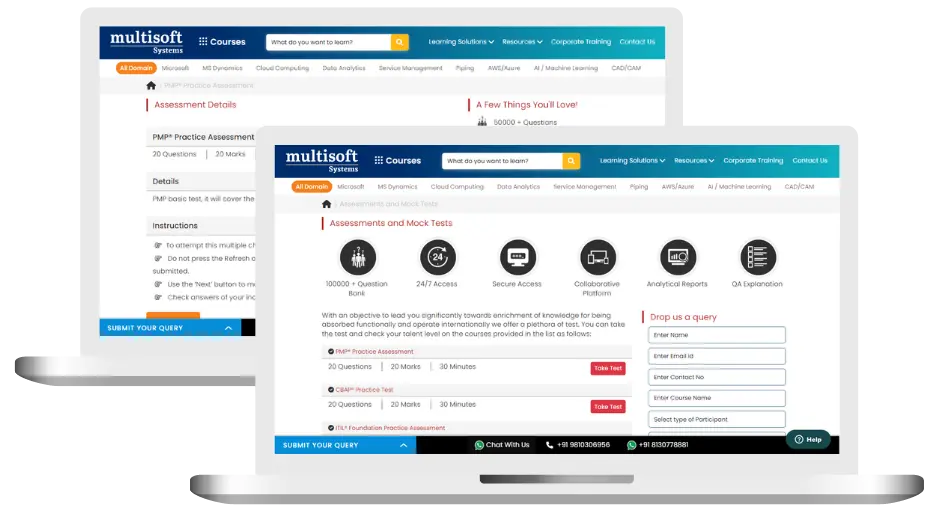
Quantum GIS (QGIS) Training (MCQ) Assessment
This assessment tests understanding of course content through MCQ and short answers, analytical thinking, problem-solving abilities, and effective communication of ideas. Some Multisoft Assessment Features :
- User-friendly interface for easy navigation
- Secure login and authentication measures to protect data
- Automated scoring and grading to save time
- Time limits and countdown timers to manage duration.
Quantum GIS (QGIS) Corporate Training
Employee training and development programs are essential to the success of businesses worldwide. With our best-in-class corporate trainings you can enhance employee productivity and increase efficiency of your organization. Created by global subject matter experts, we offer highest quality content that are tailored to match your company’s learning goals and budget.
Global Clients



Customized Training
Be it schedule, duration or course material, you can entirely customize the trainings depending on the learning requirements
Expert
Mentors
Be it schedule, duration or course material, you can entirely customize the trainings depending on the learning requirements
360º Learning Solution
Be it schedule, duration or course material, you can entirely customize the trainings depending on the learning requirements
Learning Assessment
Be it schedule, duration or course material, you can entirely customize the trainings depending on the learning requirements
Why Quantum GIS (QGIS) Training for Your Professional Growth
Strengthen your professional capabilities with practical learning, industry-relevant knowledge, and skills applicable to real-world business and technology environments.
Industry-Relevant Skills
Gain knowledge aligned with current industry practices, technologies, processes, and professional requirements.
Practical Learning
Understand concepts through practical scenarios, instructor-led discussions, exercises, and use cases.
Enhanced Professional Capability
Strengthen your ability to work confidently with relevant tools, workflows, platforms, and business processes.
Broader Career Opportunities
Add valuable capabilities to your profile and explore opportunities across relevant roles, projects, and industries.
Adapt to Changing Technologies
Stay familiar with evolving technologies, methodologies, and practices shaping modern enterprise environments.
Professional Recognition
Demonstrate your training achievement with a course completion certificate from Multisoft Systems.
 Zoom-in
Certification Training Achievements: Recognizing Professional Expertise
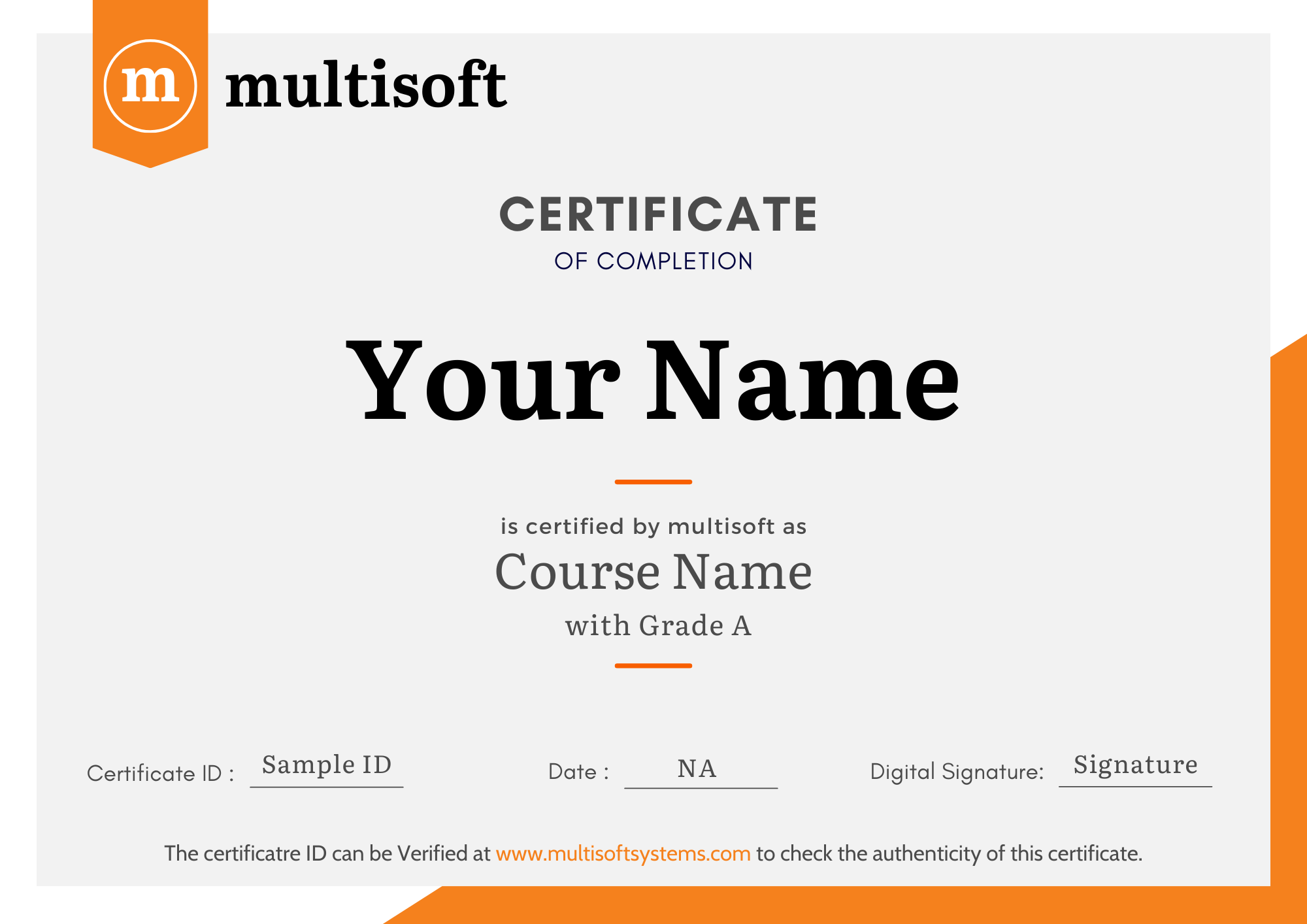
Multisoft Systems is the “one-top learning platform” for everyone. Get trained with certified industry experts and receive a globally-recognized training certificate. Some Multisoft Training Certificate Features :
- Globally recognized certificate
- Course ID & Course Name
- Certificate with Date of Issuance
- Name and Digital Signature of the Awardee
Trending Courses
Why Learners Choose Multisoft Systems
Compare key training features and see how Multisoft Systems focuses on structured learning, practical understanding, and learner support.
Training Features That Matter
Evaluate the learning experience across important areas before selecting a training program.
Instructor-Led Learning
Structured sessions guided by experienced trainers.
Practical Learning
Hands-on exposure that supports concept understanding.
Flexible Learning Options
Learning formats designed around different schedules.
Learner Support
Assistance throughout the training journey.
Learning Resources
Resources that support revision and continued learning.
Training Certificate
Recognition after successful course completion.
Choose Training That Goes Beyond Theory
Multisoft Systems combines guided learning, practical exposure, flexible delivery, learner support, and structured resources to create a more complete training experience.

SAP SuccessFactors Recruiting: Features, Processes, and Career Opportunities
Recruiting the right talent is essential for business growth, but... Read Article
ServiceNow ITOM Training: Skills, Benefits, and Career Opportunities
Modern businesses rely on IT infrastructure to support applications, digital... Read Article
SAP Hybris Training Functional & Developer: Skills, Modules, and Career Opportunities
SAP Hybris is associated with digital commerce solutions that help... Read Article
SAP Hybris Cloud for Customer: Project Implementation, Skills, and Career Guide
Implementing a customer relationship management platform involves much more than... Read ArticleQuantum GIS (QGIS) Training Trainer Profile
19+ Years Experienced
Our Quantum GIS (QGIS) Training Corporate & Certification Program trainers bring 13+ years of proven industry expertise, delivering practical insights aligned with real project environments.
Trained 3950+ Professionals
Our expert trainers have successfully trained 3350+ professionals through structured, real-time training programs designed for industry readiness and career growth.
Certified Experts & Real-Time Project Learning
Build strong practical skills through live project-based training sessions led by certified industry experts with real-world experience.
Hands-on Learning Approach
Gain practical exposure through real-time scenarios, industry case studies, and hands-on assignments that simulate actual project challenges.
Certification Training Guidance
Receive expert support to prepare effectively, practice strategically, and confidently achieve globally recognized certification success.
Customized Training Delivery
Flexible training approach tailored to individual learning goals, skill levels, and evolving industry requirements for maximum effectiveness.
Quantum GIS (QGIS) Training FAQ's
QGIS is a free, open-source Geographic Information System used for spatial data analysis, mapping, geoprocessing, and decision-making. Its flexibility and wide industry adoption make it essential for GIS professionals.
What Attendees are Saying
Our clients love working with us! They appreciate our expertise, excellent communication, and exceptional results. Trustworthy partners for business success.
Share Feedback



