Pentaho Training
Gain practical business intelligence and data integration skills with Pentaho Training covering ETL, data transformation, data warehousing, reporting, dashboards and analytics. Develop hands-on expertise to integrate diverse data sources, create meaningful reports and deliver actionable insights for efficient business intelligence and decision-making.
 1K+ Reviews
Instructor-Led Training Parameters
Course Highlights
- Instructor-led Online Training
- Project Based Learning
- Certified & Experienced Trainers
- Course Completion Certificate
- Customized Learning Schedule
- Doubt-Clearing Sessions
Pentaho Training Course Overview
Pentaho is one of the most used and efficient business analytics tool used by different organizations across the industries. The tool offers the capabilities of data integration, data mining, reporting and other data analytics features. Due to its effective result-output, it has been widely used by organizations across the world.
Multisoft Systems, as a quality training provider, and in accordance with the growing importance of business analysis, provides highest-level Pentaho training for the aspirants. The Pentaho business analytics course from the experts helps learners get an understanding of the topics, including Dimensional modeling and Designing, Clustering in Pentaho, adding constant and sequence, String operation & string cut, Filtering rows and much more.
The course o provdes knowledge of additional concepts related to Pentaho, including:
- Star schema –what and by (language)
- Star schema-what and by (model)
- How to create a connection in DB
- Data Grid
- Working with Hive with ETL Tool
- How to make ETL dynamic
- Replace in string
- How to use a parameter within a transformation
Target audience
- Business Analyst
- BI Developer
- Data Scientist
- DW Programmer
- Solution Architect
Prerequisites
Data warehouse concepts, Basic Database concepts, understanding of any one programming language, and basic knowledge to IT terms.
Instructor-led Training Live Online Classes
Suitable batches for you
| Oct, 2026 | Weekdays | Mon-Fri | Enquire Now |
| Weekend | Sat-Sun | Enquire Now | |
| Dec, 2026 | Weekdays | Mon-Fri | Enquire Now |
| Weekend | Sat-Sun | Enquire Now |
Share details to upskills your team
Enquire for Self-Paced Learning
Share your details and our training advisor will connect with you regarding self-paced learning options.
Pentaho Training Course Content
1. Basic Conceptual Architecture & Architectural Components
- What is pentaho
- Dimensional modeling
- Dimensional design
- Star schema-what and by (model)
- Star schema –what and by (language)
- Conformed dimensions
- Additive vs. semi-additive facts
- Snow flake schema
- Star vs. Dimensional schema
- Slowly changing dimensions
2. Clustering in Pentaho
- Files in pentaho
- Spoon.bat
- Pan.bat
- Kitech.bat
- Carte.bat
- Encr.bat
- Spoon transformation and its steps of transformation
- How to create a connection in DB
- How to move a data from CSV file input to table output
- How to move the data from CSV file input to the Microsoft excel output
- How to move the data from Microsoft excel input to write to log
- Data Grid
- Generate rows
3. Data Transformation-Changing the Data from one form to another form
- How to add constant
- How to add sequence
- Add value field changing sequence
- How the calculator work in pentaho
- No. range in pentaho
- Replace in string
- Select values-select field value
- Select field value to constant
- Sort rows
- Split field to rows
- String operation-string cut
- Unique rows
- Unique rows (hash set)
- Value mapper
4. Flow
- Revision of SSH command
- How to handle the null value in pentaho
- Mail in pentaho
- Error handling in pentaho
- Filter rows
- Priorities stream
5. Implementation of SCD & Jobs
- Revision of SCD type 2
- Jobs
- Differences between jobs and transformation
- How to make ETL dynamic
- How to make transformation dynamic
- File management
- Create folder
- Conditions
- Scripting
- Bulk loading
- XML
- Utility
- Repository
- File transfer
- File encryption
6. Types of Repository in Pentaho
- How to make ETL dynamic
- Difference between parameter and variable
- How to pass a variable from a job to transformation
- How to use a parameter within a transformation
- How to set and get the value from a job to a transformation
- Environmental variable
- Functionality of repository in pentaho
- Data base connection
- Repository import
7. Pentaho Repository & Report Designing
- Basic operational report/dashboard
- Row bending effect in pentaho
- Report designing
- How to public the report/dashboard
- How pentaho server BI looks like
- How to create Bar chart, Pi chart and Line chart in pentaho
- Limitation of design the product
- Sub report/dashboard in pentaho
8. Adhoc Reporting/Dashboard
- How to pass parameter in report/dashboard?
- Drill down report/dashboard
- How to create report/dashboard using cubes?
- How to create report/dashboard using excel sheet?
- How to create report/dashboard using Pentaho Data Integration
9. What is Cube
- What are the benefit of cube?
- How to create the cube?
- How to deploy a cube?
- How to create a report/dashboard using a cube?
10. What is MDX?
- MDX basics
- MDX in practice
- Cells
- Tuple implicit added aggregation member
- Tuple
- Tuple implicit dimensions
- Sets in MDX
- Selects
- Referencing dimensions,level members
- Member referencing
- Positional
- Hierarchical navigation
- Hierarchical navigation MISC
- Functions
- Meta data
11. Creating Pentaho Analyzer Report
12. ETL Connectivity with Hadoop Ecosystem
- How ETL tools work in Big data Industry
- Connecting to HDFS from ETL tool and moving data from Local system to HDFS
- Moving Data from DBMS to HDFS
- Working with Hive with ETL Tool
- Creating Map Reduce job in ETL tool
- End to End ETL PoC showing Hadoop integration with ETL tool

Request for Enquiry
Explore Course Resources
Strengthen your learning with useful resources designed to help you prepare, practice, and evaluate your understanding.
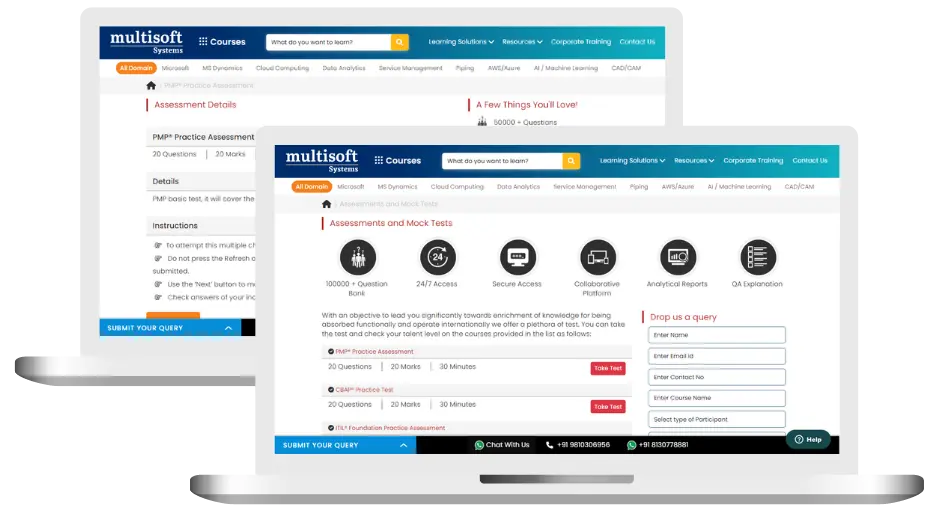
Pentaho Training (MCQ) Assessment
This assessment tests understanding of course content through MCQ and short answers, analytical thinking, problem-solving abilities, and effective communication of ideas. Some Multisoft Assessment Features :
- User-friendly interface for easy navigation
- Secure login and authentication measures to protect data
- Automated scoring and grading to save time
- Time limits and countdown timers to manage duration.
Pentaho Corporate Training
Employee training and development programs are essential to the success of businesses worldwide. With our best-in-class corporate trainings you can enhance employee productivity and increase efficiency of your organization. Created by global subject matter experts, we offer highest quality content that are tailored to match your company’s learning goals and budget.
Global Clients



Customized Training
Be it schedule, duration or course material, you can entirely customize the trainings depending on the learning requirements
Expert
Mentors
Be it schedule, duration or course material, you can entirely customize the trainings depending on the learning requirements
360º Learning Solution
Be it schedule, duration or course material, you can entirely customize the trainings depending on the learning requirements
Learning Assessment
Be it schedule, duration or course material, you can entirely customize the trainings depending on the learning requirements
Why Pentaho Training for Your Professional Growth
Strengthen your professional capabilities with practical learning, industry-relevant knowledge, and skills applicable to real-world business and technology environments.
Industry-Relevant Skills
Gain knowledge aligned with current industry practices, technologies, processes, and professional requirements.
Practical Learning
Understand concepts through practical scenarios, instructor-led discussions, exercises, and use cases.
Enhanced Professional Capability
Strengthen your ability to work confidently with relevant tools, workflows, platforms, and business processes.
Broader Career Opportunities
Add valuable capabilities to your profile and explore opportunities across relevant roles, projects, and industries.
Adapt to Changing Technologies
Stay familiar with evolving technologies, methodologies, and practices shaping modern enterprise environments.
Professional Recognition
Demonstrate your training achievement with a course completion certificate from Multisoft Systems.
 Zoom-in
Certification Training Achievements: Recognizing Professional Expertise
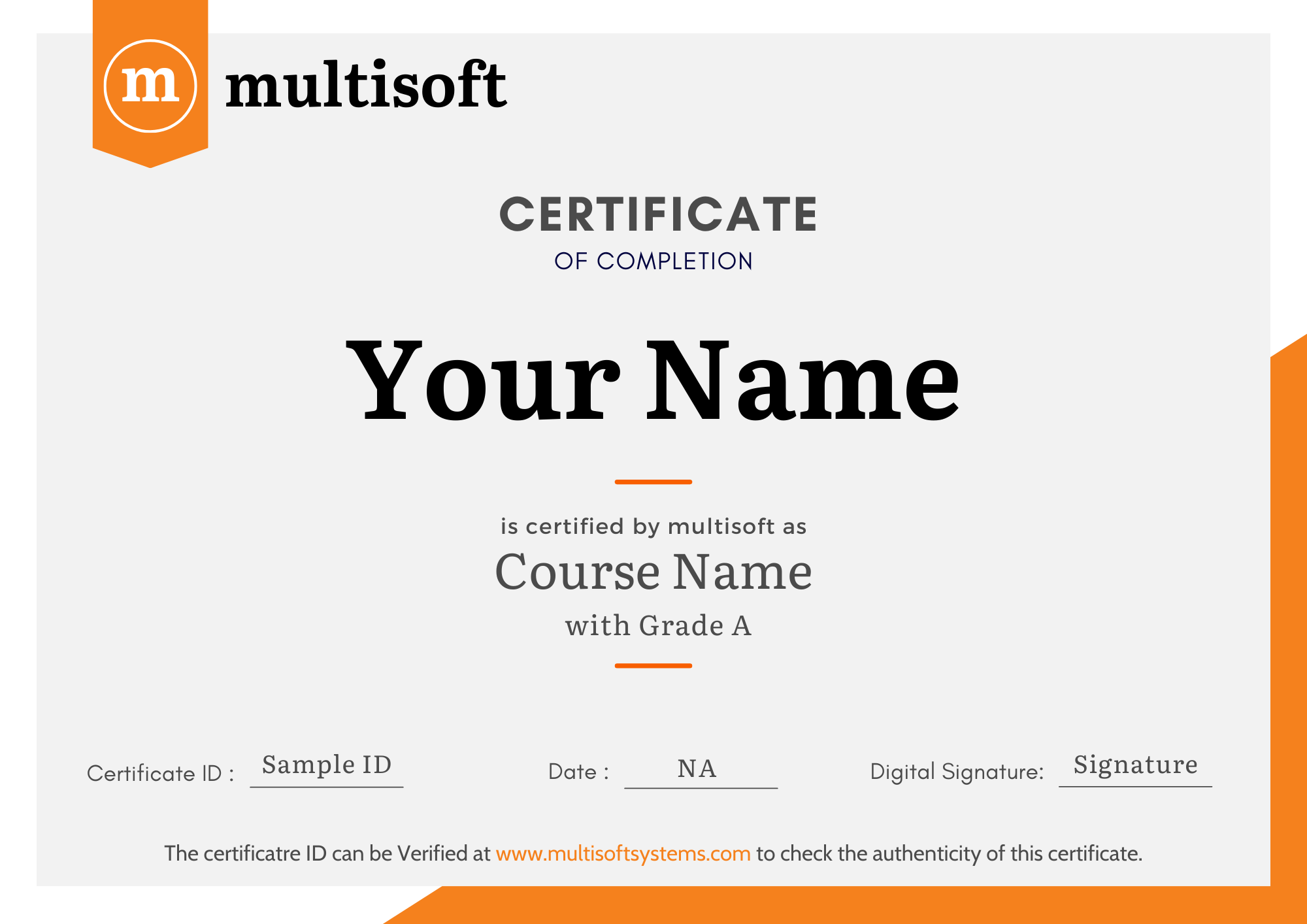
Multisoft Systems is the “one-top learning platform” for everyone. Get trained with certified industry experts and receive a globally-recognized training certificate. Some Multisoft Training Certificate Features :
- Globally recognized certificate
- Course ID & Course Name
- Certificate with Date of Issuance
- Name and Digital Signature of the Awardee
Trending Courses
Why Learners Choose Multisoft Systems
Compare key training features and see how Multisoft Systems focuses on structured learning, practical understanding, and learner support.
Training Features That Matter
Evaluate the learning experience across important areas before selecting a training program.
Instructor-Led Learning
Structured sessions guided by experienced trainers.
Practical Learning
Hands-on exposure that supports concept understanding.
Flexible Learning Options
Learning formats designed around different schedules.
Learner Support
Assistance throughout the training journey.
Learning Resources
Resources that support revision and continued learning.
Training Certificate
Recognition after successful course completion.
Choose Training That Goes Beyond Theory
Multisoft Systems combines guided learning, practical exposure, flexible delivery, learner support, and structured resources to create a more complete training experience.

SAP SuccessFactors Implementing SmartRecruiters Training: A Complete Guide
Modern recruitment requires businesses to find suitable candidates quickly and... Read Article
LabWare LIMS: Features, Benefits, Applications & Training
Modern laboratories operate in an environment where accuracy, efficiency, traceability,... Read Article
What Is SAP Convergent Invoicing? Features, Processes, and Business Applications
Managing invoices accurately becomes challenging when businesses handle subscriptions, usage-based... Read Article
SAP SuccessFactors Recruiting: Features, Processes, and Career Opportunities
Recruiting the right talent is essential for business growth, but... Read ArticlePentaho Training Trainer Profile
19+ Years Experienced
Our Pentaho Corporate & Certification Program trainers bring 13+ years of proven industry expertise, delivering practical insights aligned with real project environments.
Trained 3950+ Professionals
Our expert trainers have successfully trained 3350+ professionals through structured, real-time training programs designed for industry readiness and career growth.
Certified Experts & Real-Time Project Learning
Build strong practical skills through live project-based training sessions led by certified industry experts with real-world experience.
Hands-on Learning Approach
Gain practical exposure through real-time scenarios, industry case studies, and hands-on assignments that simulate actual project challenges.
Certification Training Guidance
Receive expert support to prepare effectively, practice strategically, and confidently achieve globally recognized certification success.
Customized Training Delivery
Flexible training approach tailored to individual learning goals, skill levels, and evolving industry requirements for maximum effectiveness.
What Attendees are Saying
Our clients love working with us! They appreciate our expertise, excellent communication, and exceptional results. Trustworthy partners for business success.
Share Feedback Download Curriculum