Emerson DeltaV DCS Corporate Training in Bangalore
Master the Emerson DeltaV Distributed Control System (DCS) with Multisoft Systems’ expert-led corporate training in Bangalore. Designed for professionals in oil & gas, pharmaceuticals, power, and manufacturing, our hands-on program covers DeltaV architecture, configuration, control strategies, alarm management, and troubleshooting. Gain practical skills to optimize industrial automation, enhance operational efficiency, and minimize downtime.

Trusted by companies all over the world.










DeltaV DCS Corporate Training Course Content
- Understand the fundamentals of Distributed Control Systems (DCS) and the architecture of EMERSON DeltaV.
- Learn to configure DeltaV hardware, including controllers, I/O modules, and communication interfaces.
- Develop and implement control strategies for real-time process management.
- Gain expertise in creating and managing control modules, loops, and function blocks.
- Configure alarms, events, and notifications to enhance process safety and efficiency.
- Set up and manage operator interfaces, including HMI (Human-Machine Interface) stations.
- Master troubleshooting techniques for diagnosing and resolving system errors.
- Explore system maintenance practices to ensure optimal performance and minimize downtime.
- Understand integration with other industrial systems using communication protocols like OPC and Modbus.
- Introduction to EMERSON DeltaV
- Introduction to EMERSON DeltaV Hardware & Software
- Brief explanation about DeltaV Plant Web Architecture
- Database Creation
- Controller & I/O Configuration
- Workstation Configuration
- Explanation of Networks and Protocols
- Working with Database, Configuration of Area & Assigning Modules with DeltaV Explorer
- Creating a New Program (Logic Development Via Function Block Diagram) through Control Studio
- Configuration of various Function Blocks and it's interconnections for both Digital & Analog Signals
- Explanation, Development, and Implementation of Open Loop Logics
- Simulation through DeltaV Hardware
 DOWNLOAD CURRICULUM
- Explanation and Implementation of DC (Device Control) Block
- Configuration of DC Block and Assigning - Name set, Interlocks (Permissive & Safety) with the DC Block
- Introduction and Explanation of DeltaV Operate
- Working with the Faceplate of DC Block through DeltaV Operate
- Configuring and Working with Graphics via DeltaV Operate
- Configuration of Database Tag Link and Implementation of Animation and Visibilities with DeltaV Operate
- Explanation, Implementation, and Configuration of PID Contro
- Working with the Graphics and Faceplate of PID Control through DeltaV Operate
- Explanation, Implementation, and Configuration of Cascade Loop Control
- Working with the Graphics and Faceplate of Cascade Loop Control through DeltaV Operate
- Explanation and Execution of Run Mode
- Explanation and Implementation about Control Studio Debug
DOWNLOAD CURRICULUM
- Working with the Graphics of Totalizer through DeltaV Operate
- Explanation, Implementation, and Configuration of Split Range Control
- Working with the Graphics of Split Range Control through DeltaV Operate
- Explanation, Implementation, and Configuration of Ratio Control
- Working with the Graphics of Ratio Control through DeltaV Operate
- Explanation and Implementation of Graphics Data Entry Creation, Graphics Detail Design, Dynamo & Static Object Creation, and Pop-ups Creation
- Explanation, Implementation, and Configuration of Sequential Function Chart (SFC)
- Working with the DeltaV Operate for SFC
- Configuration and Implementation of Overview Page
- Explanation, Implementation of Graphics Template &Toolbars
- Explanation, Implementation of Directory Configuration
DOWNLOAD CURRICULUM
- Configuration of Alarm Screens in the DeltaV Operate
- Explanation, Implementation, and Configuration History Collection Tags Monitoring
- Configuring of Tags for Events monitoring, and History Collection
- Explanation, Implementation, and Configuration of Bulk Edit Application (Add-in)
- Explanation of Database Library, Library Device, Module Template, Class base Module and major Class Module Templates
- Explanation, Implementation, and Configuration of MODBUS
- Explanation, and Configuration of Landing Modules, Signals & Registers, and Parameters
- Explanation of various Communication Protocols (PROFIBUS, FF)
- Explanation of OPC and Third Party Communication
- Explanation and Implementation of User Manager
- Configuration and Implementation of System Security details, Login Details, License Details, and Restriction Controls
DOWNLOAD CURRICULUM
- Configuration and Implementation of Operator Workstations
- Explanation about Application Workstation
- Explanation of Networking types
- Explanation and Working with DeltaV Diagnostics and Troubleshooting
- Explanation of Module Scanning & Block Scanning
- Explanation, Implementation, and Configuration of Report Application (Add-in)
- Explanation and Configuration of Schedule-based Report Generation
- Explanation and Implementation of Backup and Restore of DeltaV Control Project
- Q & A Session
DOWNLOAD CURRICULUM
Request for Enquiry
Multisoft Corporate Training Features
Outcome centric learning solutions to meet changing skill-demand of your organization
Wide variety of trainings to suit business skill demands

360° learning solution with lifetime access to e-learning materials

Choose topics, schedule and even a subject matter expert

Skilled professionals with relevant industry experience

Customized trainings to understand specific project requirements

Check performance progress and identify areas for development
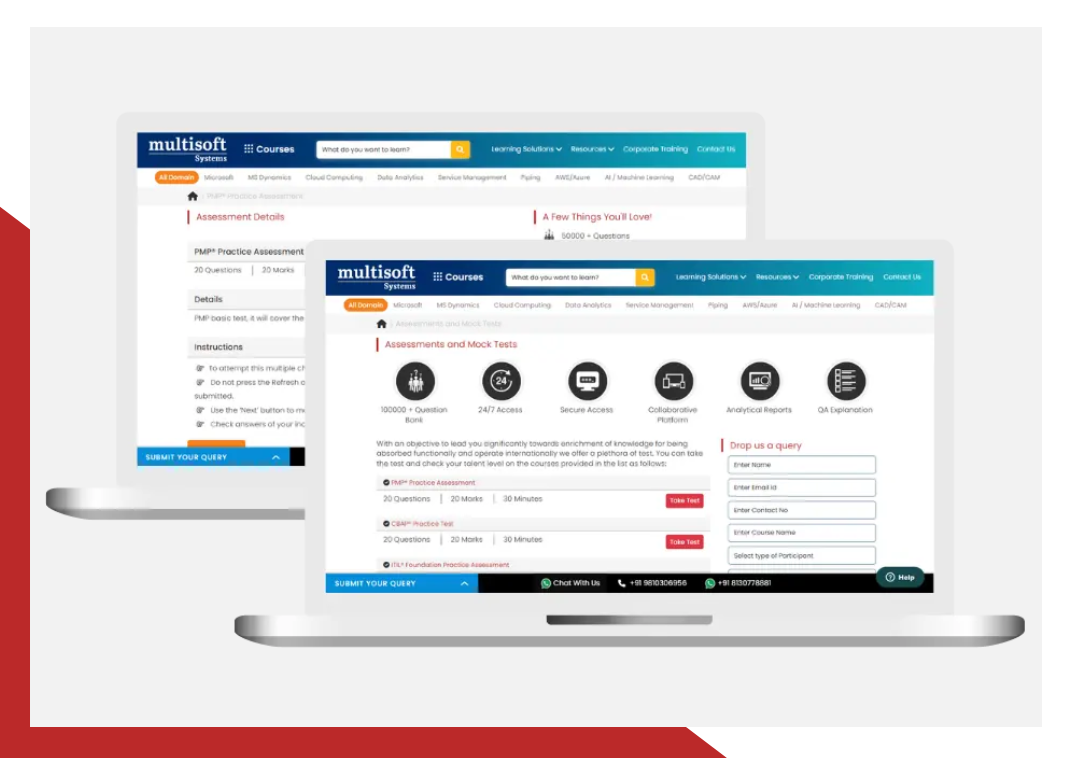
Essential Tools and Resources to Enhance Your Skills and Boost Professional Growth
What Attendees are Saying
Our clients love working with us! They appreciate our expertise, excellent communication, and exceptional results. Trustworthy partners for business success.
Share Feedback
Upgrade Your Work Force with Multisoft : Upgrade your team's skills with cutting-edge technology training
 Download Brochure