Web Designing Training
Develop professional web design skills with Web Designing Training. Learn HTML, CSS, responsive design, layouts, typography, graphics, UI principles and basic JavaScript through practical exercises. Gain hands-on expertise to create attractive, user-friendly and mobile-responsive websites for modern digital platforms.
 1K+ Reviews
Instructor-Led Training Parameters
Course Highlights
- Instructor-led Online Training
- Project Based Learning
- Certified & Experienced Trainers
- Course Completion Certificate
- Customized Learning Schedule
- Doubt-Clearing Sessions
Web Designing Training Course Overview
Web Designing training provides a comprehensive study on the tools and technologies required for the designing of impressive website. Participants will learn the effective use of CSS, Photoshop, Dreamweaver, HTML, HTML5, Java Script, and jQuery.
An experienced trainer guides in understanding the client requirement and further in concept creation. The coding, layout, color scheme, font style/size/color, functionality and other details are encompassed in this training. Aspirants are taught how to keep a balance between text, graphics and multimedia on the website by keeping it comply to the standardization.
By the end of the training , you will be able to do the following:
- Using CSS- structure text/lists, define link states, define layout, work on forms
- Using Photoshop and Dreamweaver- for image editing
- Using HTML - apply tags/elements/attributes/comments, implement formatting, provide linking, create frames/blocks, use colors/fonts/stylesheet/layout
- Using HTML5- work with text, forms, multimedia, data storage, and geolocation
- Using JavaScript - use arithmetic/logical operators, loop/control statements, functions/events, DOM
- Using jQuery - use DOM elements, jQuery utilities/events
Target audience
- Website Developer
- Web Designer
- Students
Prerequisites
While there is no formal prerequisite for this training, however candidates with a strong interest in website designing are the ideal participants for this course. Understanding of HTML and CSS will be an added advantage.
Instructor-led Training Live Online Classes
Suitable batches for you
| Oct, 2026 | Weekdays | Mon-Fri | Enquire Now |
| Weekend | Sat-Sun | Enquire Now | |
| Dec, 2026 | Weekdays | Mon-Fri | Enquire Now |
| Weekend | Sat-Sun | Enquire Now |
Share details to upskills your team
Enquire for Self-Paced Learning
Share your details and our training advisor will connect with you regarding self-paced learning options.
Web Designing Training Course Content
Module 1: CSS
- CSS Syntax
- Rules
- Selectors
- Properties
- Values
- Applying CSS to HTML
- Text
- Structuring Text
- Basic Text Elements: Paragraphs, Line Breaks, and Emphasis
- Headings
- Quotations
- Abbreviations and Acronyms
- Preformatted Text and Computer Code
- Editorial Insertions and Deletions
- Multilanguage and Bidirectional Text
- Addresses
- Styling Text
- Fonts
- Color
- Size
- Line Height
- Bold and Italics
- Upper and Lower Case
- The Font Shorthand Property
- Underline and Strikethrough
- Letter and Word Spacing
- Indenting
- Horizontal Alignment
- Vertical Alignment
- More Text Styling Techniques
- Links
- Link States: Link, Visited, Hover, Focus, and Active
- Accessible Links
- Tabbing
- Access Keys
- Link Titles
- Pop ups
- Adjacent Links
- Skipping Navigation
- Images
- The img Element
- Image Maps
- Background Images
- Image Replacement: Providing Graphical Alternatives for Text
- Layout
- The Box Model
- Width and Height
- Padding
- Borders
- Margin
- The display Property
- Positioning
- Static
- Relative
- Absolute
- Fixed
- Floating
- Sample Page Layouts
- Creating Columns
- Adding a Page Header
- Adding a Footer
- Lists
- Structuring Lists
- Unordered and Ordered Lists
- Definition Lists
- Lists as Navigation
- Presenting Lists
- List Markers—Bullets, Numbers, and Images
- Horizontal Lists
- Forms
- Labels
- Styling Form Fields
- Borders
- Fonts
- Backgrounds
- Multiple Media
- Screen Readers
- Mobile Devices
- Pseudo classes
- :active
- :first
- :first child
- :focus
- :hover
- :lang
- :left
- :link
- :right
- :visited
- Pseudo elements
- :after
- :before
- :first letter
- :first line
- At rules
- @import
- CSS History
- What is CSS
- Animations with CSS
- Borders with CSS
- Backgrounds with CSS
- Fonts with CSS
- Multiple Columns
- Text Effects with CSS
- Transitions Effects
- User Interface of CSS
- D Transforms with CSS
- D Transforms with CSS
- Intro Of Photoshop
- Interface Layout
- Palettes
- Toolbox
- Selection Tools
- Alteration Tools
- Drawing and Selection Tools
- Assisting Tools
- Color Boxes and Modes
- Basic Image Editing
- Cropping
- Resizing
- Correcting
- Sharpening/Softening
- Saving
- Creatng PSD
- Convert PSD to HTML
- Defining a local site
- Creating a page in Layout view
- Inserting an image and a rollover image
- Working with tables in Standard view
- Creating a link to another document
- Inserting assets from the Assets panel
- Inserting Flash Text and Flash Button objects
- Creating and applying a template
- Running a site report
- Adding a Design Note
Module 2: HTML
- HTML Overview
- Basic HTML Document
- HTML Tags
- HTML Document Structure
- The Declaration
- HTML Basic Tags
- Heading Tags
- Paragraph Tag
- Line Break Tag
- Centering Content
- Horizontal Lines
- Preserve Formatting
- Nonbreaking Spaces
- HTML Elements
- HTML Tag vs Element
- Nested HTML Elements
- HTML Attributes
- Core Attributes
- The id Attribute
- The title Attribute
- The class Attribute
- The style Attribute
- Internationalization Attributes
- The dir Attribute
- The lang Attribute
- The xml:lang Attribute
- Generic Attributes
- HTML Formatting
- Bold Text
- Italic Text
- Underlined Text
- Strike Text
- Monospaced Font
- Superscript Text
- Subscript Text
- Inserted Text
- Deleted Text
- Larger Text
- Smaller Text
- Grouping Content
- HTML Phrase Tags
- Emphasized Text
- Marked Text
- Strong Text
- Text Abbreviation
- Acronym Element
- Text Direction
- Special Terms
- Quoting Text
- Short Quotations
- Text Citations
- Computer Code
- Keyboard Text
- Programming Variables
- Program Output
- Address Text
- HTML Meta Tags
- Adding Meta Tags to Your Documents
- Specifying Keywords
- Document Description
- Document Revision Date
- Document Refreshing
- Page Redirection
- Setting Cookies
- Setting Author Name
- Specify Character Set
- HTML Comments
- Valid vs Invalid Comments
- Multiline Comments
- Conditional Comments
- HTML Lists
- HTML Unordered Lists
- The type Attribute
- HTML Ordered Lists
- The type Attribute
- The start Attribute
- HTML Definition Lists
- HTML Text Links
- Linking Documents
- The target Attribute
- Use of Base Path
- Linking to a Page Section
- HTML Frames
- Disadvantages of Frames
- Creating Frames
- The Tag Attributes
- The Tag Attributes
- Browser Support for Frames
- Frame's name and target attributes
- HTML IFrames
- TheTag Attributes
- HTML Blocks
- Block Elements
- Inline Elements
- Grouping HTML Elements
- The
- The tag
- HTML Backgrounds
- Html Background with Colors
- Html Background with Images
- Patterned & Transparent Backgrounds
- HTML Colors
- HTML Color Coding Methods
- HTML Colors Color Names
- W C Standard Colors
- HTML Colors Hex Codes
- HTML Colors RGB Values
- Browser Safe Colors
- HTML Fonts
- Set Font Size
- Relative Font Size
- Setting Font Face
- Specify alternate font faces
- Setting Font Color
- The Element:
- HTML Forms
- Form Attributes
- HTML Form Controls
- Text Input Controls
- Single line text input controls
- Attributes
- HTML Marquees
- Syntax
- The Tag Attributes
- HTML Header
- The HTML
- The HTML Tag
- The HTML Tag
- The HTML Tag
- The HTML

Request for Enquiry
Explore Course Resources
Strengthen your learning with useful resources designed to help you prepare, practice, and evaluate your understanding.
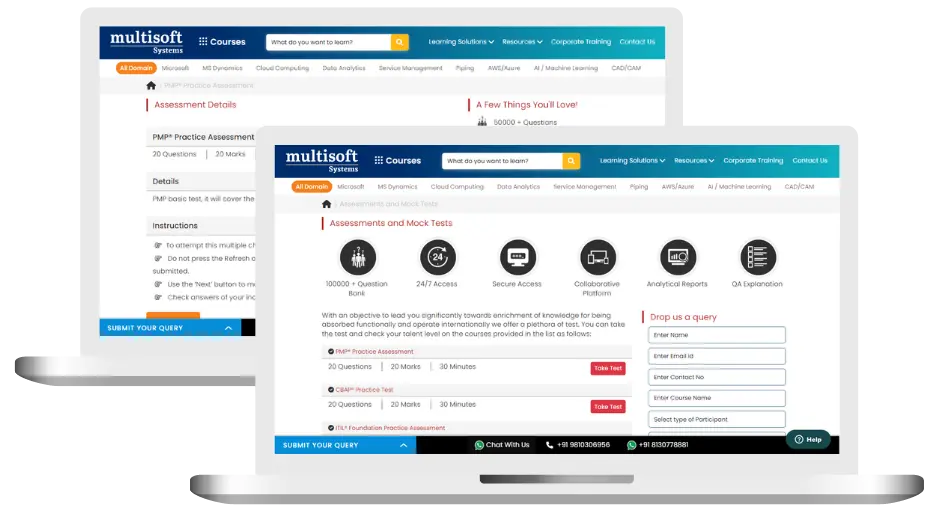
Web Designing Training (MCQ) Assessment
This assessment tests understanding of course content through MCQ and short answers, analytical thinking, problem-solving abilities, and effective communication of ideas. Some Multisoft Assessment Features :
- User-friendly interface for easy navigation
- Secure login and authentication measures to protect data
- Automated scoring and grading to save time
- Time limits and countdown timers to manage duration.
Web Designing Corporate Training
Employee training and development programs are essential to the success of businesses worldwide. With our best-in-class corporate trainings you can enhance employee productivity and increase efficiency of your organization. Created by global subject matter experts, we offer highest quality content that are tailored to match your company’s learning goals and budget.
Global Clients




Customized Training
Be it schedule, duration or course material, you can entirely customize the trainings depending on the learning requirements
Expert
Mentors
Be it schedule, duration or course material, you can entirely customize the trainings depending on the learning requirements
360º Learning Solution
Be it schedule, duration or course material, you can entirely customize the trainings depending on the learning requirements
Learning Assessment
Be it schedule, duration or course material, you can entirely customize the trainings depending on the learning requirements
Why Web Designing Training for Your Professional Growth
Strengthen your professional capabilities with practical learning, industry-relevant knowledge, and skills applicable to real-world business and technology environments.
Industry-Relevant Skills
Gain knowledge aligned with current industry practices, technologies, processes, and professional requirements.
Practical Learning
Understand concepts through practical scenarios, instructor-led discussions, exercises, and use cases.
Enhanced Professional Capability
Strengthen your ability to work confidently with relevant tools, workflows, platforms, and business processes.
Broader Career Opportunities
Add valuable capabilities to your profile and explore opportunities across relevant roles, projects, and industries.
Adapt to Changing Technologies
Stay familiar with evolving technologies, methodologies, and practices shaping modern enterprise environments.
Professional Recognition
Demonstrate your training achievement with a course completion certificate from Multisoft Systems.

 Zoom-in
Certification Training Achievements: Recognizing Professional Expertise
Multisoft Systems is the “one-top learning platform” for everyone. Get trained with certified industry experts and receive a globally-recognized training certificate. Some Multisoft Training Certificate Features :
- Globally recognized certificate
- Course ID & Course Name
- Certificate with Date of Issuance
- Name and Digital Signature of the Awardee
Trending Courses
Why Learners Choose Multisoft Systems
Compare key training features and see how Multisoft Systems focuses on structured learning, practical understanding, and learner support.
Training Features That Matter
Evaluate the learning experience across important areas before selecting a training program.
Instructor-Led Learning
Structured sessions guided by experienced trainers.
Practical Learning
Hands-on exposure that supports concept understanding.
Flexible Learning Options
Learning formats designed around different schedules.
Learner Support
Assistance throughout the training journey.
Learning Resources
Resources that support revision and continued learning.
Training Certificate
Recognition after successful course completion.
Choose Training That Goes Beyond Theory
Multisoft Systems combines guided learning, practical exposure, flexible delivery, learner support, and structured resources to create a more complete training experience.

SAP SuccessFactors Implementing SmartRecruiters Training: A Complete Guide
Modern recruitment requires businesses to find suitable candidates quickly and... Read Article
LabWare LIMS: Features, Benefits, Applications & Training
Modern laboratories operate in an environment where accuracy, efficiency, traceability,... Read Article
What Is SAP Convergent Invoicing? Features, Processes, and Business Applications
Managing invoices accurately becomes challenging when businesses handle subscriptions, usage-based... Read Article
SAP SuccessFactors Recruiting: Features, Processes, and Career Opportunities
Recruiting the right talent is essential for business growth, but... Read ArticleWeb Designing Training Trainer Profile
19+ Years Experienced
Our Web Designing Corporate & Certification Program trainers bring 13+ years of proven industry expertise, delivering practical insights aligned with real project environments.
Trained 3950+ Professionals
Our expert trainers have successfully trained 3350+ professionals through structured, real-time training programs designed for industry readiness and career growth.
Certified Experts & Real-Time Project Learning
Build strong practical skills through live project-based training sessions led by certified industry experts with real-world experience.
Hands-on Learning Approach
Gain practical exposure through real-time scenarios, industry case studies, and hands-on assignments that simulate actual project challenges.
Certification Training Guidance
Receive expert support to prepare effectively, practice strategically, and confidently achieve globally recognized certification success.
Customized Training Delivery
Flexible training approach tailored to individual learning goals, skill levels, and evolving industry requirements for maximum effectiveness.
What Attendees are Saying
Our clients love working with us! They appreciate our expertise, excellent communication, and exceptional results. Trustworthy partners for business success.
Share Feedback Download Curriculum