Microsoft Windows Phone (Mobility) Training
Develop mobile application skills with Microsoft Windows Phone (Mobility) Training. Learn application design, development, user interfaces, APIs, data handling, testing and deployment. Gain practical expertise to create responsive, secure and user-friendly mobile applications while understanding the Windows Phone development ecosystem and tools.
 1K+ Reviews
Instructor-Led Training Parameters
Course Highlights
- Instructor-led Online Training
- Project Based Learning
- Certified & Experienced Trainers
- Course Completion Certificate
- Customized Learning Schedule
- Doubt-Clearing Sessions
Microsoft Windows Phone (Mobility) Training Course Overview
Microsoft Windows Phone (Mobility) training provides proficiency in building XAML skills and developing Silverlight and WPF applications using Visual Studio 2010 and Expression Blend 4. These applications will run for Windows desktops, Web, and Windows Phone 7 devices. Through this training the candidates can learn the ways to optimize the design of the applications and develop code to access data using the ADO.NET Entity Framework, ADO.NET, WCF Data Services, LINQ, and Sync Framework.
Windows Phone training courseware is comprised of three courses namely, Fundamentals of XAML and Microsoft Expression Blend, Developing Data Access Solutions with Microsoft Visual Studio 2010, and PRO: Designing and Developing Windows Phone Applications.
At the completion of this training, following skills will be inculcated in you:
- Create XAML based objects and applications.
- Create Silverlight applications and interactive user interface using layout controls, hosting controls, and InitParams.
- Implement animations, transformation, visual states, and binding in XAML-based applications.
- Compare data access technologies and implement the most suitable to solve the real world problems.
- Create, update, query, and delete Entity Data.
- Work with Object Services model implemented by the Entity Framework.
- Reuse existing business classes by using the Entity Framework.
- Build and handle updates in an N-Tier Solution by using the Entity Framework.
- Building Occasionally Connected Solutions.
- Design, develop, update, and query data by using WCF Data Services.
Target audience
- Web developers
- Windows Forms developers
- .NET software developers
Prerequisites
The candidates with following programming experiences on Visual Studio 2010 can undergo this training:
- Windows Forms desktop applications
- ASP.NET Web applications
- Database connectivity using the Entity Framework, LINQ, and ADO.NET
Instructor-led Training Live Online Classes
Suitable batches for you
| Oct, 2026 | Weekdays | Mon-Fri | Enquire Now |
| Weekend | Sat-Sun | Enquire Now | |
| Nov, 2026 | Weekdays | Mon-Fri | Enquire Now |
| Weekend | Sat-Sun | Enquire Now |
Share details to upskills your team
Enquire for Self-Paced Learning
Share your details and our training advisor will connect with you regarding self-paced learning options.
Microsoft Windows Phone (Mobility) Training Course Content
1. Binding in XAML
- Introduction to XAML-Based Applications
- Tools for Designing and Developing XAML-Based Applications
- Anatomy of a XAML-Based Application
2. Creating Vector Graphics with Expression Studio 4
- Creating Vector Graphics with Expression Blend 4
- Creating Vector Graphics with Expression Design 4
- Importing Vector Graphics into Expression Blend 4
3. Laying out a XAML-Based Application
- Organizing Controls in the User Interface
- Adding and Manipulating Controls
4. Developing and Debugging XAML-Based Applications
- Developing WPF Applications
- Developing Silverlight Applications
- Hosting Silverlight Applications
- Debugging XAML-Based Applications
5. Creating Controls Programmatically and Working with Media Files
- Creating and Using Controls Programmatically
- Working with Media Files
6. Working with Resources, Styles, Control Templates, and Behaviors
- Working with Resources
- Working with Styles and Control Templates
- Working with Actions, Triggers, and Behaviors
7. Implementing Transforms, Animations, and Visual States
- Transforms in XAML-Based Applications
- Animations in XAML-Based Applications
- Implementing and Working with Visual States
8. Binding in XAML
- Property Binding in XAML-Based Applications
- Data Binding in XAML-Based Applications
9. Prototyping Applications by Using SketchFlow in Expression Blend 4
- Prototyping Applications with SketchFlow
- Packaging and Reviewing Prototypes Developed with SketchFlow
10. Architecture and Data Access Technologies
- Data Access Technologies
- Data Access Scenarios
11. Building Entity Data Models
- Introduction to Entity Data Models
- Modifying the Entity Data Model
- Customizing the Entity Data Model
12. Querying Entity Data
- Retrieving Data by Using LINQ to Entities
- Retrieving Data by Using Entity SQL
- Retrieving Data by Using EntityClient Provider
- Retrieving Data by Using Stored Procedures
- Unit Testing Your Data Access Code
13. Creating, Updating, and Deleting Entity Data
- Understanding Change Tracking in the Entity Framework
- Modifying Data in an Entity Data Model
14. Handling Multi-User Scenarios by Using Object Services
- Handling Concurrency in the Entity Framework
- Transactional Support in the Entity Framework
15. Building Optimized Solutions by Using Object Services
- The Stages of Query Execution
- Change Tracking and Object Materialization
- Using Compiled Queries
- Using Design-Time Generated Entity Framework Views
- Monitoring Performance
- Performing Asynchronous Data Modifications
16. Customizing Entities and Building Custom Entity Classes
- Overriding Generated Classes
- Using Templates to Customize Entities
- Creating and Using Custom Entity Classes
17. Using POCO Classes with the Entity Framework
- Requirements for POCO Classes
- POCO Classes and Lazy Loading
- POCO Classes and Change Tracking
- Extending Entity Types
18. Building an N-Tier Solution by Using the Entity Framework
- Designing an N-Tier Solution
- Defining Operations and Implementing Data Transport Structures
- Protecting Data and Operations
19. Handling Updates in an N-Tier Solution by Using the Entity Framework
- Tracking Entities and Persisting Changes
- Managing Exceptions in an N-Tier Solution
20. Building Occasionally Connected Solutions
- Offline Data Caching by Using XML
- Using the Sync Framework
21. Querying Data by Using WCF Data Services
- Introduction to WCF Data Services
- Creating a WCF Data Service
- Consuming a WCF Data Service
- Protecting Data and Operations in a WCF Data Service
22. Updating Data by Using WCF Data Services
- Creating, Updating, and Deleting Data in a WCF Data Service
- Preventing Unauthorized Updates and Improving Performance
- Using WCF Data Services with Nonrelational Data
23. Using ADO.NET
- Retrieving and Modifying Data by Using ADO.NET Commands
- Retrieving and Modifying Data by Using DataSets
- Managing Transactions and Concurrency in Multiuser Scenarios
24. Using LINQ to SQL
- Implementing a Logical Data Model by Using LINQ to SQL
- Managing Performance and Handling Concurrency

Request for Enquiry
Explore Course Resources
Strengthen your learning with useful resources designed to help you prepare, practice, and evaluate your understanding.
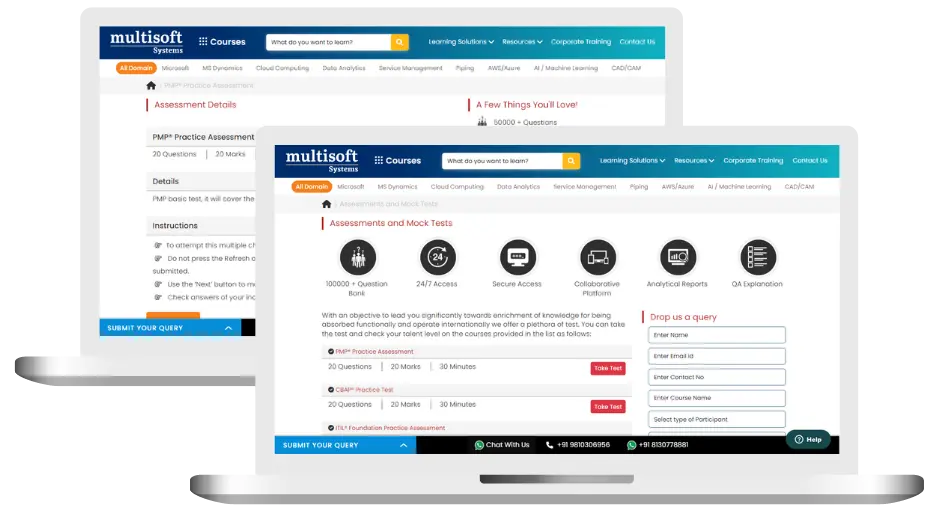
Microsoft Windows Phone (Mobility) Training (MCQ) Assessment
This assessment tests understanding of course content through MCQ and short answers, analytical thinking, problem-solving abilities, and effective communication of ideas. Some Multisoft Assessment Features :
- User-friendly interface for easy navigation
- Secure login and authentication measures to protect data
- Automated scoring and grading to save time
- Time limits and countdown timers to manage duration.
Microsoft Windows Phone (Mobility) Corporate Training
Employee training and development programs are essential to the success of businesses worldwide. With our best-in-class corporate trainings you can enhance employee productivity and increase efficiency of your organization. Created by global subject matter experts, we offer highest quality content that are tailored to match your company’s learning goals and budget.
Global Clients



Customized Training
Be it schedule, duration or course material, you can entirely customize the trainings depending on the learning requirements
Expert
Mentors
Be it schedule, duration or course material, you can entirely customize the trainings depending on the learning requirements
360º Learning Solution
Be it schedule, duration or course material, you can entirely customize the trainings depending on the learning requirements
Learning Assessment
Be it schedule, duration or course material, you can entirely customize the trainings depending on the learning requirements
Why Microsoft Windows Phone (Mobility) Training for Your Professional Growth
Strengthen your professional capabilities with practical learning, industry-relevant knowledge, and skills applicable to real-world business and technology environments.
Industry-Relevant Skills
Gain knowledge aligned with current industry practices, technologies, processes, and professional requirements.
Practical Learning
Understand concepts through practical scenarios, instructor-led discussions, exercises, and use cases.
Enhanced Professional Capability
Strengthen your ability to work confidently with relevant tools, workflows, platforms, and business processes.
Broader Career Opportunities
Add valuable capabilities to your profile and explore opportunities across relevant roles, projects, and industries.
Adapt to Changing Technologies
Stay familiar with evolving technologies, methodologies, and practices shaping modern enterprise environments.
Professional Recognition
Demonstrate your training achievement with a course completion certificate from Multisoft Systems.
 Zoom-in
Certification Training Achievements: Recognizing Professional Expertise
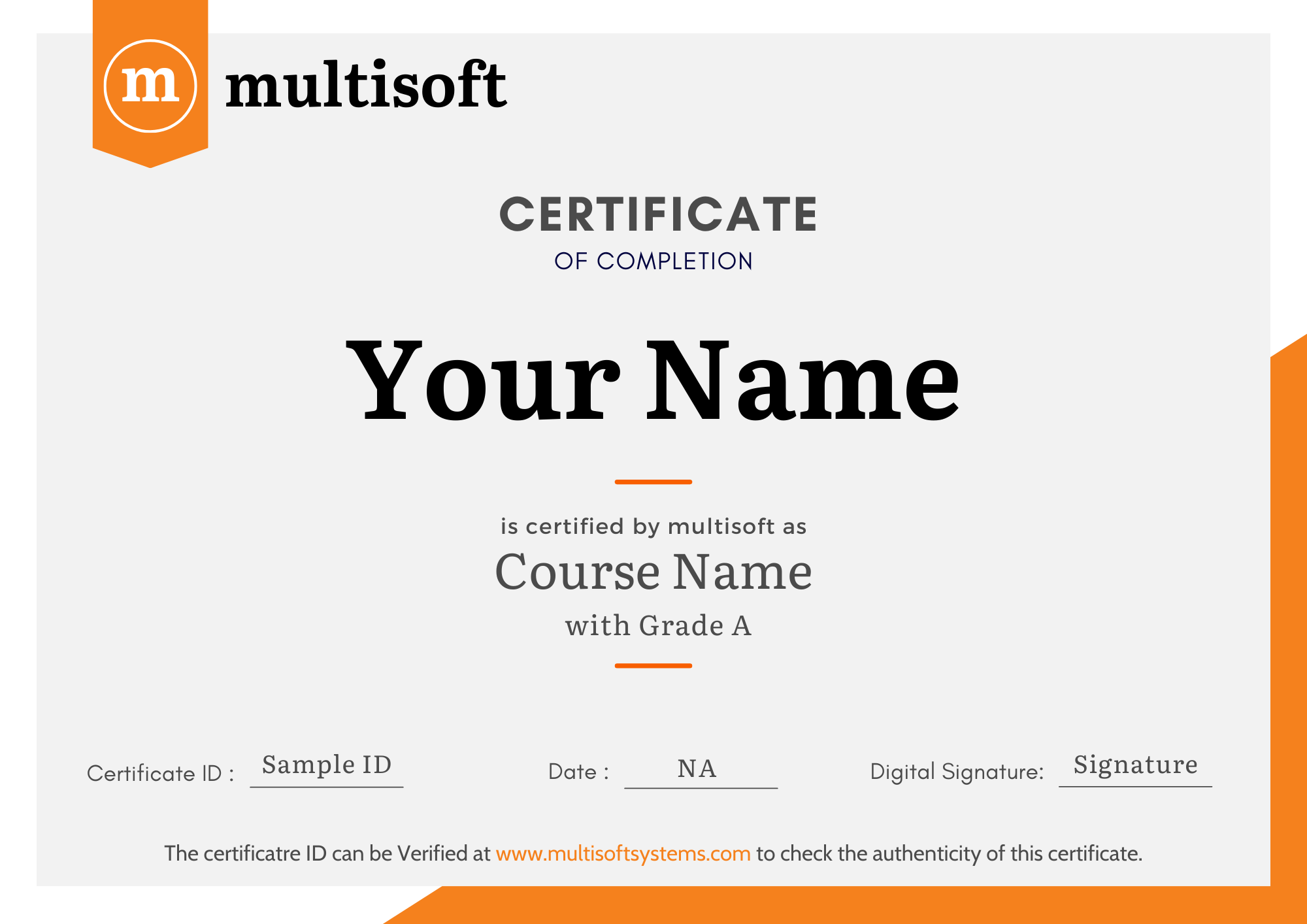
Multisoft Systems is the “one-top learning platform” for everyone. Get trained with certified industry experts and receive a globally-recognized training certificate. Some Multisoft Training Certificate Features :
- Globally recognized certificate
- Course ID & Course Name
- Certificate with Date of Issuance
- Name and Digital Signature of the Awardee
Trending Courses
Why Learners Choose Multisoft Systems
Compare key training features and see how Multisoft Systems focuses on structured learning, practical understanding, and learner support.
Training Features That Matter
Evaluate the learning experience across important areas before selecting a training program.
Instructor-Led Learning
Structured sessions guided by experienced trainers.
Practical Learning
Hands-on exposure that supports concept understanding.
Flexible Learning Options
Learning formats designed around different schedules.
Learner Support
Assistance throughout the training journey.
Learning Resources
Resources that support revision and continued learning.
Training Certificate
Recognition after successful course completion.
Choose Training That Goes Beyond Theory
Multisoft Systems combines guided learning, practical exposure, flexible delivery, learner support, and structured resources to create a more complete training experience.
SAP Hybris Cloud for Customer: Project Implementation, Skills, and Career Guide
Implementing a customer relationship management platform involves much more than... Read Article
SAP Hybris Cloud for Service Training: Benefits, Skills, and Career Opportunities
Customer service has become an important part of modern business... Read Article
IBM AS400 Developer Training: Build Practical Skills for Enterprise Application Development
AS400, now associated with the IBM i operating environment on... Read Article
SAP Hybris Billing Explained: Processes, Skills, and Career Opportunities
Businesses are no longer limited to simple one-time sales. Subscription... Read ArticleMicrosoft Windows Phone (Mobility) Training Trainer Profile
20+ Years Experienced
Our Microsoft Windows Phone (Mobility) Corporate & Certification Program trainers bring 13+ years of proven industry expertise, delivering practical insights aligned with real project environments.
Trained 3150+ Professionals
Our expert trainers have successfully trained 3350+ professionals through structured, real-time training programs designed for industry readiness and career growth.
Certified Experts & Real-Time Project Learning
Build strong practical skills through live project-based training sessions led by certified industry experts with real-world experience.
Hands-on Learning Approach
Gain practical exposure through real-time scenarios, industry case studies, and hands-on assignments that simulate actual project challenges.
Certification Training Guidance
Receive expert support to prepare effectively, practice strategically, and confidently achieve globally recognized certification success.
Customized Training Delivery
Flexible training approach tailored to individual learning goals, skill levels, and evolving industry requirements for maximum effectiveness.
What Attendees are Saying
Our clients love working with us! They appreciate our expertise, excellent communication, and exceptional results. Trustworthy partners for business success.
Share Feedback Download Curriculum



