























































































































































Blog

Unlocking Knowledge, Empowering Minds: Your Gateway to a World of Information and Learning Resources.

blog-image

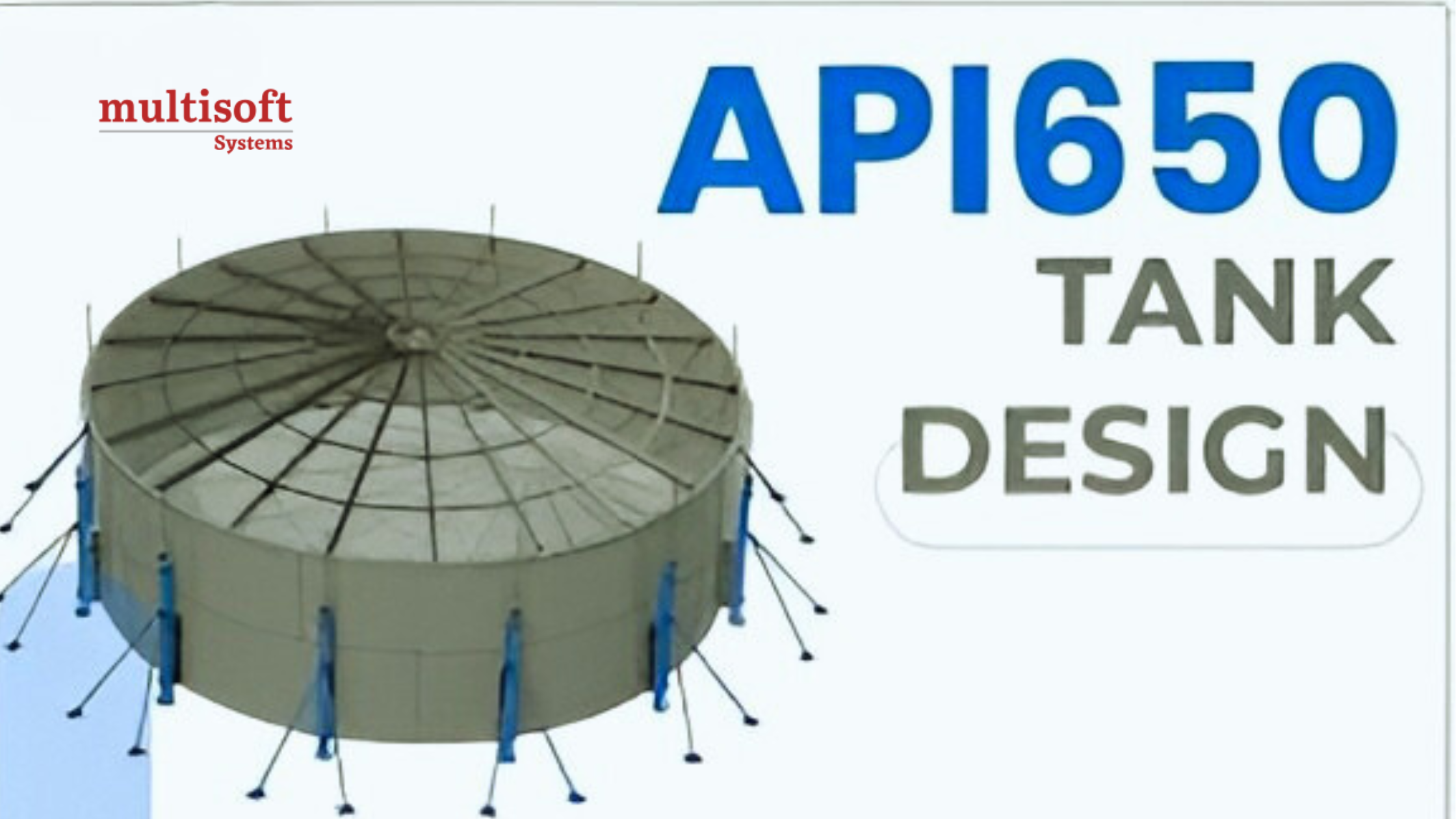
Understanding API 650 Tank Design Standards for Aboveground Storage Tanks


January 23, 2026

API 650 Tank Design is a globally recognized standard for the design, fabrication, erection, and inspection of welded steel storage tanks used primarily in the oil, gas, petrochemical, and chemical industries. Developed and maintained by the American Petroleum Institute, this standard ensures that atmospheric storage tanks are built to safely store liquids at near-ambient pressure conditions while meeting strict requirements for structural integrity, safety, and reliability. Over decades, API 650 has evolved into the most widely adopted reference for aboveground welded steel tanks. Engineers, fabricators, inspectors, and project owners rely on this standard to minimize design errors, control fabrication quality, and ensure long-term performance of tanks operating under a wide range of environmental and service conditions.

This blog by Multisoft Systems provides a comprehensive overview of API 650 Tank Design online training, covering its scope, design philosophy, materials, key components, load considerations, fabrication rules, inspection requirements, and practical benefits.

What Is API 650?

API 650 is a standard that specifies requirements for the design and construction of welded steel tanks for the storage of liquids at atmospheric pressure or very low internal pressures. These tanks are commonly used for crude oil, refined petroleum products, chemicals, water, and other non-volatile liquids. The standard applies primarily to tanks with:

  • A maximum internal pressure not exceeding 2.5 psig
  • A design metal temperature typically above –40°C
  • Cylindrical, vertical, aboveground construction

API 650 is not limited to oil and gas applications. It is widely used in power plants, water treatment facilities, fertilizer plants, and other industrial sectors where safe liquid storage is essential.

Scope and Applicability of API 650

API 650 covers the complete lifecycle of a storage tank from engineering design to final inspection. Its scope includes:

  • Design calculations for shell, bottom, roof, and structural components
  • Selection of materials and plate thicknesses
  • Fabrication and welding requirements
  • Erection tolerances and dimensional controls
  • Inspection, testing, and documentation

The standard is applicable to both new tank construction and tank modifications when referenced by project specifications. However, it does not cover underground tanks, pressure vessels, or tanks designed for high internal pressure. For such applications, other standards like API 620 or ASME codes are typically used.

Design Philosophy of API 650 Tanks

The design philosophy of API 650 tanks is centered on ensuring safety, reliability, and long-term structural integrity through conservative and proven engineering practices. Developed by the American Petroleum Institute, the API 650 standard emphasizes simplicity, consistency, and practicality in the design of aboveground welded steel storage tanks operating at atmospheric or near-atmospheric pressure. Instead of relying heavily on complex numerical modeling, API 650 uses empirical formulas and established engineering methods derived from decades of field experience and industry performance data. The philosophy prioritizes adequate shell thickness to resist hydrostatic liquid pressure, stable bottom and foundation interaction to minimize settlement-related failures, and robust roof and structural designs to withstand environmental loads such as wind, seismic forces, and snow. A key aspect of API 650 is its conservative safety margins, which account for material variability, fabrication tolerances, corrosion, and unforeseen operating conditions.

Welded construction is a fundamental requirement, ensuring leak-tightness and structural continuity throughout the tank. Additionally, the standard integrates inspection, testing, and quality control as part of the overall design intent, recognizing that proper construction and verification are as critical as calculations. This holistic, experience-based philosophy has made API 650 certification the most trusted and widely adopted standard for atmospheric storage tank design worldwide.

Materials of Construction

Materials of construction in API 650 tank design are selected to ensure adequate strength, durability, weldability, and resistance to service-related degradation under atmospheric storage conditions. As specified by the American Petroleum Institute, the standard primarily permits carbon steel and low-alloy steel materials that meet defined chemical composition and mechanical property requirements. Commonly used plate materials include ASTM A36, ASTM A283, ASTM A285, and ASTM A516, chosen based on yield strength, thickness availability, operating temperature, and expected corrosion rates. The design also considers material toughness, particularly for low-temperature service, where impact testing may be required to prevent brittle fracture. Roof plates, bottom plates, and structural components such as rafters, columns, and wind girders generally use compatible steel grades to ensure uniform performance during fabrication and service. In addition, API 650 requires consideration of corrosion allowance and compatibility with protective coatings or cathodic protection systems. Proper material selection in accordance with API 650 is fundamental to achieving long service life, safe operation, and consistent weld quality in welded steel storage tanks.

Tank Components Defined in API 650

An API 650 storage tank consists of several key components, each with specific design requirements.

1. Tank Shell

The shell is the vertical cylindrical wall that contains the stored liquid. Its thickness varies from course to course, with thicker plates at the bottom to withstand higher hydrostatic pressure. API 650 provides formulas such as the one-foot method and variable design point method to calculate shell thickness accurately.

2. Tank Bottom

The bottom prevents leakage into the soil and provides structural support. API 650 specifies minimum thicknesses, corrosion allowances, and welding details for bottom plates. Annular plates are often used in larger tanks to handle higher stresses at the shell-to-bottom junction.

3. Tank Roof

API 650 allows several roof types, including:

  • Cone roof
  • Dome roof
  • Floating roof (external or internal)

The roof design depends on stored product, vapor control requirements, and environmental loads.

4. Nozzles and Appurtenances

Nozzles, manways, vents, and fittings are designed to allow safe operation, inspection, and maintenance. API 650 defines reinforcement requirements to ensure openings do not weaken the shell.

Load Considerations in API 650 Tank Design

Load considerations in API 650 tank design training are critical to ensuring the structural stability and safe operation of aboveground welded steel storage tanks throughout their service life. The design accounts for multiple load types acting individually and in combination, as defined by the American Petroleum Institute standard. The primary load is hydrostatic pressure generated by the stored liquid, which directly influences shell thickness and bottom design. Dead loads include the self-weight of the shell, bottom, roof, insulation, and all permanently attached appurtenances. Live loads mainly apply to roof structures and consider maintenance personnel and temporary equipment. Environmental loads play a significant role, particularly wind loads that can cause shell buckling or overturning, and seismic loads that induce hydrodynamic pressures, uplift, and sliding forces in earthquake-prone regions. In colder climates, snow loads must also be considered in roof design to prevent structural overstressing. API 650 defines appropriate load combinations and allowable stresses to ensure tanks remain stable under normal operation, testing, and extreme environmental conditions, providing a conservative and reliable framework for safe tank design.

Welding and Fabrication Requirements

Welding quality is fundamental to the integrity of API 650 tanks. The standard specifies:

  • Approved welding processes
  • Welder qualification requirements
  • Welding procedure specifications (WPS)

All shell and bottom joints are welded, ensuring leak-tight construction. API 650 defines joint types, weld sizes, and inspection methods to maintain consistent quality across projects. Fabrication tolerances are also addressed, controlling roundness, plumbness, and dimensional accuracy to ensure proper tank performance.

Foundation and Settlement Considerations

Foundation and settlement considerations are vital to the safe and reliable performance of API 650 storage tanks, as the foundation directly supports the tank shell and bottom while distributing loads to the underlying soil. According to guidelines set by the American Petroleum Institute, an inadequately designed foundation can lead to uneven settlement, excessive shell stresses, bottom plate distortion, and long-term leakage issues. API 650 emphasizes that while detailed foundation design may be performed separately, tank designers must account for anticipated soil behavior, loading conditions, and settlement limits during the engineering phase. Uniform load transfer, proper drainage, and sufficient bearing capacity are essential to maintaining tank stability throughout its operational life. Controlled settlement within allowable limits is acceptable; however, differential settlement must be minimized to avoid structural damage at the shell-to-bottom junction and along weld seams.

Key Foundation and Settlement Considerations:

  • Selection of suitable foundation type such as ringwall, slab (mat), or piled foundation based on soil conditions
  • Adequate bearing capacity to support hydrostatic, dead, and environmental loads
  • Proper compaction of subgrade and foundation materials to reduce post-construction settlement
  • Control of differential settlement to prevent shell distortion and bottom cracking
  • Effective drainage systems to avoid water accumulation and soil softening
  • Monitoring and maintenance to detect and manage settlement during service life

These considerations ensure long-term structural integrity and leak-free performance of API 650 tanks.

Corrosion Allowance and Protection

Corrosion is a major concern for storage tanks. API 650 requires designers to include corrosion allowance in shell and bottom thickness calculations based on expected service conditions. Additional protection methods include:

  • Protective coatings
  • Cathodic protection systems
  • Corrosion-resistant materials

Proper corrosion management extends tank life and reduces maintenance costs.

Advantages of API 650 Tank Design

API 650 offers several key benefits that make it the preferred standard worldwide.

  • Proven and widely accepted design methodology
  • High safety margins and reliability
  • Flexibility for different tank sizes and applications
  • Clear guidance for fabrication, inspection, and testing
  • Compatibility with international engineering practices

These advantages make API 650 tanks suitable for both small storage facilities and large tank farms.

API 650 vs Other Tank Standards

Parameter

API 650

API 620

EN 14015

ASME Section VIII

Governing Body

American Petroleum Institute

American Petroleum Institute

European Committee for Standardization (CEN)

American Society of Mechanical Engineers

Tank Type

Welded steel atmospheric storage tanks

Welded steel low-pressure storage tanks

Welded steel atmospheric tanks

Pressure vessels

Design Pressure

Atmospheric to ≤ 2.5 psig

Up to 15 psig

Atmospheric to low pressure

High internal pressure

Typical Applications

Crude oil, petroleum products, chemicals, water

Refrigerated and low-pressure tanks

Fuel, chemicals, water (Europe)

Process vessels, reactors, separators

Tank Orientation

Vertical, aboveground

Vertical, aboveground

Vertical, aboveground

Vertical or horizontal

Roof Types

Cone, dome, internal/external floating

Cone, dome, self-supporting

Cone, dome, floating

Not applicable

Design Methodology

Empirical formulas, conservative stress limits

Advanced stress analysis

Similar to API 650 with EU practices

Detailed stress and pressure design

Seismic & Wind Design

Included with defined load combinations

Included (more rigorous)

Included (Eurocode-aligned)

Included but pressure-focused

Global Usage

Worldwide (most widely adopted)

Specialized applications

Primarily Europe

Worldwide (pressure equipment)

Cost & Complexity

Moderate, cost-effective

Higher due to pressure design

Moderate

High

When to Use

Large atmospheric storage tanks

Low-pressure or refrigerated tanks

Projects governed by EU codes

High-pressure containment

Applications of API 650 Tanks

API 650 tanks are used across multiple industries, including:

  • Crude oil and petroleum product storage
  • Petrochemical and chemical plants
  • Power generation facilities
  • Water and wastewater treatment plants
  • Agricultural and fertilizer storage

Their versatility and proven performance make them a cornerstone of industrial storage infrastructure.

Conclusion

API 650 Tank Design represents the benchmark for safe and reliable storage of liquids in welded steel tanks. By providing clear design rules, material specifications, fabrication requirements, and inspection procedures, the standard ensures that tanks can withstand operational, environmental, and accidental loads throughout their service life.

For engineers, inspectors, and plant owners, understanding API 650 is essential to delivering storage systems that are not only compliant but also durable and cost-effective. As industries continue to demand higher safety and environmental standards, API 650 will remain a critical reference for aboveground storage tank design worldwide. Enroll in Multisoft Systems now!

Read More

blog-image

API 570 Inspection and Repair of Piping Systems: A Complete Guide


January 22, 2026

In industries such as oil and gas, petrochemicals, power generation, and chemical processing, piping systems act as the arteries of operations. They transport flammable, toxic, corrosive, and high-pressure fluids essential to production. Any failure in these systems can lead to catastrophic consequences—equipment damage, environmental harm, financial losses, and even loss of life. To minimize these risks, industry standards have been developed to ensure the safe operation, inspection, and maintenance of piping systems. One of the most critical among them is API 570.

API 570, officially titled Inspection and Repair of Piping Systems, provides comprehensive requirements for the in-service inspection, repair, alteration, and rerating of metallic piping systems. It is widely adopted across industries as a benchmark for maintaining piping integrity throughout a facility’s lifecycle. This blog by Multisoft Systems offers an in-depth exploration of API 570 online training—its purpose, scope, inspection methods, repair requirements, and the value it brings to industrial operations.

What Is API 570?

API 570 is a standard developed by the American Petroleum Institute (API) that governs the inspection and maintenance of in-service piping systems. It focuses on ensuring piping systems continue to operate safely and reliably after being placed into service. Unlike construction codes such as ASME B31.3, API 570 applies after installation, emphasizing ongoing integrity management. The standard addresses how piping should be inspected, how often inspections should occur, how corrosion and damage should be evaluated, and how repairs or alterations should be performed. It also defines qualification requirements for inspectors and sets acceptance criteria for continued operation.

Scope of API 570

API 570 applies primarily to metallic piping systems that have been placed in service. These systems typically handle hydrocarbons, chemicals, steam, hydrogen, and other process fluids. The scope includes:

  • Process piping within refineries and chemical plants
  • Piping associated with pressure vessels and heat exchangers
  • On-plot and off-plot piping systems
  • Auxiliary piping connected to equipment

However, API 570 certification does not cover every piping system. Certain systems—such as non-metallic piping, plumbing systems, and some utility services—may fall outside its scope unless specifically required by the owner-operator.

Importance of API 570 in Industrial Safety

The primary objective of API 570 is risk reduction. Piping degradation mechanisms such as corrosion, erosion, fatigue, creep, and mechanical damage can compromise system integrity over time. API 570 provides a structured framework to detect and manage these threats before they lead to failure.

Key benefits include:

  • Prevention of leaks and ruptures
  • Reduction of unplanned shutdowns
  • Improved worker and environmental safety
  • Compliance with regulatory and insurance requirements
  • Extended service life of piping assets

By following API 570, organizations shift from reactive maintenance to a proactive, risk-based approach.

Types of Damage Addressed by API 570

API 570 recognizes that piping systems can deteriorate in many ways depending on service conditions. Common damage mechanisms include:

1. Corrosion

Corrosion is the most common damage mechanism addressed by API 570 and involves the gradual loss of metal due to chemical or electrochemical reactions with the environment. In piping systems, corrosion can occur internally from process fluids or externally due to atmospheric exposure, soil contact, or moisture trapped under insulation. Over time, corrosion reduces wall thickness, weakening the pipe and increasing the risk of leaks or rupture. API 570 emphasizes monitoring corrosion rates and remaining life to ensure safe operation.

2. Erosion and Erosion-Corrosion

Erosion occurs when high-velocity fluids or solid particles wear away the internal surface of piping. When erosion combines with corrosion, the damage rate accelerates significantly and is known as erosion-corrosion. This type of damage is common in areas with turbulence, such as elbows, reducers, and downstream of control valves. API 570 requires focused inspections in these locations, as wall thinning can progress rapidly and lead to unexpected failures if not detected early.

3. Fatigue

Fatigue damage results from repeated cyclic stresses caused by pressure fluctuations, temperature changes, vibration, or mechanical movement. Even when stresses are below the material’s yield strength, continuous cycling can initiate cracks that grow over time. Fatigue is especially critical in piping connected to rotating equipment or systems with frequent startups and shutdowns. API 570 addresses fatigue by requiring inspection for cracking, reviewing operating conditions, and ensuring piping flexibility and supports are properly maintained.

4. Creep

Creep is a time-dependent deformation that occurs when piping materials are exposed to high temperatures and sustained stress over long periods. This damage mechanism is common in high-temperature services such as steam or hot hydrocarbon systems. Creep can lead to wall thinning, bulging, or cracking, eventually resulting in failure. API 570 highlights the importance of material selection, temperature monitoring, and periodic inspection to detect early signs of creep damage and prevent catastrophic incidents.

5. Environmental Cracking

Environmental cracking refers to cracking caused by the combined effects of tensile stress and a specific corrosive environment. Common forms include stress corrosion cracking and hydrogen-induced cracking. These cracks may not cause significant wall thinning but can grow rapidly and lead to sudden failure. API 570 requires inspectors to consider service environments, material susceptibility, and operating stresses, and to use appropriate nondestructive testing methods to detect cracking before it becomes critical.

Inspection Requirements Under API 570

API 570 establishes a structured approach for inspecting in-service piping systems to ensure their continued mechanical integrity and safe operation. The standard requires inspections to be planned based on service conditions, damage mechanisms, and risk level of the piping system. Inspections must be performed by qualified API 570 inspectors using appropriate nondestructive examination techniques. Emphasis is placed on identifying corrosion, cracking, erosion, and other degradation at an early stage so that corrective actions can be taken before failure occurs. API 570 training also allows flexibility in inspection planning through risk-based inspection, provided proper engineering evaluation is performed. Key Inspection Requirements under API 570 include:

  • External Visual Inspection
    Conducted to detect external corrosion, coating damage, leaks, vibration issues, support problems, and corrosion under insulation.
  • Thickness Measurement Inspection
    Use of ultrasonic or other approved methods to measure remaining wall thickness, calculate corrosion rates, and determine remaining life.
  • Internal and Volumetric Inspection
    Radiography, ultrasonic testing, or other volumetric NDE methods used when internal corrosion or cracking is suspected.
  • Injection Point Inspection
    Focused inspection of areas where process fluids are injected, as these locations are highly susceptible to localized corrosion.
  • Deadleg Inspection
    Inspection of low-flow or stagnant sections of piping where corrosion can progress unnoticed.
  • Inspection Intervals
    Determined based on corrosion rates, remaining life calculations, and risk assessment rather than fixed time periods.
  • Special Emphasis Areas
    Additional attention given to elbows, tees, reducers, welded joints, and areas of high stress or turbulence.
  • Documentation and Reporting
    All inspection findings, measurements, and evaluations must be properly recorded and maintained for future reference and compliance.

This systematic inspection framework helps ensure piping systems remain safe, reliable, and compliant throughout their service life.

Inspection Intervals and Frequency

One of the defining features of API 570 is its approach to inspection intervals. Rather than relying solely on fixed schedules, the standard allows inspection frequency to be determined by:

  • Corrosion rate calculations
  • Remaining life assessments
  • Consequence of failure
  • Risk-based inspection (RBI) evaluations

Typical inspection intervals include:

  • External inspections: Often performed at regular intervals based on exposure and service
  • Thickness measurements: Scheduled based on corrosion rates
  • Comprehensive inspections: Conducted periodically or after significant changes in operation

This flexibility allows owner-operators to optimize inspection resources while maintaining safety.

Risk-Based Inspection (RBI) in API 570

API 570 encourages the use of Risk-Based Inspection to improve inspection planning. RBI evaluates both the probability of failure and the consequence of failure to prioritize inspection efforts. High-risk piping systems—those with severe corrosion rates or hazardous service—receive more frequent and detailed inspections. Lower-risk systems may qualify for extended intervals. This approach improves safety while reducing unnecessary inspections and costs.

Repair and Alteration Requirements

API 570 provides clear guidance on how repairs and alterations should be performed to maintain piping integrity.

1. Temporary vs Permanent Repairs

Temporary repairs may be allowed under controlled conditions but must be monitored and replaced with permanent solutions within a defined timeframe. Permanent repairs must meet applicable construction codes and engineering standards.

2. Welding Repairs

Weld repairs must follow qualified welding procedures, and welders must be properly certified. Post-weld inspection and testing are often required to verify repair quality.

3. Replacement of Components

When piping components such as elbows, reducers, or flanges are replaced, materials must meet original design requirements or be approved through engineering evaluation.

4. Alterations and Rerating

Any change in piping design, material, pressure, or temperature limits is considered an alteration or rerating. API 570 requires proper engineering review, documentation, and inspection before returning the system to service.

Documentation and Recordkeeping

Accurate documentation is a cornerstone of API 570 compliance. Records provide traceability and support informed decision-making throughout the piping lifecycle. Key records include:

  • Inspection reports and findings
  • Thickness measurement data
  • Corrosion rate calculations
  • Repair and alteration documentation
  • Fitness-for-service assessments

Well-maintained records also support audits, regulatory inspections, and insurance reviews.

Qualifications of API 570 Inspectors

API 570 defines strict qualification requirements for inspectors to ensure inspections are performed by competent professionals. Inspectors must demonstrate:

  • Relevant education and experience
  • Knowledge of piping systems and materials
  • Understanding of corrosion mechanisms
  • Familiarity with applicable codes and standards

Certification ensures consistency, credibility, and reliability in inspection outcomes. When piping degradation exceeds acceptable limits, API 570 allows the use of fitness-for-service (FFS) assessments to evaluate whether the system can continue operating safely. These assessments consider defect size, location, material properties, and operating conditions. FFS evaluations help avoid unnecessary replacements while ensuring safety is not compromised.

Benefits of Implementing API 570

Adopting API 570 delivers measurable advantages across technical, financial, and operational dimensions:

  • Enhanced operational safety
  • Reduced risk of leaks and failures
  • Lower maintenance and inspection costs
  • Improved asset reliability and uptime
  • Regulatory and insurance compliance
  • Better long-term asset management

For asset-intensive industries, these benefits translate into improved profitability and sustainability.

Common Challenges in API 570 Implementation

Implementing API 570 can be challenging due to the complexity and scale of piping systems in industrial facilities. One major challenge is managing large volumes of inspection data, including thickness readings, corrosion rates, and historical records, which require accurate analysis and long-term tracking. Accessibility is another issue, as many piping systems are insulated, elevated, or located in congested areas, making inspections time-consuming and costly. Additionally, aligning inspection schedules with plant operations, ensuring consistent inspector competency, and effectively applying risk-based inspection methods can be difficult. Without proper planning, digital tools, and trained personnel, maintaining full API 570 compliance can become resource-intensive.

Conclusion

API 570 Inspection and Repair of Piping Systems is far more than a compliance requirement—it is a comprehensive integrity management framework that safeguards people, assets, and the environment. By systematically inspecting piping, identifying damage mechanisms, and ensuring repairs meet rigorous standards, API 570 helps industries operate safely and efficiently in demanding conditions.

In an era where safety, reliability, and cost optimization are critical, API 570 training provides the technical foundation and practical guidance needed to manage piping systems throughout their service life. Organizations that embrace this standard not only reduce risk but also build a culture of proactive maintenance and engineering excellence. Enroll in Multisoft Systems now!

Read More

blog-image

API 653 Tank Inspection: What Industry Professionals Must Know


January 20, 2026

Aboveground storage tanks play a critical role in industries such as oil & gas, petrochemicals, chemicals, and terminals. These tanks often store large volumes of flammable or hazardous liquids, making their integrity directly linked to safety, environmental protection, and operational reliability. To ensure that these tanks remain fit for service throughout their life cycle, the API 653 Tank Inspection Standard was developed by the American Petroleum Institute.

This blog by Multisoft Systems provides a complete, in-depth overview of API 653 Tanks online training, covering what API 653 is, why it matters, inspection types, tank components, repair and alteration requirements, risk-based inspection, and the benefits of compliance. Whether you are a tank owner, inspector, maintenance engineer, or asset integrity professional, this guide will help you understand API 653 clearly and practically.

What Is API 653?

API 653 is an internationally recognized standard titled “Tank Inspection, Repair, Alteration, and Reconstruction.” It applies specifically to aboveground storage tanks (ASTs) that were originally designed and constructed in accordance with API 650 or its predecessor standards.

The primary purpose of API 653 is to:

  • Maintain structural integrity of storage tanks
  • Ensure safe operation throughout the tank’s service life
  • Prevent leaks, spills, fires, and environmental damage
  • Provide uniform inspection and repair practices

Unlike design standards that focus on how tanks are built, API 653 focuses on what happens after the tank is in service. It establishes requirements for inspection intervals, acceptance criteria for corrosion and damage, repair methodologies, and qualifications for inspectors. In essence, an API 653 Tank certification is an aboveground storage tank that is maintained, inspected, and repaired in accordance with API 653 requirements.

Why API 653 Is So Important?

API 653 is not just a technical guideline; it is a risk management framework that protects people, assets, and the environment.

Key Reasons API 653 Is Essential

  1. Safety Assurance
    Storage tanks contain massive quantities of flammable or hazardous liquids. API 653 inspections identify thinning, cracking, settlement, or weld defects before they cause catastrophic failures.
  2. Environmental Protection
    Tank bottom corrosion is a leading cause of soil and groundwater contamination. API 653 mandates systematic bottom inspections to prevent leaks and long-term environmental damage.
  3. Regulatory and Insurance Compliance
    Many regulators and insurers require API 653 compliance as proof of due diligence and asset integrity management.
  4. Asset Life Extension
    Early detection of deterioration allows timely repairs, significantly extending the service life of tanks and delaying costly replacements.
  5. Operational Reliability
    Unexpected tank failures can shut down operations. API 653 minimizes unplanned outages by promoting proactive inspection and maintenance.

What Is an API 653 Tank?

An API 653 Tank is an aboveground storage tank (AST) that is inspected, maintained, repaired, altered, or reconstructed in accordance with API Standard 653, developed by the American Petroleum Institute. This standard specifically applies to existing storage tanks that were originally designed and constructed to API 650 or earlier API tank design standards. API 653 governs the entire in-service life of a tank, focusing on its continued structural integrity, safety, and environmental protection rather than its original design. An API 653 Tank is typically used to store petroleum products, crude oil, chemicals, or other hazardous liquids in industries such as oil and gas, petrochemicals, refineries, terminals, and manufacturing facilities. The standard establishes detailed requirements for inspection intervals, inspection methods, corrosion assessment, repair techniques, welding procedures, and documentation. It also defines acceptance criteria to determine whether a tank is fit for continued service or requires repair, alteration, or reconstruction.

One of the most critical aspects of an API 653 Tank training is the emphasis on tank bottom integrity, as bottom corrosion is a leading cause of leaks and environmental contamination. API 653 allows tanks to remain in service safely by identifying deterioration early and addressing it through controlled engineering solutions. Inspections under API 653 must be carried out by certified inspectors with proven technical competence, ensuring reliability and consistency. In practical terms, an API 653 Tank represents a well-managed asset that complies with industry best practices, reduces operational risk, meets regulatory and insurance expectations, and supports long-term, safe storage operations.

Types of API 653 Inspections

API 653 defines several inspection categories, each serving a specific purpose during a tank’s life cycle.

1. Routine In-Service Inspection

Routine in-service inspection is the most frequent and basic level of inspection carried out on an API 653 tank while it remains in operation. These inspections are typically performed by trained site operators or maintenance personnel and focus on identifying visible or obvious signs of deterioration. Key areas include shell plates, roof condition, nozzles, valves, gaskets, coatings, foundations, and any evidence of leakage or product seepage. Although non-intrusive, routine inspections play a crucial preventive role by detecting early warning signs such as corrosion, settlement, or mechanical damage. Findings from these inspections often trigger more detailed external or internal inspections if abnormal conditions are observed.

2. External Inspection

External inspection is a more detailed and formal evaluation performed by a certified API 653 inspector while the tank is still in service. This inspection focuses on assessing the structural condition of the tank shell, roof, welds, external coatings, and foundation. Ultrasonic thickness measurements are commonly taken to evaluate corrosion rates and remaining shell thickness. External inspections also review settlement, deformation, and the condition of appurtenances such as stairways, platforms, and earthing connections. Typically conducted at defined intervals, external inspections help verify that the tank remains structurally sound and fit for continued operation without requiring shutdown.

3. Internal Inspection

Internal inspection is the most comprehensive and critical inspection type under API 653 and requires the tank to be taken out of service. During this inspection, the tank is emptied, cleaned, and made safe for entry. Inspectors closely examine the tank bottom, internal shell surfaces, welds, and internal components for corrosion, pitting, cracking, and other damage. Advanced inspection techniques such as ultrasonic testing, magnetic flux leakage scanning, and vacuum box testing are often used. Internal inspections are essential because most serious tank failures originate from bottom corrosion that cannot be detected externally.

Tank Bottom Inspection

Tank bottom inspection is one of the most critical requirements of API 653 training because the tank bottom is the area most vulnerable to corrosion and the primary source of leaks and environmental contamination. The bottom plates are constantly exposed to moisture, corrosive soil conditions, and product-side corrosion, making their integrity essential for safe tank operation. API 653 requires tank bottom inspections to be performed at defined intervals based on corrosion rates, service conditions, and remaining plate thickness. During an internal inspection, the tank is taken out of service, cleaned, and gas-freed so that the top surface of the bottom plates can be visually examined and measured. Ultrasonic thickness testing is used to determine remaining metal thickness and calculate corrosion rates.

Additional techniques such as magnetic flux leakage (MFL) scanning and vacuum box testing of weld seams are commonly applied to identify hidden corrosion, pitting, or through-thickness defects. API 653 provides clear acceptance criteria to evaluate whether the tank bottom is fit for continued service or requires repair, overlay, or replacement. Proper assessment of tank bottom condition helps prevent leaks, protects soil and groundwater, reduces environmental liability, and supports long-term asset integrity. A well-executed tank bottom inspection ensures regulatory compliance, improves safety, and significantly extends the service life of aboveground storage tanks.

Repairs Under API 653

Repairs under API 653 are carried out to restore the structural integrity and safe operability of aboveground storage tanks that have experienced corrosion, mechanical damage, or other forms of deterioration during service. API 653 provides detailed requirements to ensure that all repairs are engineering-controlled and meet strict quality and safety standards. Repairs may be identified during routine, external, or internal inspections and must be performed using approved procedures, qualified personnel, and suitable materials. The standard emphasizes that repairs should not compromise the original design intent of the tank and must maintain compliance with applicable design and construction codes. All repair activities must be properly documented, inspected, and tested to confirm that the tank is fit for continued service. Common Types of Repairs Under API 653 Include:

  • Replacement or repair of corroded shell plates and shell courses
  • Tank bottom repairs, including patch plates, insert plates, or full bottom replacement
  • Repair of cracks or defects in weld joints using approved welding procedures
  • Repair or replacement of nozzles, manways, and appurtenances
  • Application or renewal of protective coatings and linings to control corrosion
  • Leak sealing and reinforcement in accordance with API 653 acceptance criteria

API 653 requires that all repairs be carried out by qualified welders using approved welding procedure specifications (WPS) and verified through appropriate non-destructive examination (NDE) methods such as ultrasonic, radiographic, magnetic particle, or dye penetrant testing.

Alterations and Reconstruction

Alterations under API 653 refer to any changes made to an existing storage tank that affect its original design, configuration, or operating conditions. These modifications go beyond routine repairs and may include increasing tank height or capacity, adding or relocating nozzles, changing roof type, or modifying the service or design conditions. Because alterations can influence the structural integrity and stress distribution of the tank, API 653 requires that they be supported by proper engineering evaluation and calculations. Alterations must comply with the applicable design requirements of current standards, typically API 650, and all work must be performed using approved materials, qualified welding procedures, and certified personnel. Proper documentation and inspection are mandatory to ensure the altered tank remains safe and fit for service.

Reconstruction involves more extensive work where major components of the tank are replaced or rebuilt due to severe deterioration or long-term service damage. This may include complete replacement of the tank bottom, replacement of one or more shell courses, or rebuilding large sections of the tank structure. Under API 653, reconstruction requires the tank to meet the design, fabrication, and inspection requirements of API 650, similar to a newly constructed tank. Reconstruction activities demand strict quality control, comprehensive inspection, and thorough documentation. When executed correctly, reconstruction restores the tank’s integrity, extends its service life, and ensures continued safe and reliable operation.

Benefits of API 653 Compliance

  • Regular inspections and controlled repairs reduce the risk of tank failures, fires, explosions, and injuries to personnel.
  • Early detection of corrosion and leaks helps prevent soil and groundwater contamination, avoiding costly cleanups.
  • Timely maintenance and repairs slow down deterioration and allow tanks to operate safely for many more years.
  • API 653 alignment supports compliance with local regulations, environmental laws, and industry expectations.
  • Preventive inspections and planned repairs reduce expensive emergency repairs and unplanned shutdowns.
  • Identifying defects early minimizes the likelihood of sudden tank failures and production interruptions.
  • Many insurers and auditors recognize API 653 compliance as proof of sound asset integrity management.
  • API 653 provides consistent procedures and acceptance criteria across all tanks and facilities.
  • Accurate inspection data supports informed decisions on repair, replacement, or reconstruction.
  • Demonstrates a strong commitment to safety, reliability, and environmental responsibility.

Conclusion

An API 653 Tank is far more than a storage vessel—it is a managed asset governed by a rigorous inspection, repair, and integrity framework. API 653 provides tank owners and operators with a structured approach to maintaining safety, protecting the environment, and maximizing asset value. By following API 653 requirements for inspections, repairs, alterations, and documentation, organizations can confidently operate aboveground storage tanks for decades while minimizing risk. In today’s environment of increasing regulatory scrutiny and sustainability expectations, API 653 compliance is not optional—it is essential.

If you are responsible for storage tank integrity, investing in API 653 knowledge, certified inspectors, and disciplined inspection programs is one of the smartest decisions you can make for long-term operational success. Enroll in Multisoft Systems now!

Read More

blog-image

SmartPlant P&ID (SPPID): The Backbone of Modern Process Plant Engineering


January 20, 2026

In modern process industries—oil & gas, petrochemical, power, pharmaceuticals, and chemicals—information accuracy is as critical as mechanical reliability. Every valve, pipe, instrument, and control loop must be designed, documented, and maintained with absolute precision. At the heart of this complex ecosystem lies one of the most important engineering documents: the Piping and Instrumentation Diagram (P&ID). Traditionally, P&IDs were created as simple drawings—static, disconnected from engineering data, and prone to errors during revisions. As plants grew larger and more complex, these legacy methods became increasingly inefficient and risky.

This challenge led to the development of SmartPlant P&ID (SPPID) online training—a data-centric, intelligent diagramming system that revolutionized how engineering teams design, manage, and maintain process plants.

This article by Multisoft Systems explores what SmartPlant P&ID is, how it works, why it matters, and how it supports the entire plant lifecycle.

What is SmartPlant P&ID?

SmartPlant P&ID (SPPID) is an intelligent P&ID software developed by Intergraph (now Hexagon) as part of its SmartPlant Enterprise suite. It allows engineers to create P&IDs that are not just drawings, but live engineering databases. Unlike traditional CAD systems where symbols are merely graphics, in SPPID every object—valve, pump, line, instrument, or tag—is a data object linked to attributes such as:

  • Equipment number
  • Line size and service
  • Instrument type
  • Control loops
  • Safety classification
  • Design pressure and temperature

This data-driven approach enables automation, validation, reporting, and integration across engineering disciplines. Therefore, AutoCAD draws lines. SmartPlant P&ID builds plants.

Why P&IDs Matter?

Piping and Instrumentation Diagrams (P&IDs) are the backbone of any process plant because they represent the complete functional blueprint of how a system operates. A P&ID shows how equipment, piping, valves, instruments, and control systems are connected and how a process flows from start to finish. It is not just a drawing, but a technical language that communicates process intent, control logic, and safety philosophy across all engineering disciplines. Process engineers use it to define operating conditions, piping designers rely on it to route lines, instrumentation engineers use it to design control loops, and operators depend on it to run and maintain the plant safely.

Every activity—from detailed engineering and construction to commissioning, troubleshooting, and plant modifications—starts with the P&ID. If a P&ID is inaccurate or incomplete, it can lead to design errors, construction rework, unsafe operating conditions, and costly downtime. Because it integrates process, mechanical, and control information into one document, the P&ID becomes the single source of truth for the entire plant. This is why accurate, well-maintained P&IDs are critical for efficiency, safety, compliance, and long-term reliability of industrial facilities.

Every downstream engineering activity depends on P&IDs:

Discipline

Uses P&ID For

Process Engineering

Mass balance, control philosophy

Piping Design

Pipe routing, material take-off

Instrumentation

I/O lists, loop diagrams

Electrical

Motor loads, interlocks

Safety

HAZOP, SIL studies

Operations

Startup, shutdown, troubleshooting

Maintenance

Isolation, lock-out, spares

If the P&ID is wrong, everything built from it will be wrong.

Problems with Traditional P&ID Systems

Traditional P&ID systems, typically based on simple CAD drawings or paper documents, suffer from several serious limitations that affect both project execution and plant safety. In these systems, symbols and lines are only graphical elements with no embedded intelligence or engineering data, which means a valve, pipeline, or instrument has no real identity beyond what is written next to it. As a result, engineers must manually track tag numbers, line sizes, and specifications in separate spreadsheets or documents, increasing the risk of mismatches and errors. There is no automatic validation to check whether a pipeline is properly connected, whether a control loop is complete, or whether an incorrect symbol has been used, so design mistakes often go unnoticed until construction or commissioning. Change management is another major weakness: when a modification is made to a drawing, related lists, reports, and downstream documents are not updated automatically, leading to inconsistencies across the project. Collaboration is also difficult because multiple users working on different copies of drawings can create conflicting versions. These problems result in rework, delays, higher costs, and increased safety risks in complex process plants.

How SmartPlant P&ID Works?

SmartPlant P&ID (SPPID) works by combining intelligent graphics with a centralized engineering database, transforming traditional drawings into data-driven digital models of a process plant. Unlike conventional CAD tools where symbols are only visual, every object created in SPPID—such as a pump, valve, pipeline, or instrument—is a smart data object linked to engineering attributes. When an engineer places a component on a P&ID, the software records not only its graphical position but also its tag number, specifications, service, and connectivity within the project database. This allows SPPID certification to understand how all components are related and how the process flows through the system. Because all drawings are connected to one central data source, any change made in one place is reflected everywhere, ensuring data consistency across the project. Built-in engineering rules and validation tools continuously check the design for errors such as missing connections, incorrect symbols, or invalid tags, helping engineers detect problems early in the design phase rather than during construction or operation.

Key Working Principles of SmartPlant P&ID:

  • Centralized Database: All equipment, lines, and instruments are stored in a single project database, creating a unified source of engineering data.
  • Intelligent Objects: Every symbol on the drawing represents a real engineering object with attributes like size, service, and type.
  • Connectivity Tracking: SPPID knows how components are connected, enabling accurate flow paths and system logic.
  • Engineering Rules: The system automatically validates drawings against predefined rules to prevent design mistakes.
  • Automatic Reporting: Line lists, valve lists, and instrument indexes are generated directly from live data.
  • Change Management: When a component is modified, all related drawings and reports update automatically.

This intelligent, data-centric approach makes SmartPlant P&ID a powerful foundation for modern digital plant engineering.

Core Components of SmartPlant P&ID

SmartPlant P&ID is built on several powerful components that together create an intelligent, data-driven engineering environment. At the heart of the system is a centralized engineering database, which stores all information related to equipment, piping, instruments, and their relationships. This database acts as the single source of truth for the entire project, ensuring that every drawing and report is always consistent. The intelligent drawing environment allows engineers to create P&IDs using standardized symbols that are directly linked to real engineering objects. Each symbol carries attributes such as tag number, size, service, and specification, making every element more than just a graphic.

Another key component is the catalog system, which contains predefined data for valves, pumps, fittings, and instruments based on project standards. The engineering rule and validation engine checks drawings in real time to ensure correct connectivity, proper symbol usage, and compliance with design rules. SmartPlant P&ID also includes powerful reporting tools that automatically generate line lists, valve lists, and instrument indexes from the live database. Finally, change management and revision control features track all modifications, helping teams manage updates efficiently while maintaining full data integrity throughout the project lifecycle.

Key Features of SmartPlant P&ID

1. Intelligent Tagging

SmartPlant P&ID uses intelligent tagging to uniquely identify every piece of equipment, pipeline, valve, and instrument in a project. Each tag is not just a label on the drawing, but a data object linked to the central database. For example, a pump tag like P-101 stores information such as capacity, type, service, and connected lines. The system enforces standard naming conventions and prevents duplicate or invalid tags. This ensures consistency across all drawings and reports, making it easier for engineers, operators, and maintenance teams to locate and track plant components throughout the entire lifecycle.

2. Automatic Line Numbering

Automatic line numbering ensures that every pipeline in the plant has a unique and standardized identification. SmartPlant P&ID assigns line numbers based on project rules such as pipe size, fluid service, material class, and sequence. This eliminates manual errors and inconsistencies that commonly occur in traditional drafting. When a line is modified or extended, the system automatically updates the related information, ensuring accuracy in line lists and isometrics. This feature significantly improves data quality, reduces rework, and supports better coordination between piping, process, and construction teams.

3. Engineering Rule Enforcement

SmartPlant P&ID includes a built-in rule engine that continuously checks drawings against predefined engineering standards. These rules verify correct symbol usage, ensure that pipelines are properly connected, confirm that control loops are complete, and prevent design violations such as open ends or incorrect valve orientation. If an error is detected, the system alerts the engineer immediately, allowing it to be corrected before the design progresses. This proactive validation greatly improves design quality, reduces costly mistakes during construction, and ensures compliance with company and industry standards.

4. Intelligent Connectivity

Every object in SmartPlant P&ID knows how it is connected to other components in the system. The software understands flow direction, upstream and downstream relationships, and how instruments and valves are linked to equipment and pipelines. This intelligent connectivity allows engineers to trace process flows, analyze control logic, and verify system completeness. It also supports advanced reporting, such as identifying all valves in a specific line or all instruments connected to a pump. This level of connectivity transforms P&IDs from static drawings into dynamic models of the process.

5. Automatic Reporting

SmartPlant P&ID can generate engineering reports directly from the live project database. These include line lists, valve lists, instrument indexes, equipment lists, and loop summaries. Since the data comes from intelligent objects in the drawings, the reports are always up to date and accurate. When a change is made on a P&ID, the related reports update automatically without manual intervention. This saves time, reduces errors, and ensures that all engineering disciplines work with the same verified information throughout the project.

6. Change Management

Change management in SmartPlant P&ID allows engineers to track, control, and document every modification made to a project. When a component is added, removed, or altered, the system records the change and updates all connected data and drawings. This prevents inconsistencies between different documents and helps teams understand what has changed and why. Version control and revision tracking also support audits, reviews, and plant modifications. As a result, project teams can manage design evolution in a structured and transparent way.

7. Multi-User Collaboration

SmartPlant P&ID is designed for large engineering teams working simultaneously. Multiple users can access and edit different parts of the project while the central database ensures data integrity and conflict control. This allows process, piping, and instrumentation engineers to collaborate in real time instead of working on separate, disconnected drawings. Changes made by one user are visible to others, improving coordination and reducing duplication of work. This collaborative environment is especially valuable for large EPC projects with tight schedules.

8. Integration with Other Engineering Tools

SmartPlant P&ID integrates seamlessly with other SmartPlant and Hexagon tools such as SmartPlant Instrumentation, Smart 3D, and asset management systems. This allows data to flow automatically between disciplines, supporting a true digital plant environment. For example, instrument data from P&IDs can be used to generate I/O lists and control system configurations. This integration eliminates manual data transfer, improves accuracy, and supports the creation of a complete digital twin of the plant.

How SPPID Supports the Entire Plant Lifecycle?

SmartPlant P&ID (SPPID) supports the entire plant lifecycle by acting as a single, reliable source of process and instrumentation information from the earliest design stage through long-term operation. During the FEED and conceptual design phases, it helps engineers define equipment, process flow, and basic control philosophy using intelligent diagrams that already contain structured data. As the project moves into detailed engineering, this same data expands to include full instrumentation, line numbers, valve specifications, and control loops, enabling accurate reports and coordination between disciplines. During construction and commissioning, SPPID provides up-to-date drawings and lists that support material take-offs, loop checking, and system handover, ensuring what is built matches what was designed.

Once the plant is operational, the P&IDs continue to serve as live plant documentation for operators and maintenance teams, helping with troubleshooting, safety isolation, and future modifications. When revamps or expansions are required, the existing intelligent data allows engineers to understand the current plant configuration quickly and safely update it. In this way, SPPID training remains valuable from design through decades of operation.

SPPID vs AutoCAD P&ID

Feature

AutoCAD P&ID

SmartPlant P&ID

Drawing

Yes

Yes

Data intelligence

Limited

Full

Engineering validation

No

Yes

Live reports

No

Yes

Change tracking

Manual

Automatic

Multi-user

Limited

Full enterprise

Lifecycle support

No

Yes

SmartPlant P&ID is not just a drafting tool—it is a plant engineering platform.

Benefits of SmartPlant P&ID

  • Validation catches mistakes before construction.
  • Automation reduces manual work.
  • Revisions are tracked and managed.
  • Accurate P&IDs mean safer operations.
  • Engineering data stays consistent.

Future of SmartPlant P&ID

The future of SmartPlant P&ID lies in deeper digital integration and smarter engineering automation. As industries move toward digital twins, cloud-based collaboration, and AI-driven design, SPPID will continue to evolve as the core data source for process plants. Future versions will increasingly connect real-time plant data with engineering models, allowing P&IDs to reflect actual operating conditions. Advanced analytics and artificial intelligence will help detect design risks, optimize systems, and predict maintenance needs. With growing emphasis on lifecycle data management and autonomous operations, SmartPlant P&ID will remain a critical foundation for smart, safe, and efficient industrial facilities.

Conclusion

SmartPlant P&ID transformed P&IDs from static drawings into living digital assets. It connects engineering disciplines, improves safety, supports automation, and ensures that every valve, pipe, and instrument is correct—not just on paper, but in reality.

In an era where plants are becoming smarter, safer, and more connected, SmartPlant P&ID is not just software—it is the digital foundation of modern process engineering. Enroll in Multisoft Systems now!

Read More

blog-image

Storage Tank Safety Starts with API 653


January 15, 2026

Aboveground storage tanks (ASTs) play a critical role in industries such as oil & gas, petrochemicals, power plants, terminals, refineries, and chemical processing. These tanks store millions of gallons of flammable, toxic, and valuable products. A single failure can cause catastrophic safety, environmental, and financial damage. To prevent such failures, the American Petroleum Institute (API) developed API 653, the globally recognized standard for the inspection, repair, alteration, and reconstruction of aboveground storage tanks. This standard ensures that tanks originally designed under API 650 and API 620 remain safe, reliable, and compliant throughout their operating life.

This article by Multisoft Systems provides a comprehensive explanation of API 653 tanks online training, including inspection requirements, testing methods, inspector qualifications, repair rules, and how the standard helps protect people, assets, and the environment.

What Is API 653?

API 653 is an internationally recognized standard developed by the American Petroleum Institute (API) for the inspection, repair, alteration, and reconstruction of aboveground storage tanks. It applies to tanks that were originally designed and built according to API 650 or API 620 and are used to store petroleum products, chemicals, water, and other industrial liquids. Over time, storage tanks are exposed to corrosion, environmental conditions, temperature changes, and operational stresses that can weaken their structure. API 653 provides a systematic approach to monitor these conditions and ensure that tanks remain safe, reliable, and fit for continued service throughout their operational life. The standard establishes clear requirements for routine, external, and internal inspections, defining how often they should be performed and what components must be evaluated, including the tank shell, bottom, roof, foundation, and appurtenances. It also sets engineering-based criteria for measuring corrosion, calculating remaining life, and determining when repairs or replacements are required.

In addition, API 653 specifies how repairs and alterations must be performed, including welding procedures, material selection, and post-repair testing such as hydrostatic testing when needed. Only certified API 653 inspectors are authorized to carry out official inspections and approve repairs, ensuring a high level of technical competence and consistency worldwide. By enforcing standardized inspection and maintenance practices, API 653 helps prevent leaks, structural failures, fires, and environmental contamination, while also extending the service life of tanks and reducing unplanned shutdowns. For tank owners and operators, compliance with API 653 is essential not only for regulatory and insurance requirements but also for protecting people, assets, and the environment.

Why API 653 Is So Important?

API 653 is important because aboveground storage tanks operate for decades while being exposed to corrosion, weather, foundation movement, and changing operating conditions. These factors slowly weaken the tank structure, often without visible warning, until leaks, ruptures, or even catastrophic failures occur. API 653 provides a structured, engineering-based system to detect damage early, evaluate risk, and correct problems before they become dangerous. By enforcing regular inspections, corrosion monitoring, and controlled repair practices, the standard ensures that tanks remain safe, environmentally secure, and fit for continued service. It also gives tank owners and regulators a common technical framework for determining whether a tank can continue operating or needs repair, modification, or retirement. In industries that store flammable or hazardous liquids, this is critical for preventing fires, explosions, and contamination that can result in loss of life, legal penalties, and massive financial losses. API 653 training therefore plays a central role in protecting people, assets, and the environment while extending the useful life of storage tanks.

Key reasons why API 653 matters:

  • Prevents tank leaks and structural failures
  • Reduces fire and explosion risks
  • Protects soil and groundwater from contamination
  • Ensures compliance with industry and regulatory requirements
  • Extends the service life of storage tanks
  • Reduces unplanned shutdowns and costly repairs
  • Improves overall safety and reliability of tank operations

Who Must Follow API 653?

API 653 applies to:

  • Oil refineries
  • Bulk storage terminals
  • Pipeline tank farms
  • Power plants
  • Chemical plants
  • Biofuel storage facilities
  • Ports and marine terminals

If you own, operate, or insure aboveground storage tanks, API 653 compliance is usually mandatory or contractually required.

What Is an API 653 Tank?

An API 653 tank is any aboveground storage tank that is maintained, inspected, repaired, or modified in accordance with the API 653 standard. These tanks were originally designed and constructed under API 650 or API 620 and are used to store petroleum products, chemicals, water, or other industrial liquids. Once a tank is placed into service, it is no longer governed only by its original design code; instead, its continued safety and integrity are managed through API 653. This means the tank is regularly inspected for corrosion, structural damage, settlement, and other forms of deterioration, and any required repairs or alterations are carried out using approved engineering methods and qualified personnel. An API 653 tank certification is therefore not a special type of tank by design, but a tank that is being properly managed throughout its operating life to ensure it remains safe, reliable, and compliant with industry standards.

Types of API 653 Inspections

API 653 defines three main inspection categories.

1. Routine In-Service Inspection

Routine in-service inspections are the most frequent type of API 653 inspection and are carried out while the tank remains in normal operation. These inspections are usually performed by trained operators or inspection personnel and focus on identifying visible signs of deterioration before they develop into serious problems. Inspectors look for product leaks, corrosion on the shell and roof, coating damage, foundation movement, abnormal vibrations, roof drain blockages, and signs of settlement or distortion. The objective is to detect early warning signs such as staining, wet spots, rust, or cracks that could indicate a loss of containment or weakening of the structure. Because these inspections are done regularly—often monthly or quarterly—they provide continuous monitoring of the tank’s condition and help ensure that small issues are corrected quickly. Routine in-service inspections are a critical first line of defense in preventing unexpected tank failures.

2. External Inspection

External inspections are more detailed evaluations conducted by an API 653–certified inspector while the tank is still in service. These inspections involve a thorough examination of the tank shell, roof, nozzles, welds, insulation (if present), and foundation. The inspector looks for corrosion, cracking, deformation, settlement, and any signs of mechanical or environmental damage. Measurements may be taken to assess shell thickness and identify corrosion rates, allowing the remaining life of the tank to be calculated. External inspections are typically required at least once every five years, although high-risk tanks may require more frequent evaluations. This type of inspection provides a deeper technical assessment of the tank’s overall condition and helps determine whether repairs or further testing are necessary to maintain safe operation.

3. Internal Inspection

Internal inspections are the most comprehensive type of API 653 inspection and require the tank to be taken out of service, emptied, cleaned, and made safe for entry. Once inside, certified inspectors closely examine the tank bottom, internal shell surfaces, welds, roof structure, and any internal components. Ultrasonic thickness measurements and visual inspections are used to detect corrosion, pitting, cracking, and other forms of deterioration that cannot be seen from the outside. Special attention is given to the tank bottom, as it is the most common location for corrosion-related failures. The data collected during an internal inspection is used to calculate corrosion rates, determine the remaining service life, and establish the next inspection interval. Although more costly and time-consuming, internal inspections are essential for ensuring the long-term integrity and safety of the tank.

API 653 Thickness Measurements

Corrosion is the main cause of tank failure. API 653 requires:

  • Ultrasonic thickness testing (UT)
  • Corrosion rate calculations
  • Remaining life estimation

Inspectors measure:

  • Shell plates
  • Bottom plates
  • Roof plates
  • Nozzles

The data is used to calculate:

  • Minimum required thickness
  • Next inspection date
  • Fitness-for-service

Tank Bottom Inspection

Tank bottom inspection is one of the most critical aspects of API 653 because the bottom plates are the area most vulnerable to corrosion and leaks. The tank bottom is in direct contact with water, soil, and corrosive contaminants, which can lead to thinning, pitting, and eventually through-wall failures if not properly monitored. API 653 requires regular evaluation of the tank bottom to determine its condition and remaining service life. This can be done through internal inspections when the tank is taken out of service, allowing inspectors to visually examine the plates and measure thickness using ultrasonic testing. In some cases, advanced non-destructive testing methods such as magnetic flux leakage or ultrasonic scanning are used to assess the bottom from outside the tank while it is still in operation. The results of tank bottom inspections are used to calculate corrosion rates and determine when repairs, replacements, or re-bottoming are required. Proper tank bottom inspection is essential for preventing leaks, protecting the environment, and ensuring the long-term integrity of the storage tank.

API 653 Repair and Alteration Rules

API 653 strictly controls how tanks can be repaired. It governs:

  • Weld procedures
  • Patch plates
  • Nozzle replacements
  • Shell plate replacement
  • Bottom replacement

All welding must be performed by:

  • Qualified welders
  • Approved procedures
  • Certified inspectors

Repairs must restore the tank to a condition equal to or better than the original design.

Reconstruction and Major Alterations

Reconstruction and major alterations under API 653 apply when a storage tank undergoes significant changes that affect its structural integrity or original design, such as increasing the tank height, changing the roof type, replacing large sections of shell or bottom plates, relocating the tank, or modifying its capacity. These activities go beyond routine repairs and must be treated with the same level of engineering control as the construction of a new tank. API 653 requires detailed engineering design, material traceability, qualified welding procedures, and strict inspection oversight for all reconstruction and major alteration work. In many cases, a hydrostatic test is also required after completion to verify the strength and leak-tightness of the tank. The goal is to ensure that, even after being altered or rebuilt, the tank meets safety and performance requirements equal to or better than its original condition. Properly managing reconstruction and major alterations helps extend tank life while maintaining safe and reliable operation.

API 653 vs API 650

Many people confuse the two.

API 650

API 653

Design & construction

Inspection & maintenance

New tanks

In-service tanks

Fabrication rules

Repair rules

Material specs

Corrosion control

API 650 builds the tank.
API 653 keeps it safe for decades.

Risk-Based Inspection (RBI)

Risk-Based Inspection (RBI) is an advanced approach allowed under API 653 that helps determine how often a storage tank should be inspected based on its actual risk of failure rather than using fixed time intervals alone. RBI evaluates both the likelihood of failure and the consequence of failure by analyzing factors such as corrosion rates, product type, operating temperature, historical inspection data, tank age, and environmental conditions. A tank storing highly flammable or toxic products in a sensitive location, for example, would be considered higher risk and therefore require more frequent inspections, while a low-risk tank in a controlled environment may qualify for extended inspection intervals. By focusing inspection resources on tanks with the greatest risk, RBI improves safety, reduces unnecessary downtime, and allows operators to manage assets more efficiently. When properly applied, RBI ensures that API 653 inspections remain technically justified, cost-effective, and aligned with real operating conditions while still maintaining a high level of safety and regulatory compliance.

Documentation and Recordkeeping

API 653 requires detailed records including:

  • Thickness readings
  • Corrosion rates
  • Repair history
  • Inspection reports
  • Engineering calculations

These records must be kept for the entire life of the tank.

Benefits of API 653 Compliance

  • Improves overall safety of aboveground storage tanks
  • Reduces the risk of leaks, fires, and explosions
  • Protects soil, groundwater, and the environment from contamination
  • Extends the service life of storage tanks
  • Ensures compliance with industry and regulatory requirements
  • Lowers the likelihood of unplanned shutdowns
  • Reduces costly emergency repairs and product losses
  • Improves reliability and operational confidence
  • Helps meet insurance and audit requirements
  • Supports better maintenance planning and budgeting
  • Enhances asset value and long-term performance
  • Builds trust with regulators, customers, and stakeholders

Conclusion

API 653 is the backbone of storage tank integrity management. It ensures that aboveground storage tanks remain safe, reliable, and compliant from the day they are built until the day they are retired. By combining inspection, engineering, corrosion science, and strict repair rules, API 653 protects people, assets, and the environment while maximizing tank service life.

If you own or operate storage tanks, understanding and applying API 653 is not optional—it is essential. Enroll in Multisoft Systems now!

Read More

blog-image

The Strategic Role of SmartPlant P&ID Administration in Modern Engineering


January 15, 2026

In today’s capital-intensive industries—oil & gas, chemicals, pharmaceuticals, power, and manufacturing—engineering information is more valuable than steel or concrete. The ability to design, manage, and maintain accurate plant data determines how safely a facility operates, how efficiently it is maintained, and how successfully it is expanded.

At the heart of this digital engineering ecosystem lies SmartPlant P&ID, Intergraph’s intelligent piping and instrumentation diagram platform. But while engineers and designers interact with SmartPlant P&ID on a daily basis, few realize that the real power of the system comes from its configuration, structure, and governance—this is where SmartPlant P&ID Administration becomes critical. A SmartPlant P&ID Admin is not just a system manager. They are the architect of plant intelligence, responsible for ensuring that every valve, line, instrument, and tag behaves correctly inside the digital model.

This blog by Multisoft Systems explores what SmartPlant P&ID Admin online training really means, why it is essential, and how it supports the entire plant lifecycle.

Understanding SmartPlant P&ID

Before diving into administration, it’s important to understand what SmartPlant P&ID is. SmartPlant P&ID is not just a drawing tool. It is a data-centric engineering system. Unlike traditional CAD, where symbols are just graphics, SmartPlant P&ID treats every object on the drawing as a database-connected item. A pump is not just a symbol—it is a real data object with attributes, specifications, relationships, and history.

This allows:

  • Automatic generation of line lists, valve lists, and instrument indexes
  • Consistent tagging across drawings
  • Integration with 3D models, electrical, and asset management systems
  • Full traceability across the project lifecycle

However, this intelligence only works if the system is correctly configured—and that is the responsibility of the P&ID Admin.

Who Is a SmartPlant P&ID Admin?

A SmartPlant P&ID Admin is the professional responsible for building, controlling, and maintaining the intelligent engineering environment behind all P&ID drawings. Unlike designers who create diagrams, the admin defines how every symbol, tag, line, and instrument behaves inside the system. They configure databases, set up tagging rules, manage symbol libraries, and ensure that engineering standards are correctly implemented. The admin also controls user access, validation rules, and data integration with other engineering and plant systems. By doing this, they ensure that every P&ID is not just a drawing but a reliable source of plant data. In large projects, the SmartPlant P&ID Admin certification acts as the guardian of data accuracy, consistency, and engineering integrity throughout the entire project lifecycle.

Why SmartPlant P&ID Administration Is So Important

SmartPlant P&ID Administration is critical because it transforms ordinary P&ID drawings into a reliable, intelligent engineering database. In modern projects, P&IDs are not just documents; they are the foundation for design coordination, procurement, construction, and plant operations. A well-configured SmartPlant P&ID system ensures that every piece of equipment, line, and instrument is accurately represented, consistently tagged, and fully traceable across the project. Without proper administration, data becomes inconsistent, reports become unreliable, and costly errors can occur during construction and operation. The admin acts as the guardian of data integrity, ensuring that all engineering teams work from a single, trusted source of information.

Key reasons why SmartPlant P&ID Administration training is essential:

  • Ensures consistent tagging and numbering across all drawings
  • Maintains accurate and complete engineering data
  • Prevents duplication and data conflicts
  • Supports automatic generation of reports and indexes
  • Enforces engineering rules and standards
  • Enables smooth integration with 3D, instrumentation, and ERP systems
  • Improves design quality and reduces rework
  • Supports safe, efficient plant operations throughout the lifecycle

Strong administration makes SmartPlant P&ID a powerful tool for intelligent plant engineering.

Core Responsibilities of a SmartPlant P&ID Admin

1. Project and Database Setup

Project and database setup is the foundation of any SmartPlant P&ID project. The admin creates and structures the project database where all engineering information is stored. This includes defining plant areas, units, systems, and drawing types so data is organized logically. A well-designed database ensures that all drawings, equipment, and line data are properly linked and easily traceable. The admin also sets project defaults, naming conventions, and data relationships. If this setup is done incorrectly, it can lead to confusion, data loss, and reporting errors throughout the project lifecycle.

2. Symbol and Catalog Management

Symbol and catalog management ensures that every component used in a P&ID behaves as an intelligent object. The admin creates and maintains symbol libraries for pumps, valves, instruments, and equipment, linking them to the correct engineering data classes. Each symbol is mapped to specifications such as size, pressure rating, and service. This allows designers to place standard, data-driven components instead of simple graphics. By controlling symbol catalogs, the admin guarantees that drawings follow industry standards and that data extracted from the drawings is accurate and reliable.

3. Tagging and Numbering Rules

Tagging and numbering rules define how equipment, lines, and instruments are identified across the project. The SmartPlant P&ID Admin sets up automated rules so tags are generated consistently and according to company or client standards. This prevents duplicate tags, missing numbers, and formatting errors. Correct tagging ensures that each object can be tracked from design through construction and operations. It also allows SmartPlant P&ID to generate accurate reports such as line lists and equipment indexes, making tagging rules one of the most critical administrative responsibilities.

4. Attribute Configuration

Attribute configuration controls what information is stored for every object in the system. The admin defines attributes such as size, material, pressure, service, and vendor details, and decides which ones are mandatory or optional. These attributes allow SmartPlant P&ID to create detailed engineering reports and support integration with other systems. Proper configuration ensures that all required data is captured at the right time and in the correct format. Without well-defined attributes, the system cannot provide reliable information for procurement, construction, or plant operation.

5. Rule and Validation Management

Rule and validation management ensures engineering logic is followed in every drawing. The admin sets rules that define how objects must be connected and how they should behave. For example, a pump must have a suction and discharge line, or a control valve must have an associated instrument. When designers violate these rules, SmartPlant P&ID generates warnings or errors. This helps detect mistakes early, reducing rework and improving drawing quality. Validation rules turn P&IDs into self-checking engineering documents rather than simple graphical layouts.

6. Drawing Templates and Styles

Drawing templates and styles ensure visual and technical consistency across all P&ID drawings. The admin defines title blocks, layer settings, line styles, symbol scales, and annotation formats. These templates ensure every drawing follows company and client standards automatically, regardless of who creates it. This not only improves presentation quality but also ensures that printed and digital drawings are easy to read and understand. Standardized templates save time, reduce errors, and make document control and approval processes more efficient.

7. User Access and Roles

User access and role management control who can view, edit, approve, and export data within SmartPlant P&ID. The admin assigns permissions based on user responsibilities, such as designers, engineers, reviewers, or administrators. This prevents unauthorized changes and protects the integrity of engineering data. By controlling access, the admin ensures that only qualified personnel can modify critical information. This also supports project workflows by separating drafting, checking, and approval activities, making the entire engineering process more secure and organized.

8. Integration with Other Systems

SmartPlant P&ID must work seamlessly with other engineering and enterprise systems. The admin configures data exchange between P&ID and tools such as SmartPlant 3D, instrumentation databases, electrical systems, and ERP platforms like SAP. This allows tags, attributes, and equipment data to flow automatically between systems without manual re-entry. Proper integration ensures consistency across disciplines and supports digital plant models and asset management. It also improves project efficiency by eliminating data duplication and reducing the risk of mismatched information across different systems.

SmartPlant P&ID Admin in the Project Lifecycle

  • Admins create lightweight databases and flexible rules to allow rapid design.
  • Strict validation and tagging rules are enforced to maintain quality and consistency.
  • P&ID data feeds procurement, material management, and field work.
  • P&ID becomes the master reference for maintenance, safety, and modifications.

The admin ensures the data remains accurate and trustworthy throughout.

Common Challenges Faced by P&ID Admins

SmartPlant P&ID Admins face several challenges while managing complex engineering environments. One of the biggest difficulties is handling frequent design changes while keeping the database accurate and consistent. As multiple disciplines work on the same project, ensuring that tags, attributes, and connections remain correct can be demanding. Admins must also manage large numbers of users with different roles and responsibilities, which increases the risk of data conflicts or unauthorized changes. Integrating SmartPlant P&ID with other engineering and enterprise systems can be technically complex and requires careful data mapping. In addition, maintaining compliance with company and client standards across all drawings requires constant monitoring and control, especially on large, fast-moving projects.

Skills Required to Be a SmartPlant P&ID Admin

  • Strong knowledge of SmartPlant P&ID configuration and administration
  • Understanding of P&ID standards (ISA, ISO, client and EPC standards)
  • Ability to manage symbol libraries and engineering catalogs
  • Expertise in tagging, numbering, and data structure rules
  • Knowledge of plant equipment, piping, and instrumentation
  • Experience with attribute configuration and report generation
  • Understanding of database concepts and data relationships
  • Familiarity with SQL and data management tools
  • Ability to set up engineering rules and validations
  • Skills in system integration with SmartPlant 3D, Instrumentation, and ERP systems
  • Knowledge of engineering workflows and document control
  • Strong problem-solving and troubleshooting abilities
  • Attention to data accuracy and quality control
  • Ability to support and train engineering users
  • Good communication and coordination skills across project teams

Why SmartPlant P&ID Admin Is a High-Value Career

SmartPlant P&ID Administration is a high-value career because modern engineering projects depend more on accurate digital data than on drawings alone. In large EPC and industrial projects, P&IDs are the primary source of information used for design coordination, procurement, construction, commissioning, and plant operation. A skilled SmartPlant P&ID Admin ensures that this information is structured, consistent, and reliable across the entire project lifecycle. When plant data is properly configured and controlled, companies reduce rework, avoid costly construction errors, and improve operational safety. As industries move toward digital twins, asset management systems, and smart plants, the demand for professionals who can manage intelligent engineering databases continues to grow. SmartPlant P&ID Admins sit at the center of this transformation, connecting engineering design with digital plant operations. Their combination of technical system knowledge and engineering understanding makes them difficult to replace and highly valued. This role also offers long-term career stability, strong global demand, and opportunities to work on large, high-profile industrial projects across the world.

Conclusion

SmartPlant P&ID Admin is not a background IT role. It is the foundation of intelligent plant engineering. Every valve that operates safely, every pump that is maintained correctly, every instrument that is calibrated—depends on the data created and governed inside SmartPlant P&ID. Behind every successful digital plant is a disciplined, skilled, and strategic P&ID administrator ensuring that engineering data is accurate, structured, and reliable.

In the age of smart plants and digital twins, the SmartPlant P&ID Admin is not optional—they are indispensable. Enroll in Multisoft Systems now!

Read More

blog-image

The Foundation of Digital Twins: AVEVA P&ID Administration


January 14, 2026

In modern plant engineering, precision, consistency, and data integrity are just as important as drawing accuracy. Piping and Instrumentation Diagrams (P&IDs) are the backbone of plant design, operation, and maintenance. They serve as the single source of truth for how a facility is built and how it operates. AVEVA P&ID (formerly SmartPlant P&ID) is one of the most powerful and widely used tools for creating intelligent P&IDs. However, the true strength of AVEVA P&ID does not come from drawing symbols alone—it comes from how the system is configured, governed, and maintained. This responsibility lies with AVEVA P&ID Administration.

This blog provides a comprehensive understanding of AVEVA P&ID Administration online training—what it is, why it matters, how it works, and best practices for managing a stable, scalable, and high-quality P&ID environment.

What Is AVEVA P&ID Administration?

AVEVA P&ID Administration refers to the configuration, setup, control, and maintenance of the AVEVA P&ID system to ensure that engineers, designers, and operators can create consistent, accurate, and intelligent diagrams. Administration defines:

  • How symbols behave?
  • What data fields are available?
  • How line numbers are created?
  • How tag rules work?
  • What users can or cannot do?
  • How data integrates with other engineering tools?

Designers draw P&IDs. Administrators define how those drawings are created, validated, and controlled. Without proper administration, even the most advanced P&ID software becomes just a drawing tool instead of a true engineering database.

Why AVEVA P&ID Administration Is Critical?

AVEVA P&ID Administration is critical because it ensures that piping and instrumentation diagrams are not just drawings but reliable, data-driven engineering documents that support the entire lifecycle of a plant. In a modern engineering environment, P&IDs act as the master reference for design, construction, safety, procurement, and operations. Without proper administration, data quickly becomes inconsistent—tag numbers get duplicated, line numbers lose their logic, symbols are used incorrectly, and vital engineering attributes go missing. This leads to errors that ripple into 3D modeling, material take-offs, control system design, and maintenance systems, creating costly rework and operational risks.

Strong P&ID administration certification establishes clear rules for tagging, numbering, symbol usage, and data validation, ensuring that every object placed in a drawing follows company and project standards. It also enables seamless integration with other AVEVA engineering tools, allowing information to flow automatically and accurately across disciplines. Most importantly, it protects the integrity of the engineering database, ensuring that decisions made in design, construction, and operations are based on trustworthy and up-to-date information, making the plant safer, more efficient, and easier to maintain over its entire lifecycle.

Core Components of AVEVA P&ID Administration

AVEVA P&ID administration is built around several foundational areas.

1. Catalog and Symbol Management

Catalog and Symbol Management is the foundation of AVEVA P&ID Administration because it controls what components engineers are allowed to use in their drawings. The catalog contains all approved piping components, valves, instruments, fittings, and equipment, each linked to standardized symbols and data records. Administrators ensure that every item in the catalog matches company or project specifications, such as material type, pressure class, and service. This prevents designers from using incorrect or non-standard components. Symbols are also carefully mapped to these catalog items so that what appears on the drawing accurately represents the real equipment. When catalogs and symbols are well managed, P&IDs remain consistent, readable, and technically correct across all projects, and downstream systems such as 3D modeling, procurement, and maintenance receive accurate and standardized data.

2. Line Numbering and Tagging Rules

Line numbering and tagging rules define how every pipeline, piece of equipment, and instrument is uniquely identified in AVEVA P&ID. Instead of manually typing tag numbers, administrators create rule-based formats that automatically generate numbers based on parameters like area, service, size, and sequence. This guarantees that each tag is unique, meaningful, and compliant with company standards. For example, a pipeline’s number can instantly communicate its diameter, fluid type, and operating area. These consistent rules are essential for linking P&IDs with 3D models, material take-offs, and asset management systems. Without controlled tagging rules, duplicate or incorrect tags can appear, causing confusion, errors in reports, and serious problems during construction, commissioning, and plant operations.

3. Data Tables and Attributes

Data tables and attributes define the intelligence behind every object in an AVEVA P&ID drawing. Each valve, pipe, instrument, or piece of equipment is linked to a database record that stores its technical properties, such as size, rating, material, service, and tag number. Administrators configure which fields exist, which are mandatory, and how they relate to other objects. This ensures that engineers capture the right data while creating drawings instead of leaving important information blank. These attributes drive reports, line lists, valve lists, and instrument indexes and are also shared with 3D design and asset management systems. When data tables are properly configured, P&IDs become a reliable digital source of truth for the entire project lifecycle.

4. Validation and Quality Control

Validation and quality control ensure that AVEVA P&ID drawings follow engineering and design rules. Administrators set up validation checks that automatically detect errors such as unconnected pipes, missing tags, incorrect flow directions, or components placed incorrectly. These rules act like an automated quality inspector, alerting designers to issues before drawings are issued for construction or review. This greatly reduces human error and ensures technical accuracy across all P&IDs. Validation also enforces company standards, making sure every drawing meets safety, design, and regulatory requirements. By catching problems early, validation helps avoid costly rework, prevents incorrect data from entering downstream systems, and ensures that P&IDs remain trustworthy and consistent throughout the entire engineering process.

5. User Roles and Permissions

User roles and permissions control who can view, edit, or manage different parts of the AVEVA P&ID system. Administrators assign access based on job roles, such as designers, engineers, checkers, and administrators. This ensures that only authorized users can change critical elements like catalogs, tag rules, or database structures, while others can focus on drawing and data entry. Proper permission management protects the integrity of the project by preventing accidental or unauthorized changes that could disrupt standards or corrupt data. It also supports workflow control, allowing drawings to move through review and approval stages in a structured way. By defining clear responsibilities, user roles help maintain order, security, and accountability across the entire P&ID environment.

How AVEVA P&ID Administration Supports the Digital Plant?

AVEVA P&ID Administration plays a central role in building and sustaining a digital plant because it ensures that P&IDs function as intelligent, data-rich models rather than static drawings. In a digital plant environment, every engineering discipline and operational system relies on accurate, structured, and consistent data. Through proper administration, AVEVA P&ID becomes the master data source for piping, equipment, instruments, and control systems. Well-defined catalogs, tag rules, and validation processes ensure that all information created in P&IDs can flow seamlessly into 3D models, asset management systems, digital twins, and maintenance platforms. This creates a connected ecosystem where changes made in engineering are automatically reflected across the plant’s digital infrastructure, improving accuracy, efficiency, and long-term reliability.

Key ways AVEVA P&ID Administration training supports the digital plant:

  • Provides a single, trusted source of engineering data
  • Enables seamless integration with 3D, electrical, and instrumentation systems
  • Ensures consistent tagging and numbering across all platforms
  • Supports digital twin and asset lifecycle management
  • Reduces data errors that impact operations and maintenance
  • Improves change management and project traceability

Typical Responsibilities of an AVEVA P&ID Administrator

An AVEVA P&ID Administrator does much more than install software. Their responsibilities include:

  • Creating and maintaining project templates
  • Configuring symbol libraries
  • Managing tag rules
  • Setting validation rules
  • Maintaining database integrity
  • Supporting designers
  • Managing upgrades and migrations
  • Troubleshooting data issues

They act as the guardian of engineering data.

Project Setup in AVEVA P&ID Administration

Project setup is one of the most important responsibilities in AVEVA P&ID Administration because it defines the entire working environment for engineers and designers. A well-configured project ensures that all drawings, data, and reports follow company and client standards from the very beginning. The administrator starts by creating the project database and defining the plant structure, such as areas, units, and systems. This structure forms the backbone for tag numbering, line identification, and reporting.

Next, standard catalogs and symbol libraries are loaded into the project. These catalogs contain all approved piping components, equipment, and instruments, ensuring that designers can only use items that meet engineering specifications. Drawing templates, title blocks, layers, and annotation styles are then configured so that every P&ID looks consistent and professional.

Tagging rules, line numbering formats, and validation checks are also established during setup. These rules automate numbering, prevent errors, and enforce engineering standards. Once the project setup is complete, designers can focus on creating accurate and intelligent P&IDs within a controlled, reliable, and fully integrated digital environment.

Managing Change in AVEVA P&ID

Engineering projects constantly change. Administration ensures:

  • Revisions are tracked
  • Data updates propagate correctly
  • 3D models stay synchronized
  • Reports remain accurate

Without controlled administration, late-stage changes cause chaos.

Common Challenges in P&ID Administration

Some of the most frequent issues include:

  • Duplicate or conflicting tag numbers
  • Incorrect or inconsistent line numbering
  • Use of non-standard or wrong symbols
  • Corrupted or poorly structured project databases
  • Missing or incomplete component data
  • Broken links between P&ID and 3D models
  • Inconsistent catalog and specification usage
  • Unauthorized or uncontrolled user changes
  • Lack of version control and backups
  • Difficulty managing late-stage design changes
  • Data mismatch between engineering disciplines
  • Insufficient administrator and user training
  • Problems during software upgrades or migrations
  • Inaccurate reports and material take-offs

Best Practices for AVEVA P&ID Administration

Best practices for AVEVA P&ID administration focus on creating a controlled, consistent, and future-ready engineering environment. Organizations should begin by defining clear company and project standards for symbols, tagging, line numbering, and data attributes before any drawings are created. Catalogs and specifications should be centrally managed and protected from unauthorized changes to maintain data integrity. Administrators should use validation rules extensively to automatically detect errors and enforce engineering quality. Regular backups, version control, and documented configuration changes are essential to protect project data and support audits or troubleshooting. It is also important to train designers and engineers to work in a data-centric way, not just as drafters. Finally, all updates, upgrades, and customizations should be tested in a controlled environment before being applied to live projects, ensuring stability, consistency, and long-term reliability of the P&ID system.

The Business Value of Strong P&ID Administration

Strong P&ID administration delivers significant business value by transforming engineering drawings into reliable, data-driven assets that support the entire lifecycle of a plant. When AVEVA P&ID is properly administered, organizations benefit from higher design accuracy, fewer engineering errors, and reduced rework, which directly lowers project costs and schedules. Consistent tagging, standardized catalogs, and validated data ensure that procurement, construction, and commissioning teams receive correct information, preventing costly delays and material mismatches. In operations, well-managed P&ID data improves maintenance planning, safety management, and asset reliability by providing a single, trusted source of plant information. It also enables seamless integration with 3D models, asset management systems, and digital twins, supporting better decision-making and long-term optimization. Ultimately, strong P&ID administration increases efficiency, reduces risk, and protects the organization’s investment in digital engineering and plant operations.

Conclusion

AVEVA P&ID Administration is the foundation of intelligent plant engineering. It turns drawings into data, and data into reliable business intelligence. While designers create the diagrams, administrators create the environment that makes those diagrams trustworthy, consistent, and valuable. In a world moving toward digital twins, asset intelligence, and lifecycle management, P&ID administration is no longer optional—it is mission critical.

When AVEVA P&ID is properly administered, it becomes far more than a drafting tool. It becomes the digital blueprint of the entire plant. Enroll in Multisoft Systems now!

Read More

blog-image

Workday Leave & Absence and BIRT Together: How They Fit in One HR Setup


January 7, 2026

Workday is full of powerful capabilities - but many teams end up comparing two things that are not truly “alternatives.” A common example is Workday Leave and Absence Management and Workday BIRT. At first glance, both seem connected to “HR” and “reporting,” so people assume they overlap. In reality, they serve very different goals:

  • Leave and Absence Management is an HR process and compliance system that manages time off, eligibility, accruals, approvals, and rules.
  • Workday BIRT is a reporting and document generation tool used to format and output reports (PDF/Excel) and produce formatted documents like payslips, statements, or extracts.

This blog by Multisoft Systems breaks down what each does, where they fit in Workday, and how to decide what your organization actually needs.

Quick Overview

Workday Leave and Absence Management is a Workday HCM capability designed to manage employee time-off and absence policies in a structured, automated way. It helps organizations define different leave types (such as annual leave, sick leave, parental leave, unpaid leave, and special absences) and apply clear rules for eligibility, accruals, carry-forward limits, and balance caps based on location, employee type, tenure, or grade. Employees can request leave through self-service, and the system validates requests against available balances and policy rules before routing them through approval workflows (manager, HR, or country-specific approvers). It also supports holiday calendars and region-specific compliance requirements, helping businesses maintain consistency and reduce manual errors. A major advantage is accurate tracking of leave balances in real time, ensuring employees and managers always see the latest entitlement and usage. Workday Leave and Absence Management online training can integrate with Time Tracking and Payroll processes, so approved absences flow correctly into pay calculations and attendance records, improving payroll accuracy and reducing disputes. Overall, it streamlines leave administration, strengthens policy governance, improves employee experience, and gives HR teams better visibility through reporting and analytics for workforce planning and compliance audits. It is best for: HR operations, leave policy enforcement, compliance, payroll accuracy, employee self-service.

Workday BIRT (Business Intelligence and Reporting Tools) is a reporting and document-generation capability used in Workday to produce well-structured, professional outputs from Workday data. It is especially useful when standard report exports are not enough and you need “pixel-perfect” formatting for official or stakeholder-facing documents. With BIRT online training, organizations can design layouts with controlled spacing, headers and footers, page numbers, tables, sections, and consistent branding so the final output looks clean and standardized. It is commonly used for generating PDFs and Excel-style outputs for items like payslips, compensation statements, employment letters, benefit summaries, audit packs, regulatory forms, and management reports that must follow a fixed template. Rather than running business processes, BIRT consumes data from Workday reports and data sources (including calculated fields and aggregations) and focuses on presentation - how the information is arranged, labeled, and delivered. This makes it valuable for compliance documentation, recurring report distribution, and any scenario where formatting accuracy matters as much as the data itself. BIRT-based outputs can also improve consistency across regions and departments by ensuring everyone uses the same approved templates. Overall, Workday BIRT helps HRIS and reporting teams turn Workday data into polished, print-ready documents that support operational decisions, employee communication, and audit or compliance requirements.


Core Purpose

1. Leave and Absence Management = “Run the business process”

It’s about answering questions like:

  • Who is eligible for annual leave, sick leave, parental leave, or compensatory off?
  • How are accruals calculated (monthly/biweekly/anniversary-based)?
  • What rules apply (carry forward, caps, waiting periods, proration, part-time rules)?
  • How are approvals routed (manager, HR, country-specific rules)?
  • How do absences impact payroll, time tracking, and attendance?

This module is built to control the leave process end-to-end.

2. Workday BIRT = “Present the output”

It’s about answering questions like:

  • How do we generate a PDF leave statement in a branded format?
  • How do we produce printable HR letters or reports for audits?
  • How do we format tables, headers/footers, pagination, charts, barcodes, or fixed layout documents?
  • How do we output the same report as PDF and Excel with consistent formatting?

BIRT helps you render data into a specific layout, often for external or formal usage.

Key Features of Workday Leave and Absence Management

  • Configure multiple absence plans (annual/vacation, sick, casual, maternity/paternity, bereavement, comp-off, unpaid leave) with separate rules per plan.
  • Control who can use which leave based on employee type, location, job/grade, tenure, and other criteria.
  • Automate accruals monthly/biweekly/annually with proration for joiners/leavers and part-time rules.
  • Maintains up-to-date leave balances, usage, and remaining entitlements for employees and managers.
  • Configure carry-forward limits, maximum balance caps, expiration rules, and “use-it-or-lose-it” policies.
  • Employees request leave via Workday; the system validates dates, balances, and policy rules automatically.
  • Routes requests to managers/HR/country approvers with configurable steps, escalations, and delegation support.
  • Enforces minimum/maximum days, notice periods, blackout dates, documentation requirements, and overlapping leave checks.
  • Supports region-specific holidays, weekends, work schedules, and part-day absences where applicable.
  • Helps align leave handling with local labor rules and internal policies through standardized configuration and audit trails.
  • Ensures absences reflect correctly in time sheets, attendance, and workforce scheduling (based on setup).
  • Supports paid vs unpaid leave logic and enables clean payroll processing by passing validated absence results.
  • Provides insights for HR and managers on leave trends, high absence patterns, balances, and compliance/audit needs.

Key Features of Workday BIRT

  • Create fixed-layout reports with precise spacing, alignment, page breaks, and consistent formatting.
  • Add company logo, headers/footers, fonts, disclaimers, and standardized layouts for official documents.
  • Generate outputs commonly as PDF and Excel-style files for printing, sharing, or archiving.
  • Used for payslips, compensation statements, benefit summaries, HR letters, audit packs, and compliance documents.
  • Support for tables, nested sections, grouping, sorting, pagination, totals, and conditional formatting.
  • Ability to include visual elements like charts/graphs for management-style reporting (based on design needs).
  • Pulls data from Workday reports/data sources, including calculated fields and aggregations, then focuses on presentation.
  • Build templates that can be reused across business units/regions with controlled standardization.
  • Suitable for recurring report generation (monthly statements, quarterly audit reports) when paired with scheduling/distribution setup.
  • Works with Workday security/report permissions so sensitive data is only visible to authorized users.
  • Helps meet formatting and documentation expectations for audits and regulatory submissions.
  • Produces clean, readable documents that managers, employees, and auditors can understand quickly.

Key Differences

Aspect

Workday Leave and Absence Management

Workday BIRT (Business Intelligence and Reporting Tools)

Primary purpose

Manages leave/absence policies and processes end-to-end

Creates formatted outputs (PDF/Excel) from Workday data

What it “does”

Accruals, balances, eligibility, requests, approvals, compliance

Layout, template design, pagination, branded documents

Type of capability

HR transaction + policy module

Reporting presentation/output tool

Typical users

Employees, managers, HR, payroll teams

HRIS/reporting developers, admins, analysts

Key outputs

Leave requests, approvals, balances, absence records

Payslips/letters/statements, audit-ready PDFs, formatted reports

Data ownership

Creates and maintains absence transactions and balances

Consumes data from Workday reports/data sources

Payroll/time impact

Direct impact (paid/unpaid leave, time tracking integration)

No direct impact; only presents/report data

Best for

Automating leave rules, reducing manual tracking, compliance

Pixel-perfect documents, strict templates, printing/sharing

Can replace the other?

No - it’s the process engine

No - it’s the formatting/output layer

Implementation focus

Policy configuration, workflows, validations, integrations

Report data sourcing, template/layout design, distribution/security

Success measure

Accurate leave calculations + smooth approvals + payroll accuracy

Consistent, professional, compliant report/document outputs

How They Work Together?

Workday Leave and Absence Management and Workday BIRT certification work best as a connected pair because they solve two different parts of the same business need - process control and professional output. Leave and Absence Management runs the “engine” of leave administration: it defines leave plans, eligibility rules, accrual and carry-forward logic, validations, and approval workflows, and it records every leave transaction with the right balances and audit trail. Once this operational data is clean and consistent inside Workday, reporting becomes reliable. That’s where Workday BIRT adds value. BIRT does not manage policies or approvals; instead, it consumes the approved leave data from Workday reports or data sources and turns it into polished, standardized documents that are easy to share, print, or store. For example, HR can use Leave and Absence Management to ensure employees’ annual leave balances are calculated correctly across locations and employee groups, while BIRT can generate a formatted leave balance statement PDF for employees or a quarterly absence summary pack for managers and auditors.

This combination is especially useful for compliance-heavy environments where both accuracy and presentation matter: the module enforces rules and prevents incorrect requests, and BIRT produces audit-ready outputs in fixed templates with branding, headers/footers, page numbers, and clear totals. In practice, organizations first stabilize leave policies and workflows in Leave and Absence Management, then build BIRT templates on top of trusted data to avoid rework when policies change. Together, they create an end-to-end setup where leave is managed consistently and communicated professionally, improving employee experience, reducing HR manual effort, supporting payroll accuracy, and making audits or internal reviews far smoother.

Implementation Effort and Skills Needed

Leave and Absence Management implementation typically needs:

  • HR policy mapping (per country/BU)
  • accrual rules configuration
  • eligibility and security design
  • workflow design for approvals
  • testing for edge cases (joiners/leavers, part-time, policy exceptions)
  • payroll/time integration validations

Skill focus: Workday HCM configuration + absence policies + HR operations + payroll considerations.

BIRT implementation typically needs:

  • report/data source design
  • layout creation skills (formatting, pagination, templates)
  • document requirements gathering (legal/compliance format)
  • testing across output types (PDF/Excel)
  • security and distribution rules

Skill focus: Workday reporting concepts + layout/templating + document requirements.

Common Mistakes to Avoid

Common mistakes usually happen when teams assume these two capabilities overlap. One big error is treating Workday BIRT like a leave “module” - BIRT can only format and present data, it cannot enforce eligibility, calculate accruals, or run approvals, so it won’t fix leave-policy issues. Another frequent problem is building complex BIRT templates too early, before leave policies and workflows are stable; if accrual rules, carry-forward limits, or absence types change later, the templates and data mappings often need rework. Teams also underestimate testing for real-life leave edge cases, such as mid-year joiners/leavers, part-time proration, transfers between countries or business units, negative balance scenarios, overlapping absences, and documentation requirements - these are where balance and payroll errors typically appear. Security is another major blind spot: formatted outputs like PDFs may contain sensitive employee data, so roles, report permissions, and distribution rules must be tight to prevent accidental exposure.

Finally, some organizations rely on manual workarounds (spreadsheets or offline approvals) even after implementation, which breaks data accuracy and weakens audit trails. The best approach is to get the leave process right first in Workday Leave and Absence Management certification, validate it thoroughly with payroll/time impacts, and then use BIRT to produce consistent, compliance-ready documents from trusted data.

Conclusion

Workday Leave and Absence Management and Workday BIRT are not alternatives - they are complementary capabilities that solve different needs. Leave and Absence Management is built to run the leave process end-to-end by enforcing policies, calculating accruals and balances, validating requests, and managing approvals with strong compliance and payroll alignment. Workday BIRT, on the other hand, focuses on presentation by turning Workday data into clean, standardized, pixel-perfect PDFs or Excel-style outputs for employees, managers, and auditors. When implemented together, organizations get accurate leave operations plus professional documentation and reporting. The key is to stabilize leave rules first, then build BIRT outputs on trusted data for maximum consistency and minimal rework. Enroll in Multisoft Systems now!

Read More

blog-image

Workday Advanced Reporting vs Adaptive Planning - What to Use and When


January 7, 2026

Workday is often described as a single platform, but the way organizations analyze data and the way they plan for the future are two very different jobs. That’s exactly why two Workday capabilities often get compared (and sometimes confused):

  • Workday Advanced Reporting - built to report on Workday data and deliver insights from what has already happened (and what’s happening right now).
  • Workday Adaptive Planning - built to plan and model the future using budgets, forecasts, scenarios, and what-if analysis.

Both are powerful. Both support decision-making. But they solve different problems and serve different users. In this blog by Multisoft Systems, we’ll break down what each tool does, where they shine, and how to decide which one is right for your organization.

Quick Overview

Workday Advanced Reporting (WAR) is a powerful reporting capability inside Workday that helps organizations turn live system data into clear, decision-ready insights. It is designed for day-to-day operational reporting across HR, Finance, and other Workday areas, so teams can quickly answer questions like headcount by location, hires and exits by period, open positions, overtime trends, expenses by cost center, or transaction summaries. WAR lets report builders create flexible reports with prompts, filters, and calculated fields, making it easier to slice data by department, supervisory org, job family, time period, or business unit. Because it works directly on Workday’s business objects, the output stays aligned with the system of record and supports consistent definitions and governance. Another key strength is security - reports respect Workday’s role-based access controls, ensuring users only see the data they are permitted to view. WAR is also built for usability, allowing stakeholders to run reports on demand, drill into details, export results when needed, and schedule delivery for routine updates. In short, Workday Advanced Reporting online training helps organizations monitor performance, improve transparency, and support faster decisions by making accurate, structured reporting available to the right people at the right time.

Workday Adaptive Planning (WAP) is Workday’s cloud-based planning, budgeting and forecasting solution designed to help organizations plan faster and make better decisions with real-time visibility. It brings finance, HR and business teams onto one platform where they can build budgets, run rolling forecasts and create multiple scenarios without relying on complex spreadsheets. With WAP, you can model key business drivers such as headcount, revenue, projects and operating costs, then instantly see how changes in assumptions impact cash flow, profitability and growth targets. It supports collaborative planning through structured workflows, approvals and version control, so stakeholders can submit inputs confidently while finance maintains governance and consistency. Workday Adaptive Planning online training also enables flexible reporting and analysis, allowing teams to compare budget vs actuals, track KPIs, and share dashboards with leadership. It integrates with Workday HCM and Workday Financial Management as well as other ERPs and data sources, helping organizations connect actuals with plans and reduce manual effort. Whether you are managing annual budgets, quarterly reforecasts or long-range strategic plans, WAP improves speed, accuracy and accountability by turning planning into a continuous, data-driven process rather than a once-a-year exercise.

Core Purpose: Reporting vs Planning

  1. Workday Advanced Reporting - “What is true right now?” (Reporting): Workday Advanced Reporting is built to deliver accurate, real-time visibility into what’s happening inside Workday. It helps you pull governed, system-of-record data (HR, finance, time, expenses, positions, transactions) into structured reports that leaders and teams can trust for daily decisions. The focus is on operational insight, compliance-ready outputs, and consistent definitions of metrics, with security controls that ensure the right people see the right data. In short, it turns live Workday data into reliable reports, dashboards, and drill-down views.
  2. Workday Adaptive Planning - “What could happen next?” (Planning): Workday Adaptive Planning is built for budgeting, forecasting, and scenario modeling so organizations can plan ahead with confidence. Instead of only showing past and current results, it lets teams create plan versions, adjust assumptions, and run what-if scenarios across headcount, revenue, expenses, and projects. The focus is on agility, collaboration, and decision support—connecting actuals with forecasts and helping leaders respond quickly when business conditions change. In short, it turns assumptions and targets into actionable plans, forecasts, and strategic models.

Primary Users and Who Benefits Most

Advanced Reporting users yypically used by:

  • HR analysts and HRIS teams
  • Finance operations teams
  • Payroll, time tracking, and workforce reporting stakeholders
  • Business leaders who consume dashboards
  • Compliance and audit teams (depending on the data)

Advanced Reporting is often owned by teams that administer Workday and ensure reports are correct, secure, and scalable.

Adaptive Planning users typically used by:

  • FP&A teams (Finance Planning & Analysis)
  • Budget owners across business units
  • Finance leadership (CFO org)
  • Strategic planning, revenue operations, and PMO teams
  • Executive leadership for scenario-driven decisions

Adaptive Planning is owned by teams focused on forecasting, budgeting, and modeling business outcomes.

What Data Each One Works With?

Workday Advanced Reporting and Workday Adaptive Planning work with data in very different ways because their goals are different. Workday Advanced Reporting mainly works with Workday system-of-record transactional data - the “single source of truth” stored in Workday. This includes HR and workforce data such as worker profiles, job and position details, compensation, benefits, time tracking, absence, recruiting and onboarding metrics (depending on modules), along with finance data such as expenses, supplier invoices, procurement activity, journal transactions, cost center data, and other operational records. Because this data is governed and controlled, Advanced Reporting is ideal when you need accurate, audit-ready reporting that matches Workday records exactly, with role-based security ensuring sensitive fields (like compensation) are only visible to authorized users. In short, it answers questions based on what has already happened or what is currently happening in Workday.

Workday Adaptive Planning, on the other hand, works with a combination of actuals plus planned and assumed data. It can ingest actual financials and operational metrics from Workday Financial Management, Workday HCM, or other ERPs and data sources, but its strength is how it layers planning structures on top. In Adaptive, you build budgets and forecasts across departments and business units, create multiple versions (Budget, Forecast 1, Forecast 2), and use drivers and assumptions like hiring growth rate, attrition, price increases, pipeline conversion, project demand, or utilization. It also supports external or non-Workday data such as market benchmarks, sales pipeline, or operational KPIs, so planning isn’t limited to what’s inside Workday. This makes Adaptive Planning better for forward-looking work - rolling forecasts, long-range planning, and scenario analysis - where you compare “Budget vs Actual vs Forecast” and adjust quickly when conditions change. Simply put, Advanced Reporting focuses on governed Workday truth, while Adaptive Planning blends truth with assumptions to model the future.

Key Capabilities Compared

1) Report Building and Output Formats

Workday Advanced Reporting is designed to create operational reports directly from Workday data - like headcount reports, time/absence summaries, expense listings, and finance transaction views - with prompts, filters, drill-downs, and scheduling. Outputs are typically structured reports and dashboards that reflect Workday records accurately. Workday Adaptive Planning produces planning sheets, budget templates, forecast versions, and management reports that combine actuals with plan data. Its outputs are built for budgeting cycles, rolling forecasts, and leadership reporting such as plan vs actual comparisons.

2) Drill-Down vs What-If Analysis

Advanced Reporting is strong for drill-down analysis - you can start with a summary (by department, location, cost center) and drill into worker-level or transaction-level details to understand what is driving results. Adaptive Planning is strong for what-if analysis - you can change assumptions (hiring pace, revenue growth, cost inflation) and instantly see the impact on financial outcomes, headcount costs, and targets across multiple scenarios (best case, base case, worst case).

3) Governance, Security, and Data Control

Advanced Reporting aligns closely with Workday’s security model, making it ideal for sensitive data reporting (compensation, HR details, finance approvals) with strict access controls and consistent definitions. Adaptive Planning also supports role-based access, but planning often requires broader collaboration, so permissions are usually designed around planning ownership (who submits, reviews, approves) rather than transactional restrictions alone. The emphasis is governance of planning versions and workflows.

4) Workflow and Collaboration

Advanced Reporting is mostly “build by analysts, consume by users.” Collaboration happens through shared dashboards, scheduled delivery, and self-service filtering. Adaptive Planning is built for cross-functional collaboration - budget owners enter inputs, finance reviews, versions get revised, approvals are tracked, and commentary can be managed. It supports structured planning cycles and continuous forecasting, which is harder to manage in standard reporting alone.

Common Confusions (and the Simple Fix)

A common confusion is assuming Workday Advanced Reporting can handle planning just because it can show trends and summaries. Advanced Reporting is excellent for pulling accurate, secure, system-of-record data from Workday and presenting it in reports and dashboards, but it isn’t built for budgeting workflows, multiple forecast versions, driver-based modeling, or what-if scenarios across different assumptions. Another confusion is thinking Workday Adaptive Planning can replace all Workday reporting. Adaptive Planning training can produce strong management reports like budget vs actuals and forecast variance, but it’s not meant to be the primary tool for operational reporting on Workday transactions, especially when you need strict Workday security rules and exact record-level accuracy. The simple fix is to remember this: Advanced Reporting training tells you what is happening (and what happened) inside Workday, while Adaptive Planning helps you decide what should happen next through budgets, forecasts, and scenarios. They work best together - one provides trusted actuals and operational insight, the other turns those actuals into forward-looking plans.

How to Choose?

Ask these questions:

Choose Workday Advanced Reporting if…

  • You need reports directly from Workday system-of-record data.
  • Your stakeholders want “current state” visibility.
  • Security constraints are strict (HR/comp-sensitive).
  • You need audit-ready, consistent operational reporting.

Choose Workday Adaptive Planning if…

  • You need budgeting, forecasting, and scenario planning.
  • You want driver-based models (not just historical trends).
  • Many teams collaborate on planning cycles.
  • You require multiple plan versions and controlled workflows.

Choose both if…

Most mid-to-large organizations use both because:

  • Advanced Reporting supports operational decisions daily.
  • Adaptive Planning supports strategic and financial decisions across months/quarters.

Implementation Effort and Maintenance Expectations

Implementation effort and maintenance look very different for Workday Advanced Reporting and Workday Adaptive Planning because one is focused on governed reporting while the other is focused on building planning models and processes. Workday Advanced Reporting certification is usually faster to roll out for specific reporting needs, especially when the requirements are clear and the underlying Workday data is well-structured. The real effort often sits in understanding business objects, building calculated fields, designing prompts and filters, validating results with stakeholders, and doing thorough security testing so sensitive HR and finance data is protected. Ongoing maintenance is steady but manageable - you’ll update reports as org structures change, new KPIs are introduced, data definitions evolve, or performance tuning is needed for heavily used reports. Workday Adaptive Planning certification typically requires a larger implementation because you’re not just creating reports - you’re designing the planning model. That includes building dimensions (cost centers, departments, products), setting up versions (budget and forecast cycles), defining drivers and assumptions, creating input templates and approval workflows, and integrating actuals and headcount data from Workday or other systems. Maintenance is also more continuous - models need adjustments when the business changes, new scenarios or drivers are added, planning calendars shift, and users require enablement each cycle.

Final Takeaway

Both Workday Advanced Reporting and Workday Adaptive Planning are essential tools for organizations aiming to make smarter, data-driven decisions—but they serve distinct purposes. Advanced Reporting empowers businesses to extract accurate, governed insights directly from Workday’s system-of-record data, ensuring operational transparency, compliance, and real-time reporting. In contrast, Adaptive Planning focuses on the future, allowing teams to model budgets, forecasts, and what-if scenarios with agility and collaboration. While Advanced Reporting answers “what is,” Adaptive Planning explores “what could be.” When used together, they create a complete performance management ecosystem—bridging operational visibility with strategic foresight to help organizations plan confidently and adapt rapidly to change. Enroll in Multisoft Systems now!

Read More

blog-image

ServiceNow Enterprise Service Management (ESM) - A Complete Guide


January 5, 2026

Enterprise Service Management (ESM) is the idea of running the entire organization like a service provider, not just IT. In most companies, IT has matured service delivery models - a service desk, a catalog of requests, standardized workflows, SLAs, reporting and a clear way to track work from start to finish. But outside IT, many teams still rely on emails, spreadsheets, informal chats and “follow up again tomorrow” processes. That gap creates slow response times, inconsistent experiences and zero visibility for employees who just want help. ServiceNow ESM brings the service mindset to every business function - HR, facilities, finance, legal, procurement, security, workplace operations and more - using one common platform, one set of workflow patterns and one employee-friendly service experience. Done well, ESM reduces chaos, improves speed, increases transparency and makes work feel modern.

This blog by Multisoft Systems explains what ServiceNow ESM online training is, why it matters, how it works, what use cases it supports and how to implement it without turning it into a complicated portal nobody uses.

What is Enterprise Service Management (ESM)?

ESM is the extension of service management principles beyond IT. It standardizes how internal services are requested, approved, delivered and measured across the enterprise. At its core, ESM answers four simple questions for every employee request:

  • Where do I go for help? (One front door)
  • What should I choose? (A clear catalog and knowledge)
  • Who is handling it and what’s the status? (Ownership and tracking)
  • How fast will it be done and is it improving over time? (SLAs and analytics)

Instead of each department inventing its own process and tooling, ESM training creates a common framework:

  • A unified request and case experience
  • Workflow automation for routing, approvals and tasks
  • Knowledge-driven self-service
  • Reporting and performance management
  • Integrations that keep data consistent across systems

Why ESM is a priority for modern organizations?

Enterprise Service Management (ESM) is a priority for modern organizations because it solves the biggest day-to-day friction employees face - getting simple work done across multiple departments without delays, confusion, or endless follow-ups. Today’s workforce expects the same fast, trackable, self-service experience they get from consumer apps, but many internal functions still rely on emails, spreadsheets, and informal approvals that create bottlenecks and inconsistent outcomes. ESM standardizes how services are requested and delivered across the enterprise, so employees have one clear place to ask for help, one consistent way to track progress, and one predictable experience whether the request is for HR, IT, facilities, finance, legal, or procurement. It also reflects the reality that most business needs are cross-functional: onboarding a new hire, onboarding a vendor, handling compliance requests, or resolving workplace issues often requires multiple teams to coordinate. Without connected workflows, handoffs get lost and accountability becomes unclear. With ESM, processes are automated end-to-end - routing, approvals, task assignments, notifications, and escalations - which reduces manual chasing and speeds up resolution.

For leadership, ESM certification brings measurable control: visibility into volumes, turnaround times, backlogs, service quality, and employee satisfaction, enabling continuous improvement rather than guesswork. It also supports cost efficiency by reducing duplicate work, lowering ticket volume through knowledge and self-service, and enabling teams to scale service delivery without constantly adding headcount. In short, ESM turns internal support from a fragmented set of departments into a unified service organization that improves employee productivity, operational resilience, and trust.

What makes ServiceNow a strong ESM platform?

ServiceNow is built around digital workflows. In an ESM context, that means you can design a consistent request experience and then automate fulfillment across teams using a shared data model and workflow engine. ServiceNow ESM typically brings together:

  • A unified employee portal experience for requesting services
  • A service catalog with standardized request types
  • Case management for departments that handle inquiries, exceptions and escalations
  • Workflow automation for approvals, routing and task orchestration
  • Knowledge management to deflect repetitive questions
  • Reporting and dashboards for service performance
  • Low-code tools to build new service workflows quickly

The practical advantage is consistency - once you establish your service design patterns, every department can adopt the same best practices with fewer reinventions.

The building blocks of ServiceNow ESM

1) Employee service portal that feels simple

ESM lives or dies on the front-end experience. Employees should not have to learn internal structures to request help. A strong portal experience includes:

  • Search-first navigation (most people start with search)
  • Personalized tiles or categories based on role and location
  • A “My Requests” area for tracking updates
  • Clear descriptions written in plain language
  • Contextual knowledge suggestions before ticket creation

The goal is to reduce confusion and increase confidence - “Yes, I’m in the right place.”

2) A clean, outcome-based service catalog

A service catalog should be designed around outcomes, not internal jargon. Instead of “Access Management Request” use “Request access to an application.” Instead of “Workplace Incident” use “Report an office issue.” Best practice catalog design:

  • Keep the first release small (top 20 services people actually use)
  • Standardize naming conventions
  • Minimize form fields - only ask what you truly need
  • Use conditional questions to avoid overwhelming the user
  • Show expected timelines and next steps

A catalog is not a list of forms - it is the product menu of your internal services.

3) Case management for non-linear work

Not everything is a “request.” Many departments manage inquiries, disputes, exceptions and complex situations that require investigation. That’s where case management is helpful. Case workflows often include:

  • Triage and categorization
  • Assignment rules based on region, type or priority
  • Collaboration with internal experts
  • Escalations and approvals
  • Communication templates and audit trails

This structure reduces “lost in inbox” issues and improves accountability.

4) Workflow automation that connects departments

This is where ESM creates real ROI. Automation reduces delays, ensures consistent routing and makes handoffs traceable. Common workflow automations:

  • Auto-routing to the right queue based on request type and user context
  • Approval chains based on role, cost threshold and policy
  • Task orchestration across HR, IT, security and facilities
  • Auto-notifications at key milestones (submitted, approved, in progress, resolved)
  • SLA timers with escalation rules

A key principle: don’t just automate intake - automate fulfillment end-to-end.

5) Knowledge management that prevents tickets

ESM isn’t only about processing tickets faster - it’s about reducing unnecessary tickets. A mature knowledge practice includes:

  • Templates for consistent articles (problem, resolution, steps, FAQs)
  • Ownership and review cycles (knowledge gets stale fast)
  • Feedback mechanisms (thumbs up/down, comments)
  • Analytics (which articles deflect requests and which create confusion)
  • Clear writing standards (short paragraphs, step-by-step, screenshots when needed)

When knowledge is strong, employees solve problems faster and agents spend time on higher-value work.

6) SLAs, KPIs and continuous improvement

ESM becomes measurable. Instead of “we think we’re doing okay,” you get metrics. Useful ESM metrics:

  • Time to first response
  • Time to resolution
  • Reassignment rate (high rate suggests unclear routing)
  • Reopen rate (suggests low-quality resolution)
  • Backlog aging
  • Self-service deflection rate
  • Employee satisfaction (CSAT) by service type
  • Cost per request trend over time

These metrics help leaders prioritize improvements and prove value.

7) Integrations and data consistency

Many service workflows require integrations:

  • HR systems for employee data
  • Identity systems for access provisioning
  • Asset systems for equipment tracking
  • Finance systems for approvals and reimbursements
  • Document systems for contract workflows

ESM works best when the platform can trigger actions and update status automatically rather than relying on manual updates.

8) Low-code expansion for “the rest of the business”

After you standardize core departments, ESM expands to smaller teams - marketing operations, compliance, internal communications, training teams and more. Low-code makes it possible to:

  • Build simple request apps quickly
  • Reuse catalog patterns and approval rules
  • Maintain governance and security
  • Scale without waiting for long development cycles

High-impact ServiceNow ESM use cases

High-impact ServiceNow ESM use cases focus on the internal services employees touch most often and the cross-functional processes that typically get stuck in email loops. HR service delivery is a top use case - onboarding and offboarding, policy queries, benefits support, employee letters and case management become standardized, trackable, and faster with automated approvals and clear ownership. Facilities and workplace services also deliver quick wins by streamlining requests like maintenance issues, desk moves, access badges, meeting room support and vendor coordination, reducing downtime and confusion. Finance shared services benefit through structured workflows for invoice status checks, expense reimbursements, vendor payments, purchase order support, and budget approvals, improving accuracy and cutting follow-up cycles. Legal intake is another strong ESM area - NDA creation, contract review, compliance requests and policy exceptions can be routed with the right templates and required documents, reducing delays and rework.

Procurement and vendor onboarding becomes smoother by connecting procurement, legal, finance and risk tasks into one end-to-end flow with status visibility for the requester. Security and access requests - such as application access, exception approvals, device compliance support and incident reporting - gain auditability, SLA control and consistent routing. Together, these use cases improve employee experience, reduce manual effort and give leaders measurable insights to continuously optimize service delivery across the enterprise.

Best practices that separate great ESM from average ESM

1. Make the portal feel like the company, not a tool

Use employee-friendly language, clear categories and consistent design. If employees struggle to find services, adoption will drop.

2. Reduce form fields aggressively

Every extra field reduces completion and increases frustration. Use automation and context to prefill what you already know.

3. Focus on outcomes

Employees don’t want “a ticket.” They want an outcome - access granted, laptop delivered, contract reviewed, reimbursement processed. Design services around outcomes and timelines.

4. Use knowledge as your first line of support

Build knowledge for the top 50 questions. Then improve it weekly based on search terms and failed searches.

5. Design notifications that reduce anxiety

Employees want confidence. Provide status updates at key milestones so people don’t feel the need to chase.

6. Measure what matters

Track cycle time, backlog aging, reassignment rate and satisfaction. Use data to drive improvements, not opinions.

Common pitfalls to avoid

  • Launching too many services at once - leads to confusion and poor quality.
  • Automating intake but not fulfillment - creates the illusion of speed but not real speed.
  • Ignoring change management - people need training, champions and communication.
  • Letting every team design their own way - results in inconsistency and rework.
  • Treating ESM as “IT’s tool” - ESM must be business-led and employee-centered.

The future of ESM with ServiceNow

ESM is moving toward:

  • More proactive service delivery (predicting needs and triggering workflows automatically)
  • Smarter self-service (better search, guided answers and virtual support experiences)
  • Deeper cross-department orchestration (end-to-end employee journeys)
  • Better analytics for service quality and cost optimization

The organizations that win will treat ESM as a strategic capability - a way to improve how the business operates, not just a new platform.

Conclusion

ServiceNow Enterprise Service Management (ESM) is about giving employees one consistent way to get help, making internal services faster and clearer and giving leaders the visibility needed to improve operations. It standardizes service delivery across departments, automates workflows end-to-end and turns scattered, manual processes into measurable digital experiences.

If you start small, design for employees, automate fulfillment and scale through reusable patterns, ESM becomes one of the most valuable operational investments a modern organization can make. Enroll in Multisoft Systems now!

Read More
blog-image

SnowPro Advanced Data Analyst - Complete Guide


January 3, 2026

Snowflake has become a go-to cloud data platform for modern analytics teams because it makes it easier to store, process and analyze large volumes of data without the infrastructure headaches that come with traditional data warehouses. As more companies shift reporting, self-service BI and product analytics to Snowflake, employers are looking for analysts who can do more than write basic queries. They want people who can build reliable datasets, troubleshoot metric issues, optimize analytical SQL, handle semi-structured data and communicate insights clearly.

That’s where SnowPro Advanced Data Analyst fits in. This SnowPro Advanced Data Analyst certification is designed for analysts who already work with Snowflake and want to validate advanced analytics capability in a structured, job-aligned way. It’s not about memorizing a few commands. It’s about demonstrating that you can take raw data, turn it into analysis-ready structures, answer complex business questions and deliver outputs that stakeholders can trust. This guide walks you through what “advanced” means in practical terms, the skills you should master, how to prepare efficiently and the habits that help you perform confidently when it matters.

What is SnowPro Advanced Data Analyst?

SnowPro Advanced Data Analyst is a role-focused certification aimed at professionals who use Snowflake for analytics work. Unlike entry-level credentials that test general platform familiarity, an advanced analyst credential typically expects you to operate like someone who supports real dashboards, real KPI definitions and real business decisions. You should be comfortable moving across the full analytics workflow:

  • Data preparation and quality checks
  • Transformations and modeling for reporting
  • Advanced SQL analysis and troubleshooting
  • Presenting results in formats that BI tools and business teams can use
  • Working responsibly with access controls and governed datasets

In short - it validates that you are not only capable of querying data but also capable of shaping it and explaining it.

Who should pursue it?

This certification is best for people who already spend meaningful time inside Snowflake and who routinely do analysis beyond simple filters and group-bys. It’s a strong match for:

  • Data Analysts who own dashboards, reporting logic and metric definitions
  • Analytics Engineers who model data for BI consumption
  • BI Analysts who work closely with curated tables, views and KPI layers
  • Product Analysts who write complex SQL to study funnels, retention and cohorts
  • Anyone who acts as the “SQL problem solver” in their team

If you are brand-new to Snowflake, start with foundational Snowflake concepts and day-to-day tasks first. The advanced track assumes you already know how Snowflake works and it tests the judgement you build through real usage.

Why this certification matters?

1) It proves depth, not just familiarity

Lots of people can run queries. Fewer people can explain why a metric changed, how to fix double counting or how to build a reusable dataset that stays correct over time. Advanced certifications often signal that you can handle those high-impact responsibilities.

2) It aligns to real business pain points

In most companies, analytics breaks for predictable reasons:

  • inconsistent grain (daily vs user-level vs event-level)
  • joins that multiply rows
  • late-arriving data
  • timezone confusion
  • null and duplicate handling
  • dashboard filters that do not match the SQL layer

Preparing for this certification forces you to confront these realities and build a cleaner approach.

3) It improves your speed and confidence

The best analysts are not just accurate - they are fast and consistent. Studying advanced patterns like window functions, cohort logic, sessionization and robust KPI modeling makes you more effective in day-to-day work.

Skill areas you should master

To master the SnowPro Advanced Data Analyst certification skill set, focus on five core areas that reflect real, production-level analytics work in Snowflake. First, strengthen data preparation and quality skills - you should confidently profile datasets, spot duplicates, manage nulls, validate keys at the right grain, standardize types, and handle date-time consistency so your downstream numbers remain trustworthy. Second, build expertise in data transformation and modeling by creating reusable views and curated tables, selecting the correct grain (event, user, order, day), designing metric-ready fact and dimension structures, and documenting business logic so KPIs stay consistent across reports. Third, sharpen advanced SQL and analytical patterns including complex joins, CTE structuring, window functions (ranking, lag/lead, rolling totals), conditional aggregation, cohort and retention queries, funnel logic, and sessionization patterns - all written in a readable way that scales. Fourth, become strong in troubleshooting and reconciliation, because advanced analysts are judged by their ability to explain metric changes, detect row multiplication from joins, isolate filter mismatches, verify assumptions, and reconcile conflicting reports between teams with evidence.

Finally, focus on presentation and insight delivery by shaping outputs for BI consumption (dashboard-ready tables, comparison periods, percent change, top-N), choosing aggregations that match the chart purpose, and communicating insights clearly with definitions and context so stakeholders understand what the numbers mean and how to act on them. Together, these skill areas help you move from “query writer” to “trusted analytics owner” - someone who can turn raw data into reliable, decision-ready insight.

A practical 5-step preparation roadmap

Here’s a reliable way to prepare without getting lost.

1. Step 1 - Confirm your baseline.

Start by ensuring your fundamentals in Snowflake analytics are solid, because advanced prep becomes frustrating if basics are weak. You should be comfortable writing clean SQL with joins, filters and aggregations, using date and timestamp logic correctly, structuring queries with CTEs, and handling nulls, duplicates, and type conversions. Also build a basic understanding of how warehouses influence performance and cost so you don’t write queries that work but scale poorly. The goal is to remove “silly mistakes” early so your attention stays on advanced reasoning later.

2. Step 2 - Build a mini analytics project.

Pick one realistic dataset theme (orders, app events, support tickets, campaigns, or finance) and create a simple end-to-end workflow: raw landing table, cleaned table, modeled fact table at a clearly defined grain, a few supporting dimensions/views and a set of business questions answered in SQL. This project becomes your practice lab. You’ll learn faster because every topic you study can be applied immediately to the same dataset, helping you connect concepts instead of memorizing them in isolation.

3. Step 3 - Drill advanced SQL weekly.

Create a “pattern pack” of queries you must be able to write quickly and correctly: window functions for ranking and running totals, deduplication using row_number logic, cohort retention, funnel conversion, rolling averages, percent-of-total, and time-to-event analysis. Rewrite these patterns multiple times with different business questions so you understand the why, not just the syntax. Prioritize readability with meaningful aliases and structured CTEs - in real analytics work, maintainable SQL is a superpower.

4. Step 4 - Practice troubleshooting on purpose.

Advanced analysts are often measured by how well they debug metric issues. Take a known KPI and intentionally break it by changing the grain, introducing a join that multiplies rows, shifting a filter, or altering timezone logic. Then debug it systematically: compare row counts after each join, check uniqueness at the chosen grain, validate assumptions, and isolate the step where the numbers drift. This builds the exact “diagnostic thinking” you need for advanced-level scenarios.

5. Step 5 - Simulate exam-style thinking.

When you practice questions or review scenarios, train your judgement, not just your recall. Ask which approach is safest against duplication, easiest to maintain, most aligned with business intent, and most scalable as data grows. Practice choosing outputs that BI tools won’t misinterpret and that stakeholders can trust without extra explanation. By the end, you want to feel confident that you can pick the best solution under time pressure - the same way you would in a real production analytics situation.

Common mistakes to avoid

A common mistake is ignoring data grain - mixing event-level data with user-level KPIs without aggregating first creates inflated counts and broken dashboards. Another is using DISTINCT as a quick fix; it may hide join issues and produce inconsistent results, so it’s better to correct the join keys or aggregate before joining. Many analysts also overlook timezone and date logic, leading to daily totals shifting, incorrect period comparisons, and confusion in reporting. Poor join discipline is another big one - joining on non-unique keys can multiply rows silently, so always validate uniqueness at your intended grain and run row-count checks after each join. Analysts often skip clear KPI definitions, which causes teams to report different numbers for the same metric; standardize logic in views or documented calculation layers. Finally, avoid writing unreadable SQL - overly complex queries without structure, naming, or comments become hard to debug and easy to break. Clean, maintainable SQL saves time, improves trust, and keeps analytics consistent as data scales.

Final checklist - are you ready?

You are likely ready for SnowPro Advanced Data Analyst training level work if you can do most of the following without hesitation:

  • build a clean KPI table for daily reporting with dimension breakdowns
  • write window-function queries for cohorts, rankings and running totals
  • debug a metric mismatch by isolating the join or filter causing it
  • handle duplicates using row_number and qualification logic
  • explain the difference between event-level, session-level and user-level metrics
  • produce outputs that are BI friendly and not misleading
  • keep SQL readable enough that another analyst can maintain it

If you can do these, you’re operating at the level the certification is meant to recognize.

Closing thoughts

SnowPro Advanced Data Analyst is valuable because it maps to how analytics work is actually judged in the real world - by accuracy, reliability, speed and clarity. The best way to prepare is not to memorize features but to practice the end-to-end cycle: validate data, model it thoughtfully, analyze it with advanced SQL and present it in a way that reduces confusion and increases trust.

Build a mini project, drill a pattern pack, practice troubleshooting and you’ll level up quickly - certification or not. Enroll in Multisoft Systems now!

Read More

blog-image

F5 Administering BIG-IP: A Complete Practical Guide


December 30, 2025

F5 BIG-IP is one of the most widely used application delivery controllers (ADCs) in enterprise networks. It sits between users and applications and makes apps faster, more available and more secure. BIG-IP can load balance traffic, terminate and inspect SSL/TLS, enforce security policies, protect against common web attacks and keep applications online even when servers or links fail.

This article by Multisoft Systems explains what BIG-IP is, how it works and what an administrator typically configures and maintains in real environments. If you are preparing for F5 Administering BIG-IP online training or stepping into a role that manages BIG-IP devices, this will give you a strong end-to-end foundation.

What BIG-IP Does in a Modern Application Stack?

At a high level, BIG-IP helps you control how client requests reach application servers. That includes:

  • Distributing traffic across multiple servers to improve performance and prevent overload
  • Health checking servers so traffic is only sent to healthy endpoints
  • Managing user persistence so sessions stay stable when required
  • Optimizing delivery with compression, caching and TCP tuning
  • Handling SSL offload to reduce CPU load on app servers and centralize certificate management
  • Applying security controls such as WAF policies, network firewall rules and DDoS protections
  • Providing high availability so services stay online during device failures

While BIG-IP is often described as a “load balancer,” it is really a full application delivery and security platform.

Key BIG-IP Concepts You Must Know

Before building configurations, it helps to understand BIG-IP building blocks and traffic flow.

1) Nodes, Pools and Pool Members

  • Node: A server IP address (like an application server)
  • Pool: A group of nodes that provide the same service
  • Pool member: A node plus a service port (for example 10.0.1.10:443)

Pools are the core of load balancing. BIG-IP chooses a pool member based on the algorithm you configure and the health status reported by monitors.

2) Virtual Servers

A virtual server is the “front door” that clients connect to. It is usually defined by:

  • Destination IP (VIP)
  • Service port (80, 443 etc.)
  • Profiles (HTTP, TCP, SSL, OneConnect etc.)
  • Pool selection and policies

Clients connect to the virtual server, BIG-IP processes the connection and then forwards traffic to a pool member.

3) Monitors

Health monitors check if pool members are up and responding properly. Common monitor types include:

  • ICMP (ping)
  • TCP
  • HTTP/HTTPS
  • Application specific monitors (like a GET to /health)

Monitors are critical because they prevent BIG-IP from sending users to a broken server.

4) Profiles

Profiles define how BIG-IP handles traffic at different layers. Examples:

  • TCP profile for connection behavior and performance tuning
  • HTTP profile for header handling, redirects and normalization
  • Client SSL and Server SSL profiles for SSL termination and re-encryption
  • Persistence profile for sticky sessions
  • Compression profile for bandwidth savings

Profiles let you apply consistent behavior across many virtual servers.

5) iRules and Policies

  • iRules are event-driven scripts that can inspect and modify traffic, route requests and implement custom logic.
  • Local Traffic Policies provide a more GUI-friendly way to do common traffic steering tasks (redirect, pool selection, header insert and more).

A best practice is to use policies for simple routing and reserve iRules for advanced requirements.

BIG-IP Modules: What “Administering BIG-IP” Usually Covers

Administering BIG-IP usually focuses on the core BIG-IP platform and the modules most commonly deployed in enterprises, with the heaviest emphasis on BIG-IP LTM (Local Traffic Manager). In LTM, learners typically cover how traffic flows through virtual servers, pools and pool members, plus how to use health monitors to detect failures and keep applications available. The module also includes essential traffic management features such as load-balancing methods, persistence (session stickiness), profiles (TCP, HTTP and SSL/TLS), SSL offload and re-encryption, basic content switching and request routing using policies or iRules. Alongside LTM, the course often introduces foundational system administration topics like licensing and provisioning, VLANs and self IPs, routing, DNS/NTP settings, user roles, partitioning and common operational tasks such as backups (UCS/SCF), upgrades, logging and troubleshooting with GUI and CLI tools (tmsh, tcpdump).

Depending on the training track and organizational needs, Administering BIG-IP certification may also provide an overview of adjacent BIG-IP modules to help admins understand what BIG-IP can do beyond load balancing. These can include BIG-IP DNS (formerly GTM) for global traffic management and intelligent DNS responses, BIG-IP AFM for network firewall controls and IP intelligence, BIG-IP APM for secure access and identity-aware connectivity (VPN/SSO), and BIG-IP ASM/Advanced WAF for web application firewall protections. Some courses briefly mention BIG-IQ as a centralized management and analytics platform for managing fleets of BIG-IP devices, deploying policies at scale and tracking compliance. Overall, the goal is to build a practical foundation so administrators can confidently deploy, operate and troubleshoot BIG-IP services in production.

Initial Setup and Base System Administration

1. Licensing and Provisioning

After licensing, administrators “provision” modules based on what the box will do (LTM, WAF etc.). Provisioning allocates system resources, so choose only what you need.

2. Networking Essentials

Typical platform setup includes:

  • VLANs and self IPs (internal and external)
  • Default route and DNS/NTP configuration
  • Management access controls (SSH, GUI, API access restrictions)
  • Certificates for administrative GUI if required

A well-designed network layout makes later troubleshooting far easier. Keep naming conventions consistent, document VLAN purpose and avoid mixing unrelated traffic.

3. User Roles and Access

BIG-IP supports role-based administration. Create separate accounts for:

  • Full admins
  • App operators who manage pools and virtual servers
  • Read-only auditors

In many environments, logging and change tracking matters as much as the config itself. Use centralized authentication when possible and limit privileged access.

Building a Working Load Balancing Service Step by Step

Building a working load balancing service on BIG-IP LTM follows a clear, repeatable flow that starts with defining the backend servers and ends with validating user traffic end to end. First, confirm networking is ready - the correct VLANs, self IPs and routes must exist so BIG-IP can reach both clients and application servers. Next, create the backend targets as nodes (server IPs) or directly as pool members (IP:port). Then create a pool for the application and add pool members such as 10.0.1.10:443 and 10.0.1.11:443. Choose a load-balancing method appropriate for the app - round robin for simple, evenly sized servers or least connections when request duration varies. After that, attach a health monitor so BIG-IP only sends traffic to healthy members. For web apps, an HTTP/HTTPS monitor that checks a real URL like /health or /login is better than a basic TCP check because it validates the application response, not just the port. Once the pool is ready, create the virtual server (VIP) that clients will connect to, defining destination IP, service port (80/443) and the pool as the default backend.

Apply essential profiles: a TCP profile for connection handling, an HTTP profile for web behavior and, if using HTTPS, a Client SSL profile to terminate TLS on BIG-IP (optionally add a Server SSL profile to re-encrypt to the servers). Configure persistence only if the application requires session stickiness, using cookie persistence for web apps or source address affinity for simpler cases, and keep the persistence timeout aligned with the application session timeout. Add a SNAT setting (often Automap) when servers do not have BIG-IP as their default gateway, ensuring return traffic flows back through the device. Finally, test the service: verify the VIP is listening, check pool member status is “up,” confirm the correct certificate is presented, validate expected redirects and headers and simulate failure by disabling a pool member to ensure traffic continues seamlessly. Review statistics and logs to confirm load distribution, monitor behavior and response codes match expectations.

SSL/TLS Offload and Certificate Management

One of BIG-IP’s most common jobs is SSL termination.

Client SSL and Server SSL

  • Client SSL: BIG-IP decrypts traffic from the client
  • Server SSL: BIG-IP re-encrypts traffic to the server if needed

This setup lets you inspect HTTP headers, apply WAF logic and enforce security policy while still keeping encryption where required. Best Practices for TLS:

  • Use strong ciphers and disable legacy protocols
  • Centralize certificate renewal processes
  • Implement SNI if hosting multiple domains on one VIP
  • Monitor certificate expiry dates and automate alerts

Good TLS hygiene reduces security risk and prevents painful outages.

Traffic Steering, App Routing and Content Switching

Real apps rarely run as a single monolith. BIG-IP is often used to route traffic to different pools based on content such as:

  • Host header (app1.example.com vs app2.example.com)
  • URI paths (/api vs /web)
  • Geographic and language rules
  • Device type or user agent

Local Traffic Policies are excellent for these scenarios. If requirements are complex, iRules can implement advanced logic like A-B testing, custom redirects or header rewriting.

Logging, Monitoring and Troubleshooting

Logging, monitoring and troubleshooting on BIG-IP training are about quickly proving where a problem lives - client side, BIG-IP processing, network path or the application servers. Start with monitoring dashboards and object health: confirm the virtual server is available and listening, then check the pool and each pool member status. If members are down, inspect the attached monitor and validate it matches the app reality (correct protocol, URL, Host header, expected response code). Next, review logs to spot patterns like SSL handshake failures, persistence issues, iRule or policy actions, denied traffic from security modules, or unexpected resets and timeouts. BIG-IP’s GUI provides useful stats for connections, throughput, response codes and member utilization, while the CLI adds speed and depth: tmsh show ltm virtual, tmsh show ltm pool, and tmsh show sys service help confirm service state and resource pressure.

For network-level validation, tcpdump is often the fastest way to see whether SYNs arrive at the VIP, whether BIG-IP forwards traffic to a pool member, and whether the server replies. If traffic reaches the server but responses do not return, investigate routing and SNAT - misconfigured SNAT or missing return routes are common causes of “works from some networks but not others.” For HTTPS issues, validate certificates, SNI behavior, TLS versions and cipher compatibility and look for mismatches between Client SSL and Server SSL expectations. When behavior is inconsistent, check persistence records and OneConnect reuse, which can make failures appear random if the app is sensitive to connection sharing. For intermittent issues, correlate BIG-IP stats with server logs and upstream firewall logs to pinpoint the exact moment failures start, then test with controlled changes such as disabling a member, swapping monitors or temporarily bypassing iRules/policies. A disciplined layer-by-layer approach - reachability, health, SSL, HTTP and application response - reduces guesswork and gets to the root cause faster.

Security Considerations for BIG-IP Admins

Even if your primary job is LTM, security matters because BIG-IP often sits on the edge.

1. Lock Down Management Access

  • Restrict GUI and SSH access to admin networks only
  • Use strong authentication and MFA via centralized auth where possible
  • Disable unused services and keep the management plane separate from data plane

2. Reduce Attack Surface

  • Keep firmware and hotfixes up to date
  • Use least privilege role assignments
  • Review exposed virtual servers and ports
  • Implement rate limiting or protections when needed

If your environment uses WAF or AFM modules, ensure policies are tuned and logs are monitored. WAF in blocking mode without tuning can break legitimate traffic, while permissive policies can provide a false sense of safety.

Automation and Modern Admin Workflows

BIG-IP supports automation through:

  • iControl REST API
  • tmsh scripting
  • Integration with configuration management and CI/CD processes in some organizations

Automation reduces human error and speeds up repetitive tasks like provisioning VIPs, rotating certificates and standardizing profiles.

A practical approach is to start with templates and consistent profiles, then build automation around those patterns rather than trying to script every unique scenario.

Final Thoughts

Administering F5 BIG-IP is about balancing availability, performance and security while keeping operations reliable. The strongest BIG-IP admins understand traffic flow end-to-end: client behavior, SSL negotiation, HTTP processing, load balancing logic and server health. They also treat the platform like production infrastructure with disciplined change control, backups, monitoring and HA testing.

If you focus on mastering LTM fundamentals first - virtual servers, pools, monitors, profiles, persistence and SSL - you will be ready to handle most real-world deployments. From there, you can expand into advanced routing, WAF policies, network firewall features and automation depending on your environment’s needs. Enroll in Multisoft Systems now!

Read More

blog-image

ServiceNow TMT Essentials - The Complete Beginner-to-Pro Guide


December 30, 2025

Telecommunications, media and technology (TMT) companies operate in a world where customers expect instant service, perfect uptime and seamless digital experiences. A broadband user wants Wi-Fi to “just work.” A streaming subscriber expects zero buffering during a live match. An enterprise customer expects a cloud platform to be available 24/7 with predictable performance and fast support. Behind the scenes, TMT providers juggle complex networks, hybrid infrastructure, multiple partners, fast-changing products and massive service volumes. When operations are fragmented across OSS, BSS, ITSM tools, NOC consoles and disconnected customer support platforms, even small issues become expensive - more tickets, more escalations, more truck rolls and more churn.

ServiceNow: Telecommunications, Media and Technology Essentials online training is about understanding how ServiceNow helps TMT organizations connect the customer experience to service operations and automate the flow of work across teams, systems and partners. It focuses on the foundational capabilities, concepts and workflows used to run TMT services end-to-end - from proactive detection and customer care to service assurance, order orchestration and fulfillment. This is not only IT service management for telecom. It is a broader operating model where service issues, orders and customer interactions are all tied to the same service context and the same workflow engine.

Why TMT Needs Industry-Specific Workflows?

TMT businesses share a few realities that make generic ticketing insufficient:

  • High-volume signals: Events from monitoring systems, alarms from network elements, logs from platforms and performance metrics arrive nonstop.
  • Complex dependencies: Customer-facing services depend on multiple domains - access network, transport, core, cloud infrastructure, apps, CDN, identity and partner systems.
  • Multiple stakeholders: Customer care, NOC, field ops, engineering, product, partners and vendors all touch the same service outcome.
  • Revenue ties to operations: An outage impacts churn and SLA penalties. An order delay impacts cash flow and customer trust. A failed activation causes refunds and support spikes.
  • Constant change: New plans, new devices, new app releases, network upgrades and cloud changes continuously reshape the service landscape.

Essentials training helps people understand how ServiceNow is used as a system of action - orchestrating work across OSS/BSS and operations tools rather than replacing everything at once.

Core Ideas Behind ServiceNow TMT Essentials

1) Customer-to-Network Visibility

TMT operations often suffer from a visibility gap: customer support sees complaints, NOC sees alarms and engineering sees root cause - but no one sees the whole story in one place. Essentials emphasizes building a connected view where:

  • A customer case can be linked to a service event
  • A service event can be linked to impacted services, locations and customers
  • Operational tasks and communications are managed in the same workflow
  • Resolution steps and knowledge are reused across incidents, orders and problems

This shifts the organization from “who owns this ticket?” to “what is the service impact and what is the fastest path to restore service?”

2) Proactive Operations Instead of Reactive Firefighting

A big operational goal in telecom and media is making sure customers do not discover issues first. Essentials focuses on proactive patterns:

  • Detect abnormal service health early
  • Correlate noise into meaningful situations
  • Identify impacted customers and segments quickly
  • Communicate clearly through the right channels
  • Automate standard remediation steps where safe

3) Standardized, Automated Order Fulfillment

For telecom and many technology providers, the order journey is where complexity becomes visible. Orders can fail due to eligibility checks, missing inventory, partner delays, provisioning errors or scheduling constraints. Essentials teaches the importance of tracking orders end-to-end, reducing fallout and automating handoffs across fulfillment teams.

4) Integration as a First-Class Requirement

TMT stacks are rarely greenfield. Essentials highlights how ServiceNow typically connects with existing OSS/BSS, monitoring, inventory and orchestration systems so workflows can encourage consistency without forcing a rip-and-replace.

Key ServiceNow Capabilities Commonly Used in TMT

Different organizations package these capabilities in different ways, but Essentials generally introduces how these parts come together.

1. Telecommunications Service Management

Telecom service management practices connect customer care and service assurance. The idea is simple: customer interactions should have real service context (known issues, impacted areas, current status) and operational teams should see customer impact (who is affected, severity and business priority). In practice, this means:

  • Linking cases, incidents and service events
  • Providing agents with a service view that reduces guessing and unnecessary escalations
  • Triggering consistent communications during disruptions
  • Coordinating resolution tasks across teams

2. Service Operations Management and AIOps Concepts

TMT environments generate huge alert volumes. Service operations management focuses on:

  • Event ingestion from monitoring tools
  • Correlation and deduplication to reduce noise
  • Impact analysis that ties events to services
  • Workflows that route the right work to the right teams fast

Many organizations also adopt AIOps-style capabilities, such as anomaly detection, automated grouping and suggested remediation. In Essentials, the key is understanding the operational workflow pattern - detect, correlate, assess impact, act, communicate, learn.

3. Order Management for TMT

Order management in a TMT certification context is about turning “orders” into a controlled, trackable process rather than a chain of emails and spreadsheets. Essentials typically covers:

  • Order capture to fulfillment visibility
  • Decomposition into tasks or work orders
  • Exception handling and fallout management
  • Partner or vendor coordination steps
  • Customer status updates that reflect reality

This is valuable for broadband provisioning, enterprise circuit orders, device activation, media subscription entitlements and technology subscription onboarding.

4. Field Service Management in the TMT Context

When physical work is required, field service becomes critical. Essentials often touches how field service ties into:

  • Dispatching technicians
  • Managing schedules, parts and work instructions
  • Linking field work to service events and impacted customers
  • Closing the loop with accurate completion and documentation

A major outcome is reducing unnecessary truck rolls by improving remote triage and giving technicians better context when dispatch is unavoidable.

5. Service Model and CMDB Discipline

TMT workflows depend on accurate service context. Essentials commonly introduces the importance of:

  • Defining services and service offerings
  • Mapping dependencies between services and underlying resources
  • Maintaining configuration data with ownership and quality checks

Even if an organization does not perfect the model on day one, a workable service model unlocks better impact analysis, better prioritization and better customer communication.

Media and Technology Variations of the Same Pattern

In media and technology companies, the same connected-workflow pattern applies as telecom - the only difference is what counts as the “network” and what signals drive the workflow. For a media/streaming provider, the “service” is the end-to-end viewing experience, which depends on components like CDN performance, cloud infrastructure, video encoding pipelines, DRM/licensing services, identity and login systems, payment/subscription checks, and app versions across devices. When buffering spikes or stream-start failures rise, monitoring and experience metrics trigger a service event. Related alerts are grouped to reduce noise, impact is assessed by region, ISP, device type or app version, and customer care receives a live service status view so agents stop repeating basic troubleshooting. Proactive notifications and in-app banners can then inform users about the disruption, provide temporary guidance (for example, alternate resolution steps) and reduce inbound contacts. Meanwhile, engineering and operations teams run coordinated remediation tasks such as scaling CDN capacity, rolling back a release, adjusting routing, or fixing a licensing integration - all tracked in one operational timeline until service restoration and post-incident learning.

For a technology/SaaS provider, the “service” is often platform availability and subscription usability. Common issues include login failures, API latency, entitlement mismatches, activation problems, failed integrations, or degraded performance after a change. The workflow pattern starts with anomaly detection and incident creation, then moves to correlation by tenant, region, feature flag, release version or upstream dependency. Impact analysis identifies which customers, contracts or SLA tiers are affected, enabling priority-based response. Support agents gain contextual guidance and known-error visibility, while automated tasks validate entitlements, refresh tokens, rerun provisioning jobs, or trigger partner tickets when third-party services fail. Clear customer communications (status pages, emails, in-app alerts) are coordinated with the incident lifecycle, and closure includes capturing root cause, updating knowledge articles, and creating preventive actions so the same failure is less likely to recur.

Common Workspaces and Experiences in TMT

TMT Essentials also emphasizes experience design because different personas need different views:

  • Customer service agents need service status, impacted area data, suggested responses and quick escalation paths
  • NOC operators need correlated operational views, service health and prioritization by impact
  • Fulfillment teams need order timelines, dependencies, exception queues and partner status
  • Field technicians need work instructions, site details, history of incidents and accurate closure steps
  • Managers need KPIs, SLA performance, backlog health and trend insights

A strong implementation makes each persona faster while keeping the underlying workflow connected.

Integrations and “Service Bridge” Thinking

TMT organizations usually keep existing systems for inventory, billing, network monitoring and orchestration. The Essentials mindset is: integrate what you must, standardize what you can, automate what matters. Integration typically aims to:

  • Ingest events from monitoring tools into actionable workflows
  • Sync customer and product context from BSS systems for better case handling
  • Pull service and resource relationships from inventory or discovery data
  • Push tasks or tickets to partner systems when third parties are involved
  • Keep a consistent timeline of actions across tools

The key point is not the connector itself - it is the outcome: fewer manual handoffs, better context and faster resolution.

KPIs and Outcomes That Matter in TMT

KPIs and outcomes that matter in ServiceNow Telecommunications, Media and Technology training focus on proving faster restoration, fewer customer contacts and smoother order-to-revenue performance. On the service assurance side, the most watched metrics include mean time to acknowledge and mean time to resolve (MTTA/MTTR), incident reopen rate, major incident frequency, change success rate, and the percentage of incidents correctly linked to service impact (showing better visibility and triage). Operational efficiency is tracked through event-noise reduction (alerts correlated into actionable situations), backlog aging, automation rate (tickets or tasks resolved without manual intervention), and field metrics such as truck-roll reduction and first-time-fix rate. For customer experience, organizations measure first contact resolution, average handle time, repeat contact rate during outages, proactive notification effectiveness (drop in inbound volume), self-service deflection, and CSAT/NPS movement tied to incident communication quality and resolution speed. For order management, the key outcomes are order cycle time, fallout rate, exception recovery time, on-time activation/installation, and the number of manual touchpoints per order - because every manual step increases delay and error risk. Strong TMT performance shows up when these KPIs improve together: issues are detected earlier, resolved faster, communicated clearly and orders convert into live services with fewer delays and less cost.

Implementation Approach That Works Well for TMT

A practical approach usually follows phases:

1. Define service and order priorities

Pick a small number of high-value services (broadband, mobile data, streaming, enterprise circuits) and high-volume order types.

2. Establish a service model baseline

Create an initial mapping between services, locations and customers. It does not need to be perfect, but it must be usable.

3. Integrate signal sources

Start with one or two monitoring systems and one BSS data source so workflows have operational triggers and customer context.

4. Design workflows for the top pain points

Focus on major incident handling, proactive communications, high-volume case patterns and order fallout recovery.

5. Pilot, measure, expand

Run a controlled pilot with clear success metrics, then scale to more regions, services and order types.

6. Build governance

Data ownership, process ownership and continual improvement routines are essential in TMT because services and products change fast.

Who Should Learn TMT Essentials?

This topic is useful for:

  • Customer service leaders and contact center operations
  • NOC and service assurance teams
  • Order management and provisioning teams
  • Field operations and dispatch managers
  • Business analysts and process owners
  • Architects and integration teams implementing ServiceNow in telecom, media or tech environments

Even for people already familiar with ServiceNow basics, TMT Essentials adds the industry framing needed to design workflows that match real TMT complexity.

Conclusion

ServiceNow: Telecommunications, Media and Technology Essentials is about building a connected operational model for modern TMT businesses. It brings together proactive detection, service impact awareness, customer care context, order orchestration and partner coordination into unified digital workflows. When done well, it reduces noise, speeds restoration, improves customer trust and shortens the path from order to revenue.

The biggest shift is cultural as much as technical: moving from siloed ticket handling to service-based operations where every team shares context, every action is traceable and customers are informed proactively. That is the foundation TMT organizations need to deliver always-on experiences at scale - without burning out teams or losing customers to avoidable friction. Enroll in Multisoft Systems now!

Read More

blog-image

SAP S/4HANA Finance 1909 - Complete Guide for Modern Finance Teams


December 24, 2025

Finance has changed. Closing the books is no longer the finish line - it is the starting point for decisions about profitability, cash, risk and growth. Many organizations still run finance on landscapes where reporting is delayed, reconciliations eat time and insights depend on extracts and batch jobs. SAP S/4HANA Finance 1909 is designed to remove these bottlenecks by simplifying the finance data model, enabling near real-time visibility and bringing day-to-day execution and analytics closer together.

This blog by Multisoft Systems is a complete, practical guide to SAP S/4HANA Finance 1909 online training - what it is, what it improves, which capabilities matter most and how to implement it successfully.

What is SAP S/4HANA Finance 1909?

SAP S/4HANA Finance is the digital core for financial management within SAP S/4HANA. It covers financial accounting and controlling foundations and connects them tightly with operational processes like procurement, sales, production and asset lifecycle. The “1909” label refers to a specific S/4HANA release version that many enterprises adopted as a stable platform for modern finance transformation. Think of SAP S/4HANA Finance 1909 certification as a finance foundation that supports:

  • Faster and more accurate record-to-report
  • Embedded, operational-to-financial reporting
  • Standardized processes with strong controls
  • Modern user experience with role-based apps
  • A structure that reduces duplication and reconciliation

Why organizations move to S/4HANA Finance?

Organizations move to SAP S/4HANA Finance because it helps finance teams operate faster, cleaner and with far better visibility than many legacy ERP setups. In traditional finance landscapes, data is often spread across multiple tables, ledgers and even separate reporting systems, which creates delays, duplicate effort and frequent reconciliation issues. S/4HANA Finance modernizes this by simplifying how financial and controlling data is managed, so teams spend less time matching numbers and more time acting on them. It supports near real-time reporting, which means leaders can view profitability, cost trends, receivables and cash positions with less dependency on batch jobs, extracts or manual spreadsheets. This shift improves decision-making because finance insights are available closer to the moment business activity happens, not days or weeks later. Organizations also move to S/4HANA Finance to accelerate the month-end and year-end close by reducing manual adjustments, improving exception visibility and enabling more standardized processes across entities and regions. The role-based user experience further increases productivity by giving teams focused apps and dashboards to complete daily tasks efficiently, reducing training time and operational errors.

Beyond speed and usability, S/4HANA Finance strengthens governance by supporting consistent posting logic, improved traceability and better audit readiness, which is critical for regulated industries and global businesses. Finally, companies choose S/4HANA Finance because it creates a scalable platform for future growth, enabling easier integration with modern analytics, automation and evolving business models while keeping the finance core stable, compliant and performance-driven.

The foundation concepts that power SAP S/4HANA Finance 1909

1. Universal Journal mindset - one financial truth

A key concept in S/4HANA Finance is the idea of a unified journal approach, where financial and management accounting views are designed to align more consistently. The practical impact is straightforward:

  • Fewer duplicate sources for “the same number”
  • Cleaner drill-down from statements to line items
  • Stronger traceability from managerial views back to postings

For finance leaders, this alignment is what enables faster close and reliable performance reporting.

2. Embedded analytics - insight inside the process

In many organizations, reporting sits outside execution. Someone posts invoices, someone else extracts data and a third person builds reports. Embedded analytics changes the pattern by allowing analysis closer to the transaction and workflow. Instead of asking “What happened last month?” finance teams can ask “What is happening now and what should we fix today?”

3. SAP Fiori experience - finance built for business users

S/4HANA Finance is commonly used with role-based apps that support daily work such as approvals, monitoring, exceptions and close activities. The goal is less navigation, fewer clicks and more clarity.

Key capabilities in SAP S/4HANA Finance 1909

1) Financial Accounting (FI) - core accounting strengthened

Finance teams rely on accuracy, speed and compliance. In S/4HANA Finance 1909, the FI foundation supports:

  • General Ledger accounting with strong reporting structures
  • Accounts Payable and Accounts Receivable for open item management
  • Tax configuration and compliance processes aligned to local requirements
  • Document splitting and ledger approaches (where applicable) for segment reporting
  • Automation opportunities via validations, workflows and exception handling

2) Controlling (CO) - clearer cost and profitability visibility

Controlling is where finance turns raw postings into management insight. Typical CO areas include:

  • Cost center accounting - tracking and controlling overheads
  • Internal orders - monitoring temporary initiatives and projects
  • Profit center accounting - responsibility accounting and performance tracking
  • Product costing and cost object controlling - understanding true cost drivers
  • Profitability analysis - evaluating margins by customer, product, channel and region

3) Accounts Payable - optimize spend and vendor performance

AP is not just invoice processing - it is a working capital lever. With standardized workflows and better monitoring, AP teams can improve:

  • Invoice handling with clearer exception queues
  • Payment processing with better visibility on due items
  • Vendor reconciliation with fewer manual investigations
  • Controls around approvals and segregation of duties

4) Accounts Receivable - improve collections and cash discipline

AR is where sales meets cash. Strong AR processes reduce DSO and minimize bad debt risk.

Common AR improvements in a modern finance core:

  • Better tracking of overdue items and disputes
  • Clearer customer risk visibility
  • Standardized dunning and follow-up workflows
  • More reliable cash application practices

5) Asset Accounting - lifecycle clarity for capital assets

Organizations with heavy equipment, facilities or IT assets need reliable asset accounting. A modern approach supports:

  • Transparent asset capitalization and settlement rules
  • Depreciation aligned with accounting standards and internal policies
  • Asset retirements, transfers and revaluations with strong audit trails
  • Integration with procurement and project systems for capital projects

6) Cash Management and liquidity visibility - practical cash control

Cash management becomes more powerful when it is connected to real operational drivers like customer collections, vendor payments and open commitments. A modern finance core helps treasury and finance teams:



  • Monitor liquidity positions more clearly
  • Improve short-term cash forecasting
  • Track cash-relevant exceptions early
  • Align cash decisions with operational reality

7) Group consolidation - consistent close across entities

For groups with multiple legal entities, consolidation can be complex. A structured approach helps finance leadership:

  • Standardize group close tasks and responsibilities
  • Improve traceability from consolidated figures to source data
  • Reduce manual consolidation adjustments by improving upstream data quality
  • Strengthen governance around intercompany and consolidation rules

8) Compliance and controls - audit-ready by design

Compliance is not only about meeting requirements - it is about reducing the operational burden of audits. With standardized postings, controlled workflows and strong traceability, organizations can strengthen:

  • Audit trails for key transactions
  • Approval documentation
  • Posting logic consistency
  • Separation of duties (supported by access governance practices)

Business benefits you can expect from SAP S/4HANA Finance 1909

Businesses can expect SAP S/4HANA Finance 1909 training to deliver faster, more reliable finance operations with stronger decision support across the organization. One of the biggest benefits is a shorter financial close, because finance and controlling data aligns more consistently, reconciliations reduce and exceptions become easier to identify and resolve early. With more real-time visibility into postings and key metrics, finance teams can monitor profitability, cost trends, receivables and payables with less reliance on overnight batches, exports or manual spreadsheets. This improves the quality and speed of management reporting, helping leaders respond quicker to margin pressure, overspending or revenue leakage. SAP S/4HANA Finance 1909 also strengthens working capital control by improving transparency in Accounts Receivable and Accounts Payable - teams can track overdue items, disputes, payment due dates and cash-impacting transactions more clearly, which supports healthier cash flow and more disciplined collections and vendor payments. For organizations with significant CAPEX, asset accounting becomes easier to manage with clearer lifecycle tracking and stronger audit trails for capitalization, depreciation and retirements.

Multi-entity businesses benefit from more structured group close and consolidation support, improving traceability from consolidated figures back to source data and reducing manual adjustments when upstream processes are standardized. Productivity improves through a role-based user experience, where finance users can complete daily tasks with focused apps, guided workflows and exception queues, lowering training effort and reducing operational errors. Finally, governance improves because processes can be standardized, approvals are better documented and traceability is stronger, supporting compliance needs and audit readiness while building a scalable finance foundation for growth and future digital initiatives.

Implementation paths - choosing the right approach

Choosing the right implementation path for SAP S/4HANA Finance 1909 depends on how much change the organization wants and how quickly it needs results. A system conversion (brownfield) approach upgrades an existing SAP ERP system to S/4HANA while keeping most current processes and configurations, making it suitable when the business wants continuity, has heavy customizations, or needs a faster technical transition with controlled change - though it still requires simplification checks, data readiness and careful testing. A new implementation (greenfield) starts from scratch using standard best practices, which is ideal when the goal is to redesign finance processes, harmonize structures across entities, clean up historical complexity and adopt a more standardized operating model - it usually delivers the strongest transformation benefits but demands more time, business involvement and change management. A third option, often considered a balance, is selective data transition (hybrid), where the organization redesigns key processes while migrating only the data it truly needs, such as open items and limited history, reducing baggage while avoiding a full “start over.” The best approach is the one that matches business priorities like speed vs redesign, current system health, data quality, customization load, compliance needs and the organization’s capacity to manage change.

Who should learn SAP S/4HANA Finance 1909?

This topic is valuable for:

  • Finance managers and accountants working on close, reporting and compliance
  • Controllers handling cost, margin and performance analysis
  • Treasury and cash teams focused on liquidity planning
  • Business analysts supporting finance reporting and KPIs
  • SAP consultants and functional leads implementing FI and CO
  • Transformation leaders driving ERP modernization

Conclusion

SAP S/4HANA Finance 1909 is a powerful platform for organizations that want finance to operate with speed, control and insight. Its real value shows up when finance teams stop spending time reconciling numbers and start spending time improving decisions - margin, cost, cash and performance. With the right roadmap, clean data and strong change management, Finance 1909 can turn record-to-report into a real-time, business-facing capability. Enroll in Multisoft Systems now!

Read More

blog-image

The Ultimate Guide to IBM Spectrum Protect Implementation and Administration


December 23, 2025

IBM Spectrum Protect is a leading enterprise data protection solution that helps organizations safeguard critical data through reliable backup, recovery, and disaster recovery capabilities. This guide focuses on the implementation and administration of IBM Spectrum Protect, covering how to plan, deploy, configure, and manage the platform in real-world IT environments. It explains core components such as server setup, client configuration, storage pools, and policy management while highlighting best practices for performance, security, and maintenance. With growing data volumes, hybrid infrastructures, and rising cyber threats, effective administration is more important than ever.

This blog aims to provide IT teams with practical knowledge to build a resilient backup strategy, minimize downtime, and ensure business continuity. Whether you are setting up a new environment or optimizing an existing one, this guide offers a structured approach to mastering IBM Spectrum Protect Implementation and Administration Training.

What is IBM Spectrum Protect?

IBM Spectrum Protect is an enterprise-grade data protection and backup solution designed to manage large-scale backup, restore, archive, and disaster recovery operations. It uses a client-server architecture to protect data across physical, virtual, and cloud environments while optimizing storage usage through features like incremental-forever backups and data deduplication. IBM Spectrum Protect helps organizations ensure data availability, meet compliance needs, and recover quickly from data loss or cyber incidents.

Evolution from Tivoli Storage Manager

  • Originally launched as Tivoli Storage Manager (TSM)
  • Built to manage enterprise backup and recovery at scale
  • Introduced incremental-forever backup approach
  • Evolved with improved performance and scalability
  • Rebranded as IBM Spectrum Protect
  • Enhanced support for virtualization and cloud workloads
  • Integrated modern security and ransomware protection features

Why Spectrum Protect Matters Today

In today’s digital landscape, data is growing rapidly and becoming more critical to business operations. At the same time, threats such as ransomware, system failures, and accidental data loss are increasing. IBM Spectrum Protect matters because it provides reliable, scalable, and secure data protection for complex hybrid environments. It helps organizations maintain business continuity, meet regulatory requirements, and ensure fast recovery when incidents occur. With features designed for efficiency and resilience, Spectrum Protect remains a trusted solution for enterprises that cannot afford data loss or downtime.

Who Should Read This Blog

This blog is intended for backup administrators, system administrators, IT managers, infrastructure architects, and security professionals responsible for protecting enterprise data. It is also useful for professionals looking to build or enhance their skills in data protection technologies. Whether you are new to IBM Spectrum Protect or managing an existing environment, this guide will help you understand implementation steps, daily administration tasks, and best practices for running a reliable and secure backup infrastructure.

Security and Access Control

Security and access control are critical components of IBM Spectrum Protect administration. The platform provides role-based administrator privileges to ensure that only authorized users can manage backup operations, storage resources, and system settings. It supports strong authentication, password policies, and encrypted communication between servers and clients to protect data in transit. Data can also be encrypted at rest to prevent unauthorized access to stored backups. By implementing proper access controls and monitoring administrative activities, organizations can safeguard their backup infrastructure from internal misuse and external threats while maintaining compliance with security standards.

Best Practices for IBM Spectrum Protect Administration

Effective administration ensures that IBM Spectrum Protect runs reliably and delivers consistent data protection across the enterprise.

Best practices include:

  • Design storage pools based on workload and growth needs
  • Regularly monitor server health, logs, and alerts
  • Schedule housekeeping tasks like expiration and reclamation
  • Keep server and clients updated with supported versions
  • Test backup and restore processes periodically
  • Document configurations and operational procedures
  • Implement strong security and access controls
  • Plan capacity and performance reviews regularly

Training, Certification, and Career Path

To manage IBM Spectrum Protect effectively, administrators need strong knowledge of backup concepts, storage technologies, and system administration. Training programs and hands-on labs help professionals understand server setup, policy management, troubleshooting, and performance tuning. While formal certifications validate expertise, real-world experience is equally valuable. With growing demand for data protection and cyber resilience, skilled Spectrum Protect administrators can pursue career paths such as backup administrator, storage engineer, infrastructure architect, or data protection consultant in large enterprises and service organizations.

Comparing IBM Spectrum Protect with Other Backup Solutions

Compared to many modern backup tools, IBM Spectrum Protect stands out for its scalability, efficiency, and enterprise-grade architecture. Its incremental-forever approach reduces network usage and storage consumption, making it suitable for large environments with massive data volumes. While some solutions focus on simplicity and quick setup, Spectrum Protect offers deeper control, policy-driven management, and strong integration with complex infrastructures. It is often preferred in enterprises that need advanced customization, long-term retention, and robust disaster recovery, whereas lighter tools may suit smaller or less complex environments.

Future Trends in Data Protection

  • Greater focus on ransomware and cyber resilience
  • Growth of immutable and air-gapped backups
  • Increased use of cloud and hybrid backup models
  • Automation and AI for smarter backup operations
  • Faster recovery with instant restore technologies
  • Stronger compliance and data privacy requirements
  • Integration with broader security ecosystems

Conclusion: Building a Resilient Backup Strategy with IBM Spectrum Protect

Building a resilient backup strategy is essential for protecting business-critical data in today’s threat-filled digital world. IBM Spectrum Protect provides the reliability, scalability, and security enterprises need to safeguard their data across physical, virtual, and cloud environments. With strong policies, efficient storage management, and disciplined administration, organizations can ensure fast recovery and business continuity.

By following best practices and investing in skilled administrators, businesses can maximize the value of Spectrum Protect and stay prepared for data growth, cyber risks, and future challenges in enterprise data protection. Enroll in Multisoft Systems now!

Read More

blog-image

Why SAP S/4HANA EHS Is the Future of Digital EHS Management


December 22, 2025

In today’s fast-paced industrial and digital world, organizations face growing pressure to ensure workplace safety, protect the environment and comply with complex regulations. Environment Health and Safety (EHS) is no longer just a compliance function. It has become a strategic pillar that supports sustainability, employee wellbeing and corporate reputation. With the shift to intelligent enterprises, SAP S/4HANA EHS emerges as a powerful solution that helps organizations manage EHS processes in a unified, real-time and data-driven way.

SAP S/4HANA EHS is designed to embed safety and environmental management directly into core business processes. Built on the SAP S/4HANA digital core, it enables faster insights, streamlined workflows and better decision-making. This blog by Multisoft Systems explores what SAP S/4HANA EHS online training is, its key components, benefits, use cases and how it supports organizations in building a safer and more sustainable future.

What is SAP S/4HANA EHS?

SAP S/4HANA EHS is the next-generation Environment Health and Safety solution from SAP that runs on the SAP S/4HANA platform. It helps organizations manage risks related to workplace safety, environmental impact, occupational health and regulatory compliance. Unlike traditional EHS systems that operate as standalone tools, SAP S/4HANA EHS integrates tightly with core business modules like Materials Management, Production Planning, Plant Maintenance, Quality Management and Human Capital Management. This integration ensures that safety and compliance are embedded into daily operations rather than treated as separate activities. The solution supports end-to-end EHS processes including incident management, risk assessment, hazardous substance management, waste management, compliance reporting and occupational health.

Why EHS Matters in Modern Enterprises?

EHS is critical for organizations across industries such as manufacturing, chemicals, oil and gas, pharmaceuticals, construction and energy. Strong EHS practices help companies:

  • Protect employees from workplace hazards
  • Reduce accidents and downtime
  • Ensure compliance with local and global regulations
  • Minimize environmental impact
  • Improve corporate image and stakeholder trust
  • Support sustainability goals

With increasing regulatory scrutiny and growing awareness around sustainability, companies need robust digital tools to manage EHS effectively. SAP S/4HANA EHS certification addresses these needs with automation, analytics and integration.

Key Components of SAP S/4HANA EHS

SAP S/4HANA EHS is modular and flexible. Organizations can adopt the components that align with their business needs.

1. Incident Management

This component helps capture, investigate and analyze workplace incidents, near misses and unsafe conditions. It supports root cause analysis, corrective actions and regulatory reporting. By identifying patterns and trends, organizations can prevent future incidents and improve safety culture.

2. Risk Assessment

Risk assessment enables systematic identification and evaluation of hazards in workplaces, processes and tasks. It helps define control measures and monitor their effectiveness. This proactive approach reduces the likelihood of accidents and supports compliance with safety standards.

3. Hazardous Substance Management

This area manages data related to chemicals and hazardous materials including safety data sheets, labeling and compliance with regulations like REACH and GHS. Integration with logistics and procurement ensures safe handling across the supply chain.

4. Waste Management

Waste management supports tracking, classification, storage, transport and disposal of waste. It ensures compliance with environmental regulations and helps organizations reduce waste generation and disposal costs.

5. Occupational Health

This component manages employee health surveillance, medical checks, vaccinations and fitness for work. It helps organizations monitor occupational diseases and support employee wellbeing.

6. Compliance Management

Compliance management supports regulatory monitoring, audit management and reporting. It ensures that organizations stay aligned with changing laws and standards across regions.

Key Features of SAP S/4HANA EHS

SAP S/4HANA EHS offers advanced capabilities that set it apart from legacy systems.

  • Real-time analytics using SAP HANA for faster reporting and insights
  • Fiori-based user experience for intuitive and role-based access
  • Embedded workflows that integrate with core business processes
  • Mobile access for field inspections and incident reporting
  • Centralized data model for consistent and accurate information
  • Scalability to support global operations
  • Cloud readiness for flexible deployment

These features enable organizations to move from reactive safety management to proactive and predictive EHS strategies.

Benefits of SAP S/4HANA EHS

Implementing SAP S/4HANA EHS delivers value across operational, financial and strategic dimensions.

  • By identifying risks early and managing incidents effectively, organizations can significantly reduce accidents and injuries.
  • Automated reporting and regulatory tracking help ensure compliance with local and international regulations, reducing the risk of penalties.
  • Integration with business processes eliminates duplicate data entry and manual work, leading to faster and more accurate operations.
  • Real-time analytics and dashboards provide insights into safety performance, trends and root causes.
  • Lower accident rates, reduced downtime and optimized waste management contribute to cost savings.
  • Environmental management capabilities support corporate sustainability goals and responsible operations.
  • A strong safety culture improves morale and trust among employees.

Integration with SAP S/4HANA Core

Integration with the SAP S/4HANA core is one of the strongest advantages of SAP S/4HANA EHS, as it embeds environment, health and safety processes directly into everyday business operations rather than treating them as separate activities. This tight integration ensures that safety and compliance become part of transactional workflows across procurement, production, maintenance and human resources. When hazardous materials are procured through Materials Management, EHS data such as safety data sheets, labels and regulatory requirements are automatically linked, enabling safe handling and storage from the moment goods are received. In Production Planning and Manufacturing, risk assessments and safety instructions are integrated into shop-floor processes, helping operators follow safe work procedures while executing production orders. Through integration with Plant Maintenance, safety measures, permits and lockout-tagout procedures can be connected to maintenance tasks, ensuring technicians perform work under controlled and compliant conditions. In Quality Management, inspections and non-conformance processes can incorporate safety-related checks, aligning product quality with workplace safety and environmental standards. The connection with Human Capital Management allows employee master data to support occupational health processes, such as medical surveillance, fitness for work and exposure tracking, creating a complete view of workforce wellbeing.

This embedded approach is powered by the unified data model of SAP S/4HANA, which eliminates data duplication and enables real-time access to EHS information across modules. Managers gain instant visibility into safety performance, incidents and compliance status while making operational decisions. By integrating EHS into the digital core, organizations can break down silos, automate workflows and ensure that every business process is executed with safety, environmental responsibility and regulatory compliance at its foundation.

Deployment Options

SAP S/4HANA EHS can be deployed in different ways depending on organizational strategy:

  • On-premise for full control over infrastructure
  • Cloud for scalability and reduced IT overhead
  • Hybrid for a balance between control and flexibility

SAP also offers EHS capabilities as part of SAP S/4HANA Cloud and SAP EHS Management on SAP BTP, enabling organizations to choose the model that suits them best.

Implementation Considerations

A successful SAP S/4HANA EHS implementation requires careful planning and execution.

  • Understand current EHS processes and identify gaps and improvement areas.
  • Migrate legacy EHS data such as incidents, substances and compliance records into the new system.
  • Configure modules and workflows based on business needs and regulatory requirements.
  • Ensure seamless integration with other SAP and non-SAP systems.
  • Train EHS teams, managers and frontline workers on new processes and tools.
  • Drive adoption by communicating benefits and involving stakeholders early.

A phased rollout often works best, starting with critical modules like incident management and risk assessment.

Industry Use Cases

SAP S/4HANA EHS supports a wide range of industries by embedding safety and environmental management into core operations. In manufacturing, it helps manage shop-floor risks, machine safety and incident reporting. Chemical and pharmaceutical companies use it to handle hazardous substances, safety data sheets and strict regulatory compliance. In oil and gas, it supports high-risk operations, environmental monitoring and emergency response. Construction firms rely on it for site safety and contractor management. Energy and utilities use it to ensure environmental compliance and workforce safety. Across industries, SAP S/4HANA EHS training drives safer, compliant and more sustainable operations.

Role of Analytics and Reporting

Analytics is at the heart of SAP S/4HANA EHS. Using embedded SAP HANA capabilities and SAP Analytics Cloud, organizations can:

  • Track key safety indicators
  • Analyze incident trends
  • Monitor compliance status
  • Measure environmental performance
  • Identify high-risk areas

Dashboards provide real-time visibility for managers, enabling faster response and continuous improvement.

Mobility and User Experience

SAP Fiori apps bring simplicity and mobility to EHS operations. Employees can:

  • Report incidents from mobile devices
  • Perform safety inspections in the field
  • Access safety data sheets instantly
  • Complete tasks through intuitive workflows

This improves data accuracy and encourages timely reporting, which is critical for effective EHS management.

Future of SAP S/4HANA EHS

The future of SAP S/4HANA EHS is firmly aligned with the evolution of intelligent enterprise solutions, where digital innovation, sustainability and predictive insights shape safety and environmental management. As organizations increasingly prioritize environmental, social and governance (ESG) goals, SAP S/4HANA EHS will continue to expand its capabilities beyond compliance and reporting toward proactive risk prevention and strategic decision support. Advancements in artificial intelligence (AI) and machine learning (ML) will enable predictive analytics, helping businesses forecast potential safety incidents and environmental risks before they occur and take preventive actions. These technologies will analyze historical safety data, incident patterns and real-time operational inputs to surface insights that drive smarter risk mitigation strategies.

Integration with the Internet of Things (IoT) will deepen, as sensor networks and connected devices monitor environmental conditions, equipment health and worker safety in real time. This will enable automated alerting and response workflows that significantly reduce reaction times and help prevent accidents. Cloud innovation through SAP’s Business Technology Platform (BTP) will accelerate updates and provide scalable tools for global deployments, while embedded analytics and dashboarding will offer executives transparent visibility into safety performance and sustainability metrics. Ultimately, SAP S/4HANA EHS will evolve into a strategic enabler of operational resilience and sustainable growth, empowering organizations to protect people, preserve the environment and meet stakeholder expectations in a rapidly changing world.

Challenges and How to Overcome Them

Implementing SAP S/4HANA EHS can be challenging due to complex regulatory requirements, diverse business processes and resistance to change among users. Data migration from legacy systems may also impact data quality and project timelines. To overcome these challenges, organizations should begin with a clear EHS strategy aligned to business goals and standardize processes wherever possible. Strong change management and role-based training help drive user adoption. Cleansing and validating data before migration ensures reliability. Partnering with experienced SAP consultants and adopting a phased implementation approach further reduces risk and ensures smoother deployment.

Conclusion

SAP S/4HANA EHS represents a significant step forward in how organizations manage environment, health and safety. By embedding EHS into the digital core, it transforms safety and compliance from reactive tasks into proactive, data-driven processes. With real-time insights, seamless integration and modern user experience, organizations can protect their people, safeguard the environment and achieve regulatory compliance while driving operational excellence.

As businesses move toward intelligent enterprises and sustainability-focused strategies, SAP S/4HANA EHS plays a vital role in building a safer, smarter and more responsible future. Enroll in Multisoft Systems now!

Read More

blog-image

S4F61 vs S4F95 Explained: Central Finance and Group Reporting Made Simple


December 20, 2025

As organizations accelerate their digital transformation journeys, finance leaders are under increasing pressure to deliver real-time insights, ensure regulatory compliance, and support strategic decision-making. SAP S/4HANA plays a pivotal role in this transformation, offering advanced finance capabilities that help enterprises modernize their core processes.

Among the most sought-after SAP training and implementation paths are S4F61 – Implementing SAP S/4HANA for Central Finance online training and S4F95 – Implementing SAP S/4HANA Finance for Group Reporting online training. While both focus on financial excellence in S/4HANA, they serve very different purposes. This blog by Multisoft Systems explores each course in detail and provides a comprehensive comparison to help professionals and organizations choose the right path.

Understanding SAP S/4HANA Finance in the Modern Enterprise

SAP S/4HANA Finance is designed to unify financial processes on a single digital core. It integrates controlling, accounting, reporting, and analytics into a simplified data model powered by the Universal Journal (ACDOCA). This allows businesses to process large volumes of data in real time and gain immediate financial visibility. However, enterprises often face two major challenges:

  • Consolidating financial data from multiple systems and ERPs.
  • Producing accurate, compliant group financial statements.

This is where Central Finance and Group Reporting come into play.

What Is S4F61 – Implementing SAP S/4HANA for Central Finance?

S4F61 focuses on the implementation and configuration of Central Finance, a powerful deployment option within SAP S/4HANA that allows organizations to replicate financial data from multiple source systems into a single S/4HANA system. Central Finance enables companies to:

  • Harmonize financial processes across disparate systems.
  • Gain real-time visibility into financial performance.
  • Prepare for a future full S/4HANA migration.

Rather than replacing existing ERPs immediately, Central Finance acts as a finance hub, pulling data from SAP and non-SAP systems into one centralized S/4HANA Finance instance.

Key Topics Covered in S4F61

The S4F61 course typically covers:

  • Overview of Central Finance architecture.
  • Integration with SAP and non-SAP source systems.
  • SLT-based real-time data replication.
  • Mapping and harmonization of master data.
  • Financial document replication.
  • Error handling and monitoring.
  • Reporting using S/4HANA Finance.
  • Migration scenarios and best practices.

Business Benefits of Central Finance

Organizations adopting Central Finance gain:

  • A single source of truth for finance data.
  • Faster period close and real-time reporting.
  • Reduced reconciliation efforts.
  • Improved compliance and audit readiness.
  • A phased path to S/4HANA adoption.

Who Should Take S4F61?

S4F61 is ideal for:

  • SAP Finance consultants.
  • Solution architects.
  • Finance transformation leads.
  • IT professionals managing system landscapes.
  • Organizations planning gradual S/4HANA migration.

What Is S4F95 – Implementing SAP S/4HANA Finance for Group Reporting?

S4F95 focuses on implementing Group Reporting, SAP’s embedded consolidation solution within S/4HANA. It replaces classic consolidation tools like SAP EC-CS and integrates seamlessly with S/4HANA Finance. Group Reporting supports:

  • Legal and management consolidation.
  • Group close and consolidation of financial statements.
  • Regulatory compliance (IFRS, GAAP).
  • Real-time consolidation based on Universal Journal data.

It allows organizations to perform consolidation directly in S/4HANA without the need for separate systems.

Key Topics Covered in S4F95

The S4F95 course includes:

  • Introduction to Group Reporting architecture.
  • Consolidation units and group structures.
  • Data collection from local ledgers.
  • Consolidation process and tasks.
  • Intercompany eliminations.
  • Currency translation.
  • Group journal entries.
  • Validation and reconciliation.
  • Reporting and analytics.
  • Integration with Financial Close.

Business Benefits of Group Reporting

By implementing Group Reporting, companies can:

  • Accelerate group close cycles.
  • Improve transparency across entities.
  • Reduce manual consolidation efforts.
  • Ensure regulatory compliance.
  • Leverage real-time data for consolidation.

Who Should Take S4F95?

S4F95 is designed for:

  • SAP consolidation consultants.
  • Financial controllers and group accountants.
  • CFO office teams.
  • SAP Finance leads in multinational organizations.
  • Professionals handling statutory reporting.

Core Differences Between S4F61 and S4F95

Although both courses focus on SAP S/4HANA Finance, their objectives and scopes are distinct.

Aspect

S4F61 – Central Finance

S4F95 – Group Reporting

System focus

Integration and data replication

Consolidation and reporting

Primary goal

Centralize finance data

Consolidate group financials

Key function

Real-time replication

Legal and management consolidation

Use case

Finance harmonization across systems

Group close and statutory reporting

Technology

SLT, mapping frameworks

Universal Journal, consolidation engine

Audience

Finance & technical consultants

Controllers & consolidation experts

Implementation stage

During or before migration

After core finance is live

When to Choose S4F61 – Central Finance

When to choose S4F61 – Central Finance certification becomes clear when an organization is dealing with a complex and fragmented finance system landscape and wants to move toward SAP S/4HANA without disrupting existing operations. S4F61 is ideal for enterprises running multiple SAP and non-SAP ERPs across regions, business units, or subsidiaries, where financial data is scattered and difficult to consolidate in real time. By implementing Central Finance, organizations can replicate financial postings from all source systems into a single S/4HANA system, creating a unified view of finance without requiring an immediate full migration. This makes it a perfect choice for companies seeking a phased and low-risk transformation strategy.

You should also choose S4F61 when real-time financial visibility and harmonization are top priorities. If leadership needs instant insight into profitability, cash flow, and performance across the enterprise, Central Finance provides a single source of truth powered by S/4HANA’s in-memory capabilities. It allows finance teams to standardize charts of accounts, cost centers, and reporting structures while still allowing local systems to operate independently. This is especially valuable in mergers, acquisitions, or global expansions, where new systems must be integrated quickly.

S4F61 is the right path when the goal is to prepare for a future full S/4HANA migration while already gaining business value. Organizations can modernize reporting, accelerate closing cycles, and reduce reconciliation efforts today, while gradually retiring legacy systems over time. For consultants and professionals involved in finance transformation, system integration, and architecture design, S4F61 builds critical skills needed to design and run a central finance hub that supports scalable, future-ready digital finance.

When to Choose S4F95 – Group Reporting

Choose S4F95 – Implementing SAP S/4HANA Finance for Group Reporting certification when your organization’s primary focus is on achieving faster, more accurate, and compliant group-level financial consolidation within the S/4HANA environment. This course is ideal if you are responsible for managing multiple legal entities and need a unified solution to prepare consolidated financial statements in line with global accounting standards such as IFRS or GAAP. If your business is currently using legacy consolidation tools or manual spreadsheets that lead to delays, reconciliation issues, and lack of transparency, S4F95 equips you with the knowledge to replace them with SAP’s embedded Group Reporting solution. It is especially relevant when your core finance processes are already running on SAP S/4HANA or are in the final stages of migration, as Group Reporting leverages real-time data from the Universal Journal to streamline the close and consolidation cycle. You should also consider S4F95 if your role involves group accounting, statutory reporting, intercompany eliminations, currency translation, and validation of consolidated results, since the course provides deep insight into configuring and managing these critical processes. For finance leaders and consultants supporting the CFO office, S4F95 becomes essential when business priorities include shortening the group close, improving audit readiness, and delivering transparent financial insights to stakeholders. Ultimately, S4F95 is the right choice when your organization aims to modernize its consolidation landscape, ensure regulatory compliance, and gain real-time visibility into group performance using the full power of SAP S/4HANA Finance.

How Central Finance and Group Reporting Work Together?

In many enterprises, Central Finance and Group Reporting complement each other. Central Finance brings all transactional data into S/4HANA from various systems. Once data is centralized and harmonized, Group Reporting uses that data to perform consolidation at group level. Together, they enable:

  • Unified finance data foundation.
  • Seamless consolidation processes.
  • End-to-end financial transparency.
  • Faster decision-making across the enterprise.

This combination creates a future-ready finance architecture.

Implementation Considerations for Both Paths

1. Data Harmonization

Both approaches require strong master data governance. In Central Finance, mapping is critical. In Group Reporting, consistent charts of accounts and group structures are essential.

2. System Landscape

Central Finance often operates alongside legacy systems, while Group Reporting typically runs in a single S/4HANA landscape.

3. Change Management

Finance teams must adapt to new processes, real-time reporting, and automation. Training and stakeholder alignment are key to success.

4. Performance and Scalability

S/4HANA’s in-memory capabilities support high-volume processing for both replication and consolidation, but proper sizing and design are crucial.

Learning Outcomes Comparison

Outcome

S4F61

S4F95

Design finance hub

Configure replication

Master data mapping

Partial

Perform consolidation

Intercompany elimination

Currency translation

Group close process

Real-time analytics

Which Course Should You Choose?

Choosing between S4F61 – Implementing SAP S/4HANA for Central Finance training and S4F95 – Implementing SAP S/4HANA Finance for Group Reporting training depends largely on your professional role, your organization’s finance transformation goals, and the stage of your SAP S/4HANA journey. If your focus is on unifying financial data from multiple ERP systems, harmonizing processes across regions, and building a central finance hub without immediately replacing existing systems, S4F61 is the more suitable choice. It is ideal for consultants, solution architects, and IT-driven finance professionals involved in system integration, real-time data replication, and phased S/4HANA migrations, as it equips you with the skills needed to design and manage a centralized finance landscape. On the other hand, if your primary responsibility lies in group accounting, statutory consolidation, and producing accurate, compliant financial statements for multiple legal entities, S4F95 is the better fit. This course is tailored for financial controllers, group accountants, and CFO office teams who need to master intercompany eliminations, currency translation, validation, and group close processes using SAP’s embedded Group Reporting solution.

You should also consider your organization’s roadmap - companies early in their transformation often start with Central Finance to gain visibility and control, while those with a stable S/4HANA core typically move toward Group Reporting to optimize consolidation and reporting. In many large enterprises, both paths are complementary rather than exclusive, and professionals who understand Central Finance as well as Group Reporting become highly valuable end-to-end SAP S/4HANA Finance experts. Ultimately, the right choice is the one that aligns best with your career goals and your organization’s need to either centralize finance data, consolidate group results, or build a future-ready digital finance architecture that delivers real-time insight and strategic value.

Future of Finance with SAP S/4HANA

The future of finance with SAP S/4HANA is centered on real-time insight, intelligent automation, and simplified processes that empower organizations to move from transactional accounting to strategic value creation. With its in-memory platform and Universal Journal, S/4HANA enables instant financial visibility, faster closes, and seamless integration across business functions. Emerging innovations such as embedded analytics, predictive accounting, AI-driven automation, and advanced financial close orchestration are transforming how finance teams operate and make decisions. Cloud adoption is further accelerating agility and scalability, allowing enterprises to adapt quickly to market changes and regulatory demands. As businesses continue their digital transformation journeys, SAP S/4HANA will remain the digital core that drives smarter, more resilient, and future-ready finance operations across global enterprises.

Conclusion

S4F61 – Implementing SAP S/4HANA for Central Finance and S4F95 – Implementing SAP S/4HANA Finance for Group Reporting address two critical aspects of modern finance transformation: data centralization and group consolidation. S4F61 empowers organizations to unify finance data across complex system landscapes and prepare for S/4HANA migration. S4F95 enables finance leaders to achieve faster, more accurate, and compliant group reporting within the digital core. Rather than competing, these paths complement each other. Together, they form the backbone of an intelligent finance architecture that supports growth, compliance, and strategic insight.

For professionals, mastering either or both opens doors to high-impact roles in global SAP S/4HANA programs. For organizations, choosing the right approach ensures a smoother journey toward real-time, future-ready finance. Enroll in Multisoft Systems now!

Read More

blog-image

SailPoint FAM v8.1 Explained: Implementation, Architecture, and Best Practices


December 19, 2025

SailPoint File Access Manager (FAM) v8.1 is a powerful solution designed to help organizations discover, govern, and control access to unstructured data across file systems, shares, and collaboration platforms. As enterprises generate massive volumes of data every day, managing who can access sensitive files becomes critical. SailPoint FAM enables visibility into file permissions, identifies risky access, and supports automated remediation to ensure least-privilege access.

Version 8.1 strengthens these capabilities with improved performance, usability, and integration options, making it easier for IT and security teams to protect business-critical data. This guide focuses on the essentials of implementing and administering SailPoint FAM v8.1, covering key concepts, setup processes, governance workflows, and best practices. Whether you are securing legacy file servers or modern collaboration platforms, SailPoint FAM v8.1 provides the tools needed to maintain compliance, reduce risk, and support secure digital transformation.

Why File Access Governance Matters in Modern Enterprises

In modern enterprises, unstructured data such as documents, spreadsheets, and shared files often contains highly sensitive business and customer information. Without proper file access governance, this data can easily become overexposed, leading to insider threats, data breaches, and compliance failures. As organizations grow and adopt hybrid and cloud environments, managing file permissions manually becomes complex and error-prone. File access governance ensures that only the right users have access to the right data at the right time, helping enterprises reduce risk, meet regulatory requirements, and maintain trust while enabling employees to collaborate securely and efficiently.

Evolution of SailPoint File Access Manager

  • Started as a solution focused on visibility into unstructured data access
  • Expanded to include automated access governance and remediation
  • Integrated tightly with SailPoint identity platforms for unified governance
  • Added support for diverse file systems and collaboration platforms
  • Enhanced analytics for risk and sensitive data discovery
  • Evolved to support large-scale, enterprise-wide deployments
  • Continuously improved performance and scalability over versions

What’s New in Version 8.1

SailPoint File Access Manager v8.1 introduces several enhancements that improve usability, performance, and security. This version delivers faster scanning and better handling of large data volumes, enabling quicker visibility into file permissions. The user interface has been refined to simplify administration and reporting, helping teams act on insights more efficiently. Version 8.1 also strengthens integration with SailPoint identity platforms and modern IT environments, making access governance more seamless. With improved stability, smarter workflows, and enhanced compliance reporting, v8.1 empowers organizations to manage unstructured data access with greater confidence and control.

Scope and Objectives of This Guide

The scope of this guide is to provide a practical understanding of how to implement and administer SailPoint File Access Manager v8.1 effectively. It aims to cover core concepts, architecture, installation steps, configuration, governance workflows, and day-to-day administration tasks. The objective is to help readers build a strong foundation in file access governance, understand best practices, and gain the skills needed to manage access risks, support compliance, and maintain a secure file environment in real-world enterprise scenarios.

Who Should Read This Blog

This blog is intended for IT administrators, identity and access management professionals, security analysts, compliance teams, and system architects who are responsible for protecting enterprise data. It is also valuable for professionals looking to build expertise in SailPoint technologies and file access governance. Whether you are new to SailPoint File Access Manager or seeking to deepen your knowledge of version 8.1, this guide will help you understand how to design, implement, and manage a secure file access governance program.

SailPoint FAM v8.1: Key Enhancements and Features

SailPoint File Access Manager v8.1 brings meaningful improvements that help organizations manage unstructured data more effectively while enhancing performance, usability, and security. The release focuses on making governance faster, smarter, and easier for administrators working in complex enterprise environments.

Key enhancements and features include:

  • Faster file scanning and permission discovery for large data volumes
  • Improved stability and performance for enterprise-scale deployments
  • Enhanced user interface for easier navigation and administration
  • Better integration with SailPoint identity platforms
  • Advanced reporting and dashboards for access insights
  • Stronger remediation workflows to enforce least-privilege access
  • Improved support for modern and hybrid file environments

SailPoint FAM Architecture and Deployment Models

SailPoint FAM architecture is designed to provide scalable and flexible governance for unstructured data across the enterprise. It consists of core services that manage data collection, analytics, workflows, and reporting, along with agents that connect to file systems and data sources. The solution can be deployed in on-premises, hybrid, or distributed models depending on organizational needs. This flexibility allows enterprises to align SailPoint FAM with their infrastructure while ensuring high availability, secure communication, and efficient processing of large volumes of access data.

Installation and Initial Setup of SailPoint FAM v8.1

The installation and initial setup of SailPoint FAM v8.1 involve preparing the environment, deploying core components, and configuring basic system settings. Organizations begin by validating infrastructure requirements, installing the application services, and setting up databases and connectors. After installation, administrators configure initial access, define system parameters, and perform validation checks to ensure services are running correctly. A well-planned setup helps establish a stable foundation for governance operations and reduces issues during large-scale file scanning and integration activities.

Integrating SailPoint FAM with Identity Platforms

Integrating SailPoint FAM with identity platforms such as SailPoint IdentityIQ or IdentityNow enables unified governance across identities and unstructured data. Through integration, identities, roles, and entitlements are synchronized, allowing access decisions to align with enterprise identity policies. This connection supports automated access requests, approvals, and certifications, ensuring file access governance becomes part of a broader identity lifecycle. Integration also improves visibility by linking file permissions directly to users, helping organizations manage risk more effectively.

Configuring File Systems and Data Sources

Configuring file systems and data sources is a critical step in SailPoint FAM implementation. Administrators define connections to supported platforms such as Windows file servers, NAS devices, and collaboration systems. During configuration, credentials, scan schedules, and discovery rules are set to collect permission and metadata information. Proper configuration ensures accurate visibility into who has access to what data and enables SailPoint FAM to analyze risks, identify overexposed files, and drive remediation actions efficiently across the environment.

Security Best Practices for SailPoint FAM

  • Use role-based access control for administrators and operators
  • Enforce strong authentication and password policies
  • Enable encryption for data in transit and at rest
  • Regularly patch and update the FAM environment
  • Monitor logs and audit trails for suspicious activity
  • Limit service account privileges to least required access
  • Isolate FAM components in secure network zones
  • Perform regular security reviews and vulnerability assessments

Training, Certification, and Skill Development

Training and skill development are essential for successfully managing SailPoint FAM v8.1 environments. Professionals benefit from structured learning that covers file access governance concepts, architecture, installation, configuration, and daily administration. Hands-on practice helps build confidence in handling scans, workflows, and remediation tasks. As organizations continue to adopt SailPoint solutions, skilled administrators and consultants are in demand, making expertise in FAM a valuable career asset in identity governance and cybersecurity domains.

Conclusion

SailPoint File Access Manager v8.1 offers organizations a powerful way to govern unstructured data and protect sensitive information in today’s complex IT environments. With improved performance, strong integration with identity platforms, and flexible deployment options, it enables enterprises to gain visibility into file access and enforce least-privilege policies effectively.

By following best practices for architecture, security, and administration, teams can reduce risk and meet compliance needs. Investing in proper training ensures long-term success, helping organizations build a secure foundation for managing file access in the digital era. Enroll in Multisoft Systems now!

Read More

blog-image

A Complete Guide to SailPoint Access Request Manager (ARM)


December 18, 2025

SailPoint Access Request Manager (ARM) is a critical component of SailPoint’s Identity Security platform that simplifies and governs how users request and receive access to applications, roles, and entitlements. In modern enterprises, managing access manually is time-consuming, error-prone, and risky. ARM introduces a structured, automated, and policy-driven approach to access requests, ensuring the right people get the right access at the right time.

By offering a self-service access request portal, ARM empowers employees, managers, and application owners to collaborate seamlessly while maintaining strong governance controls. It integrates approval workflows, risk analysis, and segregation of duties checks directly into the request process. This not only improves user experience but also strengthens security and compliance. With ARM, organizations gain greater visibility, faster access provisioning, and reduced operational overhead, making identity governance more efficient and audit-ready.

Role of ARM within SailPoint Identity Security

  • Acts as the centralized access request interface
  • Enables self-service access for users and managers
  • Enforces identity governance policies during access requests
  • Integrates with approval workflows and provisioning engines
  • Performs risk and segregation of duties (SoD) checks
  • Supports compliance and audit requirements
  • Improves visibility into access request lifecycle
  • Aligns access management with identity lifecycle processes

Business Challenges ARM Addresses

Organizations often struggle with slow and inconsistent access request processes that rely heavily on manual emails and approvals. This leads to delays in employee productivity, especially for new joiners and role changes. Lack of centralized control increases the risk of over-privileged access, policy violations, and audit failures. Managers and application owners face approval bottlenecks due to unclear ownership and limited visibility into access risks. Additionally, compliance teams find it difficult to collect accurate audit evidence for regulatory requirements. SailPoint Access Request Manager addresses these challenges by automating access requests, enforcing policies consistently, improving transparency, and reducing operational and compliance risks across the enterprise.

Security and Compliance with ARM

SailPoint Access Request Manager (ARM) Training strengthens security and compliance by embedding governance controls directly into the access request process. Every request is evaluated against predefined policies, risk models, and segregation of duties (SoD) rules before access is granted. This proactive approach helps prevent unauthorized or conflicting access, reducing the risk of security breaches and compliance violations. ARM maintains a complete audit trail of access requests, approvals, and provisioning actions, making it easier for organizations to meet regulatory requirements such as SOX, GDPR, HIPAA, and industry-specific standards. By ensuring consistent policy enforcement and continuous monitoring, ARM enables organizations to maintain strong identity security while staying audit-ready at all times.

Administration and Configuration of SailPoint ARM

Administration and configuration of SailPoint ARM involve setting up access request catalogs, defining approval workflows, and configuring policies that govern access decisions. Administrators can customize request forms, approval chains, and notifications to align with business requirements. ARM allows flexible configuration of role-based and entitlement-based requests, along with risk evaluation rules and SoD checks. Through centralized administration, organizations can maintain consistency, simplify management, and adapt quickly to changing access governance needs. Proper configuration ensures optimal performance, improved user adoption, and effective enforcement of identity security policies.

Common Challenges and How ARM Solves Them

  • Manual and slow access approvals – ARM automates workflows to speed up access delivery.
  • Lack of visibility into access requests – ARM provides end-to-end tracking and dashboards.
  • Over-privileged access risks – ARM enforces least-privilege and policy-based controls.
  • Approval bottlenecks – Dynamic routing ensures requests reach the right approvers.
  • Compliance and audit difficulties – ARM generates complete audit trails automatically.
  • Inconsistent access governance – ARM standardizes access requests across the enterprise.

SailPoint ARM Use Cases

SailPoint Access Request Manager is widely used across organizations to manage application, role, and entitlement access in a controlled manner. Common use cases include onboarding new employees, handling job role changes, managing contractor and vendor access, and granting temporary or project-based access. ARM is also used to govern access to critical systems such as ERP, financial platforms, and cloud applications. By automating and standardizing access requests, organizations can improve productivity, reduce risk, and maintain compliance across diverse business environments.

ARM in Large Enterprises vs Mid-Size Organizations

  • Large enterprises require highly scalable and complex approval workflows
  • Mid-size organizations benefit from simpler and faster ARM deployments
  • Large enterprises integrate ARM with numerous applications and systems
  • Mid-size organizations focus on core systems and essential integrations
  • Large enterprises emphasize advanced compliance and audit controls
  • Mid-size organizations prioritize ease of use and faster time-to-value

Future of SailPoint Access Request Manager

The future of SailPoint Access Request Manager is closely aligned with advancements in identity security and automation. ARM is expected to evolve with AI-driven access recommendations, continuous access evaluation, and deeper integration with zero trust security models. As organizations move toward cloud-first and hybrid environments, ARM will play a key role in governing dynamic and on-demand access. Enhanced analytics, improved user experience, and smarter risk-based decisions will further strengthen ARM’s role in modern identity governance strategies.

Training and Skill Requirements for SailPoint ARM

Successful implementation and management of SailPoint ARM require a mix of identity governance, security, and technical skills. Professionals should understand IAM concepts, access governance policies, and compliance requirements. Administrators benefit from hands-on experience with SailPoint IdentityIQ or IdentityNow, workflow configuration, and policy management.

Knowledge of scripting, connectors, and integrations is valuable for customization. Training programs, practical labs, and real-world implementation experience help professionals build expertise and advance careers in identity and access management.

Conclusion

SailPoint Access Request Manager (ARM) plays a vital role in strengthening identity governance by bringing structure, automation, and intelligence to access request processes. By integrating policy enforcement, risk evaluation, and approval workflows, ARM ensures users receive the right access without compromising security or compliance.

It helps organizations reduce manual effort, eliminate access risks, and improve audit readiness while enhancing the overall user experience. As enterprises continue to adopt complex and hybrid IT environments, SailPoint ARM remains a reliable solution for managing access efficiently, securely, and in alignment with business and regulatory requirements. Enroll in Multisoft Systems now!

Read More

blog-image

Mastering Dynatrace Administration: A Comprehensive Guide for IT Operations


December 17, 2025

Dynatrace is a powerful performance monitoring and observability platform that provides full-stack visibility into cloud applications and IT infrastructure. It uses artificial intelligence to deliver real-time insights into application performance, user experience, and infrastructure health. With its automated monitoring and intelligent anomaly detection, Dynatrace helps organizations optimize their IT operations and ensures seamless end-user experiences.

Its comprehensive approach, integrating both infrastructure and application monitoring, allows businesses to make data-driven decisions that improve performance, reduce downtime, and enhance the quality of service. As IT environments become increasingly complex, Dynatrace provides the critical tools to keep everything running smoothly, from cloud-native applications to on-premise infrastructure.

What is Dynatrace Administration?

Dynatrace Administration Training refers to the management and configuration of the Dynatrace platform to monitor, analyze, and optimize application and infrastructure performance. It involves tasks such as installing and configuring Dynatrace OneAgent, setting up dashboards for monitoring, customizing alert policies, and ensuring integration with other tools and systems.

Administrators are responsible for managing user permissions, overseeing data retention and compliance policies, configuring monitoring for both cloud and on-premise systems, and ensuring high availability for enterprise-level deployments. A well-structured Dynatrace administration ensures that the platform works efficiently, helping IT teams and DevOps professionals to identify and resolve performance bottlenecks quickly.

The Significance of Dynatrace for Modern IT Operations and DevOps Teams

  • Comprehensive visibility: Offers end-to-end visibility into applications, infrastructure, and user experience.
  • AI-powered insights: Leverages artificial intelligence to detect performance anomalies and provide root cause analysis.
  • Cloud-native and hybrid support: Ideal for managing modern cloud-native and hybrid environments.
  • Scalability: Scales effortlessly to monitor large and complex environments with minimal effort.
  • Seamless integration: Easily integrates with popular DevOps tools like Jenkins, GitHub, and Jira.
  • Automation: Helps automate performance management tasks, reducing manual intervention.
  • Real-time monitoring: Provides continuous, real-time monitoring of application performance and infrastructure health.

Key Benefits of Dynatrace in Terms of Performance Management, Troubleshooting, and Optimization

Dynatrace provides a unified platform for managing performance across applications, infrastructure, and user experiences. By automating monitoring and leveraging artificial intelligence, it significantly enhances operational efficiency and reduces the time spent on troubleshooting and optimization.

Performance Management: Dynatrace offers deep insights into every layer of an IT environment, from front-end applications to backend servers, enabling teams to monitor performance at all times. Its real-time monitoring ensures that businesses can detect performance issues before they impact end users.

Benefits:

    • Continuous monitoring of applications, servers, and network infrastructure.
    • Real-time identification of performance issues.
    • Customizable dashboards and metrics tailored to specific business needs.

Troubleshooting: With Dynatrace's AI-powered root cause analysis, administrators can identify the root cause of issues within minutes, even in complex, distributed systems. By pinpointing the exact source of problems, Dynatrace reduces downtime and minimizes the impact on end users.

Benefits:

    • AI-based anomaly detection for faster identification of issues.
    • Granular insights into application and system performance.
    • Detailed diagnostic tools for troubleshooting both infrastructure and application layers.

Optimization: Dynatrace's insights help organizations optimize their performance by identifying resource inefficiencies and performance bottlenecks. With accurate data on application and infrastructure health, businesses can make data-driven decisions to improve system performance and resource allocation.

Benefits:

    • Automatic identification of optimization opportunities in applications and infrastructure.
    • Performance tuning recommendations for resource allocation.
    • Proactive issue prevention by identifying patterns before they become critical.

Dynatrace Administration Console

The Dynatrace Administration Console is the central hub for configuring, managing, and monitoring all aspects of the Dynatrace platform. Through its intuitive web interface, administrators can access and configure system settings, manage user permissions, set up monitoring policies, and customize dashboards. It provides visibility into the health of your monitored applications, services, and infrastructure, with tools for managing alerts, generating reports, and handling integrations with third-party systems. The console offers a user-friendly interface that ensures ease of use for both novice and experienced administrators, making it a critical tool for managing large-scale IT environments.

Advanced Dynatrace Features

Dynatrace offers several advanced features that provide deeper insights and more control over performance management. Its distributed tracing feature enables users to monitor requests across microservices, providing visibility into the entire lifecycle of a transaction. Real User Monitoring (RUM) tracks end-user behavior and application performance in real time, while synthetic monitoring automates testing for uptime and availability. Dynatrace's Service Flow and Dependency Analysis tools help visualize application dependencies and workflows, facilitating root cause analysis. Additionally, custom metrics and dashboards allow users to tailor their monitoring setup to specific business needs and operational requirements.

Security and Compliance in Dynatrace

  • Role-based access control (RBAC) for managing user permissions and ensuring secure access to data.
  • Data encryption for protecting sensitive information both in transit and at rest.
  • Compliance with regulations such as GDPR, SOC2, HIPAA, and other industry standards.
  • Audit logs for tracking access and administrative activities for security and compliance audits.
  • Customizable data retention policies to ensure compliance with organizational or regulatory requirements.
  • Security alerts to notify administrators about any potential security issues or vulnerabilities in the environment.

Best Practices and Optimization

To ensure optimal performance with Dynatrace, it is essential to implement best practices that align with your organization’s monitoring needs. A key practice is to tailor the monitoring setup by focusing on high-value assets and aligning metrics with business objectives. Regularly reviewing and adjusting alert thresholds helps avoid unnecessary notifications and ensures that only critical issues are flagged. Optimizing the setup of OneAgent and ensuring proper configuration of monitoring for microservices, databases, and cloud-native environments are essential for maximizing the platform’s capabilities. Additionally, leveraging Dynatrace’s AI features for anomaly detection and root cause analysis helps streamline troubleshooting efforts and optimize system performance over time.

Reporting and Visualization in Dynatrace

Dynatrace provides robust reporting and visualization tools to help administrators and teams better understand performance metrics and take actionable steps. With customizable dashboards, users can visualize key metrics such as response times, error rates, and throughput for different systems and services. Reports can be generated for specific time frames or issues and shared across teams to inform decision-making. Data visualizations offer real-time insights that aid in proactive performance optimization and troubleshooting. Additionally, alert notifications and automated reports ensure that the right stakeholders are always informed about the system’s health and performance, making it easier to act before issues escalate.

Troubleshooting Common Dynatrace Administration Issues

Dynatrace administrators may encounter various challenges, such as issues with OneAgent installation, misconfigured alerts, or integration problems with other monitoring tools. Common problems include incorrect data collection due to improper configuration, or overwhelming alerts caused by improperly set thresholds. Another frequent issue is dealing with scalability problems when managing large environments, especially when deploying Dynatrace across multiple cloud regions. User access issues related to permissions can also complicate operations, requiring careful management of roles and privileges. Administrators can resolve these issues by following best practices for installation, regularly reviewing and optimizing configuration, and leveraging Dynatrace’s troubleshooting tools and AI capabilities.

Conclusion

Dynatrace Administration plays a crucial role in optimizing the performance, availability, and health of IT systems. Its advanced features, such as distributed tracing and real-user monitoring, empower administrators to gain comprehensive visibility and insights into complex, distributed environments. By adhering to best practices for configuration, security, and optimization, organizations can harness the full potential of Dynatrace for effective performance management and troubleshooting. With robust reporting, visualization, and compliance tools, Dynatrace ensures that IT teams can proactively manage issues and keep their systems running efficiently, making it an indispensable tool for modern IT operations. Enroll in Multisoft Systems now!

Read More

video-img

Request for Enquiry

  WhatsApp Chat

+91-9810-306-956

Available 24x7 for your queries