







































































































































Blog

Unlocking Knowledge, Empowering Minds: Your Gateway to a World of Information and Learning Resources.

blog-image

A Beginner’s Guide to SAP IBP and Modern Supply Chain Optimization


March 11, 2026

In today’s dynamic and highly competitive business environment, organizations must respond quickly to changing market demands, supply disruptions, and evolving customer expectations. Traditional supply chain planning systems often struggle to keep up with the complexity of global operations. Businesses require a solution that offers real-time visibility, advanced analytics, and integrated planning capabilities. This is where SAP Integrated Business Planning (SAP IBP) plays a critical role. SAP IBP is a cloud-based supply chain planning solution that helps organizations optimize demand forecasting, inventory management, sales and operations planning, and supply planning. By combining advanced analytics, artificial intelligence, and real-time data processing, SAP IBP enables companies to make smarter decisions and create a more responsive supply chain.

This article by Multisoft Systems explores SAP IBP online training in detail, including its features, architecture, benefits, modules, and how organizations can implement it to improve supply chain performance.

Understanding SAP IBP

SAP Integrated Business Planning (SAP IBP) is a modern supply chain planning platform designed to support end-to-end planning processes. It is part of the SAP Intelligent Enterprise ecosystem and integrates seamlessly with other SAP solutions such as ERP systems and analytics platforms.

The platform runs on the SAP HANA in-memory database, which allows businesses to process large volumes of data quickly and perform complex calculations in real time. With SAP IBP, organizations can connect data from multiple departments—including sales, finance, procurement, and logistics—to create a unified planning environment. Unlike traditional planning tools that operate in silos, SAP IBP promotes collaborative decision-making. It provides a centralized platform where different teams can analyze data, forecast demand, plan supply, and manage inventory more effectively.

Key Components of SAP IBP

SAP IBP includes several modules that address different aspects of supply chain planning. Each module works together to create an integrated planning environment.

1. Demand Planning

Demand planning is one of the most important aspects of supply chain management. SAP IBP Demand enables organizations to create accurate forecasts using advanced statistical models and machine learning algorithms. The system analyzes historical sales data, market trends, seasonal variations, and external factors to generate demand forecasts. Planners can adjust forecasts manually when needed and collaborate with sales teams to ensure accuracy.

Key capabilities include:

  • Statistical forecasting
  • Machine learning-based demand sensing
  • Forecast collaboration
  • Demand analytics and visualization

By improving forecast accuracy, companies can reduce stockouts and excess inventory.

2. Supply Planning

Supply planning ensures that organizations can meet demand efficiently while minimizing costs. SAP IBP Supply Planning helps businesses create optimized production and distribution plans. The system considers multiple constraints such as production capacity, transportation limitations, and supplier availability. Using advanced algorithms, it generates feasible supply plans that balance demand requirements with operational capabilities.

Benefits of supply planning include:

  • Improved production scheduling
  • Better utilization of resources
  • Reduced operational costs
  • Faster response to supply disruptions

This module enables organizations to align supply with demand while maintaining operational efficiency.

3. Inventory Optimization

Inventory management is critical for maintaining the right balance between service levels and cost control. Too much inventory increases carrying costs, while too little inventory leads to lost sales. SAP IBP Inventory Optimization uses advanced mathematical models to determine the optimal inventory levels across the supply chain. The system analyzes demand variability, lead times, and service level targets to calculate safety stock requirements.

Key advantages include:

  • Reduced inventory holding costs
  • Improved product availability
  • Better risk management
  • Data-driven inventory policies

With optimized inventory levels, organizations can improve service levels without increasing costs.

4. Sales and Operations Planning (S&OP)

Sales and Operations Planning (S&OP) helps organizations align strategic, financial, and operational plans. SAP IBP for S&OP enables cross-functional collaboration among departments such as sales, finance, and supply chain. The system provides real-time visibility into demand forecasts, supply constraints, and financial impacts. Decision-makers can evaluate different scenarios and select the best strategy based on business objectives.

Capabilities include:

  • Integrated business planning
  • Scenario modeling and simulations
  • Financial integration
  • Executive dashboards

This module ensures that business strategies are aligned with operational capabilities.

5. Response and Supply Planning

SAP IBP Response and Supply enable companies to respond quickly to unexpected changes in demand or supply. It provides real-time analysis and decision support to help planners adjust supply plans quickly. For example, if a supplier delay occurs or demand suddenly increases, the system can recommend alternative actions such as reallocating inventory or adjusting production schedules.

Benefits include:

  • Faster response to disruptions
  • Improved order fulfillment
  • Enhanced supply chain agility
  • Better customer satisfaction

This capability is particularly important in industries with volatile demand and complex supply networks.

Architecture of SAP IBP

The architecture of SAP Integrated Business Planning is designed to support real-time, data-driven supply chain planning in a scalable and collaborative cloud environment. Built on the powerful in-memory capabilities of SAP HANA, SAP IBP enables organizations to process massive volumes of data quickly while running complex planning calculations and analytics in real time. Its architecture integrates multiple layers that work together to support seamless planning, forecasting, and decision-making across the enterprise. At the foundation is the data integration layer, which connects SAP IBP certification with various enterprise systems such as ERP platforms, supply chain management systems, and external data sources. This layer ensures that all relevant operational, transactional, and historical data flows into the planning system, creating a unified and accurate data environment. Above this is the planning and analytics layer, which is responsible for processing large datasets and running sophisticated algorithms for forecasting, supply optimization, and inventory planning. Using advanced analytics and machine learning capabilities, this layer helps planners generate accurate forecasts, simulate different scenarios, and evaluate the potential impact of supply chain decisions. The application and planning layer includes various planning modules such as demand planning, supply planning, inventory optimization, and sales and operations planning. These modules work together to provide an integrated planning environment that allows organizations to coordinate activities across departments and align operational strategies with business objectives.

Finally, the user experience layer provides intuitive interfaces and collaborative tools that enable planners, analysts, and executives to interact with the system effectively. SAP IBP integrates with familiar tools like Microsoft Excel, allowing users to perform planning tasks, analyze data, and adjust forecasts within a familiar environment. Together, these architectural components create a flexible, high-performance platform that supports end-to-end supply chain planning and enables organizations to respond quickly to market changes and operational challenges.

Key Features of SAP IBP

SAP IBP offers several powerful features that make it a leading supply chain planning solution.

  • With the SAP HANA in-memory database, SAP IBP can process massive datasets in real time. This enables organizations to make faster and more accurate decisions.
  • SAP IBP uses machine learning algorithms to improve forecasting accuracy and identify patterns in supply chain data. AI-driven insights help organizations predict demand fluctuations and plan accordingly.
  • Being a cloud solution, SAP IBP offers flexibility and scalability. Organizations can easily expand the system as their business grows without investing in additional infrastructure.
  • SAP IBP provides a centralized platform where different departments can collaborate on planning activities. Real-time dashboards ensure that everyone has access to the same information.
  • The system allows users to create multiple planning scenarios and evaluate their impact on business performance. This helps organizations prepare for uncertainties and make strategic decisions.

Benefits of Implementing SAP IBP

Organizations across industries are adopting SAP IBP to improve supply chain efficiency and agility. Some of the major benefits include:

  • Advanced forecasting tools help businesses predict demand more accurately, reducing inventory shortages and excess stock.
  • SAP IBP provides end-to-end visibility into supply chain operations, enabling better decision-making.
  • Automation and advanced planning capabilities reduce manual work and improve productivity.
  • By analyzing different scenarios, companies can identify potential risks and develop contingency plans.
  • Real-time data processing allows organizations to respond quickly to market changes and supply chain disruptions.

Industries Using SAP IBP

Many industries rely on SAP Integrated Business Planning to manage complex supply chains, improve forecasting accuracy, and ensure efficient coordination between demand and supply. In the manufacturing sector, SAP IBP helps companies optimize production planning, manage raw material availability, and align manufacturing schedules with customer demand. Manufacturers often deal with fluctuating demand, supplier dependencies, and capacity constraints, and SAP IBP training provides the advanced planning capabilities needed to manage these challenges effectively. In the retail industry, organizations use SAP IBP to forecast consumer demand, manage seasonal product fluctuations, and ensure products are available in the right locations at the right time. Accurate demand forecasting allows retailers to reduce stockouts and minimize excess inventory. The consumer goods industry also benefits significantly from SAP IBP because it enables companies to manage large product portfolios and fast-moving goods efficiently.

With improved demand sensing and inventory optimization, consumer goods companies can maintain high service levels while controlling operational costs. In the pharmaceutical and healthcare sector, supply chain planning is critical due to strict regulations, product shelf-life considerations, and the need to ensure the continuous availability of essential medicines. SAP IBP helps pharmaceutical companies plan production, manage distribution networks, and respond quickly to sudden changes in demand. The automotive industry uses SAP IBP to coordinate complex supplier networks, manage component availability, and synchronize production schedules across global manufacturing plants. Automotive companies often deal with thousands of parts and suppliers, and SAP IBP provides the visibility and planning capabilities needed to maintain efficient operations. Additionally, industries such as electronics, logistics, and chemicals also adopt SAP IBP to improve supply chain visibility, enhance forecasting accuracy, and support data-driven decision-making. By enabling integrated planning across departments and supply chain partners, SAP IBP helps organizations in various industries create more agile, resilient, and efficient supply chains.

Implementation Considerations

  • Implementing SAP IBP requires careful planning and strategic alignment with business objectives. Organizations should start by evaluating their current supply chain processes and identifying areas where improvements are needed.
  • Data quality is a critical factor for successful implementation. Since SAP IBP relies heavily on data-driven analytics, organizations must ensure that their data is accurate, consistent, and well-structured.
  • Another important consideration is change management. Implementing a new planning system may require employees to adopt new workflows and tools. Providing adequate training and support helps ensure a smooth transition.
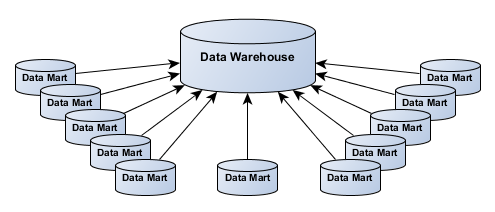
  • Integration with existing systems is also essential. SAP IBP must be connected with ERP systems, data warehouses, and other enterprise applications to provide a comprehensive planning environment.
  • Finally, organizations should adopt a phased implementation approach. Starting with a specific module—such as demand planning—allows companies to demonstrate value quickly before expanding to other areas.

Future of Supply Chain Planning with SAP IBP

The future of supply chain planning is becoming increasingly digital, intelligent, and connected. Technologies such as artificial intelligence, machine learning, and predictive analytics are transforming the way organizations manage their supply chains. SAP IBP is continuously evolving to incorporate these technologies. The platform is integrating more advanced AI capabilities that can automatically detect patterns, predict disruptions, and recommend optimal planning strategies. In addition, the growing adoption of digital supply chain networks will enable organizations to collaborate more effectively with suppliers, distributors, and partners. This will create more resilient and responsive supply chains.

As businesses continue to face global uncertainties and rapid market changes, solutions like SAP IBP will play a crucial role in helping organizations stay competitive.

Conclusion

SAP Integrated Business Planning (SAP IBP) is a powerful cloud-based solution that helps organizations transform their supply chain planning processes. By combining real-time data processing, advanced analytics, and collaborative planning tools, SAP IBP enables businesses to make smarter decisions and respond quickly to market changes. From demand forecasting and supply planning to inventory optimization and sales and operations planning, SAP IBP provides a comprehensive platform for managing complex supply chain operations. Organizations that implement SAP IBP can achieve greater visibility, improved efficiency, and stronger alignment between business strategy and operational execution.

In a world where supply chains are becoming increasingly complex, adopting intelligent planning solutions like SAP IBP is no longer optional—it is essential for long-term success. Enroll in Multisoft Systems now!

Read More

blog-image

Difference Between DCS and DCS Panel Designing in Process Industries


March 11, 2026

Industrial automation has evolved significantly over the past few decades, enabling industries to operate complex processes with greater efficiency, accuracy, and safety. Among the most critical technologies driving this transformation is the Distributed Control System (DCS). Widely used in industries such as oil & gas, power generation, chemicals, pharmaceuticals, and manufacturing, DCS allows centralized monitoring and decentralized control of industrial processes. At the same time, DCS panel designing plays a crucial role in implementing these systems physically within industrial environments. While DCS refers to the automation architecture and software-driven control system, DCS panel designing focuses on the electrical and hardware infrastructure that supports the automation system.

Understanding the relationship and differences between DCS online training and DCS panel designing online training is essential for engineers, automation professionals, and organizations implementing industrial control systems. This blog by Multisoft Systems explores the concepts, architecture, components, differences, and real-world applications of both technologies.

What is a Distributed Control System (DCS)?

A Distributed Control System (DCS) is an industrial control system used to monitor and control complex processes across large facilities. Unlike traditional centralized control systems, DCS distributes control functions across multiple controllers located throughout the plant. In a DCS environment, sensors collect data from the field and send it to controllers that process the information and issue commands to actuators, valves, motors, or other devices. Operators monitor the entire process through Human Machine Interfaces (HMI) located in control rooms. The primary purpose of DCS certification is to ensure real-time control, reliability, scalability, and process optimization.

Key Characteristics of DCS:

  • Distributed Architecture
    Control functions are distributed among multiple controllers rather than relying on a single central unit.
  • Real-Time Monitoring and Control
    Operators can monitor and control processes continuously from centralized operator stations.
  • High Reliability and Redundancy
    DCS systems are designed with redundant controllers, networks, and power supplies to ensure uninterrupted operations.
  • Scalability
    Additional controllers, I/O modules, and workstations can be added easily as industrial processes expand.
  • Integrated Automation
    DCS integrates various subsystems such as process control, safety systems, alarms, and data acquisition.

Architecture of a Distributed Control System

The architecture of a DCS typically consists of several interconnected layers that manage different aspects of process control.

1. Field Level

The field level includes all the sensors, transmitters, actuators, valves, and motors installed in the plant. These devices measure process variables such as temperature, pressure, flow, and level. Field instruments send signals to the control system, enabling it to monitor and regulate industrial processes.

2. Control Level

At the control level, controllers or process control units receive data from field devices and perform control logic operations. Controllers execute algorithms such as:

  • PID control
  • Sequencing
  • Interlocking
  • Alarm management

These controllers determine the appropriate response to process changes and send commands back to the field devices.

3. Supervisory Level

This level includes operator stations and Human Machine Interfaces (HMI) where operators monitor system performance. Operators can:

  • View real-time process data
  • Adjust process parameters
  • Respond to alarms
  • Analyze system trends

4. Enterprise Level

The enterprise layer integrates DCS with business and enterprise management systems such as ERP, manufacturing execution systems (MES), and data analytics platforms. This allows organizations to align production processes with business objectives.

Major Components of a DCS System

A Distributed Control System (DCS) consists of several interconnected hardware and software components that work together to monitor, control, and optimize industrial processes. One of the primary components is the controller, which acts as the central processing unit of the system. Controllers receive data from field instruments, execute control algorithms such as PID control, and send commands to actuators and other devices to maintain stable process conditions. Another essential component is the Input/Output (I/O) modules, which serve as the interface between the field devices and the control system. These modules convert signals from sensors and transmitters into digital data that controllers can process.

The Human Machine Interface (HMI) is also a critical part of a DCS system, providing operators with graphical displays to monitor process variables, alarms, and system status in real time. Through the HMI, operators can adjust parameters, acknowledge alarms, and control plant operations efficiently. Additionally, engineering workstations are used by automation engineers to configure, program, and maintain the DCS system. These workstations allow engineers to develop control strategies, modify system settings, and perform diagnostics.

Another important component is the communication network, which connects controllers, operator stations, and field devices. Industrial communication protocols ensure fast and reliable data exchange across the system. Together, these components create a highly reliable and scalable control system capable of managing complex industrial processes efficiently.

What is DCS Panel Designing?

While the Distributed Control System represents the software and logical control architecture, DCS panel designing refers to the physical electrical panels used to house and connect DCS components. A DCS panel is an enclosure containing:

  • Controllers
  • I/O modules
  • Power supplies
  • Communication modules
  • Terminal blocks
  • Network switches
  • Circuit protection devices

Panel designing ensures that the DCS hardware is properly installed, wired, protected, and organized within industrial environments. The goal of DCS panel design certification is to ensure safe operation, easy maintenance, and reliable connectivity between the control system and field devices.

Key Elements of DCS Panel Designing

Designing a DCS panel requires careful planning and adherence to industrial standards.

1. Panel Layout Design

The layout determines how components are arranged inside the panel. Proper layout ensures:

  • Adequate ventilation
  • Easy accessibility
  • Efficient cable management
  • Proper spacing between components

2. Power Distribution

Reliable power supply is essential for control systems. Panel designers include:

  • Power distribution units
  • Circuit breakers
  • Surge protection
  • Redundant power supplies

3. Wiring and Termination

Proper wiring ensures signals from field devices reach the controllers without interference. Terminal blocks and cable routing systems help maintain organized and safe wiring.

4. Communication Interfaces

Industrial communication protocols such as Ethernet, Modbus, Profibus, or Foundation Fieldbus are integrated through communication modules and switches.

5. Safety and Protection

Panels include protective devices such as:

  • Fuses
  • Circuit breakers
  • Earthing systems
  • Isolation barriers

These components protect equipment from electrical faults.

Difference Between DCS and DCS Panel Designing

Although closely related, DCS and DCS panel designing represent different aspects of industrial automation.

Aspect

Distributed Control System (DCS)

DCS Panel Designing

Definition

Automation system used to control industrial processes

Physical design of electrical panels used to house DCS components

Focus

Software, logic, and system architecture

Hardware installation and electrical layout

Components

Controllers, HMI, networks, software

Panels, wiring, power distribution, terminal blocks

Purpose

Process monitoring and control

Safe and organized housing of automation hardware

Responsibility

Automation engineers and control engineers

Electrical and instrumentation engineers

In simple terms, DCS provides the intelligence, while panel designing provides the infrastructure that supports it.

Importance of DCS Panel Designing in Industrial Automation

DCS panel designing plays a crucial role in the successful implementation and operation of industrial automation systems. While the Distributed Control System (DCS) provides the software logic and control strategies for managing industrial processes, the panel design forms the physical infrastructure that houses and connects the essential hardware components. A well-designed DCS panel ensures that controllers, I/O modules, power supplies, communication interfaces, and protective devices are organized in a structured and reliable manner. This organization is essential for maintaining stable communication between field instruments and the control system, which ultimately supports efficient plant operations.

One of the major benefits of proper DCS panel designing is improved system reliability and performance. Industrial environments often involve harsh conditions such as heat, dust, vibration, and electrical interference. A well-designed panel protects sensitive automation equipment from these external factors while maintaining proper ventilation and temperature control. This helps prevent equipment failures and ensures uninterrupted plant operations. Additionally, panel design includes proper cable routing, grounding, and shielding techniques that reduce signal noise and enhance communication accuracy between field devices and controllers.

Another important aspect of DCS panel designing is ease of maintenance and troubleshooting. Clearly labeled components, organized wiring, and proper layout allow engineers and technicians to quickly identify faults and perform repairs without disrupting the entire system. This significantly reduces downtime and maintenance costs. Furthermore, DCS panels are designed to comply with international electrical and safety standards, ensuring safe installation and operation of automation equipment in industrial facilities.

Proper panel designing also supports future system expansion and scalability. As industries grow or modify their processes, additional I/O modules, controllers, or communication devices may need to be integrated into the existing system. A well-planned panel layout allows for easy upgrades and modifications without requiring major redesigns. In modern industrial automation, efficient DCS panel designing not only improves operational efficiency but also contributes to plant safety, reliability, and long-term system sustainability.

Industrial Applications of DCS and Panel Designing

Distributed Control Systems and well-designed panels are used in a wide range of industries.

  • DCS systems control boilers, turbines, generators, and auxiliary systems in power generation facilities.
  • Refineries and petrochemical plants use DCS to manage complex processes such as distillation, cracking, and blending.
  • Chemical plants rely on DCS for precise control of reactions, temperature, pressure, and flow.
  • DCS ensures accurate monitoring of production processes while maintaining strict quality standards.
  • Automation systems regulate pumps, valves, and filtration processes in treatment plants.

Key Skills Required for DCS and Panel Designing

Professionals working in industrial automation must possess a combination of technical skills.

  • Understanding control loops, PID control, and process instrumentation is essential.
  • Engineers must be able to design wiring diagrams, power distribution systems, and electrical layouts.
  • Programming knowledge helps in implementing control strategies.
  • Understanding protocols such as Modbus, Profibus, and Ethernet/IP is critical.
  • Tools such as AutoCAD Electrical and EPLAN are used for panel layout design.

Emerging Trends in DCS and Panel Designing

Industrial automation is rapidly evolving, and Distributed Control Systems (DCS) along with panel designing are adapting to new technological advancements. One of the major trends is the integration of Industrial Internet of Things (IIoT), which enables real-time data collection, remote monitoring, and predictive maintenance. Modern DCS platforms are increasingly connected with cloud-based systems, allowing engineers and operators to monitor plant performance from remote locations. Another emerging trend is the use of advanced analytics and artificial intelligence (AI) to optimize process control and improve operational efficiency.

In panel designing, the shift toward smart and modular control panels is becoming more common. These panels include intelligent monitoring systems that track temperature, power consumption, and equipment health to prevent failures. Additionally, cybersecurity measures are being integrated into DCS networks to protect industrial systems from cyber threats. The adoption of digital twin technology is also gaining momentum, allowing engineers to simulate and test control systems before actual implementation, improving system design and performance.

Future of DCS and Panel Designing

The future of industrial automation will continue to rely heavily on distributed control systems and robust panel design. As industries adopt smart manufacturing, Industry 4.0, and advanced analytics, DCS platforms will become more intelligent, integrated, and adaptive. Panel designing will also evolve with modular components, advanced cooling technologies, and enhanced safety features to support increasingly complex automation systems. Together, these technologies will enable industries to achieve higher productivity, improved safety, and greater operational efficiency.

Conclusion

Distributed Control Systems have become the backbone of modern industrial automation. By distributing control functions across multiple controllers and enabling real-time monitoring, DCS ensures efficient and reliable operation of complex industrial processes.

However, the effectiveness of a DCS system depends not only on software and control logic but also on the physical infrastructure supporting it. This is where DCS panel designing plays a critical role. Properly designed panels ensure safe installation, organized wiring, reliable power distribution, and efficient communication between system components. Understanding the relationship between DCS and DCS panel designing helps engineers implement automation systems that are both technologically advanced and operationally reliable.

As industries move toward smarter factories and digital transformation, the integration of advanced DCS technologies with well-engineered panel designs will remain a key factor in achieving sustainable and efficient industrial operations. Enroll in Multisoft Systems now!

Read More

blog-image

The Role of ABB 800xA DCS in Smart Manufacturing and Industry 4.0


March 10, 2026

In modern industrial environments, automation systems are essential for maintaining efficiency, reliability, and safety in large-scale production facilities. Among the leading automation platforms available today, ABB 800xA Distributed Control System (DCS) is recognized as a powerful and integrated automation solution designed for complex process industries. It provides a unified environment where process control, safety systems, electrical integration, and asset management work together seamlessly. A Distributed Control System (DCS) is a computerized automation system used to control industrial processes in manufacturing plants, refineries, power plants, chemical industries, and other large-scale facilities. Instead of relying on a single centralized controller, DCS distributes control functions across multiple controllers located throughout the plant. This distributed architecture enhances reliability, scalability, and operational efficiency. ABB developed System 800xA as an Extended Automation platform, meaning it goes beyond traditional control systems by integrating plant operations, engineering tools, asset management, and enterprise-level information into a single environment. The platform enables operators, engineers, and managers to access real-time process data, optimize production performance, and make better operational decisions.

ABB 800xA is widely used in industries such as oil and gas, power generation, pharmaceuticals, mining, water treatment, and pulp and paper. Its flexibility and advanced automation capabilities allow organizations to manage complex operations with higher productivity and reduced downtime.

This blog by Multisoft Systems explores the architecture, components, working principles, key features, and industrial applications of ABB 800 XA DCS online training.

What is ABB 800xA DCS?

ABB 800xA DCS is an advanced industrial automation platform designed to control and monitor process operations in real time. It combines traditional distributed control system capabilities with extended automation features such as asset optimization, safety integration, and enterprise connectivity. Unlike conventional control systems that focus only on process control, ABB 800xA integrates multiple automation domains into a single platform. This includes:

  • Process control
  • Electrical system integration
  • Safety systems
  • Asset management
  • Engineering tools
  • Production optimization
  • Operator interfaces

The goal of ABB 800xA certification is to provide a single, unified automation environment where all plant operations can be monitored and controlled from one system. This integration improves plant visibility, reduces operational complexity, and enhances decision-making.

The system architecture supports large-scale industrial plants where thousands of sensors, actuators, and control loops operate simultaneously. Operators can monitor plant performance through graphical interfaces, alarms, and real-time dashboards.

Architecture of ABB 800xA DCS

The architecture of ABB 800xA is designed to provide reliability, scalability, and flexibility. The system consists of several layers that work together to manage industrial processes.

1. Field Device Layer

The field device layer represents the lowest level of the automation system. It includes physical equipment installed in the plant such as:

  • Sensors
  • Transmitters
  • Control valves
  • Motors
  • Actuators
  • Drives

These devices measure process parameters like temperature, pressure, flow, and level. The collected data is transmitted to controllers for processing. Field devices communicate with controllers through industrial communication protocols such as fieldbus networks, industrial Ethernet, or other communication interfaces.

2. Controller Layer

The controller layer is responsible for executing control logic and maintaining stable plant operation. ABB 800xA typically uses AC 800M controllers, which are modular and highly reliable. Controllers perform tasks such as:

  • Process control calculations
  • PID control loops
  • Interlocks and sequencing
  • Safety logic
  • Data acquisition from field devices

Each controller manages a specific section of the plant. Since control functions are distributed, the system continues operating even if one controller fails.

3. Communication Network

The communication network connects all system components, enabling seamless data exchange across the plant. ABB 800xA uses industrial Ethernet networks to connect controllers, operator stations, engineering workstations, and servers. This network ensures:

  • Real-time data communication
  • High-speed information exchange
  • Redundancy for reliability
  • Secure plant communication

The network infrastructure supports large industrial plants where thousands of signals are processed simultaneously.

4. Server Layer

The server layer manages system data, historical records, alarms, and plant information. Several specialized servers operate within the 800xA environment. Examples include:

  • Aspect servers
  • Connectivity servers
  • Information management servers
  • Historical data servers

These servers store process information, alarm events, system configuration, and performance data. Operators and engineers can retrieve this information for analysis and reporting.

5. Operator Interface Layer

The operator interface layer provides visualization and control tools for plant operators. Through graphical displays and dashboards, operators can monitor plant operations in real time. Features of the operator interface include:

  • Process graphics and mimic diagrams
  • Alarm management
  • Trend analysis
  • Event monitoring
  • System diagnostics

Operators can interact with the system to adjust process parameters, acknowledge alarms, and control plant equipment.

Key Components of ABB 800xA

Several important components make ABB 800xA a powerful automation platform.

1. AC 800M Controllers

AC 800M controllers are the core processing units of the system. They execute control algorithms, process field data, and maintain plant stability. These controllers are modular, allowing easy expansion and integration with different industrial applications.

2. Aspect Server

The aspect server is a central concept in the 800xA system. It organizes plant information using a structured model known as the Aspect Object Model. This model allows engineers to store different types of information related to plant objects, including:

  • Process data
  • Documentation
  • Control logic
  • Maintenance records

This unified information model simplifies plant management and improves system transparency.

3. Engineering Workplace

The engineering workplace is used by automation engineers to design, configure, and maintain the control system. Engineers use specialized software tools to create control logic, configure controllers, design operator displays, and manage system configurations. This environment allows centralized engineering activities while supporting large distributed automation projects.

4. Information Management System

The information management system collects, stores, and analyzes process data from across the plant. Historical data and production statistics are stored in databases that support reporting, analytics, and performance monitoring. Plant managers use this information to optimize production efficiency and identify improvement opportunities.

Key Features of ABB 800xA DCS

ABB 800xA offers several advanced features that make it suitable for modern industrial automation.

  • One of the most important features of ABB 800xA training is its ability to integrate multiple automation systems into a single platform. Process control, safety systems, electrical control, and asset management can all operate within the same environment. This integration eliminates the need for separate systems and simplifies plant operations.
  • The system is highly scalable and can support small automation projects as well as large industrial facilities with thousands of control loops. Additional controllers, servers, and operator stations can be added as the plant expands.
  • Industrial plants require continuous operation with minimal downtime. ABB 800xA supports redundancy in controllers, networks, and servers to ensure high system availability. If one component fails, backup systems automatically take over, preventing production interruptions.
  • The platform provides advanced graphical interfaces that help operators monitor plant operations effectively. Real-time data visualization, alarms, and trend displays allow operators to detect process deviations quickly.
  • ABB 800xA includes asset management capabilities that monitor the condition and performance of plant equipment. Maintenance teams can detect potential failures early and schedule preventive maintenance. This feature reduces unexpected downtime and improves equipment reliability.

How ABB 800xA DCS Works?

The working principle of ABB 800xA involves multiple layers of automation working together to control industrial processes.

First, field devices installed throughout the plant measure process parameters such as pressure, temperature, flow rate, and level. These signals are transmitted to controllers through industrial communication networks. Controllers analyze this data and execute control algorithms such as PID loops. Based on these calculations, controllers send commands to actuators, valves, and motors to maintain desired process conditions. The system continuously monitors plant performance and sends real-time data to servers and operator stations. Operators can view process conditions through graphical displays and respond to alarms or abnormal conditions. Engineering tools allow automation engineers to modify control logic, update configurations, and improve system performance. The information management system stores historical data that can be used for analysis, reporting, and optimization.

Through this integrated architecture, ABB 800xA ensures smooth plant operation while providing real-time visibility into industrial processes.

Industrial Applications of ABB 800xA

ABB 800xA is widely used across multiple process industries where reliable automation, real-time monitoring, and precise control are essential for safe and efficient operations. In the oil and gas industry, it helps manage refining, drilling, and pipeline processes by ensuring stable control of pressure, temperature, and flow. In power generation plants, ABB 800xA controls turbines, boilers, and generators while optimizing energy production and plant performance. The chemical and petrochemical industries rely on the system to maintain accurate process control for complex reactions and production lines. In the pulp and paper industry, ABB 800xA automates various stages of paper manufacturing, improving quality and productivity. Water and wastewater treatment facilities use the system to monitor pumps, filtration systems, and treatment processes to ensure efficient water management. Additionally, pharmaceutical and food manufacturing plants use ABB 800xA for maintaining consistent production standards, regulatory compliance, and operational safety, making it a versatile automation solution across diverse industrial environments.

Advantages of ABB 800xA

Organizations choose ABB 800xA because it offers several operational benefits.

  • Improved operational efficiency through integrated automation systems.
  • Enhanced plant visibility with real-time monitoring and data analysis.
  • Reduced downtime through predictive maintenance and asset management.
  • Flexible system expansion to support plant growth.
  • Centralized engineering tools for easier system configuration and maintenance.
  • Better decision-making using real-time production insights.

These advantages help companies improve productivity while reducing operational risks.

Future of ABB 800xA DCS

Industrial automation is rapidly evolving with technologies such as artificial intelligence, industrial IoT, and advanced analytics. ABB continues to enhance the 800xA platform by integrating digital technologies that support smart manufacturing and Industry 4.0 initiatives. Future developments in ABB 800xA are expected to focus on:

  • AI-driven process optimization
  • Cloud-based analytics and monitoring
  • Enhanced cybersecurity for industrial systems
  • Integration with digital twins
  • Advanced predictive maintenance tools

These innovations will help industries achieve higher efficiency, sustainability, and operational intelligence.

Conclusion

ABB 800xA DCS is one of the most advanced distributed control systems available in modern industrial automation. By integrating process control, electrical systems, safety management, and asset optimization into a single platform, it enables organizations to manage complex industrial operations with greater efficiency and reliability. Its modular architecture, powerful controllers, advanced visualization tools, and scalable design make it suitable for a wide range of industries, including oil and gas, power generation, chemicals, pharmaceuticals, and water treatment.

As industries continue to adopt digital transformation strategies, platforms like ABB 800xA will play an increasingly important role in enabling intelligent automation, predictive maintenance, and data-driven decision-making. For organizations seeking a comprehensive automation solution that supports both operational excellence and future technological advancements, ABB 800xA remains a trusted and powerful choice in the world of distributed control systems. Enroll in Multisoft Systems now!

Read More

blog-image

The Role of PV-Elite Design in Modern Pressure Vessel Engineering


March 10, 2026

Pressure vessels are essential equipment used in industries such as oil and gas, petrochemical plants, refineries, power generation, pharmaceuticals, and food processing. These vessels are designed to hold fluids or gases at pressures significantly different from atmospheric pressure. Because of the high stresses involved, pressure vessel design requires precise engineering calculations and strict compliance with international safety codes. A poorly designed vessel can lead to leaks, explosions, equipment failure, and serious safety hazards. To ensure safe and reliable designs, engineers rely on specialized engineering software. One of the most widely used tools for this purpose is PV-Elite Design Software. PV-Elite is an advanced mechanical design and analysis software used to design, analyze, and evaluate pressure vessels and heat exchangers. It enables engineers to perform detailed calculations based on recognized industry codes and standards.

PV-Elite simplifies complex engineering processes by automating calculations, verifying code compliance, and generating detailed design reports. It is widely used by mechanical engineers, design consultants, EPC companies, fabrication workshops, and plant operators. With its powerful analysis capabilities, PV-Elite helps engineers create safe, efficient, and code-compliant pressure vessel designs while reducing design time and minimizing human error.

This article by Multisoft Systems provides a complete overview of PV-Elite Design online training, including its concepts, components, design workflow, features, benefits, and industry applications.

What is PV-Elite Design?

PV-Elite Design refers to the process of designing and analyzing pressure vessels using the PV-Elite software platform. The software is specifically developed for mechanical engineers involved in pressure vessel engineering. It helps engineers design new vessels, evaluate existing equipment, and ensure compliance with international pressure vessel codes. Pressure vessels must withstand multiple types of loads, including internal pressure, external pressure, weight loads, wind forces, seismic forces, and thermal expansion. PV-Elite evaluates these conditions and performs detailed stress analysis to determine whether the vessel design meets safety requirements.

The software calculates parameters such as:

  • Shell thickness
  • Head thickness
  • Nozzle reinforcement
  • Stress distribution
  • Support loads
  • External pressure stability
  • Wind and seismic effects

PV-Elite supports various pressure vessel configurations, including horizontal vessels, vertical vessels, columns, reactors, and heat exchangers. Engineers can create detailed models of these vessels and perform calculations to ensure that the design meets engineering standards.

By automating complex formulas and calculations, PV-Elite significantly reduces the time required for pressure vessel design and increases the reliability of engineering results.

Importance of PV-Elite in Pressure Vessel Engineering

Designing pressure vessels manually requires extensive calculations and engineering judgment. Engineers must apply multiple design formulas and consider several operating conditions. Performing these calculations manually increases the risk of errors and consumes significant time. PV-Elite plays an important role in modern engineering because it simplifies the entire design process. The software performs automated calculations based on engineering codes, ensuring accurate and reliable results.

One of the most important advantages of PV-Elite is its ability to analyze complex loading conditions. Pressure vessels often operate under extreme environments, including high pressure, temperature variations, and mechanical loads. PV-Elite certification evaluates these conditions and determines whether the vessel design can withstand them safely. Another important benefit is the generation of detailed engineering reports. These reports contain calculations, design parameters, and compliance verification required for documentation and regulatory approval.

By using PV-Elite, engineers can design safer equipment, reduce engineering effort, and ensure compliance with international standards.

Key Components in PV-Elite Design

Pressure vessel design in PV-Elite involves several structural components. Each component must be analyzed individually to ensure that it can withstand operating conditions.

1. Shell

The shell is the main cylindrical body of the pressure vessel. It contains the internal pressure and holds the fluid or gas inside the vessel. The shell must be designed to withstand internal pressure and external loads. PV-Elite calculates the required shell thickness based on design pressure, material strength, corrosion allowance, and safety factors. It also evaluates the shell for external pressure conditions to prevent buckling.

2. Heads

Pressure vessels typically have heads at both ends of the shell. These heads close the vessel and help distribute pressure evenly. Different head shapes are used depending on the design requirements. Common head types include:

  • Elliptical heads
  • Hemispherical heads
  • Torispherical heads
  • Flat heads

PV-Elite analyzes these head types and determines the required thickness based on pressure and material properties.

3. Nozzles

Nozzles are openings in the pressure vessel used for inlet, outlet, instrumentation, or maintenance purposes. These openings weaken the vessel structure and require reinforcement. PV-Elite evaluates nozzle reinforcement to ensure that the vessel maintains structural integrity. The software calculates reinforcement area requirements and checks compliance with design codes.

4. Supports

Pressure vessels require supports to hold their weight and maintain stability. Supports also help distribute loads to the foundation. Common support types include:

  • Skirt supports
  • Saddle supports
  • Lug supports
  • Leg supports

PV-Elite analyzes support loads and ensures that the vessel structure can safely handle operational forces.

PV-Elite Design Workflow

Designing a pressure vessel using PV-Elite typically follows a structured workflow. Engineers input design parameters, define vessel geometry, and run analysis to verify compliance with design standards.

Step 1: Define Design Conditions

The first step is defining operating conditions such as design pressure, design temperature, corrosion allowance, and material properties. These parameters determine the mechanical strength required for the vessel.

Step 2: Create Vessel Geometry

Engineers then create the vessel model by defining the geometry of shells, heads, and other components. PV-Elite allows users to model different vessel configurations and dimensions.

Step 3: Add Nozzles and Attachments

Nozzles, manways, and other attachments are added to the vessel model. The software calculates the reinforcement required for these openings.

Step 4: Apply Loads

The next step is applying operational loads such as internal pressure, external pressure, wind loads, seismic loads, and equipment weight.

Step 5: Perform Stress Analysis

PV-Elite performs stress analysis based on the applied loads and design conditions. The software calculates stresses in each component and verifies compliance with pressure vessel codes.

Step 6: Generate Engineering Reports

After completing the analysis, PV-Elite generates detailed design reports. These reports include calculation results, design parameters, and code compliance verification.

These reports are often used for fabrication documentation and engineering approval.

Design Codes Supported by PV-Elite

Pressure vessel design must comply with internationally recognized engineering standards. PV-Elite supports several design codes that ensure safety and reliability. Some commonly used codes include:

  • ASME Boiler and Pressure Vessel Code
  • European Pressure Vessel Standards
  • British Design Standards
  • International pressure equipment codes

These standards define rules for material selection, thickness calculations, reinforcement requirements, and inspection procedures. PV-Elite training automatically applies the relevant formulas from these codes, allowing engineers to verify compliance quickly and accurately.

Advantages of Using PV-Elite

PV-Elite offers several advantages that make it a preferred software tool in pressure vessel engineering.

  • The software performs precise calculations based on recognized engineering formulas and standards. This reduces the risk of human errors.
  • Automation significantly reduces the time required for pressure vessel design compared to manual calculations.
  • PV-Elite automatically checks whether the vessel design meets code requirements.
  • The software generates comprehensive design reports required for fabrication and regulatory approvals.
  • Engineers can easily modify vessel parameters and quickly analyze different design alternatives.

Applications of PV-Elite Design

PV-Elite Design is widely used across industries where pressure vessels and heat exchangers are critical to operations. In the oil and gas sector, it is used to design separators, storage vessels, and processing equipment that operate under high pressure and temperature conditions. In petrochemical and chemical plants, engineers use PV-Elite to analyze reactors, columns, and pressure containers to ensure safe handling of hazardous materials. The power generation industry relies on it for designing boilers, condensers, and heat exchangers used in thermal systems. Additionally, engineering consulting firms and fabrication companies use PV-Elite to verify vessel integrity, perform stress analysis, and generate code-compliant design reports before manufacturing, ensuring safety, reliability, and regulatory compliance in industrial equipment.

Challenges in Pressure Vessel Design

Despite the advanced capabilities of PV-Elite, pressure vessel design still presents several engineering challenges.

One challenge is selecting appropriate materials that can withstand pressure, temperature, and corrosion. Engineers must carefully evaluate material properties before finalizing the design. Another challenge is accurately predicting real-world operating conditions. Pressure vessels may experience unexpected loads, temperature changes, or operational stresses. Engineers must also consider inspection and maintenance requirements when designing pressure vessels. Proper design ensures that vessels remain safe throughout their operational life. PV-Elite helps address many of these challenges by providing accurate analysis and design verification tools.

Future Trends in Pressure Vessel Design

Pressure vessel engineering is evolving with the advancement of digital technologies. Modern engineering tools are becoming more integrated with advanced simulation and digital modeling techniques. Future developments may include integration with 3D modeling platforms, cloud-based engineering systems, and advanced stress simulation tools. These technologies will allow engineers to create more accurate and efficient designs. Automation and artificial intelligence may also play a role in optimizing pressure vessel design. Intelligent design systems could automatically suggest improvements and detect potential design issues. As industries continue to demand higher safety standards and operational efficiency, advanced engineering software like PV-Elite will remain an essential tool for pressure vessel design.

Conclusion

PV-Elite Design has become an indispensable tool in modern pressure vessel engineering. By automating complex calculations and verifying compliance with international standards, it allows engineers to design safe, reliable, and efficient pressure vessels. The software simplifies the design process by providing powerful modeling capabilities, stress analysis tools, and comprehensive reporting features. Engineers can analyze different vessel configurations, evaluate structural integrity, and ensure that their designs meet strict safety regulations. With applications across industries such as oil and gas, petrochemicals, power generation, and chemical processing, PV-Elite continues to play a vital role in industrial equipment design.

As engineering technologies continue to evolve, PV-Elite and similar tools will become even more advanced, enabling engineers to create safer and more efficient pressure vessels for the future. Enroll in Multisoft Systems now!

Read More

blog-image

Mastering Supply Chain Resilience with SAP IBP Response Planning


March 9, 2026

In today’s highly competitive and unpredictable business environment, organizations must be able to respond quickly to supply chain disruptions, demand fluctuations, and operational challenges. Traditional planning systems often struggle to provide the real-time insights and flexibility required to make quick, data-driven decisions. This is where SAP Integrated Business Planning (SAP IBP) plays a vital role. One of its key components, Response Planning, enables companies to manage short-term supply chain operations effectively and respond to changes with speed and precision.

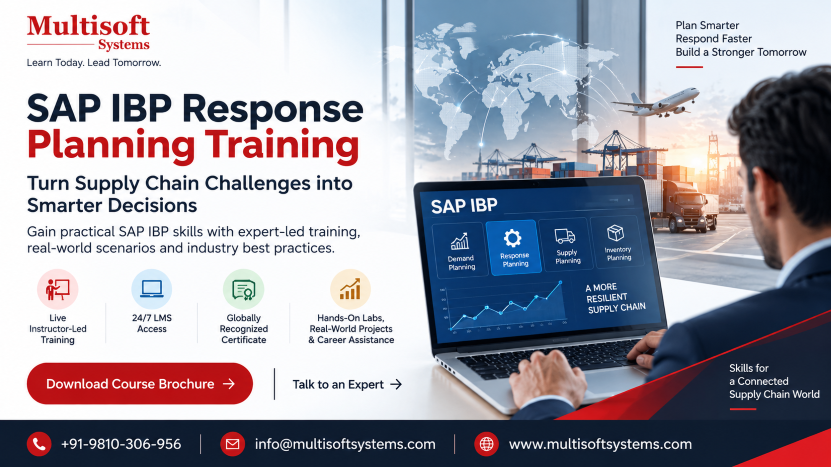
SAP IBP Response Planning helps organizations monitor supply chain execution, identify potential issues, and take corrective actions before disruptions impact business operations. By providing real-time visibility, advanced analytics, and scenario simulation capabilities, this module ensures that supply chain planners can make informed decisions and maintain operational continuity.

This blog by Multisoft Systems explores the concept of SAP IBP Response Planning online training, its key features, benefits, architecture, and how it helps organizations build a resilient and responsive supply chain.

Understanding SAP IBP Response Planning

SAP IBP Response Planning is a module within SAP Integrated Business Planning designed to support operational supply chain planning. It focuses on short-term planning horizons and enables companies to respond quickly to unexpected supply or demand changes. Unlike long-term strategic planning, response planning deals with near-term operational issues such as production delays, transportation problems, supplier shortages, or sudden demand spikes. The module provides planners with tools to detect supply-demand mismatches and evaluate different response scenarios. With SAP IBP Response Planning certification, planners can simulate alternative supply plans, evaluate constraints, and select the most effective solution to maintain service levels and minimize costs. The system integrates real-time data from multiple sources, enabling organizations to maintain complete visibility across the supply chain.

The Role of Response Planning in Modern Supply Chains

Modern supply chains are complex networks involving suppliers, manufacturers, warehouses, distributors, and customers. Disruptions can occur at any stage, making it essential for organizations to have the ability to react quickly. Response planning plays a crucial role in bridging the gap between strategic planning and operational execution. While long-term planning focuses on forecasting and capacity planning, response planning addresses immediate operational issues.

For example, if a supplier fails to deliver raw materials on time, a company must quickly identify alternative sources or adjust production schedules. SAP IBP Response Planning allows planners to analyze such situations and implement corrective measures without affecting overall supply chain performance.

The system helps businesses maintain high service levels while minimizing operational disruptions.

Key Features of SAP IBP Response Planning

1. Real-Time Supply Chain Visibility

One of the most important features of SAP IBP Response Planning is real-time visibility into supply chain operations. The system collects and integrates data from multiple sources such as ERP systems, production plants, warehouses, and logistics networks. This centralized data view allows planners to monitor inventory levels, production schedules, and demand patterns in real time. With better visibility, organizations can detect potential supply chain issues early and respond proactively. Real-time insights help companies reduce uncertainty and improve overall decision-making.

2. Advanced Scenario Simulation

SAP IBP Response Planning allows planners to simulate multiple supply chain scenarios before implementing decisions. This capability helps organizations evaluate the impact of different actions and select the most effective response. For instance, planners can simulate scenarios such as reallocating inventory, adjusting production schedules, or using alternative suppliers. The system evaluates each scenario based on predefined constraints such as capacity, cost, and service levels. By comparing different scenarios, organizations can identify the optimal solution that balances operational efficiency and customer satisfaction.

3. Constraint-Based Planning

Constraint-based planning is another powerful capability of SAP IBP Response Planning. The system considers various operational constraints when generating supply plans. These constraints may include production capacity, transportation limitations, resource availability, or supplier restrictions. By incorporating these constraints, the system ensures that the generated plans are realistic and executable. This approach prevents companies from creating plans that cannot be implemented in real-world conditions.

4. Exception Management

Supply chain disruptions often occur unexpectedly, making it difficult for planners to monitor every operational detail manually. SAP IBP Response Planning includes advanced exception management capabilities that automatically detect potential issues. The system generates alerts when predefined thresholds are exceeded. For example, if inventory levels fall below safety stock limits or production delays occur, planners receive immediate notifications. This proactive approach enables organizations to resolve issues quickly before they escalate into major disruptions.

5. Interactive Planning and Collaboration

Effective supply chain management requires collaboration between multiple stakeholders, including planners, production managers, procurement teams, and logistics partners. SAP IBP Response Planning provides interactive planning tools that allow teams to work together in real time. Planners can review supply plans, adjust parameters, and share insights with other stakeholders. This collaborative environment improves coordination across departments and ensures that everyone works toward common supply chain objectives.

How SAP IBP Response Planning Works?

SAP Integrated Business Planning Response Planning works by continuously monitoring supply chain activities and enabling planners to quickly identify and resolve supply-demand mismatches. The process begins with data integration, where the system gathers information from multiple enterprise systems such as ERP platforms, inventory management systems, production units, and logistics networks. This integrated data provides a unified and real-time view of supply chain operations, including demand forecasts, inventory levels, production capacities, and transportation schedules. Once the data is consolidated, the system generates a feasible supply plan that aligns available resources with current demand requirements. During this stage, the platform considers operational constraints such as manufacturing capacity, supplier limitations, lead times, and distribution capabilities to ensure that the plan is practical and executable.

After the initial supply plan is created, the system continuously monitors operations and detects potential issues such as material shortages, delayed shipments, or unexpected spikes in demand. When such exceptions occur, planners are immediately notified through alerts and dashboards. At this point, SAP IBP Response Planning allows planners to simulate different scenarios to evaluate possible solutions. For example, they can reallocate inventory across locations, adjust production schedules, or source materials from alternative suppliers. The system evaluates each scenario based on cost, service level, and operational feasibility, helping planners identify the best possible response. Once the most suitable option is selected, the updated plan is implemented and shared across relevant departments for execution. This structured and data-driven workflow ensures that organizations can respond quickly to disruptions, maintain supply chain efficiency, and deliver products to customers on time while minimizing operational risks and costs.

Benefits of SAP IBP Response Planning

  • With real-time data and advanced analytics, SAP IBP Response Planning enables faster and more accurate decision-making. Planners can identify issues quickly and implement corrective actions before disruptions affect customers.
  • Supply chain agility is essential in today’s volatile market conditions. SAP IBP Response Planning allows organizations to adapt quickly to changing demand patterns, supplier disruptions, or transportation delays.
  • By ensuring that supply chain operations run smoothly, the system helps organizations maintain high service levels and deliver products to customers on time.
  • Efficient response planning reduces operational costs by minimizing inventory shortages, production delays, and unnecessary transportation expenses.
  • The collaborative planning environment improves communication between departments and ensures that everyone has access to the same information.

Integration with Other SAP IBP Modules

SAP IBP Response Planning works seamlessly with other modules within SAP Integrated Business Planning, creating a comprehensive supply chain planning ecosystem.

1. Demand Planning

Demand Planning focuses on forecasting future customer demand using historical data and predictive analytics. The output from demand planning serves as input for response planning, enabling organizations to align supply plans with demand forecasts.

2. Supply Planning

Supply Planning ensures that the organization has sufficient resources to meet demand. Response Planning complements this module by managing short-term supply chain disruptions.

3. Inventory Optimization

Inventory Optimization helps organizations maintain optimal inventory levels across the supply chain. Response Planning uses this information to allocate inventory efficiently during disruptions.

Together, these modules create an integrated supply chain planning framework.

Industry Applications of SAP IBP Response Planning

SAP Integrated Business Planning Response Planning is widely adopted across multiple industries to improve operational efficiency and strengthen supply chain responsiveness. In the manufacturing sector, companies use response planning to manage production schedules, monitor raw material availability, and quickly address disruptions such as equipment failures or supplier delays. In the retail industry, it helps businesses ensure product availability across stores and distribution centers, especially during seasonal demand spikes, promotions, or sudden shifts in consumer buying behavior. The automotive industry benefits from response planning by coordinating complex supplier networks and ensuring timely delivery of components required for vehicle production. In the pharmaceutical and healthcare sectors, organizations rely on response planning to maintain continuous supply of essential medicines while complying with strict regulatory standards. Additionally, consumer goods companies use it to balance demand fluctuations and optimize inventory distribution. Overall, SAP IBP Response Planning training enables organizations across industries to maintain supply chain agility, reduce operational risks, and improve customer service levels.

Best Practices for Implementing SAP IBP Response Planning

Implementing SAP Integrated Business Planning Response Planning successfully requires a well-structured strategy that aligns technology, processes, and people. Organizations must first understand their supply chain processes and define clear operational objectives before deploying the system. Proper configuration, accurate data management, and cross-functional collaboration are essential for achieving optimal results. Since response planning deals with short-term operational decisions, businesses must ensure that real-time data is available and reliable across all systems. Additionally, companies should focus on training supply chain planners and integrating response planning with other planning modules to create a unified decision-making environment. By following best practices during implementation, organizations can fully leverage the capabilities of SAP IBP Response Planning to improve supply chain responsiveness, reduce disruptions, and enhance operational efficiency.

Best Practices:

  • Define Clear Planning Processes: Establish well-defined workflows for supply chain planning to ensure the system supports operational decision-making effectively.
  • Ensure High Data Quality: Maintain accurate and updated data across demand forecasts, inventory levels, and production capacities for reliable planning outcomes.
  • Integrate with Enterprise Systems: Connect response planning with ERP, logistics, and inventory systems to ensure seamless data flow.
  • Train Supply Chain Teams: Provide comprehensive training to planners and stakeholders so they can effectively use system features and tools.
  • Use Scenario Planning Regularly: Encourage planners to simulate multiple response scenarios before implementing decisions.
  • Monitor Key Performance Indicators (KPIs): Track metrics such as service levels, supply chain responsiveness, and inventory turnover to measure performance.
  • Promote Cross-Department Collaboration: Ensure coordination between procurement, production, and logistics teams to achieve better supply chain outcomes.

Future Trends in SAP IBP Response Planning

  • As supply chains continue to evolve, SAP IBP Response Planning is also advancing with new technologies and capabilities.
  • Artificial intelligence and machine learning are increasingly being integrated into supply chain planning systems. These technologies help organizations predict disruptions and recommend optimal responses automatically.
  • Cloud-based platforms are also becoming more popular, allowing organizations to scale their planning systems quickly and access data from anywhere.
  • In the future, response planning systems will become even more intelligent, enabling fully autonomous supply chain decision-making.

Conclusion

Supply chain disruptions are inevitable in today’s dynamic business environment. Organizations must have the ability to respond quickly and efficiently to maintain operational continuity and customer satisfaction. SAP IBP Response Planning provides the tools and capabilities needed to manage short-term supply chain operations effectively. With features such as real-time visibility, advanced scenario simulation, constraint-based planning, and exception management, the system enables organizations to make faster and smarter decisions. By integrating with other modules within SAP Integrated Business Planning, SAP IBP Response Planning training creates a unified supply chain planning ecosystem that improves agility, reduces costs, and enhances overall performance.

As businesses continue to face increasing supply chain complexity, solutions like SAP IBP Response Planning will play a critical role in helping organizations build resilient and responsive supply chains for the future. Enroll in Multisoft Systems now!

Read More

blog-image

Transform Your Business Operations with Process Engineering


March 9, 2026

In the modern industrial landscape, efficiency, productivity, and innovation are more than just buzzwords—they are vital drivers of business success. Organizations across the globe are constantly seeking ways to optimize operations, reduce costs, improve quality, and enhance overall performance. One discipline that plays a pivotal role in achieving these goals is Process Engineering.

Process engineering is the science and practice of designing, implementing, and optimizing processes in industries ranging from chemical manufacturing to software development. By focusing on the transformation of raw materials or inputs into valuable products or services, process engineers ensure that operations are not only efficient but also sustainable and adaptable to future demands. In this blog by Multisoft Systems, we will explore the fundamentals of Process Engineering online training, its applications across industries, essential tools and techniques, challenges, and emerging trends.

What is Process Engineering?

At its core, process engineering is concerned with the design, analysis, and optimization of processes. Unlike traditional engineering disciplines that focus solely on mechanical systems or structural components, process engineering takes a holistic view of workflows and operations. It involves understanding how inputs—whether raw materials, energy, or information—are transformed into outputs, ensuring minimal waste, maximal efficiency, and high-quality results. A process engineer’s work often spans several critical areas:

  • Process Design: Creating the blueprint for a production process or operational workflow.
  • Process Optimization: Improving existing processes for efficiency, quality, and cost-effectiveness.
  • Process Control: Implementing monitoring and control systems to maintain consistency and safety.
  • Process Simulation: Using models and software tools to predict performance and identify bottlenecks.

The ultimate goal is to create processes that are safe, sustainable, cost-effective, and scalable.

Key Responsibilities of a Process Engineer

Process engineers wear many hats in an organization, and their responsibilities can vary based on the industry. Some of the common duties include:

  1. Designing Processes
    Process engineers analyze requirements and design workflows that maximize productivity while minimizing waste. This often involves creating process flow diagrams (PFDs) and piping and instrumentation diagrams (P&IDs) in industries like chemical and pharmaceutical manufacturing.
  2. Process Optimization and Improvement
    Continuous improvement is at the heart of process engineering. Engineers analyze data from operations, identify bottlenecks, and implement changes to improve efficiency, reduce energy consumption, or enhance product quality.
  3. Implementation of Automation
    Modern process engineers integrate automation technologies, such as sensors, robotics, and process control systems, to improve precision, reduce human error, and optimize resource utilization.
  4. Quality Assurance and Compliance
    Ensuring that processes meet regulatory standards and internal quality benchmarks is crucial. Process engineers develop standard operating procedures (SOPs) and monitor compliance.
  5. Sustainability and Waste Management
    Environmental concerns have made sustainable process design essential. Engineers design processes that minimize emissions, reduce waste, and improve resource efficiency.

The Importance of Process Engineering

Process engineering plays a critical role in modern industries by ensuring that operations are efficient, cost-effective, and sustainable. At its core, process engineering focuses on designing, implementing, and optimizing workflows to transform raw materials, data, or resources into valuable outputs with minimal waste. One of its primary benefits is cost reduction—well-engineered processes reduce energy consumption, labor costs, and material wastage, directly impacting a company’s profitability. Beyond cost, process engineering enhances product quality and consistency, ensuring that organizations meet customer expectations and comply with regulatory standards. It also promotes operational safety by identifying potential hazards, implementing control systems, and establishing standard operating procedures that protect both employees and equipment. Furthermore, Process Engineering certification supports sustainability initiatives, enabling businesses to minimize environmental impact through efficient resource utilization and waste management.

In today’s competitive and fast-paced industrial landscape, the ability to scale operations efficiently is crucial, and process engineering provides the tools and methodologies to do so. From chemical plants to software development pipelines, process engineers play a pivotal role in driving innovation, streamlining operations, and ensuring that businesses remain adaptable to changing market demands. Ultimately, process engineering is not just a technical discipline—it is a strategic asset that strengthens organizational performance across industries.

Process Engineering in Different Industries

Process engineering is not limited to chemical or manufacturing industries. Its principles are applied in a wide range of sectors:

1. Chemical and Petrochemical Industries

These are traditionally the most recognized areas of process engineering. Engineers design processes for chemical reactions, distillation, separation, and purification to produce chemicals, fuels, and polymers.

2. Pharmaceutical Industry

In pharmaceuticals, process engineering ensures that drug manufacturing is efficient, safe, and compliant with strict regulations.

3. Food and Beverage Industry

Process engineers design systems to produce, package, and preserve food efficiently and safely.

4. Energy and Utilities

From power plants to renewable energy systems, process engineering helps maximize energy production and efficiency.

5. Software and IT Services

Process engineering is increasingly relevant in non-traditional industries like software, where processes like DevOps, agile workflows, and IT service management can be engineered for efficiency.

6. Manufacturing and Automotive

Process engineers design assembly lines, optimize production scheduling, and implement lean manufacturing techniques to reduce waste and improve throughput.

Tools and Techniques in Process Engineering

Process engineering relies on a combination of analytical, computational, and management tools to design, optimize, and control industrial and business processes effectively. Process Flow Diagrams (PFDs) and Piping & Instrumentation Diagrams (P&IDs) are foundational tools that visually represent workflows, equipment, and control systems, helping engineers plan and communicate complex processes. Process simulation software such as Aspen HYSYS, MATLAB, and Simulink allows engineers to model chemical reactions, heat transfer, fluid dynamics, and production systems, predicting performance and identifying potential bottlenecks before implementation. Methodologies like Lean Manufacturing and Six Sigma are widely used to reduce waste, improve quality, and streamline operations. Additionally, advanced process control (APC) systems and real-time monitoring tools enable engineers to track performance, detect deviations, and implement corrective measures promptly. Risk assessment techniques such as Hazard and Operability Studies (HAZOP) and Failure Mode and Effects Analysis (FMEA) help identify safety hazards and operational vulnerabilities, ensuring compliance and reliability. Modern process engineering also integrates data analytics, IoT, and automation, allowing engineers to optimize processes dynamically, enhance efficiency, and make informed decisions. By leveraging these tools and techniques, process engineers can design processes that are not only efficient and cost-effective but also safe, sustainable, and adaptable to evolving industry demands.

Process Engineering and Industry 4.0

The advent of Industry 4.0 has transformed process engineering. With digitalization, artificial intelligence, and the Internet of Things (IoT), process engineers can:

  • Monitor operations in real time using IoT sensors.
  • Use AI to predict equipment failures or optimize production schedules.
  • Implement digital twins to simulate and test processes virtually before actual implementation.
  • Integrate robotics and automation for improved precision and efficiency.

These advancements are enabling smarter, faster, and more sustainable processes than ever before.

Challenges in Process Engineering

Despite its importance, process engineering comes with its share of challenges:

  1. Complexity of Systems
    Modern industrial systems are highly complex, and designing or optimizing processes requires deep expertise in multiple engineering disciplines.
  2. Regulatory Compliance
    Industries like pharmaceuticals and chemicals are heavily regulated, requiring engineers to balance efficiency with strict compliance requirements.
  3. Environmental Sustainability
    Reducing emissions, waste, and energy consumption while maintaining productivity can be challenging, especially in legacy systems.
  4. Cost Constraints
    Investments in new technologies, software, or equipment often require careful cost-benefit analysis.
  5. Data Management
    Collecting, analyzing, and interpreting large volumes of operational data can be overwhelming without proper tools and expertise.

Future Trends in Process Engineering

The field of process engineering is evolving rapidly, influenced by technology, sustainability goals, and globalization. Key trends include:

  • Digital Transformation: Adoption of digital twins, cloud computing, and AI-driven analytics.
  • Sustainability Focus: Increased emphasis on green engineering, waste minimization, and energy-efficient processes.
  • Automation and Robotics: Expanding the role of automated systems in both manufacturing and service industries.
  • Cross-Disciplinary Integration: Collaboration between mechanical, chemical, electrical, and software engineers to design holistic systems.
  • Agile Process Design: Using flexible and adaptive approaches to respond quickly to market changes and customer demands.

These trends ensure that Process Engineering training remains not just relevant but critical in shaping the future of industries.

Skills Required to Become a Process Engineer

To thrive in this field, aspiring process engineers need a combination of technical, analytical, and soft skills:

  • Strong foundation in chemical, mechanical, or industrial engineering principles.
  • Proficiency in process simulation software and data analytics tools.
  • Knowledge of regulatory and environmental standards.
  • Problem-solving and critical thinking skills.
  • Effective communication and project management abilities.

Many universities and professional institutions offer specialized courses and certifications to help professionals develop these skills.

Conclusion

Process engineering is more than just optimizing workflows; it is about creating systems that are efficient, safe, sustainable, and adaptable. From chemical plants to software deployment pipelines, process engineers play a crucial role in ensuring that operations run smoothly and meet the evolving demands of businesses and society. As industries continue to embrace digital transformation, automation, and sustainability, the importance of process engineering will only grow. For organizations seeking to enhance productivity, reduce costs, and innovate, investing in process engineering expertise is not optional—it is essential.

By understanding and applying the principles of process engineering, businesses can unlock operational excellence, drive innovation, and secure a competitive edge in today’s fast-paced industrial landscape. Enroll in Multisoft Systems now!

Read More

blog-image

Understanding the Concept of Order-Based Planning in SAP IBP


March 6, 2026

In today’s fast-moving and highly competitive business environment, companies must manage their supply chains with precision, speed, and flexibility. Traditional planning methods often struggle to handle the complexity of modern supply networks, especially when businesses must respond quickly to real-time customer demand, supply disruptions, and global logistics challenges. This is where SAP IBP – Order Based Planning (OBP) plays a critical role. SAP Integrated Business Planning (IBP) is an advanced cloud-based solution designed to support end-to-end supply chain planning. Among its powerful capabilities, Order Based Planning enables organizations to perform detailed, real-time planning at the individual order level. Unlike traditional planning methods that rely on aggregated data, OBP works directly with transactional data such as sales orders, purchase orders, and production orders.

This approach allows companies to gain deep visibility into their supply chain operations, improve responsiveness, and make smarter decisions based on actual demand and supply conditions. By combining advanced algorithms, scenario simulations, and real-time analytics, SAP IBP Order Based Planning helps businesses optimize inventory, enhance customer service, and ensure efficient resource utilization.

This blog by Multisoft Systems explores SAP IBP Order Based Planning online training, its architecture, key features, benefits, working process, and why organizations are increasingly adopting this powerful planning capability.

What is SAP IBP – Order Based Planning?

SAP IBP – Order Based Planning is a detailed supply planning capability within SAP IBP that focuses on planning at the individual order level rather than aggregated data. It helps organizations manage supply chain processes more precisely by considering actual supply and demand orders. Traditional supply planning often works with aggregated forecasts, which can sometimes hide supply-demand mismatches or constraints. OBP, however, considers real transactional data, such as:

  • Sales orders
  • Purchase orders
  • Production orders
  • Planned orders
  • Stock transfers

By working with detailed order-level information, companies can simulate and optimize supply chain operations more effectively. This enables planners to identify bottlenecks, evaluate alternative supply scenarios, and adjust plans quickly when disruptions occur. Order Based Planning certification also integrates closely with SAP S/4HANA and SAP ERP systems, allowing businesses to synchronize operational and planning data seamlessly.

Why Order-Based Planning is Important in Modern Supply Chains?

In today’s highly dynamic and interconnected business environment, supply chains face constant challenges such as fluctuating customer demand, global sourcing complexities, transportation delays, and unexpected disruptions. Traditional planning approaches that rely on aggregated data often fail to provide the level of precision required to manage these challenges effectively. Order-Based Planning (OBP) addresses this gap by enabling organizations to plan supply chain operations at the individual order level rather than using summarized demand data. This detailed approach allows companies to align supply with actual customer orders, ensuring more accurate planning and execution. By considering real-time transactional data such as sales orders, purchase orders, production orders, and inventory levels, businesses gain greater visibility into supply chain activities and can respond quickly to changes. Order-Based Planning also helps identify potential bottlenecks, capacity constraints, and supply shortages early in the planning process, allowing planners to make proactive adjustments.

As a result, organizations can improve order fulfillment rates, reduce delays, and optimize inventory levels. In addition, OBP supports scenario simulation and what-if analysis, enabling companies to evaluate alternative strategies when disruptions occur. Overall, Order-Based Planning plays a critical role in modern supply chains by enhancing agility, improving decision-making, and ensuring that customer demands are met efficiently and reliably.

Key Features of SAP IBP – Order Based Planning

SAP IBP Order Based Planning includes several powerful features that support detailed supply chain planning and optimization.

1. Order-Level Planning

One of the most important capabilities of OBP is the ability to perform planning at the individual order level. Instead of relying on summarized data, the system evaluates each order separately and determines how it should be fulfilled.

For example, if a company receives multiple customer orders for a specific product, OBP can analyze each order’s delivery date, quantity, and priority. It then determines how available inventory, production capacity, and supplier deliveries should be allocated to fulfill those orders efficiently.

This detailed planning capability allows organizations to manage supply-demand imbalances more effectively and reduce the risk of stockouts or delays.

2. Supply Chain Constraints Management

Supply chains often face various constraints such as limited production capacity, transportation delays, or raw material shortages. SAP IBP OBP considers these constraints during planning and generates feasible supply plans. The system evaluates constraints such as:

  • Production capacity limits
  • Supplier lead times
  • Transportation availability
  • Warehouse storage limits

By considering these factors, OBP ensures that supply plans are realistic and executable. Planners can also simulate different scenarios to evaluate how constraints affect order fulfillment.

3. Real-Time Simulation and Scenario Planning

Another powerful feature of SAP IBP Order Based Planning is scenario simulation. Planners can create multiple planning scenarios to evaluate potential changes in demand or supply conditions. For instance, organizations can simulate:

  • A sudden increase in demand
  • A supplier delay or shortage
  • A production plant shutdown
  • Changes in transportation routes

By analyzing different scenarios, businesses can identify the best strategy to maintain supply continuity and meet customer commitments. This capability helps companies become more resilient and proactive in managing supply chain disruptions.

4. Advanced Planning Algorithms

SAP IBP OBP uses advanced planning algorithms to optimize supply chain decisions. These algorithms analyze large volumes of data and determine the most efficient way to balance supply and demand. Some of the key planning functions include:

  • Supply propagation across the network
  • Inventory allocation
  • Demand prioritization
  • Production scheduling

These algorithms ensure that the planning process is both accurate and optimized for cost, service level, and operational efficiency.

5. End-to-End Supply Chain Visibility

SAP IBP Order Based Planning provides complete visibility across the supply chain. Planners can monitor supply and demand flows across multiple locations, suppliers, and distribution centers.

The system also offers advanced dashboards and analytics that help planners track:

  • Order fulfillment status
  • Inventory levels
  • Production schedules
  • Supplier performance

This visibility enables better decision-making and helps organizations identify potential issues before they impact customers.

How SAP IBP – Order Based Planning Works?

SAP IBP OBP operates through a structured planning process that integrates data from multiple systems and applies advanced planning algorithms.

Step 1: Data Integration

The first step in SAP IBP – Order Based Planning involves integrating data from multiple enterprise systems to create a unified planning environment. The system collects detailed transactional data such as customer orders, inventory levels, production schedules, supplier deliveries, and transportation information from systems like SAP S/4HANA or SAP ERP. This data is consolidated into the SAP IBP platform where it becomes the foundation for planning activities. Accurate and real-time data integration ensures that planners work with the most up-to-date information, enabling better visibility across the supply chain and supporting more precise order-level planning decisions.

Step 2: Demand and Supply Matching

Once the data is integrated, SAP IBP analyzes both demand and available supply across the supply chain network. The system evaluates customer orders, forecasts, and existing supply sources such as inventory, production capacity, and supplier deliveries. Using advanced algorithms, the platform determines how supply can be allocated to meet demand efficiently while considering factors such as lead times, priorities, and service levels. This process helps identify shortages, excess inventory, or capacity constraints early, allowing planners to adjust supply strategies and ensure that customer orders can be fulfilled within the required timelines.

Step 3: Supply Planning and Optimization

In this stage, SAP IBP generates an optimized supply plan that balances demand requirements with available resources. The system considers multiple constraints such as production capacity, transportation availability, supplier lead times, and warehouse limits. Based on these parameters, it creates planned orders, production schedules, or stock transfers to ensure that supply meets demand in the most efficient way. Advanced optimization algorithms evaluate different options and recommend the most cost-effective and feasible plan. This helps organizations improve operational efficiency, reduce inventory costs, and maintain high service levels.

Step 4: Scenario Analysis

Scenario analysis is a powerful capability within SAP IBP Order Based Planning that allows planners to evaluate different supply chain situations before making final decisions. Planners can create multiple “what-if” scenarios to test the impact of changes such as sudden demand spikes, supplier disruptions, transportation delays, or production constraints. The system quickly simulates these conditions and shows how they would affect order fulfillment and supply chain performance. This enables organizations to compare alternative strategies and select the most effective solution, ensuring greater resilience and better preparedness for potential disruptions.

Step 5: Execution and Monitoring

After the supply plan is finalized, it is transferred to operational systems for execution. Production orders, procurement activities, and distribution plans are implemented across the supply chain network. SAP IBP also provides real-time monitoring tools and dashboards that allow planners to track performance, monitor order fulfillment status, and detect potential issues. If disruptions occur or new demand arises, planners can quickly adjust the plan and update the system accordingly. Continuous monitoring ensures that the supply chain remains responsive, efficient, and aligned with business objectives.

Benefits of SAP IBP – Order Based Planning

Implementing SAP IBP OBP provides numerous benefits for organizations seeking to modernize their supply chain planning processes.

  • Order-level planning ensures that customer orders are fulfilled accurately and on time. This significantly improves service levels and customer satisfaction.
  • By aligning supply with actual demand, organizations can reduce excess inventory and minimize stockouts.
  • Real-time analytics and scenario planning enable planners to make faster and more informed decisions.
  • The ability to simulate disruptions and evaluate alternative plans helps businesses respond effectively to supply chain challenges.
  • SAP IBP integrates supply planning with demand planning, inventory optimization, and sales planning, creating a unified planning environment.

Industries Using SAP IBP – Order Based Planning

SAP IBP – Order Based Planning is widely used across industries that require precise and responsive supply chain management. In the manufacturing industry, companies use it to coordinate production schedules, manage raw material availability, and ensure timely delivery of finished goods. The automotive sector benefits from order-based planning by managing complex supplier networks and synchronizing production with component availability. In the consumer goods industry, businesses rely on it to respond quickly to changing demand patterns and maintain optimal inventory levels across distribution networks. Pharmaceutical and life sciences companies use SAP IBP OBP to handle strict regulatory requirements, manage batch production, and ensure efficient distribution of critical medicines. Similarly, the retail and electronics industries use order-based planning to manage high product variety, fluctuating demand, and global supply chains. By providing real-time visibility and detailed order-level planning, SAP IBP Order Based Planning training helps these industries improve operational efficiency, enhance customer service, and maintain a resilient and agile supply chain.

Future of Order-Based Planning in SAP IBP

As supply chains become more digital and intelligent, order-based planning will play an even more important role. Future developments in SAP IBP are expected to include:

  • AI-driven planning recommendations
  • Predictive analytics for supply disruptions
  • Real-time supply chain monitoring
  • Enhanced automation in planning processes

These innovations will further enhance the capabilities of SAP IBP and help organizations achieve smarter and more agile supply chain operations.

Conclusion

SAP IBP – Order Based Planning is a powerful solution that enables organizations to perform highly detailed, real-time supply chain planning. By focusing on individual orders rather than aggregated data, OBP provides greater accuracy, visibility, and flexibility in managing supply chain operations. With advanced planning algorithms, real-time scenario simulations, and seamless integration with enterprise systems, SAP IBP OBP helps businesses respond quickly to changing market conditions and operational challenges.

Organizations that adopt SAP IBP Order Based Planning can significantly improve their supply chain performance by optimizing inventory, enhancing customer service, and ensuring efficient resource utilization. As digital transformation continues to reshape supply chain management, order-based planning will remain a critical capability for companies seeking to build resilient and intelligent supply networks. Enroll in Multisoft Systems now!

Read More

blog-image

Unlocking Productivity and Insights with SAP Joule


March 6, 2026

In the modern business landscape, organizations are under constant pressure to innovate faster, reduce operational complexity, and leverage data for smarter decisions. Enterprise software has traditionally been complex, requiring users to navigate extensive menus, understand data models, and perform repetitive tasks. Enter SAP Joule — an AI-powered copilot designed to transform how employees interact with SAP applications, automate processes, and provide real-time, context-driven insights.

SAP Joule is not just another AI tool; it represents a paradigm shift in enterprise computing. By embedding artificial intelligence directly into business workflows, Joule empowers users to work smarter, make faster decisions, and focus on strategic tasks rather than manual processes. In this article by Multisoft Systems, we will explore SAP Joule online training in detail, covering its architecture, features, applications, and business impact.
Understanding SAP Joule

At its core, SAP Joule is a generative AI assistant for enterprise systems. Unlike traditional automation tools, which require rigid commands or scripting, Joule leverages natural language understanding to interpret human requests and perform intelligent actions. Users can ask questions, request reports, or execute tasks in plain language, and Joule responds with actionable insights or automates processes directly in SAP applications.


SAP Joule is built to be context-aware, understanding both the business processes it interacts with and the underlying data structures of SAP systems. This allows it to provide accurate recommendations, highlight anomalies, and even execute workflows autonomously. Whether in finance, supply chain, human resources, or customer experience, Joule acts as a copilot for both technical and non-technical users.

The Need for AI in Enterprise Software

Enterprise systems are notoriously complex. Traditional ERP software often requires users to:

  • Navigate multiple applications to complete a single business process.
  • Understand intricate transaction codes and menu paths.
  • Compile and analyze data manually from various reports.
  • Repeat the same workflows across different departments.

These challenges lead to inefficiencies, human errors, and slower decision-making. AI-powered assistants like SAP Joule address these challenges by:

  1. Reducing complexity – Joule provides natural language interfaces, removing the need for deep technical knowledge of SAP modules.
  2. Accelerating processes – Tasks that used to take hours can be completed in minutes with AI-driven automation.
  3. Improving accuracy – By leveraging real-time data and contextual intelligence, Joule minimizes errors in reporting and execution.
  4. Enhancing user productivity – Employees can focus on strategic and creative tasks, while repetitive work is automated.

Core Architecture of SAP Joule

SAP Joule is built on a combination of advanced AI models, enterprise knowledge graphs, and integration frameworks that enable seamless interaction with SAP applications. Its architecture can be broken down into three key layers:

a) User Interaction Layer

The User Interaction Layer is the interface through which users engage with SAP Joule. This layer is designed to simplify complex enterprise workflows by enabling natural language communication. Users can type or speak queries in plain language, and Joule interprets these inputs to provide relevant insights or actions. The interface is embedded seamlessly within familiar SAP applications, such as SAP Fiori, as well as productivity tools like Microsoft Teams and Outlook, reducing the learning curve. Additionally, it offers contextual suggestions and adaptive prompts, ensuring that users can navigate business processes intuitively. By prioritizing ease of use and accessibility, this layer bridges the gap between human intent and automated business execution.

b) AI Intelligence Layer

The AI Intelligence Layer forms the core “brain” of SAP Joule, where data is interpreted, analyzed, and transformed into actionable outputs. This layer leverages advanced natural language processing (NLP) to understand user queries and generative AI to create summaries, insights, or recommendations. It also includes a decision-making engine that evaluates multiple possible actions based on business rules, process logic, and historical data. This enables Joule to not only answer questions but also recommend optimal next steps or execute tasks autonomously. By integrating machine learning models and contextual reasoning, the AI Intelligence Layer ensures that responses are accurate, relevant, and aligned with enterprise objectives, making it the foundation for intelligent automation across workflows.

c) Enterprise Integration Layer

The Enterprise Integration Layer ensures that SAP Joule operates securely and effectively within the broader SAP ecosystem. It connects to various modules, including SAP S/4HANA, SAP SuccessFactors, SAP Ariba, and other systems, allowing real-time access to business data. This layer enforces enterprise-grade security protocols, such as role-based access control, data encryption, and compliance with governance standards. It also manages workflow automation, enabling Joule to trigger transactions, update records, or initiate approval processes without human intervention. By maintaining strict data integrity and seamless system integration, the Enterprise Integration Layer allows organizations to leverage AI capabilities across departments while ensuring that every action performed by Joule is safe, compliant, and aligned with organizational policies.

Key Features of SAP Joule

SAP Joule offers several features that distinguish it from traditional AI tools and automation platforms:

  • Users can request information or perform tasks using conversational language.
  • Joule understands the business context of a request, such as department, role, and process stage, providing highly relevant results.
  • Joule includes AI agents that can perform multi-step workflows autonomously. For instance, a finance agent can reconcile transactions, detect anomalies, and prepare a report without human intervention.
  • Joule can analyze live transactional data to detect trends, highlight risks, and suggest corrective actions instantly.
  • Rather than moving data between multiple systems, Joule can trigger transactions, update records, and execute approvals directly within SAP applications.
  • Organizations can develop their own AI skills and agents tailored to specific business needs, enabling personalized automation.
  • Joule integrates with cloud applications, collaboration tools, and third-party systems, allowing a seamless user experience.

Business Use Cases

SAP Joule’s versatility allows it to support a wide range of business functions:

a) Finance and Accounting

  • Automated invoice processing.
  • Cash-flow forecasting and anomaly detection.
  • Financial reporting and compliance checks.

b) Supply Chain and Procurement

  • Demand forecasting using historical and real-time data.
  • Supplier performance analysis.
  • Automated procurement approvals and exception handling.

c) Human Resources

  • Employee self-service queries.
  • Recruitment process assistance.
  • Performance and compensation insights.

d) Customer Experience

  • AI-driven customer support responses.
  • Personalized recommendations for account managers.
  • Automated contract review and renewal alerts.

e) IT and Development

  • Code assistance and documentation generation.
  • Low-code workflow automation.
  • System monitoring and predictive maintenance insights.

Advantages of SAP Joule

  • By automating repetitive tasks and providing instant insights, employees can dedicate more time to strategic initiatives.
  • With real-time, contextual intelligence, decision-makers can act quickly without waiting for manual analysis.
  • Automation and AI reasoning reduce human error in transactional processes and reporting.
  • Because Joule is embedded into familiar SAP interfaces, employees can adopt it with minimal training.
  • Joule can scale across departments, supporting multiple languages and business units in large enterprises.
  • Companies can build and deploy their own agents to meet industry-specific or company-specific needs.

Implementation Considerations

Implementing SAP Joule within an enterprise requires careful planning and a structured approach to ensure maximum value and smooth adoption. One of the primary considerations is data quality; since Joule relies on real-time access to business data, organizations must ensure that data is accurate, consistent, and well-structured to prevent errors in insights or automated actions. User training and change management are equally critical, as employees need guidance on interacting effectively with the AI copilot and understanding its recommendations, while organizational workflows may need adjustment to accommodate AI-driven automation. Governance and compliance considerations also play a major role; enterprises must define clear rules for AI behavior, approval workflows, and access rights to maintain security and regulatory compliance. Additionally, integration complexity should be addressed, especially when connecting Joule to multiple SAP modules or external systems, ensuring seamless data flow and transaction execution. Finally, organizations must monitor performance and ROI, regularly evaluating how Joule enhances productivity, reduces errors, and accelerates decision-making. By addressing these considerations upfront, enterprises can successfully implement SAP Joule certification as a trusted AI copilot that enhances efficiency while maintaining control and compliance.

The Future of SAP Joule and Enterprise AI

The future of SAP Joule lies in the convergence of AI, automation, and business process intelligence:

  • Adaptive Learning: Joule will continuously learn from user interactions, improving accuracy and recommendations.
  • Predictive Intelligence: Future enhancements will allow Joule to anticipate business needs and proactively offer solutions.
  • Cross-Enterprise Collaboration: Joule will enable AI-driven collaboration across partners and suppliers, not just internal teams.
  • Enhanced Generative AI: As AI models become more advanced, Joule will be able to create complex business content, reports, and predictive scenarios automatically.

By acting as an intelligent copilot, Joule is redefining how employees interact with enterprise systems, making AI an integral part of everyday work.

Conclusion

SAP Joule represents a major leap forward in enterprise software. By combining generative AI, contextual intelligence, and embedded automation, it transforms complex SAP workflows into intuitive, conversational experiences. For businesses, this translates to increased productivity, faster decision-making, reduced errors, and a foundation for intelligent operations. As AI continues to evolve, SAP Joule is positioned to become the central copilot in enterprise systems — not merely assisting users but actively driving business outcomes. Organizations that embrace Joule early will likely gain a competitive edge in efficiency, agility, and innovation.

In a world where speed, accuracy, and insight are critical, SAP Joule training is more than an assistant; it is the future of enterprise intelligence. Enroll in Multisoft Systems now!

Read More

blog-image

Decoding New Terminologies of SAP S/4HANA EHS


February 26, 2026

In today’s fast-evolving digital landscape, new technological terms appear almost every day. For students and working professionals, keeping up with these new terminologies is essential — especially in advanced enterprise platforms like SAP S/4HANA EHS (Environment, Health, and Safety).

SAP S/4HANA EHS is a powerful solution that helps organizations manage workplace safety, environmental compliance, risk assessment, and regulatory reporting. As SAP integrates modern technologies like Artificial Intelligence (AI), cloud computing, cybersecurity frameworks, DevOps practices, and automation, new technical terms naturally emerge.

This blog by Multisoft Systems will decode those new terminologies in simple language, helping you stay informed, confident, and industry-ready.

Why Do New Technology Terms Emerge So Frequently?

Technology is constantly evolving. When new tools, platforms, or methods are developed, new words are created to describe them. There are several reasons for this:

  • Innovation: When companies develop new capabilities (like AI-driven safety analysis), they introduce new names to define those functions.
  • Specialization: As systems become more advanced, specific processes need clear, technical names.
  • Global Standardization: Companies across the world use standardized terms to communicate clearly.
  • Integration of Technologies: Modern platforms combine cloud, AI, automation, and analytics — creating hybrid terms.

In SAP S/4HANA EHS online training, these new terminologies reflect smarter, faster, and more integrated safety and compliance systems.

Let’s decode the most important categories of modern terminology.

1. AI (Artificial Intelligence) Terminology in SAP S/4HANA EHS

Artificial Intelligence is transforming how Environment, Health, and Safety (EHS) functions operate inside SAP S/4HANA. Instead of relying only on historical reporting, AI enables predictive, proactive, and data-driven decision-making. In EHS, AI analyzes large volumes of incident records, inspection logs, sensor readings, and compliance data to detect patterns and recommend preventive actions. This helps organizations shift from reacting to accidents toward preventing them. AI-driven systems also reduce manual analysis, improve compliance accuracy, and enhance workplace safety outcomes. As businesses prioritize sustainability and risk management, AI terminology becomes essential for understanding modern EHS operations.

Key AI Terms:

  • Machine Learning (ML): Systems learn from historical safety data to predict future risks.
  • Predictive Analytics: Forecasts potential incidents based on trends and patterns.
  • Natural Language Processing (NLP): Interprets written incident reports automatically.
  • AI-Based Risk Scoring: Assigns automated risk levels to hazards.
  • Generative AI: Creates automated safety recommendations and compliance summaries.

2. Cloud Computing Terminology

Cloud computing plays a major role in modern SAP S/4HANA EHS deployments. Instead of hosting systems on local servers, companies now use secure remote servers to access applications from anywhere. This increases flexibility, reduces infrastructure costs, and enables real-time global collaboration. Cloud technology supports faster updates, improved disaster recovery, and easier compliance management. For EHS teams managing multi-location operations, cloud systems ensure consistent safety monitoring and reporting across all facilities.

Key Cloud Terms:

  • Cloud Deployment: Hosting SAP systems on remote data centers.
  • SaaS (Software as a Service): Subscription-based access to SAP solutions.
  • Scalability: Expanding system capacity as data or users grow.
  • Multi-Tenant Architecture: Multiple companies share one system securely.
  • Cloud Migration: Moving legacy EHS systems to cloud platforms.

3. Cybersecurity Terminology

EHS systems manage sensitive data, including employee health records, environmental reports, and incident documentation. Protecting this information is critical. Cybersecurity terminology in SAP S/4HANA EHS focuses on preventing data breaches, ensuring compliance with regulations, and securing digital operations. With increasing cyber threats, organizations implement advanced security models to protect both internal and external system access. Understanding cybersecurity language helps professionals ensure safe digital environments.

Key Cybersecurity Terms:

  • Data Encryption: Securing data by converting it into coded format.
  • Role-Based Access Control (RBAC): Restricting access based on job roles.
  • Zero Trust Security: Continuous verification of users and devices.
  • Endpoint Protection: Securing devices connected to the system.
  • Compliance Frameworks: Security policies aligned with regulatory standards.

4. DevOps Terminology

DevOps integrates software development and operational management to improve system reliability and speed of updates. In SAP S/4HANA EHS, DevOps ensures that safety features, compliance updates, and performance improvements are delivered smoothly without disrupting operations. It encourages collaboration between IT teams and business departments. DevOps practices shorten development cycles and ensure continuous system improvement, which is essential in regulatory-heavy environments like EHS.

Key DevOps Terms:

  • Continuous Integration (CI): Regularly merging updates into a shared system.
  • Continuous Deployment (CD): Automatically releasing tested updates.
  • Agile Methodology: Flexible, iterative project development approach.
  • Version Control: Tracking and managing software changes.
  • DevSecOps: Integrating security into the development lifecycle.

5. Automation Terminology

Automation reduces manual workload and increases operational efficiency in SAP S/4HANA EHS. Instead of manually generating reports or approving safety workflows, automated systems execute predefined tasks. Automation improves speed, accuracy, and compliance monitoring. It also reduces human error and frees professionals to focus on strategic safety planning rather than repetitive administrative tasks.

Key Automation Terms:

  • Robotic Process Automation (RPA): Software bots performing repetitive tasks.
  • Workflow Automation: Automatic execution of approval processes.
  • Auto-Compliance Monitoring: Continuous checking of safety regulations.
  • Smart Forms: Digital forms with automated data population.
  • Digital Twin: Virtual simulation of physical environments for safety analysis.

Understanding these terminologies equips students and professionals to confidently navigate modern SAP S/4HANA EHS environments and stay competitive in a rapidly digitizing industry.

How These Terminologies Impact Students and Professionals?

Understanding modern terminologies in SAP S/4HANA EHS certification has a significant impact on both students and working professionals. In today’s competitive job market, technical knowledge alone is not enough; employers expect candidates to be familiar with emerging concepts like AI-driven risk assessment, cloud deployment, automation, cybersecurity frameworks, and DevOps practices. When students understand these terms, they can better relate academic learning to real-world business applications. This improves their confidence in interviews, group discussions, and certification exams. It also strengthens their resumes, as recruiters increasingly look for professionals who understand digital transformation within enterprise systems. For working professionals, staying updated with new terminology enhances career growth and adaptability. As organizations upgrade from legacy systems to intelligent ERP platforms, teams must communicate using standardized digital language. Understanding terms such as predictive analytics, role-based access control, hyperautomation, and ESG reporting allows professionals to actively participate in strategic discussions rather than just operational tasks. This knowledge supports better collaboration between IT teams, safety managers, compliance officers, and business leaders.

Moreover, familiarity with modern terminology improves decision-making. When professionals understand how AI models predict safety risks or how cloud scalability impacts compliance reporting, they can propose smarter solutions and optimize processes. It also opens doors to new roles such as SAP EHS Consultant, Digital Transformation Analyst, Compliance Automation Specialist, and Sustainability Reporting Expert.

Ultimately, decoding and understanding these evolving terminologies helps individuals remain relevant, future-ready, and aligned with industry advancements. In a rapidly digitizing environment, knowledge of modern SAP and technology vocabulary is not optional—it is a key factor in long-term career success and professional credibility.

Industry Example: How Everything Works Together

Imagine a chemical manufacturing company using SAP S/4HANA EHS:

  • AI predicts possible hazardous leaks.
  • Cloud deployment allows global access.
  • Cybersecurity protects sensitive employee health data.
  • DevOps ensures regular feature updates.
  • Automation generates compliance reports instantly.

All these technologies combine to create a safer, smarter workplace.

Future Trends in SAP S/4HANA EHS Terminology

The future of terminology in SAP S/4HANA EHS (Environment, Health, and Safety) will continue evolving alongside digital transformation initiatives worldwide. As organizations focus more on sustainability, regulatory transparency, and intelligent automation, new terms such as hyperautomation, predictive compliance, and real-time ESG analytics will become common. Concepts like digital twins will expand to simulate entire manufacturing plants for proactive safety monitoring, while edge computing will process safety data directly from IoT-enabled devices and sensors on-site. Artificial Intelligence will introduce terminology such as generative safety insights and autonomous risk modeling, reflecting systems that not only analyze hazards but also recommend corrective actions automatically. Cloud-native architecture and composable ERP will also influence EHS vocabulary, emphasizing flexibility and modular system design. Additionally, growing cybersecurity concerns will bring terms like resilient compliance frameworks and zero-trust EHS environments into mainstream use. As SAP integrates sustainability, AI, and automation more deeply into EHS modules, professionals must stay familiar with these emerging concepts to remain competitive, adaptable, and aligned with the future of smart, data-driven safety management.

Final Thoughts

The rapid emergence of new technological terminology is not just a trend — it is a reflection of innovation. Platforms like SAP S/4HANA EHS integrate AI, cloud computing, cybersecurity, DevOps, and automation to create intelligent safety ecosystems. For students and professionals, decoding these terms means staying ahead of industry shifts. Understanding what these technologies mean — and how they apply in real business scenarios — makes you adaptable, future-ready, and competitive. Technology will continue evolving. New terms will keep appearing. But once you understand the foundations behind AI, cloud, security, DevOps, and automation, adapting to new terminology becomes easier.

The key is continuous learning — because in the SAP ecosystem, staying updated isn’t just helpful, it’s essential. Enroll in Multisoft Systems now!

Read More

blog-image

Choosing the Right Project Scheduling Certification: Primavera P6 vs Advanced Level


February 25, 2026

In the world of project management, Oracle Primavera P6 is one of the most widely used enterprise tools for planning, scheduling, resource allocation, and execution tracking. As projects grow larger and more complex, professionals turn to Primavera P6 certifications to validate their skills and advance their careers.

This article will explain:

  • What Primavera P6 and Primavera P6 Advanced are?
  • Who they’re for?
  • Exam structure, skills covered, and difficulty
  • Career outcomes and salary potential
  • A detailed comparison and guidance on choosing the right path

What Are Primavera P6 and Primavera P6 Advanced Certifications?

  1. Primavera P6 Certification (Fundamental/Professional)

The Primavera P6 Certification—often referred to as the Fundamental or Professional certification—is designed to validate core knowledge and skills in using Primavera P6 for project planning and scheduling. It covers:

  • Basic navigation in Primavera P6
  • Creating and modifying project schedules
  • Understanding project relationships, calendars, and basic resources
  • Applying basic tracking and reporting

Objective: To certify that a candidate can confidently use Primavera P6 for foundational project planning and scheduling tasks.

  1. Primavera P6 Advanced Certification

The Primavera P6 Advanced Certification is a step above the basic certification. It’s meant for professionals who already know the fundamentals and want to enhance their expertise to deal with complex projects, advanced resource leveling, cost management, and critical path analysis. It covers:

  • Advanced scheduling techniques
  • Resource optimization for multi-project environments
  • Earned Value Management (EVM)
  • Reporting and analytics for decision support
  • Complex scenario planning

Objective: To validate deep technical and analytical capabilities in Primavera P6 and prepare professionals for senior scheduling or project controls roles.

Target Audience

Certification

Target Audience

Primavera P6 Certification

Beginners, entry-level planners, new project schedulers

Primavera P6 Advanced Certification

Experienced schedulers, project controls specialists, planners in large/complex environments

Primavera P6 Certification is ideal if you’re just starting with the tool or have basic project planning experience. Advanced Certification suits professionals already using Primavera on medium to large projects and seeking specialization in deeper analytical features.

Difficulty Level and Prerequisites

Element

Primavera P6 Certification

Primavera P6 Advanced Certification

Difficulty

Easy to Moderate

Moderate to Advanced

Prerequisites

Basic computer/PM knowledge

Basic P6 Certification recommended

Hands-on Requirement

Helpful but not mandatory

Essential for success

The basic certification is generally easier to prepare for and doesn’t require extensive prior experience. However, the advanced certification assumes familiarity with the tool and real-world scheduling challenges.

Skills Covered

  1. Primavera P6 Certification

Core skills include:

  • Creating a new project and setting up WBS
  • Assigning dependencies and constraints
  • Working with calendars
  • Basic resource loading
  • Simple tracking and reporting
  1. Primavera P6 Advanced Certification

Advanced skills include:

  • Creating complex multi-project schedules
  • Resource leveling and optimization
  • Advanced tracking and baseline comparison
  • Earned Value Management integration
  • Custom reports and graphical analytics

Career Outcomes and Salary Potential

Certification can positively influence your career path, but the impact depends on your experience, industry, and location.

Job Roles

Certification

Typical Roles

Primavera P6 Certification

Project Planner, Jr. Scheduler, Assistant Project Manager

Primavera P6 Advanced Certification

Senior Scheduler, Planning Engineer, Project Controls Specialist, PMO Analyst

Comparison Table: Primavera P6 vs Primavera P6 Advanced

Parameter

Primavera P6

Primavera P6 Advanced

Purpose

Establishes foundational knowledge of project planning and scheduling

Builds advanced expertise for managing complex, large-scale projects

Skill Level

Beginner to Intermediate

Intermediate to Advanced

Target Audience

Freshers, entry-level planners, junior project engineers

Experienced planners, senior schedulers, project controls professionals

Core Focus

Basic scheduling, activity management, and tracking

Advanced scheduling, analytics, and multi-project control

Project Complexity Handled

Small to medium-sized projects

Large, complex, and multi-project environments

Resource Management

Basic resource assignment and usage

Advanced resource leveling, optimization, and analysis

Cost & Financial Control

Limited cost tracking

Detailed cost control and Earned Value Management (EVM)

Reporting & Dashboards

Standard predefined reports

Custom reports, layouts, and performance dashboards

Exam Difficulty

Easy to Moderate

Moderate to High

Prerequisites

Basic project management knowledge recommended

Prior Primavera P6 experience strongly recommended

Hands-on Experience Required

Helpful but not mandatory

Essential for exam success

Typical Job Roles

Project Planner, Junior Scheduler, Planning Engineer

Senior Scheduler, Project Controls Engineer, PMO Analyst

Industry Demand

High for entry-level planning roles

Very high for senior planning and controls roles

Salary Potential

Moderate

Higher compared to basic certification

Career Growth Impact

Helps enter project planning domain

Enables career progression into leadership and specialist roles

Best Suited For

Beginners starting a career in project scheduling

Professionals aiming for specialization and higher responsibility

Advantages and Limitations of Primavera P6 Certification

The Primavera P6 Certification offers several advantages for professionals entering the field of project planning and scheduling. Its biggest strength lies in building a strong foundation in Primavera P6 concepts such as project creation, activity sequencing, calendars, basic resource assignment, and progress tracking. It is well suited for beginners because it does not require extensive prior experience and focuses on practical, day-to-day scheduling tasks. The Primavera P6 training certification improves employability for entry-level roles by validating essential skills that are widely demanded in construction, engineering, manufacturing, and EPC projects. It also helps professionals transition into planning roles from execution or site-based positions.

However, the certification has certain limitations. Its scope is largely limited to basic and intermediate functionalities, which may not be sufficient for managing large, complex, or multi-project environments. It offers limited exposure to advanced topics such as resource optimization, earned value management, and in-depth performance analytics. As a result, professionals may need additional experience or advanced certification to progress into senior project controls or leadership roles.

Advantages and Limitations of Primavera P6 Advanced Certification

The Primavera P6 Advanced Certification is highly valuable for experienced professionals aiming to work on complex and large-scale projects. It equips learners with advanced skills in scheduling logic analysis, resource leveling, cost control, earned value management, and performance reporting. This certification demonstrates a higher level of technical competence and analytical ability, making candidates suitable for senior roles such as planning engineers, project controls specialists, and PMO analysts. It also significantly enhances career growth opportunities and salary potential, especially in industries like oil & gas, infrastructure, and power projects.

On the limitation side, the Primavera P6 Advanced training certification demands strong prior knowledge and hands-on experience with Primavera P6. Beginners may find the learning curve steep without adequate practical exposure. Preparation requires more time, effort, and real-world project understanding, which can be challenging for professionals with limited experience. Additionally, the certification focuses heavily on technical depth, meaning broader project management concepts may still need to be learned separately.

Which Certification Should You Choose?

Choosing between Primavera P6 Certification and Primavera P6 Advanced Certification depends largely on your current experience level, career stage, and long-term professional goals. If you are new to project planning, scheduling, or enterprise project management tools, the Primavera P6 Certification is the right starting point. It helps you understand core concepts, gain confidence in using the software, and qualify for entry-level planning and scheduling roles. This certification is ideal for fresh graduates, junior engineers, or professionals transitioning into project controls from site or execution roles. On the other hand, if you already have hands-on experience with Primavera P6 and work on medium to large or multi-project environments, the Primavera P6 Advanced Certification is a better choice. It is designed for professionals who want to deepen their expertise, handle complex schedules, manage resources and costs more effectively, and move into senior or specialized roles. Ultimately, beginners should focus on building a strong foundation with the basic certification, while experienced professionals looking for career growth, higher responsibility, and better compensation should opt for the advanced certification. For many professionals, completing the basic certification first and progressing to the advanced level later provides the most structured and rewarding career path.

Best Path if You’re Experienced

If you already use Primavera P6 in your daily job and work on complex projects, consider jumping directly to the Advanced Certification:

  • It will sharpen your skills in analytics and project control
  • It prepares you for senior roles and higher compensation
  • It’s ideal if you’ve already mastered the basics

Final Guidance on Choosing the Right Certification

When deciding between Primavera P6 Certification and Primavera P6 Advanced Certification, the most important factor is alignment with your career goals and current level of experience. Professionals who are at the beginning of their journey in project planning or who have limited exposure to Primavera P6 should prioritize building a solid foundation first. The basic certification helps develop essential scheduling skills, improves understanding of project workflows, and increases confidence in using the tool in real-world scenarios.

For those already working in planning, scheduling, or project controls roles, the advanced certification offers a clear path to specialization and leadership. It enables professionals to manage complex schedules, optimize resources, analyze project performance, and support data-driven decision-making at a higher level. It is also better suited for individuals targeting senior roles, international projects, or industries where advanced project controls expertise is critical. Rather than choosing based solely on exam difficulty or short-term benefits, professionals should consider where they want to be in the next few years. A step-by-step progression—from basic to advanced—often delivers the strongest long-term value, ensuring both technical competence and sustained career growth.

Conclusion

Both Primavera P6 Certification and Primavera P6 Advanced Certification play important roles in building a successful career in project planning and scheduling. The basic certification provides a strong foundation for beginners by covering essential scheduling concepts and practical tool usage. The advanced certification, on the other hand, equips experienced professionals with deeper analytical and project controls capabilities required for complex projects. Choosing the right certification depends on your experience level, career ambitions, and the type of projects you aim to work on. When pursued strategically, these certifications can significantly enhance professional credibility, job opportunities, and long-term career growth in project-driven industries. Enroll in Multisoft Systems now!

Read More
blog-image

How to Implement SailPoint IdentityIQ Successfully: A Developer-Focused Guide


February 19, 2026

In today’s digital world, managing identities and access rights in an organization has become one of the most crucial tasks for IT teams. With cloud adoption, remote work, and hybrid infrastructures becoming the norm, organizations face a growing challenge—ensuring that the right individuals have the right access to the right resources at the right time. This is where identity governance and administration (IGA) solutions come into play, and SailPoint IdentityIQ stands out as an industry-leading platform in that space. Known for its scalability, flexibility, and powerful capabilities, IdentityIQ enables enterprises to enforce security policies, automate access certifications, and govern digital identities effectively.

In this blog by Multisoft Systems, we will explore SailPoint IdentityIQ implementation online training from start to finish, dive into the role of a SailPoint IdentityIQ Developer online training, discuss best practices, implementation strategies, common pitfalls, and how to build a successful career in this field.

What Is SailPoint IdentityIQ?

SailPoint IdentityIQ (IIQ) is an enterprise-grade Identity Governance and Administration platform that enables organizations to manage user identities, enforce access controls, automate compliance tasks, and streamline provisioning/de-provisioning processes. Unlike traditional access management tools that focus only on authentication and authorization, IdentityIQ provides a full suite of IGA capabilities — including:

  • Access Certifications
  • Provisioning and Workflow Automation
  • Role Management
  • Policy Enforcement
  • Access Request and Approval
  • Password Management
  • Compliance Reporting

Built on a Java framework, IdentityIQ supports integrations with cloud and on-premise systems such as SAP, Microsoft Active Directory, AWS, Salesforce, Oracle, and many others.

Why Identity Governance Matters?

Identity governance has become a strategic necessity in today’s digital enterprises where users, applications, cloud platforms, and data are interconnected across complex IT ecosystems. As organizations expand through digital transformation, remote work models, and cloud adoption, the number of identities—employees, contractors, partners, and even machines—continues to grow exponentially. Without proper governance, access rights accumulate over time, creating security gaps and increasing the risk of insider threats, data breaches, and regulatory violations. Identity governance ensures that the right individuals have the right access to the right resources at the right time, while enforcing policies that reduce excessive privileges. It provides visibility into who has access to what, enabling organizations to detect segregation-of-duties (SoD) conflicts, orphan accounts, and unauthorized entitlements. Moreover, compliance regulations such as SOX, GDPR, HIPAA, and PCI-DSS require documented proof of access controls and periodic certifications—something identity governance platforms automate efficiently.

Beyond security and compliance, identity governance enhances operational efficiency by streamlining onboarding and offboarding, reducing helpdesk workload, and minimizing manual access approvals. It supports role-based access control (RBAC), enabling scalable management of user permissions aligned with job functions. In a rapidly evolving threat landscape, where cyberattacks frequently target compromised credentials, identity governance strengthens the organization’s first line of defense. Ultimately, it is not just an IT function but a business enabler that safeguards sensitive information, builds stakeholder trust, and ensures sustainable, secure growth.

SailPoint IdentityIQ Implementation Lifecycle

A successful SailPoint IdentityIQ implementation certification is not just about installing software — it’s a complex project that requires planning, stakeholder alignment, and phased execution.

Here’s a systematic breakdown:

1. Discovery & Assessment Phase

The first step in any IdentityIQ implementation is understanding the current state of identity and access services. Key activities include:

  • Requirement gathering: Work with business, security, and compliance teams to document needs.
  • Identify systems and applications: List all target systems for integration (e.g., HR, AD, ERP, cloud apps).
  • Current process analysis: Review how user access is currently requested, approved, and assigned.
  • Pain point identification: Highlight recurring security issues, inefficiencies, and compliance gaps.

2. Architecture & Design

Once requirements are clear, the next phase is designing the IdentityIQ environment. Major considerations:

  • Deployment model: On-premise, cloud, or hybrid.
  • Integration approach: For connected systems like AD, SAP, databases, etc.
  • Workflow design: Approval hierarchy, business logic, exception handling.
  • Data model: Users, roles, entitlements, applications.
  • Security controls: Password policies, segregation of duties (SoD), role mining strategy.

The output is a Solution Design Document (SDD) that becomes the reference for developers.

3. Development & Configuration

This is where SailPoint Developers come into action. Core activities include:

  • Connector setup: Configure IdentityIQ connectors to integrate applications.
  • Rule customization: Create rules using BeanShell/Java for dynamic behavior.
  • Workflow customization: Approval flows with automated steps.
  • Lifecycle Manager: Set up provisioning, de-provisioning, and access requests.
  • UI Customization: Modify forms, dashboards, and access catalogs.
  • Role & Policy creation: Define roles and compliance rules.

Developers often use:

  • Beanshell scripts
  • IIQ APIs
  • Custom XML
  • IdentityIQ Designer tools

This phase also includes unit testing and code reviews.

4. Testing

Testing is a critical phase to ensure IdentityIQ functions as intended. Types of testing include:

  • Unit Testing: For individual components/scripts.
  • Integration Testing: Verify connected systems communicate correctly.
  • UAT (User Acceptance Testing): Business stakeholders validate the solution.
  • Regression Testing: Ensure new changes don’t break existing features.

Quality gates and traceability matrices help ensure sign-offs.

5. Deployment & Go-Live

After successful testing, the implementation is deployed into the production environment. This includes:

  • Migration of scripts and configurations
  • Production setup validation
  • Data reconciliation
  • Final security reviews

A rollback plan and risk mitigation strategy are essential.

6. Post-Implementation Support

Even after go-live, continuous support is required:

  • Incident handling
  • Performance monitoring
  • Enhancements and feature requests
  • User training and documentation

This phase helps stabilize the system and improve adoption.

The Role of a SailPoint IdentityIQ Developer

The role of a SailPoint IdentityIQ Developer certification revolves around designing, customizing, and maintaining identity governance solutions using the SailPoint IdentityIQ platform to meet enterprise security and compliance requirements. These developers are responsible for implementing application integrations through connectors, configuring lifecycle events such as onboarding and offboarding, and building automated workflows that streamline access requests and approvals. A key part of their work involves writing and customizing rules using Java and BeanShell to handle complex business logic, entitlement assignments, and policy enforcement. They also develop and manage role-based access control (RBAC) models, configure certification campaigns, implement segregation-of-duties (SoD) policies, and ensure accurate identity data aggregation from authoritative sources like HR systems and directories. Beyond development, they participate in requirement analysis, solution design, unit testing, deployment support, and performance optimization. Troubleshooting integration issues, maintaining audit logs, and enhancing reporting capabilities are also crucial aspects of their responsibilities.

A SailPoint IdentityIQ Developer collaborates closely with security teams, system administrators, compliance officers, and business stakeholders to translate governance policies into technical implementations. The role demands strong analytical thinking, knowledge of identity governance concepts, scripting skills, and a solid understanding of enterprise IT infrastructure, making it both technically challenging and strategically important within modern organizations.

Skill Category

Essential Skills

Technical

Java / BeanShell scripting

Language

SQL

Tools

IdentityIQ, Eclipse/IDEs

Protocols

LDAP, SAML, SOAP/REST APIs

Soft Skills

Problem solving, analytical thinking, communication

A SailPoint Developer typically:

  • Reviews new requirements from business teams.
  • Writes and tests custom code.
  • Collaborates with IT/security teams.
  • Performs debugging and performance optimization.
  • Updates documentation and runbooks.

Best Practices for SailPoint IdentityIQ Implementation

Implementing SailPoint IdentityIQ successfully requires a structured, strategic approach that aligns technical configuration with business objectives. One of the most important best practices is starting with clearly defined requirements, including access policies, approval workflows, compliance needs, and integration scope, to avoid scope creep and rework later. Organizations should adopt a phased implementation strategy, beginning with core functionalities such as identity aggregation and provisioning before expanding into advanced features like certification campaigns and role mining. Establishing a strong Role-Based Access Control (RBAC) framework early helps simplify entitlement management and ensures scalability as the organization grows. Clean and reliable source data, particularly from HR systems, is essential because inaccurate identity data can undermine the entire governance model. Standardizing and reusing workflows, rules, and configurations reduces complexity and improves maintainability. It is also critical to implement robust logging, auditing, and monitoring mechanisms to support compliance and troubleshooting.

Performance optimization should be considered during development by following SailPoint’s recommended coding standards and minimizing heavy customizations unless necessary. Regular stakeholder engagement, user training, and change management initiatives improve adoption and reduce resistance. Finally, conducting periodic access reviews and governance assessments ensures the solution continues to meet evolving security, regulatory, and business requirements, making the implementation sustainable and effective in the long term.

Career Path — SailPoint IdentityIQ Developer

As organizations prioritize identity security, demand for SailPoint professionals is on the rise. Typical Career Progression:

Level

Title

Entry

IAM Analyst / Junior Developer

Mid

SailPoint Implementation Developer

Senior

Lead Identity Architect / IAM SME

Expert

Identity Governance Consultant

Certifications That Can Help:

  • SailPoint IdentityIQ Developer certification
  • Identity governance/security certifications such as CISSP, CISM
  • Cloud certifications (Azure, AWS IAM)

Conclusion

SailPoint IdentityIQ is one of the most powerful platforms available for identity governance and administration. When implemented correctly, it strengthens security posture, simplifies compliance, and automates identity processes across an enterprise. A successful IdentityIQ implementation involves careful planning, stakeholder collaboration, strong architectural decisions, reliable development, and rigorous testing. The role of a SailPoint IdentityIQ Developer is both technical and strategic—requiring a blend of coding skills, analytical ability, and business understanding. For professionals looking to build a career in IAM (Identity and Access Management), mastering IdentityIQ is a significant advantage. With continued focus on cloud services, remote work, and increasingly strict security requirements, the need for identity governance expertise is only going to grow.

If you're considering SailPoint IdentityIQ for your organization or thinking about a career in this space, now is the perfect time to start learning and implementing. Enroll in Multisoft Systems now!

Read More

blog-image

Mastering Customer Communications with OpenText Exstream


February 19, 2026

In a world where every interaction counts, businesses must deliver personalized, consistent, and engaging communications across every touchpoint. Whether it's an insurance policy, a bank statement, an invoice, or a promotional email — the expectations of customers have never been higher. Enter OpenText Exstream online training — a powerful customer communications management (CCM) platform designed to help organizations create, manage, and deliver highly personalized customer communications at scale.

What Is OpenText Exstream?

OpenText Exstream is an enterprise-grade Customer Communications Management (CCM) solution that enables organizations to design, manage, and deliver customer communications across multiple channels — print, email, web, mobile, and SMS. Originally developed as Exstream Software, the product was acquired by OpenText — a global leader in Enterprise Information Management (EIM). Today, OpenText Exstream Training helps businesses ensure consistency, compliance, personalization, and automation in customer communications.

In simpler terms, it’s the engine behind compelling customer experiences that:

✔ Deliver the right message
✔ At the right time
✔ Through the preferred channel
✔ To the right customer

Why Customer Communications Management Matters?

Customer Communications Management (CCM) matters more than ever in today’s digital-first, experience-driven economy because communication is no longer just an operational function—it is a strategic differentiator. Every statement, policy document, invoice, notification, or marketing message represents a touchpoint that shapes how customers perceive a brand. Inconsistent, generic, or delayed communications can lead to confusion, dissatisfaction, and even customer churn. On the other hand, personalized and timely interactions build trust, enhance engagement, and strengthen long-term relationships. Modern customers expect organizations to understand their preferences, deliver relevant content, and provide seamless experiences across multiple channels such as print, email, mobile apps, and web portals. Without a structured CCM approach, companies often struggle with fragmented systems, duplicated efforts, compliance risks, and rising operational costs. Industries like banking, insurance, healthcare, and utilities operate in highly regulated environments where accurate and compliant communication is mandatory.

A robust CCM framework ensures that messaging adheres to regulatory standards while maintaining brand consistency and personalization. Moreover, effective CCM reduces call center inquiries, minimizes document errors, and accelerates response times, directly impacting operational efficiency. In an era where customer experience often outweighs price as a competitive advantage, communication becomes a core business asset rather than a back-office function. Organizations that invest in structured customer communications strategies not only improve transparency and clarity but also create meaningful, data-driven interactions that drive loyalty, retention, and revenue growth. Simply put, CCM bridges the gap between operational processes and customer experience, making it essential for sustainable business success.

Core Capabilities of OpenText Exstream

OpenText Exstream isn’t just a document generator. It’s a holistic, enterprise-ready CCM platform with capabilities that span the entire communication lifecycle.

Here are its core pillars:

1. Design and Composition

Exstream provides powerful design tools for:

  • Templates
  • Dynamic layouts
  • Reusable content components
  • Complex logic and rules

It enables business users and designers to create sophisticated communications without deep IT involvement.

2. Data Integration

Exstream can ingest data from multiple sources:

  • CRM systems
  • Billing platforms
  • Policy administration systems
  • Data warehouses

It then uses this data to drive dynamic content rendering based on rules and customer profiles.

3. Multi-Channel Output

Communication isn’t one-size-fits-all — and Exstream supports this:

  • Print
  • PDF
  • Email
  • SMS
  • HTML5
  • Mobile platforms
  • Web portals

This ensures you deliver communications on customer-preferred channels.

4. Workflow & Automation

Exstream provides workflow orchestration:

  • Approval routing
  • Version control
  • Audit trails
  • Business rules automation

This makes production faster and more consistent.

Key Features That Set Exstream Apart

OpenText Exstream stands out from other CCM solutions due to several unique capabilities.

1. Highly Dynamic Document Generation

One of the most powerful features that sets OpenText Exstream apart is its ability to generate highly dynamic and data-driven documents. Unlike basic document generation tools, Exstream uses advanced business rules and conditional logic to create communications that adapt in real time based on customer data. This means content, images, offers, legal clauses, and messaging can change depending on customer profile, preferences, geography, or transaction history. Such flexibility allows organizations to deliver hyper-personalized communications while maintaining compliance and brand consistency. The dynamic rendering engine ensures accuracy and precision even when handling millions of records, making it ideal for enterprises that require high-volume, highly personalized output across multiple communication channels.

2. Modular Template Architecture and Content Reuse

OpenText Exstream offers a modular template architecture that allows organizations to build and reuse content components efficiently. Instead of designing each document from scratch, businesses can create standardized content blocks such as headers, footers, disclaimers, legal clauses, and promotional sections. These reusable components ensure consistency across all communications while reducing development time and maintenance effort. When regulatory updates or branding changes occur, modifications can be made centrally and automatically reflected across all relevant templates. This significantly lowers operational risk and accelerates document updates. The modular approach also supports collaboration between business and technical teams, streamlining template design while maintaining governance and control over enterprise-wide communications.

3. Enterprise-Grade Integration Capabilities

Another defining feature of Exstream is its strong integration capability with enterprise systems such as CRM, ERP, billing platforms, policy administration systems, and customer data platforms. It can ingest structured and unstructured data from multiple sources, transforming it into meaningful, personalized communications. This seamless integration enables real-time or batch processing of customer data, ensuring messages reflect the most accurate and up-to-date information. By connecting with existing IT infrastructure, Exstream eliminates data silos and enhances consistency across departments. Organizations can align communication strategies with business operations, improving efficiency and customer experience simultaneously. This enterprise-ready architecture makes Exstream particularly suitable for large-scale, complex environments requiring reliability and scalability.

4. Multi-Channel Communication Delivery

Exstream distinguishes itself through robust multi-channel delivery capabilities. It enables organizations to generate and distribute communications across print, email, PDF, HTML5, SMS, and mobile formats from a single design environment. This ensures consistent branding and messaging regardless of the chosen channel. Customers increasingly expect to engage through their preferred medium, and Exstream supports this flexibility without requiring separate content development for each platform. The system intelligently formats and optimizes communications based on channel specifications, preserving readability and impact. By centralizing channel management, organizations reduce duplication of effort and maintain a unified communication strategy. This omnichannel capability enhances engagement while ensuring operational efficiency across digital and traditional platforms.

5. Compliance Management and Audit Control

Compliance and governance are critical in regulated industries, and Exstream is designed with these requirements in mind. It provides comprehensive version control, approval workflows, audit trails, and archiving capabilities that help organizations meet regulatory standards. Every document generated can be tracked, logged, and stored for future reference, ensuring transparency and accountability. Rule-based content management also ensures that mandatory disclosures and region-specific clauses are automatically included where required. This reduces human error and minimizes compliance risk. By embedding governance directly into the communication lifecycle, Exstream not only safeguards organizations against legal exposure but also increases confidence in document accuracy and reliability across enterprise operations.

6. Advanced Workflow and Automation Engine

Exstream includes a sophisticated workflow and automation engine that streamlines the entire document production lifecycle. From template creation and content approval to document generation and delivery, automated workflows reduce manual intervention and accelerate turnaround times. Role-based access controls ensure that stakeholders—from designers to compliance officers—can collaborate effectively within defined boundaries. Automated approval routing prevents bottlenecks while maintaining governance standards. The system also supports batch and real-time processing, enabling organizations to respond quickly to business events such as billing cycles or policy renewals. This operational efficiency not only cuts costs but also enhances agility, allowing enterprises to deliver communications faster while maintaining accuracy and quality.

How OpenText Exstream Works — Step by Step?

Understanding how OpenText Exstream certification operates within an enterprise environment helps clarify why it is such a powerful Customer Communications Management (CCM) solution. Below is a structured, step-by-step explanation of its working process.

1. Data Collection and Input Integration

The process begins with data gathering. OpenText Exstream integrates with enterprise systems such as CRM platforms, billing systems, ERP solutions, policy administration systems, and customer databases. It collects structured and unstructured data including customer profiles, transaction history, preferences, account details, and regulatory requirements. This integration can happen in real time or through batch processing, depending on business needs. The accuracy and richness of this data form the foundation of personalized communication. By consolidating information from multiple sources, Exstream ensures that every document reflects up-to-date and relevant customer data, eliminating inconsistencies and reducing manual intervention.

2. Template Design and Content Structuring

Once data is available, communication templates are created using Exstream’s design tools. Designers and business users develop templates containing static text, dynamic data fields, branding elements, images, and reusable content components. These templates follow a modular approach, allowing sections such as headers, footers, disclaimers, and promotional blocks to be reused across multiple documents. Conditional logic and formatting rules are embedded within the template to control how content appears. This structured design framework ensures consistency in layout and branding while enabling flexibility to customize messages based on customer attributes and business rules.

3. Business Rules and Personalization Logic

After template creation, Exstream applies business rules and personalization logic. The rules engine evaluates incoming data and determines which content blocks, offers, language variations, or regulatory clauses should be included. For example, a premium customer may receive tailored product recommendations, while region-specific compliance statements are automatically inserted for customers in certain jurisdictions. This dynamic rendering ensures each communication is highly relevant and compliant. The rules-based framework also reduces manual editing and improves accuracy. Through intelligent personalization, organizations can deliver meaningful, customer-centric communications at scale without sacrificing governance or control.

4. Document Composition and Generation

In this stage, Exstream composes the final document. The system merges data with the predefined template and applies all formatting, branding, and personalization rules. The composition engine processes high volumes efficiently, making it suitable for enterprises generating millions of statements, policies, or invoices. The output is rendered in the desired format such as PDF, print-ready files, HTML, or other digital formats. Because the generation process is automated and scalable, organizations can ensure consistency and speed while maintaining high-quality output. This automated composition reduces operational delays and improves turnaround times.

5. Multi-Channel Output Formatting

Once the document is generated, Exstream optimizes it for the selected communication channel. Whether the output is intended for print, email, SMS, web portal, or mobile device, the system adjusts formatting accordingly. This ensures readability, responsiveness, and brand consistency across channels. Instead of creating separate content for each platform, organizations can design once and publish everywhere. The platform maintains uniform messaging while adapting layouts and structures for digital or physical delivery. This omnichannel capability enhances customer experience by allowing individuals to receive communications through their preferred medium.

6. Delivery, Tracking, and Archiving

The final step involves distribution and monitoring. Exstream integrates with delivery systems to send communications via print services, email servers, or digital platforms. It also logs and archives every generated document for compliance, auditing, and historical reference. Tracking mechanisms provide visibility into delivery status and performance metrics. This closed-loop process enables organizations to monitor effectiveness, ensure regulatory adherence, and maintain a complete communication history. By combining delivery management with archival control, Exstream provides a comprehensive solution that supports operational efficiency and governance simultaneously.

Through these six structured steps, OpenText Exstream training transforms raw enterprise data into personalized, compliant, and multi-channel customer communications—ensuring accuracy, efficiency, and enhanced customer engagement at every stage.

The Future of Customer Communications

CCM is evolving, and Exstream is positioned to support new trends:

  • Expect smarter, AI-assisted generation of personalized message content and optimizations.
  • Web and mobile messaging will increasingly become two-way engagements rather than static content delivery.
  • Deeper integration with CRM and analytics systems will fuel even more relevant and predictive messaging.
  • Cloud deployment offers scalability, lower infrastructure cost, and faster rollouts.

Tips for Successful Exstream Adoption

If your organization plans to implement or optimize Exstream, consider:

  • Define owners, workflows, approval paths, and responsibilities.
  • Think modular — create content blocks that can be reused across documents.
  • Business users should be equipped to maintain templates and rules.
  • Use analytics to track communication effectiveness and refine content continuously.

Final Thoughts

In today’s digital age, communications are a cornerstone of customer experience. OpenText Exstream isn’t just a document generator — it’s a strategic platform that helps organizations:

  • Reduce costs
  • Increase customer engagement
  • Improve operational efficiency
  • Ensure compliance
  • Deliver the right message at the right time

Whether you're in insurance, banking, healthcare, or utilities, mastering customer communications is no longer optional — it’s business critical. With tools like OpenText Exstream, organizations can transform the way they communicate, creating meaningful interactions at every touchpoint. Enroll in Multisoft Systems now!

Read More

blog-image

Which Is Better for Your Enterprise? SailPoint IdentityNow or IdentityIQ


February 17, 2026

Identity Governance and Administration (IGA) has become a cornerstone of modern cybersecurity. As organizations accelerate digital transformation, move resources to the cloud, and expand regulatory oversight, strong identity management is no longer optional—it’s critical. In this context, SailPoint has emerged as a leading IGA provider with two flagship offerings:

  • SailPoint IdentityNow – a cloud-native SaaS platform
  • SailPoint IdentityIQ – a flexible, on-premises / hybrid enterprise platform

Both aim to help companies manage user access, enforce least privilege, automate provisioning & deprovisioning, and reduce risk. But they differ in architecture, deployment, complexity, capability sets, and best use cases. In this blog post by Multisoft Systems, we’ll dive deep into:

  • What IdentityNow and IdentityIQ are?
  • Key functional comparisons
  • Deployment and architecture differences
  • Security & governance capabilities
  • Integration, extensibility & customization
  • Licensing & total cost of ownership
  • When to choose IdentityNow vs IdentityIQ
  • Real-world examples
  • Future of SailPoint platforms

What Is SaaS IdentityNow?

SailPoint IdentityNow is SailPoint’s cloud-native, multi-tenant Identity Governance solution offered as a Software-as-a-Service (SaaS).

Key Characteristics:

  • Managed by SailPoint – No infrastructure to install or maintain.
  • Quick deployment – Most basic deployments can go live in weeks.
  • Subscription pricing – Typically per user/per connector.
  • Cloud-centric – Designed with SaaS, hybrid, and multi-cloud environments in mind.
  • Lower operational overhead compared to on-premises systems.

Core Capabilities

IdentityNow covers essential IGA functions:

  • Identity Lifecycle & Governance
  • Access Request & Self-Service
  • Provisioning & Deprovisioning
  • Certification campaigns and attestation
  • Role management & role mining
  • Password management and single sign-on (SSO) support
  • Analytics & reporting dashboards

The platform is built to support modern cloud ecosystems—AWS, Azure AD, Google Workspace, SaaS applications (Salesforce, ServiceNow, Microsoft 365, etc.).

What Is IdentityIQ?

SailPoint IdentityIQ is an enterprise-grade Identity Governance and Administration (IGA) platform designed to help organizations manage user access, enforce security policies, and maintain regulatory compliance across complex IT environments. Typically deployed on-premises or in private and hybrid cloud infrastructures, IdentityIQ offers advanced customization capabilities, allowing businesses to tailor workflows, role models, and governance policies to meet unique operational requirements. It supports identity lifecycle management, automated provisioning and deprovisioning, access certifications, segregation-of-duties (SOD) controls, and detailed audit reporting. Known for its flexibility and scalability, IdentityIQ integrates with both modern applications and legacy systems, making it suitable for large enterprises with diverse technology landscapes. Its rule-based engine and configurable architecture enable organizations to implement granular access controls and strengthen overall identity security posture.

Key Characteristics:

  • Highly customizable – Businesses can tailor workflows, data models, UI, and logic.
  • Supports complex environments – Best suited for large enterprises with unique requirements.
  • Can be deployed on-prem, cloud, or hybrid.
  • Greater control over configurations.
  • More features than IdentityNow (in certain advanced use cases).

Core Capabilities

IdentityIQ offers everything IdentityNow does and more, including:

  • Advanced workflow customization
  • Deep integration with legacy systems
  • Complex role modeling and dynamic access controls
  • Embedded rule engines
  • Fine-grained policy definition
  • On-prem system support at scale

IdentityIQ is purpose-built for organizations with existing identity programs that need advanced flexibility and governance automation logic.

Side-by-Side Feature Comparison

Feature / Capability

SailPoint IdentityNow

SailPoint IdentityIQ

Deployment Model

Cloud-hosted SaaS

On-premises / Private Cloud / Hybrid

Time to Deploy

Weeks

Months

Customization

Limited

Extensive

Scalability

High (via cloud)

High (with scaling infrastructure)

Target Organization Size

SMB to Mid-Market to Enterprise

Mid-Market to Enterprise

Integration with Legacy Systems

Supported but limited

Deep, customizable

Access Requests & Workflows

Standard

Advanced, customizable

Compliance Reporting

Built-in dashboards

Highly configurable

Role Management

Basic to intermediate

Advanced role engineering

Cloud Native Integrations

Rich support

Supported

Cost

Subscription

License + Maintenance + Infrastructure

Operational Overhead

Minimal

Higher (managed internally)

Deployment & Architecture Differences

A key distinction between IdentityNow and IdentityIQ is how they are deployed and maintained.

1. IdentityNow Architecture

IdentityNow is:

  • Multi-tenant SaaS – Hundreds of customers run on shared infrastructure.
  • Hosted and operated by SailPoint.
  • Automatically updated with platform enhancements.
  • Scales elastically without customer-managed infrastructure.

Because it’s SaaS, IdentityNow focuses on speed, simplicity, and best-practice configurations.

2. IdentityIQ Architecture

IdentityIQ is:

  • Installed on customer-managed infrastructure (physical or virtual).
  • Managed by internal IT teams or partners.
  • Configuration and upgrades controlled by the customer.

This gives organizations maximum control, flexibility, and extensibility, but with increased management responsibility.

Security & Governance Capabilities

1. IdentityNow

IdentityNow delivers strong governance through:

  • Access certifications
  • Policy enforcement
  • SOD (Segregation of Duties) analysis
  • Self-service access requests
  • Password reset & recovery
  • Identity analytics dashboards

Because it’s SaaS, IdentityNow adheres to high cloud security standards and certifications, and SailPoint manages security patching and platform updates.

2. IdentityIQ

IdentityIQ supports all of the above — and adds:

  • Custom policy enforcement
  • Custom rule engines with scripting
  • Deep audit trails
  • Advanced entitlements modeling
  • Integration with legacy IAM infrastructure
  • In-depth risk scoring logic

IdentityIQ’s flexibility makes it ideal for organizations that need governance rules tailored to complex business logic.

Integration & Ecosystem Connectors

Both platforms integrate with cloud directories, on-prem directories, HR systems, and business applications. Integration and ecosystem connectivity are critical strengths of both SailPoint IdentityNow certification and SailPoint IdentityIQ certification, enabling organizations to centralize access governance across diverse IT landscapes. IdentityNow offers a wide range of prebuilt, cloud-optimized connectors for SaaS applications, cloud directories, HR systems, and enterprise platforms, making integration faster and easier in modern hybrid environments. It supports REST-based APIs and out-of-the-box connectors for popular systems, reducing implementation time. IdentityIQ, on the other hand, provides deeper and more customizable integration capabilities, including support for legacy applications, mainframes, databases, and proprietary systems. It allows organizations to build custom connectors and tailor provisioning logic for complex business needs. Together, both platforms ensure seamless identity lifecycle automation, consistent access policies, and unified governance across cloud and on-premises systems.

User Experience & Administration

1. IdentityNow

IdentityNow shines in usability:

  • Modern and intuitive user interface
  • Easy access request and approvals
  • Dashboards focused on typical governance tasks

This makes it appealing for organizations where identity governance is centralized and straightforward.

2. IdentityIQ

IdentityIQ delivers a powerful administration experience, but with these characteristics:

  • More complex UI (due to deeper functionality)

  • Requires trained administrators
  • Offers greater insight for governance analysts

Larger enterprises often appreciate its depth, while smaller teams may find it more challenging.

Customization & Extensibility

Customization and extensibility are key differentiators between SailPoint IdentityNow training and SailPoint IdentityIQ training. IdentityNow, being a SaaS-based solution, offers configurable workflows, policies, roles, and access request settings within predefined boundaries to ensure platform stability and seamless upgrades. While it supports APIs and integration options, deep backend customization is intentionally limited to maintain its multi-tenant cloud architecture. In contrast, IdentityIQ provides extensive customization capabilities, including rule-based engines, scripting, custom workflows, UI modifications, and tailored provisioning logic. Organizations can design complex governance models and integrate highly specific business rules into identity processes. This makes IdentityIQ ideal for enterprises with unique operational requirements, legacy systems, and advanced compliance needs, whereas IdentityNow suits organizations seeking standardized yet efficient identity governance without heavy development overhead.


Pricing & Total Cost of Ownership (TCO)

1. IdentityNow

  • Subscription pricing (usually per user/connector)
  • Predictable SaaS billing
  • No infrastructure costs
  • Minimal admin overhead

TCO Advantage: Lower when compared to fully self-managed systems.

2. IdentityIQ

  • Licensing (perpetual or subscription)
  • Infrastructure costs (servers, storage)
  • Personnel to maintain
  • Upgrade cycles managed internally

TCO Considerations: Short-term cost may be higher, but for complex environments the investment may pay off in capability.

In most cases:

IdentityNow – Better for predictable budgets and cloud-first organizations
IdentityIQ – Better for custom enterprise governance programs

When to Pick SailPoint IdentityNow?

Choose IdentityNow if:

  • With SaaS apps outnumbering on-prem systems, IdentityNow excels at hybrid/cloud identity.
  • Cloud delivery allows organizations to go live in weeks, not months.
  • Managed infrastructure and updates reduce operational burden.
  • If you don’t require heavy customization, IdentityNow’s built-ins are ideal.
  • Subscription billing makes costs easier to forecast.

When to Pick SailPoint IdentityIQ?

Choose IdentityIQ if:

  • Legacy integrations, advanced role engineering, and bespoke workflows demand IdentityIQ.
  • If built-in workflows aren’t enough, IdentityIQ delivers unlimited extensibility.
  • Some organizations still rely heavily on internal data centers or private cloud.
  • Where governance rules are specific, detailed, and operationalized across many lines of business.

Migration Considerations: IdentityIQ to IdentityNow

Migrating from SailPoint IdentityIQ to SailPoint IdentityNow requires careful planning to align architecture, governance models, and operational expectations. Since IdentityIQ supports extensive customization—such as rule-based engines, scripted workflows, and tailored role models—these elements must be reviewed and simplified to fit IdentityNow’s SaaS-driven framework. Connector compatibility should be evaluated, particularly for legacy or custom-built integrations that may need redesign or replacement. Data migration, including identity attributes, entitlement mappings, certifications, and policy rules, must be validated to ensure governance continuity. Additionally, organizations should assess compliance impacts, access certification processes, and segregation-of-duties (SOD) logic to maintain regulatory alignment. A phased migration approach, often prioritizing cloud applications first, helps reduce disruption while enabling teams to adapt to IdentityNow’s standardized yet efficient governance model.

Future Trends & SailPoint Roadmap Direction

While roadmaps always evolve, industry trends point to:

  • Cloud identity governance continues to grow, as enterprises adopt distributed SaaS portfolios.
  • Identity analytics powered by AI to detect anomalous access behavior.
  • Identity governance becomes foundational for zero trust architectures.
  • Long-term strategy may unify IdentityNow and IdentityIQ capabilities or offer better interoperability.

For now, organizations choose based on needs: cloud convenience or enterprise flexibility.

Final Verdict: IdentityNow vs IdentityIQ

Decision Factor

Best Fit

Cloud-centric, fast to implement

IdentityNow

Highly customizable enterprise needs

IdentityIQ

Lower operational overhead

IdentityNow

Complex legacy system governance

IdentityIQ

Predictable subscription pricing

IdentityNow

Deep role engineering & custom workflows

IdentityIQ

In short:
Pick IdentityNow if you want SaaS simplicity and speed.
Pick IdentityIQ if you need deep customization and enterprise-class governance.

Conclusion

Choosing between SailPoint IdentityNow training and SailPoint IdentityIQ training isn’t about which is better—it’s about which is better for your organization. Both solutions originate from the same identity governance foundation, but serve different strategic needs.

  • IdentityNow delivers scalable, cloud-native identity governance with a fast time to value.
  • IdentityIQ offers unmatched flexibility and enterprise control for complex environments.

Understanding your business goals, IT landscape, compliance requirements, and operational maturity is key to making the right choice. In an era where identity security is central to digital trust, choosing the right SailPoint platform sets the foundation for secure, compliant, and efficient access governance across the enterprise. Enroll in Multisoft Systems now!

Read More
blog-image

Introduction to Emerson DeltaV DCS


February 16, 2026

In modern industrial environments, maintaining precise control over complex processes is essential for safety, efficiency, and profitability. Distributed Control Systems (DCS) play a critical role in achieving this objective. Among the most advanced and widely adopted control platforms is the Emerson DeltaV DCS, developed by Emerson Automation Solutions. It is a powerful, scalable, and integrated control system designed to automate and optimize industrial processes across sectors such as oil and gas, pharmaceuticals, chemicals, power generation, food and beverage, and manufacturing. Emerson DeltaV DCS provides operators, engineers, and plant managers with comprehensive tools to monitor, control, and optimize operations in real time. It integrates advanced process control, batch management, asset management, and safety functions into a unified platform. This integrated approach reduces operational complexity, enhances productivity, improves safety, and ensures regulatory compliance.

Unlike traditional control systems, DeltaV is designed with modern digital transformation goals in mind. It enables seamless integration with smart devices, Industrial Internet of Things (IIoT), and predictive maintenance technologies. With its modular architecture and user-friendly interface, DeltaV simplifies engineering, reduces commissioning time, and ensures long-term operational reliability.

What Is Emerson DeltaV DCS?

Emerson DeltaV DCS is a distributed control system that allows industrial facilities to automate and manage their processes efficiently. The system distributes control functions across multiple controllers rather than relying on a centralized control unit. This distributed architecture improves reliability, scalability, and fault tolerance. DeltaV combines hardware, software, networking, and engineering tools into a unified system. It provides operators with real-time visibility into process conditions, enabling faster and more informed decision-making. The system also supports advanced automation strategies, including batch control, continuous control, and hybrid process control. The primary objective of DeltaV DCS online training is to ensure stable, safe, and optimized process operation while minimizing downtime and operational costs.

Architecture of Emerson DeltaV DCS

The Emerson DeltaV DCS architecture is modular and layered, allowing flexibility, scalability, and easy maintenance. Its architecture consists of the following key components:

1. DeltaV Controllers

DeltaV controllers are the core processing units of the system. They execute control strategies, process inputs from field devices, and generate outputs to control equipment. Key functions include:

  • Executing control logic
  • Managing process loops
  • Communicating with I/O devices
  • Handling alarms and events
  • Ensuring real-time process control

DeltaV controllers are highly reliable and designed with redundancy options to ensure uninterrupted operation. If one controller fails, the redundant controller takes over immediately.

2. Input/Output (I/O) Subsystem

The I/O subsystem connects field devices such as sensors, transmitters, valves, and actuators to the control system. It collects real-time process data and sends control signals back to the field devices. Types of I/O modules include:

  • Analog input modules
  • Analog output modules
  • Digital input modules
  • Digital output modules
  • Specialized communication modules

The DeltaV system supports flexible I/O configurations, including local and remote I/O, allowing easy expansion and installation.

3. Engineering Workstation

The engineering workstation is used to configure, design, and maintain the control system. Engineers use it to create control strategies, configure devices, and manage system settings. Key functions include:

  • Control logic configuration
  • System setup and commissioning
  • Database management
  • System diagnostics
  • Controller configuration

DeltaV provides graphical engineering tools that simplify system design and reduce engineering effort.

4. Operator Workstation (Human Machine Interface – HMI)

The operator workstation provides a graphical interface that allows operators to monitor and control the process. Features include:

  • Real-time process visualization
  • Alarm monitoring
  • Trend analysis
  • Control parameter adjustments
  • Process overview displays

The intuitive HMI improves operator efficiency and reduces the chances of errors.

5. DeltaV Network

The DeltaV network connects all system components, including controllers, workstations, and I/O modules. It ensures fast and reliable communication across the control system. Features include:

  • High-speed communication
  • Redundant network options
  • Secure communication protocols
  • Reliable data transfer

The network architecture ensures system stability and performance.

6. Historian and Data Management

The historian stores process data for analysis, reporting, and optimization. This data helps engineers analyze trends, identify issues, and improve system performance. Key functions include:

  • Data logging
  • Trend analysis
  • Performance monitoring
  • Reporting and compliance support

Historical data plays a crucial role in predictive maintenance and process optimization.

Key Features of Emerson DeltaV DCS

Emerson DeltaV DCS offers a wide range of features that enhance process control and operational efficiency.

  • DeltaV integrates multiple automation functions into a single platform, including continuous control, batch control, and discrete control. This integration simplifies system management and reduces operational complexity.
  • DeltaV is highly scalable, allowing organizations to start with a small system and expand as needed. Additional controllers, I/O modules, and workstations can be added without disrupting operations.
  • The system provides comprehensive alarm management tools that help operators identify and respond to process abnormalities quickly. It reduces alarm overload and improves plant safety.
  • DeltaV supports redundant controllers, networks, and power supplies, ensuring continuous operation even in case of hardware failures.
  • DeltaV provides intuitive engineering tools that simplify system configuration and reduce engineering time.
  • DeltaV provides advanced batch control capabilities, making it ideal for industries such as pharmaceuticals, chemicals, and food processing.
  • DeltaV integrates asset management tools that monitor equipment health and performance.
  • DeltaV includes built-in cybersecurity features to protect industrial systems from cyber threats.

How Emerson DeltaV DCS Works?

Emerson DeltaV DCS training works by continuously monitoring industrial processes, analyzing real-time data, and automatically adjusting control elements to maintain optimal operating conditions. The system begins with field devices such as sensors and transmitters installed throughout the plant. These devices measure critical process parameters including temperature, pressure, flow, level, and composition. The collected signals are transmitted to the DeltaV Input/Output (I/O) modules, which convert analog or digital signals into a format that can be processed by the DeltaV controllers. The controllers act as the brain of the system, executing preconfigured control strategies based on logic created by engineers during system design. These strategies may include PID control loops, sequence control, interlocks, and advanced process control algorithms.

Once the controller processes the incoming data, it determines whether any corrective action is required to maintain process stability and efficiency. If adjustments are needed, the controller sends output signals through the I/O modules to field devices such as control valves, motors, pumps, or actuators. For example, if a temperature sensor detects that a reactor is overheating, the controller can automatically open a cooling valve or reduce heat input to restore safe conditions. This closed-loop control happens continuously and automatically, ensuring consistent and accurate process control without manual intervention.

At the same time, all process data is transmitted over the DeltaV network to operator workstations, also known as Human Machine Interfaces (HMI). Operators can monitor live process conditions through graphical displays, view trends, acknowledge alarms, and make manual adjustments if necessary. Additionally, the system historian records all process data for future analysis, reporting, and optimization. Engineers and plant managers use this historical data to identify performance trends, troubleshoot issues, and improve process efficiency. The distributed architecture ensures that control functions are spread across multiple controllers, increasing system reliability and preventing single points of failure. Through this integrated and automated approach, Emerson DeltaV DCS certification ensures safe, efficient, and reliable plant operation while minimizing downtime, improving product quality, and enhancing overall productivity.

Applications of Emerson DeltaV DCS

Emerson DeltaV DCS is widely used across process industries to automate, monitor, and optimize complex operations. Its advanced control capabilities, integrated batch management, and real-time monitoring make it ideal for industries that require high precision, safety, and reliability. DeltaV helps organizations maintain consistent product quality, reduce downtime, improve operational efficiency, and ensure regulatory compliance. Its flexible and scalable architecture allows it to support both small production units and large industrial facilities. By integrating field devices, controllers, and operator interfaces into a unified system, DeltaV enables seamless automation and better decision-making across various industrial applications.

  • Oil and gas refineries and petrochemical plants
  • Pharmaceutical manufacturing and batch processing
  • Chemical production and specialty chemical plants
  • Power generation plants including thermal and renewable energy
  • Food and beverage processing industries
  • Water and wastewater treatment facilities
  • Pulp and paper manufacturing plants
  • Biotechnology and life sciences industries
  • Metal and mining processing operations
  • Cement and heavy industrial manufacturing plants

Benefits of Emerson DeltaV DCS

Organizations using DeltaV DCS gain significant operational and business benefits.

  • DeltaV optimizes process control, reducing variability and improving product quality.
  • Redundant architecture ensures continuous operation and minimizes downtime.
  • Advanced monitoring and alarm systems improve plant safety.
  • Simplified configuration and integrated asset management reduce maintenance effort and cost.
  • Preconfigured templates and intuitive tools reduce system deployment time.
  • Real-time and historical data provide valuable insights for process improvement.

DeltaV DCS vs Traditional PLC-Based Systems

Feature

DeltaV DCS

PLC System

Architecture

Distributed

Centralized or semi-distributed

Scalability

Highly scalable

Limited scalability

Integration

Fully integrated

Requires additional integration

Engineering

Simplified

More complex

Reliability

Very high

High

Batch Control

Native support

Requires additional software

Data Management

Integrated historian

External historian needed

DeltaV is better suited for large, complex process industries.

Advanced Technologies Integrated with DeltaV

Emerson DeltaV DCS incorporates several advanced technologies that enable modern industrial facilities to improve efficiency, reliability, and decision-making. These technologies support digital transformation, predictive maintenance, and intelligent automation, helping organizations move toward smart manufacturing and Industry 4.0 environments.

1. Industrial Internet of Things (IIoT) Integration

DeltaV supports seamless integration with Industrial Internet of Things (IIoT) devices, allowing real-time connectivity between field instruments, control systems, and enterprise platforms. Smart sensors and transmitters continuously send performance and diagnostic data to the DeltaV system. This real-time data enables improved monitoring, faster fault detection, and better process visibility. IIoT integration also allows remote monitoring of equipment, reducing the need for manual inspections and improving operational efficiency.

2. Predictive Maintenance and Asset Management

DeltaV integrates with Emerson’s advanced asset management tools to provide predictive maintenance capabilities. The system continuously monitors equipment health, identifies abnormal behavior, and predicts potential failures before they occur. Maintenance teams receive early warnings, allowing them to perform maintenance proactively rather than reactively. This approach reduces unplanned downtime, extends equipment lifespan, and lowers maintenance costs while improving plant reliability.

3. Advanced Process Control (APC)

DeltaV supports Advanced Process Control techniques that optimize process performance beyond basic control loops. APC uses advanced algorithms and models to maintain optimal process conditions, reduce variability, and improve efficiency. It helps maximize production output, reduce energy consumption, and maintain consistent product quality. Industries such as oil and gas, chemicals, and pharmaceuticals benefit significantly from APC capabilities.

4. Cloud Connectivity and Data Analytics

DeltaV enables integration with cloud platforms for data storage, analytics, and remote access. Cloud connectivity allows engineers and managers to monitor plant performance from remote locations and access critical operational data securely. Cloud-based analytics tools can process large volumes of historical and real-time data to identify trends, improve process optimization, and support better business decisions.

5. Cybersecurity and System Protection

DeltaV includes advanced cybersecurity features to protect industrial systems from cyber threats. It provides user authentication, access control, system monitoring, and secure communication protocols. These security measures help protect critical infrastructure, prevent unauthorized access, and ensure safe and reliable plant operation.

6. Digital Twin and Simulation Capabilities

DeltaV supports digital twin and simulation technologies that allow engineers to create virtual models of industrial processes. These models can be used to test control strategies, train operators, and optimize system performance without affecting actual plant operations. Simulation improves system reliability, reduces risks, and enhances overall operational readiness.

By integrating these advanced technologies, Emerson DeltaV DCS enables smarter, safer, and more efficient industrial automation while supporting the transition toward fully digital and intelligent manufacturing environments.

Future of Emerson DeltaV DCS

The future of Emerson DeltaV DCS is closely aligned with Industry 4.0, digital transformation, and intelligent automation. DeltaV will increasingly integrate with artificial intelligence (AI), machine learning, and advanced analytics to enable predictive decision-making and autonomous process optimization. Cloud connectivity and Industrial Internet of Things (IIoT) integration will enhance remote monitoring, real-time insights, and centralized control across multiple facilities. Cybersecurity capabilities will continue to evolve to protect critical industrial infrastructure from emerging threats. Additionally, digital twin technology and simulation tools will improve system design, operator training, and performance optimization. As industries adopt smart manufacturing, DeltaV DCS will play a key role in improving efficiency, safety, sustainability, and operational reliability.

Conclusion

Emerson DeltaV DCS is one of the most advanced and reliable distributed control systems available today. Its integrated architecture, advanced features, and scalability make it ideal for complex industrial environments. The system enhances operational efficiency, improves safety, and reduces costs through intelligent automation and predictive maintenance. With its strong focus on digital transformation, cybersecurity, and smart manufacturing, DeltaV continues to play a vital role in modern industrial automation. As industries move toward Industry 4.0, the demand for DeltaV DCS systems and skilled professionals will continue to grow.

Organizations implementing DeltaV gain a powerful automation platform that ensures operational excellence, process optimization, and long-term reliability. Enroll in Multisoft Systems now!

Read More
blog-image

Why Learning Foxboro DCS Is Important for Automation Engineers?


February 16, 2026

Distributed Control Systems (DCS) play a critical role in modern industrial automation, ensuring safe, reliable, and efficient plant operations. Among the most trusted and widely used DCS platforms is the Foxboro DCS, developed by Foxboro (now part of Schneider Electric). Known for its reliability, scalability, and advanced process control capabilities, Foxboro DCS is widely implemented across industries such as oil and gas, power generation, chemical processing, pharmaceuticals, and manufacturing.

This blog by Multisoft Systems provides a comprehensive overview of Foxboro DCS online training, including its architecture, components, working principles, features, applications, benefits, and career scope.

What Is Foxboro DCS?

Foxboro DCS is an advanced distributed control system designed to monitor, control, and optimize industrial processes. It integrates hardware, software, communication networks, and control strategies to provide centralized supervision and decentralized control. Unlike traditional control systems, Foxboro DCS distributes control functions across multiple controllers located throughout the plant. This architecture enhances system reliability, flexibility, and performance. Foxboro DCS is now part of Schneider Electric’s EcoStruxure Foxboro DCS platform, which provides intelligent automation solutions with real-time data analysis, predictive maintenance, and advanced process control capabilities.

The system enables operators and engineers to monitor process variables such as:

  • Temperature
  • Pressure
  • Flow rate
  • Level
  • Speed
  • Voltage

Foxboro DCS ensures accurate control, operational safety, and optimized plant performance.

Evolution of Foxboro DCS

The evolution of Foxboro DCS reflects over a century of innovation in industrial automation. Foxboro began with pneumatic and analog control instruments in the early 1900s, helping industries achieve basic process regulation. In the 1970s, the company introduced digital distributed control systems, marking a major shift from centralized control to distributed architecture. The Foxboro I/A Series DCS later enhanced flexibility, reliability, and advanced control capabilities. With Schneider Electric’s acquisition, the platform evolved into EcoStruxure Foxboro DCS, integrating real-time analytics, cybersecurity, and predictive maintenance. Today, Foxboro DCS training supports intelligent automation, enabling industries to improve efficiency, safety, and operational performance through modern digital technologies.

Key milestones include:

  • Early analog controllers and pneumatic systems
  • Introduction of digital distributed control systems
  • Development of Foxboro I/A Series DCS
  • Integration with advanced software and analytics
  • Evolution into EcoStruxure Foxboro DCS platform

These advancements have made Foxboro DCS one of the most reliable automation platforms globally.

Architecture of Foxboro DCS

Foxboro DCS follows a layered and distributed architecture to ensure efficient and reliable control. The main architecture layers include:

1. Field Level

The field level consists of sensors and actuators that interact directly with the physical process. Examples include:

  • Temperature transmitters
  • Pressure transmitters
  • Flow meters
  • Control valves
  • Motors and drives

These devices collect process data and send signals to controllers.

2. Control Level

The control level consists of Foxboro controllers such as Field Control Processors (FCP). Controllers perform functions such as:

  • Receiving signals from field devices
  • Executing control logic
  • Performing calculations
  • Sending control commands to actuators

Controllers operate independently, ensuring uninterrupted operation even if other components fail.

3. Supervisory Level

This level includes operator workstations and engineering workstations. Functions include:

  • Monitoring plant operations
  • Displaying graphical interfaces
  • Alarm management
  • Trend analysis
  • Process visualization

Operators use Human Machine Interface (HMI) systems to interact with the process.

4. Enterprise Level

The enterprise level integrates Foxboro DCS with business systems such as:

  • ERP systems
  • Asset management systems
  • Maintenance systems
  • Production management systems

This integration improves operational efficiency and decision-making.

Key Components of Foxboro DCS

1. Field Control Processor (FCP)

The Field Control Processor (FCP) is the core controller in the Foxboro DCS responsible for executing control strategies and managing process operations. It receives input signals from field devices through I/O modules, processes the data using configured control logic, and sends output signals to actuators such as valves and motors. The FCP supports advanced control algorithms including PID, sequence, and regulatory control. It operates independently with high-speed processing and built-in redundancy, ensuring continuous and reliable operation even during network or hardware failures. Its distributed architecture enhances system reliability, flexibility, and real-time process control in industrial environments.

2. Input/Output Modules (I/O Modules)

Input/Output (I/O) modules act as the interface between field devices and the Field Control Processor. These modules receive signals from sensors such as temperature, pressure, and flow transmitters and convert them into digital data that the controller can process. Similarly, they send output signals from the controller to actuators like control valves and relays. Foxboro DCS supports various I/O types including analog input, analog output, digital input, and digital output modules. These modules ensure accurate signal conversion, isolation, and transmission, enabling precise monitoring and control of industrial processes while improving system flexibility and scalability.

3. Control Network

The control network in Foxboro DCS provides the communication backbone that connects controllers, workstations, servers, and other system components. It enables real-time data exchange between Field Control Processors, operator workstations, and engineering systems. The network is designed with redundancy to ensure continuous communication even if one network path fails. It supports high-speed, secure, and reliable data transmission across the plant. This network ensures synchronized operations, efficient system coordination, and seamless integration with enterprise-level systems. A reliable control network is essential for maintaining system performance, minimizing downtime, and ensuring safe plant operations.

4. Human Machine Interface (HMI)

The Human Machine Interface (HMI) allows operators to monitor, control, and interact with the industrial process through graphical displays. It provides real-time visualization of process parameters such as temperature, pressure, flow, and equipment status. Operators can use HMI screens to start or stop equipment, adjust setpoints, acknowledge alarms, and analyze trends. Foxboro DCS HMIs are designed with user-friendly graphical interfaces, alarm management tools, and diagnostic features. This helps operators quickly identify abnormal conditions and take corrective actions. HMI improves operational efficiency, enhances situational awareness, and ensures safe and smooth plant operations.

5. Engineering Workstation

The engineering workstation is used by engineers to configure, program, and maintain the Foxboro DCS system. It provides tools for creating control logic, designing graphical displays, configuring I/O modules, and setting up communication networks. Engineers use this workstation to develop and modify control strategies based on process requirements. It also supports system diagnostics, troubleshooting, and performance monitoring. Engineering workstations enable system upgrades, maintenance, and expansion without disrupting operations. This component plays a critical role in system setup, optimization, and lifecycle management, ensuring that the DCS operates efficiently and meets industrial process demands.

6. Historian Server

The historian server is responsible for collecting, storing, and managing historical process data generated by the Foxboro DCS. It continuously records process variables such as temperature, pressure, flow, and system events. This data is used for trend analysis, performance monitoring, reporting, and troubleshooting. Engineers and operators can analyze historical trends to identify process inefficiencies, predict equipment failures, and improve operational performance. The historian also supports regulatory compliance by maintaining accurate records of plant operations. By providing valuable insights into process behavior, the historian server helps organizations optimize production, enhance reliability, and support data-driven decision-making.

How Foxboro DCS Works?

Foxboro DCS works by continuously monitoring industrial processes, analyzing real-time data, and automatically controlling equipment to maintain desired operating conditions. The process begins at the field level, where sensors such as temperature, pressure, flow, and level transmitters measure process variables and send signals to Input/Output (I/O) modules. These modules convert the signals into digital data and transmit them to the Field Control Processor (FCP). The FCP compares the incoming data with predefined setpoints and executes control logic, such as PID algorithms, to determine the appropriate control action. Based on the analysis, the controller sends output signals to actuators like control valves, motors, or pumps to adjust process parameters. At the same time, the Human Machine Interface (HMI) displays real-time process information, alarms, and system status, allowing operators to monitor and supervise operations. The control network ensures seamless communication between all system components, while the historian server stores process data for analysis and reporting. This continuous feedback loop ensures accurate process control, improved efficiency, enhanced safety, and reliable plant performance.

Features of Foxboro DCS

Foxboro DCS offers several advanced features that make it a preferred automation system.

1. High Reliability

  • Foxboro DCS uses redundant controllers and communication networks to ensure continuous operation.
  • This reduces downtime and improves plant availability.

2. Scalability

  • The system can be expanded easily by adding controllers, I/O modules, and workstations.
  • It supports small and large industrial plants.

3. Advanced Control Algorithms

Foxboro DCS supports advanced control techniques such as:

  • PID control
  • Cascade control
  • Feedforward control
  • Model predictive control

These techniques improve process accuracy.

4. Real-Time Monitoring

  • Foxboro DCS provides real-time monitoring of process variables.
  • Operators can detect and respond to issues quickly.

5. Alarm Management

  • The system generates alarms when abnormal conditions occur.
  • This helps prevent equipment damage and accidents.

6. Data Historian and Reporting

  • Foxboro DCS stores process data for analysis.
  • This helps improve efficiency and decision-making.

Cybersecurity Features

Foxboro DCS includes robust cybersecurity features designed to protect critical industrial control systems from unauthorized access, cyber threats, and operational disruptions. One of the key features is user authentication and role-based access control, which ensures that only authorized personnel can access specific system functions based on their roles and responsibilities. The system also supports secure network communication using encrypted protocols to prevent data interception and tampering. Firewalls and network segmentation are used to isolate the control network from external networks, reducing the risk of cyberattacks. Additionally, Foxboro DCS certification maintains audit trails and activity logs that record user actions, configuration changes, and system events for monitoring and compliance purposes. Regular security updates and patch management help address vulnerabilities and enhance system protection. These cybersecurity measures ensure safe, reliable, and secure operation of industrial processes while protecting critical infrastructure from evolving cyber threats.

Applications of Foxboro DCS

Foxboro DCS is widely used across various industries to monitor, control, and optimize complex industrial processes with high accuracy and reliability. In the oil and gas industry, it controls refining operations, offshore platforms, pipelines, and gas processing units by managing process variables such as pressure, temperature, and flow, ensuring safe and efficient production. In power generation plants, Foxboro DCS is used to control boilers, turbines, and generators, helping maintain stable power output and improving operational efficiency. The chemical and petrochemical industries use Foxboro DCS to manage reactions, mixing, and temperature control, ensuring product quality and process safety. In pharmaceutical manufacturing, the system ensures precise control and regulatory compliance by maintaining strict process conditions and recording operational data. Foxboro DCS is also used in water and wastewater treatment plants to control filtration, pumping, and chemical dosing processes, ensuring efficient water management. Additionally, manufacturing industries use Foxboro DCS to automate production lines, monitor equipment, reduce downtime, and improve productivity, making it essential for modern industrial automation.

Advantages of Foxboro DCS

  • Foxboro DCS optimizes industrial processes, improving productivity.
  • Redundant components ensure continuous operation.
  • Advanced control algorithms ensure accurate control.
  • Alarm management and monitoring enhance safety.
  • Foxboro DCS integrates easily with other systems.
  • The system supports plant expansion.

Foxboro DCS vs PLC

Feature

Foxboro DCS

PLC

Architecture

Distributed

Centralized

Application

Large processes

Small processes

Scalability

High

Limited

Reliability

Very high

High

Cost

Higher

Lower

Control capability

Advanced

Basic to advanced

Foxboro DCS is preferred for large and complex industrial processes.

Skills Required for Foxboro DCS Engineers

Engineers working with Foxboro DCS require various technical skills.

Technical Skills

  • Process control knowledge
  • Control logic programming
  • HMI configuration
  • System troubleshooting
  • Network configuration

Software Skills

  • Foxboro Control Software
  • Engineering Workstation Tools
  • Historian tools

Future of Foxboro DCS

The future of Foxboro DCS is closely aligned with digital transformation and smart industrial automation. With integration of Industrial Internet of Things (IIoT), artificial intelligence, and cloud computing, Foxboro DCS is evolving into a more intelligent and connected control system. These advancements enable predictive maintenance, real-time analytics, and remote monitoring, improving efficiency and reducing downtime. Enhanced cybersecurity features will protect critical infrastructure from emerging threats. Integration with enterprise systems and digital twins will further optimize plant performance and decision-making. As industries adopt Industry 4.0 technologies, Foxboro DCS will continue to play a vital role in improving automation, reliability, and operational excellence.

Conclusion

Foxboro DCS is one of the most reliable and advanced distributed control systems used in industrial automation. Its distributed architecture, advanced control capabilities, scalability, and reliability make it ideal for complex industrial processes. Foxboro DCS enables efficient process control, improved safety, reduced downtime, and enhanced productivity. It plays a critical role in industries such as oil and gas, power generation, chemical processing, and manufacturing. With continuous advancements in automation, digital transformation, and intelligent control systems, Foxboro DCS will continue to be an essential technology for modern industrial operations.

For engineers and professionals, learning Foxboro DCS offers excellent career opportunities in automation and control engineering. Enroll in Multisoft Systems now!

Read More
blog-image

Beginner to Advanced Guide to Yokogawa Distributed Control System (DCS)


February 14, 2026

Industrial automation has become the backbone of modern manufacturing and process industries. From oil refineries and power plants to pharmaceutical facilities and chemical production units, automation systems ensure safe, efficient, and reliable operations. One of the most trusted and widely used automation solutions in this domain is the Yokogawa Distributed Control System (DCS). Known for its reliability, scalability, and advanced control capabilities, Yokogawa DCS has played a critical role in industrial process control for decades.

This article by Multisoft Systems provides a comprehensive overview of Yokogawa DCS online training, including its architecture, components, features, working principles, applications, and career opportunities.

What Is a Distributed Control System (DCS)?

A Distributed Control System (DCS) is an automated control system used to monitor and control industrial processes. Unlike centralized control systems, a DCS distributes control functions across multiple controllers located near process equipment. These controllers communicate with each other and with operator stations over a high-speed network. The key purpose of a DCS is to:

  • Monitor process parameters such as pressure, temperature, flow, and level
  • Control industrial processes automatically
  • Provide real-time data visualization
  • Ensure safety and reliability
  • Improve operational efficiency

Yokogawa is one of the global leaders in DCS technology, offering advanced systems like CENTUM VP, CENTUM CS 3000, and earlier CENTUM series.

Overview of Yokogawa DCS

Yokogawa Distributed Control System (DCS) is a highly reliable and advanced industrial automation system used to monitor and control complex process operations in industries such as oil and gas, power generation, chemical manufacturing, pharmaceuticals, and water treatment. Developed by Yokogawa Electric Corporation, the DCS is designed to provide real-time control, continuous monitoring, and efficient management of industrial processes through a distributed architecture. Instead of relying on a single central controller, Yokogawa DCS certification uses multiple Field Control Stations (FCS) connected via a high-speed communication network, ensuring better reliability, scalability, and fault tolerance. The system includes Human Interface Stations (HIS) for operators to monitor process parameters, Engineering Workstations (ENG) for configuration and maintenance, and Input/Output (I/O) modules to interface with field devices such as sensors and actuators.

Yokogawa’s flagship DCS platform, CENTUM VP, offers advanced features like redundant controllers, high-speed Vnet/IP communication, advanced alarm management, and integrated cybersecurity. These capabilities help improve process stability, operational efficiency, and plant safety while minimizing downtime. Yokogawa DCS training is widely recognized for its robustness, long lifecycle support, and seamless integration with modern industrial technologies such as Industrial IoT and asset management systems. Its proven performance and reliability make it one of the most trusted control systems for critical industrial operations worldwide.

Evolution of Yokogawa DCS

Yokogawa introduced the first CENTUM DCS in 1975, revolutionizing industrial automation. Since then, it has evolved through multiple generations. Major versions include:

  • CENTUM (1975) – World’s first fully distributed control system
  • CENTUM XL – Enhanced performance and reliability
  • CENTUM CS – Improved integration and control capabilities
  • CENTUM CS 3000 – Advanced networking and graphical interface
  • CENTUM VP – Modern, scalable, and highly secure platform

Each version introduced improvements in processing speed, network architecture, user interface, and integration capabilities.

Architecture of Yokogawa DCS

The architecture of Yokogawa DCS is designed to ensure high reliability, redundancy, and efficient control. It consists of multiple components working together.

1. Human Interface Station (HIS)

The Human Interface Station (HIS) serves as the primary interface between plant operators and the Yokogawa DCS. It provides a graphical representation of the entire process, allowing operators to monitor real-time data such as temperature, pressure, flow, and level. Through HIS, operators can control process equipment, acknowledge alarms, analyze trends, and respond to abnormal conditions quickly. It displays process graphics, alarm summaries, historical trends, and system diagnostics in an easy-to-understand format. HIS improves operational visibility and decision-making by providing accurate and timely information. It also enhances plant safety by enabling operators to detect issues early and take corrective actions promptly.

2. Field Control Station (FCS)

The Field Control Station (FCS) is the core controller of the Yokogawa DCS, responsible for executing control logic and managing process operations. It receives input signals from field instruments such as sensors and transmitters, processes the data using configured control algorithms, and sends output signals to final control elements like valves and motors. The FCS supports advanced control strategies such as PID, cascade, and feedforward control, ensuring precise and stable process performance. Yokogawa FCS is designed with high reliability and often includes redundancy to prevent system failure. Even if one controller fails, the backup controller ensures uninterrupted process control and continuous plant operation.

3. Engineering Workstation (ENG)

The Engineering Workstation (ENG) is used by engineers to configure, design, maintain, and troubleshoot the Yokogawa DCS. It allows engineers to create and modify control logic, configure I/O modules, develop graphical displays, and set up alarm parameters. ENG also provides tools for system diagnostics, software updates, and system backup and recovery. Engineers use this workstation to commission new systems and make changes based on process requirements. It ensures proper system configuration and efficient maintenance. The Engineering Workstation plays a critical role in ensuring system reliability, flexibility, and performance throughout the lifecycle of the automation system.

4. Communication Network

The communication network is the backbone of Yokogawa DCS, connecting all system components such as HIS, FCS, ENG, and I/O modules. Yokogawa uses high-speed and reliable networks such as Vnet/IP and Ethernet to ensure fast and secure data transmission. This network enables real-time communication between controllers, operator stations, and field devices. It supports redundant communication paths to ensure continuous operation even if one network path fails. The communication network ensures synchronization of process data, alarm information, and control commands. Reliable networking improves system performance, enhances fault tolerance, and ensures uninterrupted monitoring and control of industrial processes.

5. Input/Output (I/O) Modules

Input/Output (I/O) modules act as the interface between field devices and the Yokogawa DCS controllers. These modules receive signals from field instruments such as temperature sensors, pressure transmitters, and flow meters, and convert them into digital signals that the Field Control Station can process. Similarly, they transmit control signals from the controller to field devices such as control valves, motors, and actuators. I/O modules support both analog and digital signals and are available in various types based on application needs. They ensure accurate data acquisition and signal transmission, enabling precise monitoring and control of industrial processes in real time.

Key Features of Yokogawa DCS

Yokogawa DCS offers several advanced features that make it one of the most reliable systems in industrial automation.

  • Yokogawa DCS is designed with fully redundant controllers, networks, and power supplies to ensure continuous operation. This redundancy minimizes system downtime and ensures uninterrupted process control, even during hardware failures or maintenance activities.
  • The system distributes control functions across multiple Field Control Stations (FCS), improving system stability, fault isolation, and performance. This architecture prevents a single point of failure and enhances overall system reliability.
  • Yokogawa DCS supports advanced control strategies such as PID control, cascade control, feedforward control, ratio control, and sequence control. These functions help maintain process stability and improve operational efficiency.
  • Operators can monitor process variables in real time through graphical displays, trend analysis, and dashboards. This enables quick identification of abnormalities and faster decision-making.
  • The Human Interface Station (HIS) provides intuitive graphical displays, alarm summaries, trend charts, and system status information, making it easier for operators to control processes effectively.
  • Yokogawa DCS can be easily expanded by adding new controllers, I/O modules, and operator stations. This makes it suitable for both small plants and large industrial facilities.
  • Yokogawa uses Vnet/IP, a reliable and high-speed communication network, ensuring fast data exchange between system components and improving system responsiveness.
  • The system provides alarm prioritization, event logging, alarm history tracking, and alarm acknowledgment features, helping operators respond quickly to abnormal situations.
  • Yokogawa DCS integrates with asset management systems to monitor device health, detect faults early, and improve maintenance planning.
  • The system includes user authentication, access control, secure communication, and cybersecurity protection to safeguard critical industrial operations from cyber threats.
  • Yokogawa DCS supports integration with PLCs, SCADA systems, third-party devices, and enterprise systems using standard communication protocols.

Working Principle of Yokogawa DCS

The Yokogawa DCS works by continuously monitoring process variables and controlling industrial equipment automatically. The process follows these steps:

  • Field instruments measure process variables such as temperature, pressure, and flow.
  • Signals from field devices are sent to I/O modules.
  • I/O modules transmit signals to the Field Control Station (FCS).
  • FCS executes control logic and calculates output signals.
  • Output signals are sent to actuators such as valves and motors.
  • Process data is displayed on the Human Interface Station (HIS).
  • Operators monitor and control processes using HIS.

This closed-loop control ensures stable and efficient process operation.

Yokogawa CENTUM VP: Modern DCS Platform

Yokogawa CENTUM VP is the latest generation Distributed Control System (DCS) designed to deliver highly reliable, scalable, and secure process control for modern industrial operations. It represents the evolution of Yokogawa’s CENTUM series, combining advanced control capabilities with robust system architecture to ensure continuous and stable plant performance. CENTUM VP uses high-performance Field Control Stations (FCS), Human Interface Stations (HIS), and Engineering Workstations connected through Yokogawa’s high-speed and redundant Vnet/IP communication network. This ensures fast data exchange, real-time monitoring, and uninterrupted control even in the event of hardware or network failures. The platform supports advanced control strategies such as PID, sequence control, and batch control, enabling precise management of complex industrial processes. It also includes advanced alarm management, system diagnostics, and cybersecurity features to enhance operational safety and system protection.

CENTUM VP is highly scalable, allowing industries to expand the system easily as operational needs grow. It integrates seamlessly with asset management systems, Industrial IoT platforms, and third-party devices, improving operational efficiency and maintenance planning. With its proven reliability, long lifecycle support, and advanced features, CENTUM VP is widely used in critical industries such as oil and gas, power generation, chemical processing, and pharmaceuticals.

Applications of Yokogawa DCS

  • Oil and Gas Industry – Controls refineries, offshore platforms, and pipelines.
  • Power Plants – Manages boilers, turbines, and power generation systems.
  • Chemical and Petrochemical Plants – Controls chemical processing and production.
  • Pharmaceutical Industry – Supports batch processing and quality control.
  • Water and Wastewater Treatment – Automates water purification and treatment processes.
  • Pulp and Paper Industry – Controls pulp production and paper manufacturing.
  • Metal and Mining Industry – Manages ore processing and refining operations.

Advantages of Yokogawa DCS

Yokogawa DCS offers several advantages over traditional control systems.

  • Redundant architecture ensures continuous operation.
  • Advanced control strategies improve productivity.
  • Real-time monitoring reduces risks.
  • Early fault detection prevents failures.
  • Compatible with modern industrial systems.

Yokogawa DCS vs PLC

Both DCS and PLC are used for industrial automation, but they serve different purposes.

Feature

DCS

PLC

Application

Continuous processes

Discrete processes

Architecture

Distributed

Centralized

Control

Process control

Machine control

Scalability

High

Moderate

Cost

Higher

Lower

Yokogawa DCS is ideal for large and complex industrial processes.

Components of Yokogawa DCS Software

Software plays an important role in Yokogawa DCS operation. Major components include:

  • Control Builder – Used for programming control logic
  • Graphic Builder – Used for creating graphical displays
  • Alarm Configuration Tools
  • Data Management Tools

These tools help engineers configure and manage the system.

Role of Yokogawa DCS Engineer

A Yokogawa DCS Engineer is responsible for designing, configuring, implementing, and maintaining Distributed Control Systems used to automate industrial processes. The engineer develops control logic, configures Field Control Stations (FCS), Human Interface Stations (HIS), and Input/Output (I/O) modules to ensure accurate process monitoring and control. They create graphical displays, configure alarms, and ensure proper communication between system components. DCS engineers also perform system testing, commissioning, troubleshooting, and preventive maintenance to ensure reliable operation. Additionally, they support system upgrades, backup, and cybersecurity implementation. Their role is critical in ensuring process efficiency, plant safety, minimal downtime, and smooth automation system performance across industries such as oil and gas, power, chemical, and manufacturing.

Future of Yokogawa DCS

The future of Yokogawa DCS is promising due to increasing automation. Emerging trends include:

  • Integration with Industrial IoT
  • Cloud integration
  • Advanced analytics
  • Predictive maintenance

These technologies will improve efficiency and reliability.

Conclusion

Yokogawa Distributed Control System (DCS) is one of the most reliable and advanced industrial automation systems used worldwide. With its distributed architecture, advanced control capabilities, high reliability, and scalability, it plays a critical role in modern industrial operations. From oil refineries to power plants and pharmaceutical industries, Yokogawa DCS training ensures safe, efficient, and automated process control. As industries continue to adopt automation and digital transformation, the demand for Yokogawa DCS professionals is growing rapidly. Learning Yokogawa DCS opens doors to exciting career opportunities in industrial automation and process control.

Whether you are an engineer, automation professional, or student, understanding Yokogawa DCS can significantly enhance your technical expertise and career prospects in the automation industry. Enroll in Multisoft Systems now!

Read More
blog-image

Become a Certified Automation Engineer with Siemens PCS 7 DCS Training


February 14, 2026

In modern industrial environments, automation plays a critical role in ensuring efficiency, safety, productivity, and reliability. Industries such as oil and gas, power generation, pharmaceuticals, chemicals, and manufacturing depend heavily on Distributed Control Systems (DCS) to manage complex processes. One of the most trusted and widely used systems globally is Siemens PCS 7 DCS (Process Control System 7). Developed by Siemens, PCS 7 is a powerful and scalable automation platform designed to control and monitor industrial processes seamlessly.

This blog by Multisoft Systems provides a comprehensive overview of Siemens PCS 7 DCS online training, including its architecture, components, features, benefits, applications, and career opportunities.

What Is Siemens PCS 7 DCS?

Siemens PCS 7 is an advanced Distributed Control System designed for process automation across various industries. It integrates control, monitoring, engineering, and safety functions into a unified platform. PCS 7 is part of the Siemens Totally Integrated Automation (TIA) portfolio and uses SIMATIC hardware and software components.

Unlike traditional automation systems that rely on separate controllers and monitoring tools, PCS 7 certification provides a centralized system that allows operators and engineers to manage entire plant operations efficiently. PCS 7 offers:

  • Real-time monitoring and control
  • Centralized process visualization
  • Advanced engineering tools
  • Integrated safety systems
  • High system reliability and redundancy

It ensures smooth plant operation while reducing downtime, improving safety, and increasing productivity.

Understanding Distributed Control System (DCS)

A Distributed Control System is an automation system where control functions are distributed across multiple controllers instead of being centralized in one location. These controllers communicate with each other and with operator stations to manage plant operations. Key characteristics of DCS include:

  • Distributed controllers across plant areas
  • Centralized monitoring system
  • Real-time process control
  • High reliability and redundancy
  • Continuous process operation

PCS 7 is designed specifically for process industries that require continuous monitoring and control.

Architecture of Siemens PCS 7 DCS

The architecture of PCS 7 is modular, scalable, and designed to support small to large industrial plants. It consists of several layers that work together to provide complete automation.

1. Engineering Station (ES)

The Engineering Station is used for system configuration, programming, and engineering tasks. Engineers use this station to design control logic, configure hardware, create process graphics, and define system parameters. Key functions include:

  • Configuration of controllers and field devices
  • Creation of automation logic using CFC and SFC
  • System diagnostics and troubleshooting
  • Downloading configuration to controllers

It is the central point for designing and maintaining the automation system.

2. Operator Station (OS)

The Operator Station is used by plant operators to monitor and control processes in real time. It provides graphical displays of plant operations, alarms, trends, and process values. Features include:

  • Process visualization
  • Alarm management
  • Trend analysis
  • Real-time monitoring
  • Operator control interface

Operators can monitor plant conditions and take corrective actions when necessary.

3. Automation System (AS)

The Automation System consists of controllers that execute control logic. These controllers collect data from field devices, process it, and send commands to actuators. Common PCS 7 controllers include:

  • SIMATIC S7-400
  • SIMATIC S7-410

These controllers ensure reliable and accurate process control. Functions include:

  • Executing control programs
  • Processing input signals
  • Sending output commands
  • Communicating with operator and engineering stations

4. Field Devices

Field devices are sensors and actuators installed in the plant. These devices collect process data and execute control actions. Examples include:

  • Temperature sensors
  • Pressure transmitters
  • Flow meters
  • Control valves
  • Motors

These devices provide real-time process information to the automation system.

5. Communication Network

The communication network connects all PCS 7 components. It ensures reliable and fast communication between controllers, operator stations, and field devices. Common communication protocols include:

  • Industrial Ethernet
  • PROFIBUS
  • PROFINET

These networks ensure seamless data exchange across the system.

6. Plant Bus and Terminal Bus

PCS 7 uses two main network types:

  • Connects operator stations, engineering stations, and servers.
  • Connects controllers and engineering stations.

This separation improves performance and system reliability.

Key Software Tools in Siemens PCS 7

PCS 7 uses several software tools for configuration, programming, and operation.

1. SIMATIC Manager

SIMATIC Manager is the central engineering software used to configure, program, and manage Siemens PCS 7 automation projects. It provides a unified environment where engineers can create and organize hardware configurations, develop automation logic, and manage system components efficiently. Through SIMATIC Manager, users can configure controllers, assign communication networks such as PROFIBUS and Industrial Ethernet, and integrate field devices into the system. It also allows downloading programs to automation systems and monitoring system performance. The tool simplifies project structuring by organizing all components into a clear hierarchy, making engineering tasks easier and more efficient. Additionally, SIMATIC Manager supports diagnostics and troubleshooting, helping engineers quickly identify faults and maintain system reliability in industrial environments.

2. CFC (Continuous Function Chart)

Continuous Function Chart (CFC) is a graphical programming tool used in Siemens PCS 7 to develop continuous control logic. It allows engineers to create automation logic by connecting predefined function blocks visually, making it easier to design, understand, and modify control strategies. CFC is especially useful for process industries where continuous monitoring and control of parameters like temperature, pressure, and flow are required. Engineers can place function blocks freely on the chart and connect them based on process requirements. This flexibility simplifies complex logic development and improves engineering efficiency. CFC also supports online monitoring, allowing engineers to view real-time data and troubleshoot issues. Its visual approach reduces programming errors and enhances overall system reliability and maintainability.

3. SFC (Sequential Function Chart)

Sequential Function Chart (SFC) is used in Siemens PCS 7 to program sequential control processes that operate in defined steps. It is ideal for processes that follow a specific order, such as startup, shutdown, batch production, and machine sequences. SFC represents process operations using steps, transitions, and actions, allowing engineers to design automation logic in a structured and easy-to-understand format. Each step represents a stage in the process, and transitions define the conditions required to move to the next step. This method ensures precise control and coordination of industrial operations. SFC improves process reliability, reduces operational errors, and simplifies troubleshooting. It also enhances flexibility, allowing engineers to modify sequences easily to meet changing production requirements.

4. WinCC (Windows Control Center)

WinCC (Windows Control Center) is the Human Machine Interface (HMI) software used in Siemens PCS 7 for process visualization and operator interaction. It enables operators to monitor, control, and analyze plant operations in real time through graphical displays. WinCC provides features such as alarm management, trend analysis, data logging, and system diagnostics, allowing operators to respond quickly to process changes or faults. Engineers can design customized graphical screens that display process values, equipment status, and system performance. WinCC also supports historical data storage, helping in performance analysis and reporting. Its user-friendly interface improves operational efficiency and decision-making. By providing real-time visibility and control, WinCC ensures safe, reliable, and efficient plant operation.

Key Features of Siemens PCS 7 DCS

Siemens PCS 7 DCS offers a wide range of advanced features designed to support complex industrial automation processes. These features ensure reliable operation, efficient engineering, and seamless integration across the entire plant lifecycle.

1. Integrated Engineering Environment

Siemens PCS 7 provides a fully integrated engineering environment that allows engineers to configure, program, monitor, and maintain automation systems from a single platform. Tools like SIMATIC Manager, CFC, SFC, and WinCC are combined into one unified system, eliminating the need for multiple standalone software tools. This integration simplifies project management, reduces engineering time, and improves consistency across system components. Engineers can configure hardware, develop control logic, and design operator interfaces efficiently. The integrated approach also ensures easier maintenance, faster troubleshooting, and better coordination between engineering and operations teams, resulting in improved overall plant productivity and performance.

2. Scalability and Flexibility

PCS 7 is highly scalable and flexible, making it suitable for small plants, medium-scale industries, and large industrial facilities. The system can start with a few controllers and operator stations and expand as plant requirements grow. This scalability allows organizations to invest gradually without replacing the entire system. PCS 7 supports modular architecture, enabling easy addition of new controllers, field devices, and operator stations. It can adapt to changing production demands and process modifications. This flexibility ensures long-term usability and protects investment by allowing industries to upgrade and expand their automation systems without major disruptions.

3. High Reliability and Redundancy

Reliability is a critical requirement in industrial automation, and PCS 7 provides multiple redundancy options to ensure continuous operation. It supports redundant controllers, servers, communication networks, and power supplies. If one component fails, the redundant system automatically takes over without interrupting plant operations. This feature minimizes downtime and prevents production losses. Redundancy is especially important in industries such as oil and gas, power plants, and pharmaceuticals, where continuous operation is essential. PCS 7 ensures system availability, improves operational safety, and enhances overall plant reliability by providing robust fault-tolerant automation solutions.

4. Advanced Process Visualization and Monitoring

PCS 7 uses WinCC software to provide advanced process visualization and monitoring capabilities. Operators can view real-time process data through graphical displays, trends, and alarm systems. This allows them to monitor plant performance, identify issues quickly, and take corrective actions. Visualization tools provide clear insights into equipment status, process parameters, and system conditions. Operators can control plant operations directly from the operator station. This feature improves operational efficiency, enhances decision-making, and ensures smooth plant operation. Real-time monitoring also helps reduce errors, improve safety, and maintain process stability.

5. Integrated Safety System

PCS 7 supports integrated safety functionality through SIMATIC Safety Integrated, allowing both standard automation and safety functions to operate on a single platform. Safety controllers and modules help detect hazardous conditions and take appropriate actions, such as shutting down equipment or triggering alarms. This integration simplifies system design and reduces the need for separate safety systems. It ensures compliance with international safety standards and improves overall plant safety. Integrated safety also reduces engineering complexity and maintenance effort, making PCS 7 a reliable solution for safety-critical industrial applications.

6. Open Communication and Easy Integration

PCS 7 supports open communication standards such as Industrial Ethernet, PROFIBUS, and PROFINET, enabling seamless integration with field devices, controllers, and third-party systems. This ensures compatibility with a wide range of industrial equipment. PCS 7 can also integrate with higher-level systems such as MES (Manufacturing Execution Systems) and ERP (Enterprise Resource Planning) systems. This connectivity improves data exchange, enhances process transparency, and supports better production planning. Open communication architecture allows industries to build flexible and connected automation systems that support digital transformation and Industry 4.0 initiatives.

7. Powerful Diagnostics and Maintenance Tools

PCS 7 includes advanced diagnostic tools that help engineers identify and resolve system issues quickly. It provides detailed information about system status, communication errors, and device faults. Engineers can monitor controllers, networks, and field devices in real time. Diagnostic features help reduce troubleshooting time and improve system availability. Preventive maintenance becomes easier because potential issues can be detected early. This improves plant reliability, reduces maintenance costs, and minimizes unexpected downtime, ensuring efficient and continuous plant operation.

8. Batch Process Management

PCS 7 supports batch process automation, making it ideal for industries such as pharmaceuticals, chemicals, and food processing. It allows precise control of sequential operations, ensuring accurate production and consistent product quality. Batch management tools help automate recipes, monitor batch progress, and record production data. This ensures compliance with industry standards and regulatory requirements. Batch automation improves efficiency, reduces manual intervention, and enhances product consistency.

9. Long-Term Support and Lifecycle Management

Siemens PCS 7 provides long-term support and lifecycle management, ensuring system reliability and future scalability. Siemens regularly releases updates, enhancements, and support services to maintain system performance. Lifecycle management tools help monitor system health, manage upgrades, and ensure compatibility with new technologies. This protects long-term investment and ensures that the automation system remains efficient and reliable throughout its lifecycle.

10. Industry 4.0 and Digitalization Ready

PCS 7 is designed to support Industry 4.0 and digital transformation. It integrates with cloud platforms, data analytics tools, and remote monitoring systems. This enables industries to analyze process data, improve efficiency, and optimize operations. PCS 7 supports smart manufacturing by enabling data-driven decision-making and predictive maintenance. This future-ready capability ensures that industries remain competitive in modern automation environments.

PCS 7 vs PLC-Based Automation

Feature

PCS 7 DCS

PLC System

Application

Large process plants

Small to medium systems

Control

Distributed control

Centralized control

Scalability

Highly scalable

Limited scalability

Monitoring

Advanced visualization

Basic visualization

Redundancy

Advanced redundancy

Limited redundancy

Integration

Fully integrated system

Requires external integration

PCS 7 is ideal for complex process industries.

Key Components of PCS 7 Hardware

PCS 7 hardware includes:

  • SIMATIC S7-400 Controllers
  • SIMATIC S7-410 Controllers
  • I/O Modules
  • Communication Modules
  • Servers and Operator Stations
  • Network Switches

These components ensure complete automation.

Role of PCS 7 Engineer

A PCS 7 engineer is responsible for designing, implementing, and maintaining automation systems. Responsibilities include:

  • System configuration
  • Programming controllers
  • Creating HMI screens
  • Troubleshooting system issues
  • Maintaining system performance

They play a critical role in plant automation.

Conclusion

Siemens PCS 7 DCS is a powerful and reliable automation system designed for modern industrial processes. It provides complete control, monitoring, and safety integration, making it ideal for complex process industries. With its scalable architecture, advanced diagnostics, and integrated engineering tools, PCS 7 ensures efficient plant operation and improved productivity.

PCS 7 plays a critical role in industries such as oil and gas, power generation, pharmaceuticals, and manufacturing. As automation continues to grow, the demand for PCS 7 professionals will continue to increase. Learning Siemens PCS 7 opens doors to exciting career opportunities and helps professionals build a strong future in industrial automation. Enroll in Multisoft Systems now!

Read More
blog-image

Everything You Need to Know About TIOG10 SAP IS Oil & Gas Course


February 12, 2026

The oil and gas industry is one of the most complex and asset-intensive sectors in the world. From upstream exploration to downstream retail distribution, companies must manage vast operations, strict regulatory requirements, volatile pricing, and high-value assets. To handle these challenges efficiently, organizations rely on specialized enterprise software. SAP provides a powerful industry-specific solution known as SAP IS Oil & Gas (SAP IS-Oil). The TIOG10 – SAP IS Oil & Gas course introduces professionals to this specialized solution, helping them understand how SAP supports the entire hydrocarbon value chain.

This blog by Multisoft Systems provides a comprehensive overview of SAP IS Oil & Gas, the TIOG10 online training course, its architecture, business processes, key modules, benefits, and career opportunities.

Understanding SAP IS Oil & Gas

SAP IS Oil & Gas is an industry-specific extension of the SAP ERP system designed to meet the unique needs of oil and gas companies. While standard SAP ERP handles general business functions such as finance, procurement, and logistics, SAP IS-Oil adds specialized features tailored for hydrocarbon management. The solution supports operations across upstream, midstream, and downstream sectors. It enables organizations to manage production, transportation, refining, storage, distribution, and retail efficiently. SAP IS-Oil integrates business processes such as hydrocarbon accounting, joint venture accounting, pipeline management, fuel retail, and bulk distribution.

Unlike traditional ERP systems, SAP IS-Oil is designed to handle oil-specific measurement units, volume corrections, temperature conversions, and regulatory compliance requirements. This makes it an essential solution for energy companies seeking accurate operational and financial control.

What Is TIOG10 – SAP IS Oil & Gas?

TIOG10 is a specialized SAP training course that provides an overview of SAP IS Oil & Gas functionality and business processes. The course focuses on how SAP supports industry-specific operations and how different modules integrate to manage oil and gas business activities. The training helps learners understand:

  • Oil and gas industry business processes
  • SAP IS-Oil architecture and components
  • Hydrocarbon logistics and distribution
  • Integration with SAP ERP modules
  • Industry-specific master data and transactions
  • End-to-end operational workflows

This course is ideal for SAP consultants, business analysts, functional consultants, and professionals working in oil and gas companies.

Oil and Gas Industry Value Chain in SAP IS-Oil

SAP IS-Oil supports the complete oil and gas value chain, which consists of three major sectors.

1. Upstream Operations

Upstream operations involve exploration and production of crude oil and natural gas. SAP IS-Oil helps manage:

  • Exploration activities
  • Well operations
  • Production measurement
  • Hydrocarbon accounting
  • Joint venture accounting

The system tracks production volumes, calculates ownership shares, and ensures accurate financial reporting.

2. Midstream Operations

Midstream operations focus on transportation and storage of oil and gas. SAP IS-Oil manages:

  • Pipeline transportation
  • Tank storage management
  • Bulk product movements
  • Inventory tracking

It ensures accurate monitoring of hydrocarbon volumes and prevents losses during transportation.

3. Downstream Operations

Downstream operations include refining, distribution, and retail. SAP IS-Oil supports:

  • Fuel retail management
  • Bulk distribution
  • Customer billing
  • Product pricing
  • Order fulfillment

It ensures smooth supply chain management from refineries to end customers.

Key Components of SAP IS Oil & Gas

SAP IS-Oil consists of several specialized modules that support industry-specific processes.

1. Hydrocarbon Product Management (HPM)

Hydrocarbon Product Management (HPM) is a core component of SAP IS Oil & Gas that helps organizations manage petroleum products such as crude oil, gasoline, diesel, and natural gas efficiently. It handles product classification, measurement units, and volume correction based on temperature, density, and pressure. Since hydrocarbons expand or contract depending on environmental conditions, HPM ensures accurate quantity calculations using industry-standard conversion methods. It also supports product quality tracking and regulatory compliance. By maintaining precise hydrocarbon data throughout the supply chain, HPM improves inventory accuracy, financial reporting, and operational transparency, ensuring that companies can manage petroleum products reliably from production to final delivery.

2. Trader’s and Scheduler’s Workbench (TSW)

Trader’s and Scheduler’s Workbench (TSW) is designed to manage the logistics and scheduling of bulk hydrocarbon transportation. It allows companies to plan and monitor shipments through pipelines, ships, trucks, and rail systems. TSW provides real-time visibility into transportation schedules, helping planners optimize delivery routes and reduce delays. It integrates with inventory, sales, and procurement modules to ensure accurate tracking of product movements. TSW also helps manage nominations, scheduling agreements, and transportation planning. By improving coordination between logistics and business teams, this component enhances operational efficiency, ensures timely product delivery, and supports effective supply chain management across oil and gas operations.

3. Joint Venture Accounting (JVA)

Joint Venture Accounting (JVA) is essential for upstream oil and gas operations where multiple partners share ownership of wells and production assets. This component helps manage the financial aspects of joint ventures by tracking costs, revenues, and ownership percentages. It automatically allocates expenses and income to each partner based on agreed terms, ensuring transparency and accuracy. JVA supports billing, reporting, and financial reconciliation processes, reducing manual effort and errors. It integrates with SAP Financial Accounting to ensure accurate financial reporting. By providing clear visibility into joint venture transactions, JVA helps companies maintain compliance, improve financial control, and strengthen partner relationships.

4. Bulk Distribution (BD)

Bulk Distribution (BD) supports the transportation and delivery of petroleum products in large quantities to customers, terminals, and retail stations. It helps manage order processing, shipment planning, and delivery execution. The system tracks inventory levels, monitors stock movements, and ensures timely product delivery. Bulk Distribution integrates with SAP Sales and Distribution and Materials Management modules, ensuring smooth coordination between sales, logistics, and inventory. It also supports delivery documentation and billing processes. By automating distribution operations, BD improves efficiency, reduces operational delays, and ensures accurate tracking of hydrocarbon products throughout the supply chain.

5. Fuel Retail Management

Fuel Retail Management in SAP IS Oil & Gas helps companies manage retail fuel stations and related operations. It supports sales transactions, fuel pricing, inventory monitoring, and customer billing. The system tracks fuel sales, manages pricing changes, and ensures accurate financial recording of retail transactions. It also integrates with SAP Financial Accounting and Sales modules to provide complete visibility into retail operations. Fuel Retail Management helps companies monitor station performance, manage stock levels, and prevent losses. By automating retail processes, it improves operational efficiency, enhances customer service, and ensures accurate revenue tracking for fuel retail businesses.

6. Pipeline Management

Pipeline Management helps companies monitor and manage the transportation of oil and gas through pipeline networks. It tracks hydrocarbon movements, monitors flow rates, and ensures accurate measurement of product quantities. The system helps identify losses, leaks, or discrepancies during transportation. It also supports scheduling, maintenance planning, and operational monitoring of pipelines. Integration with logistics and inventory modules ensures accurate product tracking and reporting. Pipeline Management improves operational safety, enhances transportation efficiency, and ensures accurate hydrocarbon accounting. This component is critical for companies that rely on pipelines as a primary mode of transporting petroleum products.

7. Nomination and Scheduling

Nomination and Scheduling is a key component that helps manage requests for hydrocarbon transportation and delivery. A nomination refers to a request for moving a specific quantity of product from one location to another. SAP IS-Oil helps process nominations, plan transportation schedules, and allocate resources accordingly. It ensures coordination between suppliers, transporters, and customers. The system also tracks shipment status and ensures compliance with delivery agreements. By automating scheduling processes, this component improves efficiency, reduces errors, and ensures timely delivery of petroleum products while maintaining accurate logistics records.

Integration with Core SAP Modules

SAP IS-Oil integrates seamlessly with standard SAP ERP modules to ensure complete business process management.

1. SAP Financial Accounting (FI)

Integration with SAP FI enables:

  • Revenue tracking
  • Cost accounting
  • Financial reporting

This ensures accurate financial control.

2. SAP Materials Management (MM)

SAP MM integration supports:

  • Procurement processes
  • Inventory management
  • Supplier management

This ensures smooth procurement operations.

3. SAP Sales and Distribution (SD)

SAP SD integration helps manage:

  • Customer orders
  • Pricing
  • Billing
  • Delivery processes

This ensures efficient customer management.

4. SAP Plant Maintenance (PM)

SAP PM integration helps manage:

  • Equipment maintenance
  • Asset tracking
  • Preventive maintenance

This ensures reliable equipment performance.

Master Data in SAP IS Oil & Gas

Master data in SAP IS Oil & Gas forms the foundation for all operational, logistical, and financial processes within the system. It includes critical information such as material master data for petroleum products, business partner master data for customers, vendors, and partners, storage locations, tanks, transportation routes, and measurement units. This data ensures accurate tracking of hydrocarbon quantities, product movements, and financial transactions. Industry-specific master data also supports volume correction factors, temperature conversion, and product specifications. Proper master data configuration ensures consistency, reduces errors, and enables efficient integration across SAP modules like Financial Accounting, Materials Management, and Sales and Distribution, ensuring smooth and reliable oil and gas operations.

Measurement and Volume Management

Measurement and Volume Management in SAP IS Oil & Gas is essential for ensuring accurate tracking and accounting of hydrocarbon quantities throughout the supply chain. Since oil and gas volumes vary based on temperature, pressure, and density, the system performs automatic volume correction and unit conversion using industry-standard formulas. It supports measurements in different units such as barrels, liters, and cubic meters, ensuring consistency across operations. SAP IS-Oil also manages standard and observed volumes, ensuring accurate inventory, transportation, and financial reporting. This functionality helps prevent quantity discrepancies, improves inventory accuracy, ensures regulatory compliance, and enables reliable hydrocarbon accounting from production to delivery.

Logistics and Distribution Management

SAP IS-Oil provides advanced logistics capabilities. It supports:

  • Transportation planning
  • Shipment tracking
  • Delivery scheduling
  • Inventory monitoring

This ensures efficient fuel distribution.

Benefits of SAP IS Oil & Gas

Implementing SAP IS-Oil provides several business benefits.

  • SAP IS-Oil automates business processes, reducing manual work and improving efficiency.
  • The system ensures accurate measurement and accounting of oil and gas volumes.
  • SAP provides real-time visibility into supply chain operations.
  • Integration with SAP FI ensures accurate financial reporting.
  • SAP helps organizations comply with industry regulations.
  • SAP provides real-time data and analytics for informed decision-making.

Challenges in Oil & Gas Operations and How SAP IS-Oil Solves Them

Oil and gas operations involve complex logistics, strict regulatory requirements, joint venture partnerships, and precise hydrocarbon measurement, making process management highly challenging. Companies must track product movements across pipelines, storage tanks, and transportation networks while ensuring accurate volume accounting and financial reporting. Manual processes often lead to errors, delays, and compliance risks. SAP IS-Oil addresses these challenges by providing automated logistics management, real-time inventory tracking, and accurate volume correction based on temperature and density. It also supports joint venture accounting, regulatory compliance reporting, and seamless integration with finance and supply chain modules. This enables organizations to improve operational efficiency, reduce errors, enhance transparency, and ensure reliable end-to-end management of oil and gas operations.

SAP IS Oil & Gas Architecture

SAP IS-Oil is built on SAP ERP architecture and integrates with various SAP modules. The architecture includes:

  • SAP ERP core modules
  • IS-Oil industry-specific modules
  • Database layer
  • Application layer
  • User interface layer

This ensures seamless business process management.

Why TIOG10 Training Is Important?

TIOG10 training is important because it provides professionals with a comprehensive understanding of SAP IS Oil & Gas and how it supports industry-specific business processes across upstream, midstream, and downstream operations. The course helps learners understand hydrocarbon logistics, joint venture accounting, bulk distribution, and integration with core SAP modules like Finance, Materials Management, and Sales. It enables consultants and industry professionals to implement, configure, and support SAP IS-Oil solutions effectively. With the growing adoption of SAP in the energy sector, TIOG10 training enhances technical expertise, improves career opportunities, and prepares individuals to handle real-world oil and gas operational challenges using SAP systems.

Conclusion

SAP IS Oil & Gas is a powerful industry-specific ERP solution that supports the entire hydrocarbon value chain. It enables oil and gas companies to manage production, logistics, storage, distribution, and retail efficiently. The TIOG10 certification course provides comprehensive knowledge of SAP IS-Oil functionality, integration, and business processes. With the growing demand for digital transformation in the energy sector, SAP IS-Oil skills are becoming increasingly valuable. Professionals trained in SAP IS-Oil can build successful careers as SAP consultants, analysts, and implementation specialists.

Organizations benefit from improved operational efficiency, accurate hydrocarbon accounting, regulatory compliance, and enhanced decision-making. As the oil and gas industry continues to evolve, SAP IS-Oil will remain a critical solution for managing complex energy operations effectively. Enroll in Multisoft Systems now!

Read More

blog-image

From Manual Reporting to Automation: The Impact of SAP DRC on Compliance


February 12, 2026

In today’s regulatory-heavy business environment, organizations face increasing pressure to comply with country-specific tax, invoicing, and statutory reporting requirements. Governments across the globe are enforcing real-time reporting, electronic invoicing mandates, digital tax audits, and continuous transaction controls (CTC). For enterprises running complex operations across multiple geographies, meeting these requirements manually or through fragmented systems is risky, inefficient, and costly.

SAP Document and Reporting Compliance (DRC) is designed to address this challenge head-on. Built for intelligent enterprises, SAP DRC helps organizations generate, validate, submit, and monitor statutory documents and reports in line with local legal requirements. This blog By Multisoft Systems provides a deep, end-to-end understanding of SAP DRC online training—what it is, how it works, its components, benefits, use cases, and why it has become essential in the SAP S/4HANA landscape.

What Is SAP Document and Reporting Compliance (DRC)?

SAP Document and Reporting Compliance (DRC) is a comprehensive compliance solution from SAP that enables businesses to meet legal requirements related to statutory reporting and electronic document submission. It supports tax declarations, e-documents, audit files, and regulatory reports across multiple countries. SAP DRC consolidates compliance processes into a unified framework that integrates seamlessly with SAP S/4HANA and SAP ERP systems. Instead of relying on multiple local tools or manual reporting methods, organizations can manage compliance centrally while still respecting country-specific regulations.

At its core, SAP DRC focuses on:

  • Legal reporting (tax and statutory reports)
  • Electronic document compliance (e-invoicing, e-way bills, SAF-T, etc.)
  • Continuous transaction control requirements
  • Monitoring and error handling of submissions to government portals

Why Regulatory Compliance Has Become More Complex?

Regulatory compliance has evolved significantly over the last decade. Tax authorities are no longer satisfied with periodic reports; they demand near real-time access to transaction data. Governments aim to reduce tax evasion, increase transparency, and automate audits. Key trends driving this complexity include:

  • Mandatory e-invoicing and e-reporting
  • Real-time or near-real-time tax reporting
  • Country-specific digital audit files
  • Increased penalties for non-compliance
  • Frequent regulatory updates

For global enterprises, managing these requirements across dozens of jurisdictions becomes a massive operational burden. SAP DRC training addresses this challenge by providing a scalable, standardized, and future-ready compliance framework.

Core Components of SAP DRC

SAP DRC is not a single report or tool—it is a framework composed of multiple integrated components. Each component plays a vital role in ensuring end-to-end compliance.

1. Statutory Reporting Framework

The statutory reporting framework enables organizations to generate legally required reports such as VAT returns, GST reports, withholding tax statements, and other country-specific filings. Reports are delivered in formats prescribed by authorities and are regularly updated by SAP to reflect regulatory changes. This framework ensures accuracy, traceability, and audit readiness by sourcing data directly from financial postings and transactional records.

2. Electronic Document Processing

Electronic document compliance is one of the most critical aspects of SAP DRC. Many countries now require invoices, transport documents, and tax records to be submitted electronically to government platforms. SAP DRC supports:

  • Electronic invoicing
  • E-way bills
  • Digital tax documents
  • Electronic audit files

The solution validates documents against legal rules before submission, reducing the risk of rejections and penalties.

3. Integration with Government Platforms

SAP DRC integrates directly with government systems using APIs or certified service providers. This allows organizations to transmit documents securely, receive acknowledgments, and track submission statuses in real time. The integration layer ensures:

  • Secure communication
  • Automated submission
  • Status monitoring
  • Error handling and reprocessing

This capability is especially important for countries enforcing continuous transaction controls.

4. Compliance Monitoring and Error Handling

Compliance does not end with submission. SAP DRC provides monitoring tools to track the lifecycle of reports and documents. Users can identify errors, analyze root causes, and reprocess documents without manual intervention. Dashboards and logs improve transparency and allow compliance teams to respond quickly to issues raised by authorities.

How SAP DRC Works in SAP S/4HANA?

SAP Document and Reporting Compliance (DRC) works as an integrated compliance framework within SAP S/4HANA, enabling organizations to manage statutory reporting and electronic document compliance in a seamless, automated manner. The process begins at the transactional level, where business activities such as sales, procurement, and financial postings are recorded in real time using the Universal Journal. These transactions automatically serve as the single source of truth for compliance-related data, eliminating the need for manual data extraction or reconciliation. SAP DRC continuously collects relevant transactional and master data from finance and logistics modules and processes it through predefined country-specific compliance rules. These rules are delivered and updated by SAP to reflect current legal and regulatory requirements, ensuring ongoing accuracy.

Once data is captured, SAP DRC validates it against statutory requirements such as tax structure, document format, numbering rules, and mandatory fields. For electronic documents like e-invoices or digital tax filings, the system generates legally compliant outputs in the prescribed format. These documents can then be transmitted directly to government portals or authorized intermediaries through secure integrations, supporting real-time or near-real-time compliance models. SAP DRC also manages acknowledgments, reference numbers, and response messages received from authorities, ensuring full traceability of submissions.

In addition, SAP DRC certification provides monitoring and reporting capabilities that allow users to track the status of compliance activities through dashboards and logs. Errors or rejections are flagged immediately, enabling quick correction and reprocessing without disrupting core business operations. By embedding compliance directly into SAP S/4HANA processes, SAP DRC transforms regulatory reporting from a periodic, manual task into a continuous, automated, and transparent function that supports audit readiness, reduces compliance risk, and aligns with modern digital tax frameworks.

Key Benefits of SAP Document and Reporting Compliance

  • Centralized Compliance Management: SAP DRC enables centralized control of compliance activities across multiple countries. Organizations can standardize processes while still adhering to local regulations, reducing complexity and operational overhead.
  • Reduced Compliance Risk: By embedding legal rules directly into the system, SAP DRC minimizes human errors and ensures consistent compliance. Automated validations catch issues before submission, reducing rejections and penalties.
  • Real-Time Visibility and Transparency: Compliance teams gain real-time visibility into reporting status, submission confirmations, and errors. This transparency supports faster decision-making and improved audit readiness.
  • Scalability for Global Enterprises: SAP DRC is designed to scale with business growth. As organizations expand into new regions, additional country content can be activated without redesigning the entire compliance framework.
  • Lower Total Cost of Ownership: Replacing multiple local compliance tools with a unified SAP solution reduces licensing costs, integration efforts, and maintenance overhead.

SAP DRC vs Traditional Compliance Approaches

Aspect

SAP Document and Reporting Compliance (DRC)

Traditional Compliance Approaches

System Integration

Fully integrated with SAP S/4HANA, using real-time transactional data from finance and logistics modules

Typically disconnected from core ERP systems, relying on manual data extraction or file uploads

Data Accuracy

Uses a single source of truth from live SAP transactions, ensuring high accuracy and consistency

High risk of errors due to spreadsheets, manual consolidation, and duplicated data

Regulatory Updates

Country-specific legal content is regularly updated and delivered by SAP

Updates require manual tracking of regulatory changes and frequent tool adjustments

Electronic Reporting

Supports e-invoicing, e-documents, and real-time reporting directly to government portals

Limited or no native support for electronic submissions; often dependent on third-party tools

Compliance Monitoring

Provides built-in monitoring, status tracking, and error-handling dashboards

Monitoring is mostly manual, with limited visibility into submission status or failures

Audit Readiness

Ensures full traceability, logging, and document history for audits

Audit trails are fragmented and difficult to compile during inspections

Operational Efficiency

Highly automated processes reduce manual effort and compliance cycle time

Labor-intensive processes increase workload and operational costs

Scalability

Easily scalable across multiple countries and business units within the same framework

Scaling requires adding new local tools or custom solutions for each region

Risk Management

Proactive validations reduce the risk of penalties and non-compliance

Reactive approach increases exposure to fines and regulatory issues

Total Cost of Ownership

Lower long-term costs through consolidation and standardization

Higher long-term costs due to multiple tools, integrations, and maintenance

Industry Use Cases for SAP DRC

  • Manufacturers face complex compliance requirements related to invoicing, logistics, and tax reporting. SAP DRC ensures compliance across procurement, sales, and inventory movements while supporting high transaction volumes.
  • Retailers operating across borders must comply with varying VAT, GST, and digital reporting rules. SAP DRC enables real-time compliance while supporting fast-paced transaction environments.
  • These industries are subject to strict regulatory oversight and audits. SAP DRC provides traceability and audit-ready documentation, reducing regulatory risk.
  • Shared service centers benefit from SAP DRC’s centralized approach, enabling standardized compliance operations across multiple countries and business units.

SAP DRC in the Context of Digital Transformation

In the context of digital transformation, SAP Document and Reporting Compliance (DRC) plays a critical role by embedding regulatory compliance directly into intelligent business processes rather than treating it as a standalone or reactive activity. As organizations modernize their ERP landscape with SAP S/4HANA, compliance expectations are shifting toward real-time transparency, automation, and data-driven governance. SAP DRC training certification supports this shift by leveraging live transactional data to generate statutory reports and electronic documents automatically, eliminating manual interventions and reducing dependency on external tools. This integration aligns compliance with the digital core of the enterprise, ensuring that regulatory obligations evolve alongside business operations.

SAP DRC also supports the broader goals of digital transformation by enabling continuous transaction controls, electronic invoicing, and direct connectivity with government platforms. These capabilities reflect the global move toward digitized tax administration and real-time reporting models. By automating validations, submissions, and monitoring, SAP DRC increases operational agility and allows finance and compliance teams to focus on strategic analysis rather than administrative tasks. Furthermore, its centralized and standardized framework provides consistent compliance governance across geographies while remaining flexible to local regulations. In this way, SAP DRC transforms compliance from a cost-driven obligation into a strategic enabler of transparency, efficiency, and trust within the digital enterprise ecosystem.

Implementation Considerations and Best Practices

Successful SAP DRC implementation requires more than technical configuration. Key best practices include:

  • Understanding country-specific legal requirements
  • Aligning finance, tax, and IT teams
  • Ensuring data quality in source systems
  • Testing end-to-end compliance scenarios
  • Planning for regulatory updates

A structured implementation approach ensures smooth adoption and long-term success.

Skills and Roles Involved in SAP DRC

Implementing and managing SAP DRC involves collaboration across multiple roles:

  • SAP functional consultants (FI, SD, MM)
  • Tax and compliance specialists
  • Integration and middleware experts
  • SAP technical consultants

Professionals with expertise in SAP S/4HANA finance and compliance are increasingly in demand.

Future Outlook of SAP Document and Reporting Compliance

The future of compliance is digital, automated, and real-time. Governments will continue to expand electronic reporting requirements, and organizations must adapt quickly. SAP DRC is positioned as a long-term compliance solution that evolves with regulatory changes. Continuous content updates, cloud integration, and enhanced analytics will further strengthen its role in enterprise compliance strategies.

Conclusion

SAP Document and Reporting Compliance (DRC) has become a cornerstone for organizations navigating complex regulatory landscapes. By centralizing statutory reporting, enabling electronic document compliance, and integrating directly with government systems, SAP DRC transforms compliance from a reactive obligation into a proactive, strategic capability.

For enterprises running SAP S/4HANA, SAP DRC is not just a compliance tool—it is a critical enabler of risk management, operational efficiency, and digital transformation. As regulatory demands continue to grow, investing in SAP DRC ensures businesses remain compliant, agile, and future-ready. Enroll in Multisoft Systems now!

Read More

blog-image

Powering Front-to-Back Trading and Risk Operations with Murex Software


February 9, 2026

In today’s financial markets, speed and accuracy are no longer optional—they are survival requirements. Banks and financial institutions must price complex products, manage risk in real time, comply with evolving regulations, and support multiple asset classes across regions and legal entities. This is where Murex software fits in: a widely adopted front-to-back platform designed to help institutions manage trading, risk, collateral, treasury, and post-trade operations within a single, integrated environment. Murex is often discussed in the same breath as “mission-critical” because it sits at the core of capital markets operations for many global banks, regional institutions, and large investment firms. Whether the business is focused on FX, rates, equities, commodities, credit products, or structured derivatives, institutions use Murex to unify workflows—so that what happens on the trading desk aligns with risk controls, accounting, confirmations, collateral movements, and regulatory reporting.

This blog by Multisoft Systems explains what Murex Software online training is, how it works at a high level, why it’s widely used, and what it means for organizations and careers.

What Is Murex Software?

Murex is an enterprise software platform for financial institutions, built to support the complete lifecycle of financial products—from pre-trade and pricing to execution, risk management, settlement, and reporting. It is known for its strength in capital markets, particularly around derivatives and multi-asset trading, where complexity and risk sensitivity are high. Instead of running separate systems for trading, risk, collateral, and back-office processing, Murex helps institutions centralize these processes on a single data and workflow foundation. That consolidation reduces reconciliation effort, improves control, and enables faster decision-making because risk and positions can be evaluated using consistent data and models across teams.

Why Financial Institutions Use Murex?

Financial institutions operate in an environment where:

  • Markets move in milliseconds, but risk exposures accumulate over days, weeks, and months.
  • Complex products require sophisticated pricing models.
  • Regulations require transparency, auditability, and standardized reporting.
  • Operational errors can cause heavy financial losses and reputational damage.

Murex addresses these realities through a platform approach—one system where trades, lifecycle events, market data, risk metrics, and accounting outputs can be connected. Institutions that implement Murex often aim to achieve:

  • Unified risk and position visibility across desks and legal entities
  • Faster product onboarding through configurable workflows and product setups
  • Reduced operational risk with automation and controls
  • Better compliance through audit trails and reporting readiness
  • Scalability to handle volume spikes and multi-asset operations

Core Modules and Functional Areas in Murex

While implementations differ, Murex is typically used across several major functional domains:

1) Front Office: Trading and Sales Support

In Murex, the front office module is designed to support traders and sales teams throughout the deal lifecycle, from pre-trade pricing to execution and booking. It enables accurate representation of complex financial instruments across asset classes such as FX, rates, equities, commodities, and structured products. Traders can perform real-time pricing, scenario analysis, and what-if simulations using consistent market data and pricing models. Sales teams benefit from structured deal capture, client-specific pricing, and workflow-driven approvals that align with internal policies. By capturing trades correctly at source, the front office layer in Murex ensures downstream processes—risk, settlement, and accounting—are fed with clean, standardized data, reducing rework and operational risk.

2) Risk Management: Market, Credit, and Liquidity Risk

The risk management functionality in Murex provides a unified framework for measuring and monitoring exposures across the institution. Market risk capabilities allow firms to calculate sensitivities, value-at-risk, stress scenarios, and scenario-based impacts using consistent curves and models. Credit risk functions help track counterparty exposure, potential future exposure, and limit utilization, supporting informed credit decisions. Liquidity risk views can be aligned with funding and cash flow projections, helping institutions understand short- and long-term liquidity positions. Because risk calculations are driven by the same trade and market data used by the front office, Murex reduces discrepancies between desks and risk teams, improving transparency, control, and confidence in reported risk metrics.

3) Middle Office: Controls, Limits, and Trade Validation

The middle office layer in Murex focuses on governance, control, and independent validation of trades booked by the front office. It supports limit management, pre- and post-trade checks, and automated monitoring of breaches against approved thresholds. Trade validation workflows ensure that deals meet internal policies, regulatory requirements, and operational standards before they proceed further in the lifecycle. Exceptions can be flagged, reviewed, and resolved through structured approval processes with full audit trails. By embedding controls directly into daily workflows, Murex helps institutions detect issues early, reduce operational risk, and maintain clear separation of duties between trading, risk oversight, and operations functions.

4) Back Office: Confirmations, Settlement, and Reconciliation

Murex’s back-office functionality manages the operational backbone of trade processing after execution. It supports automated generation of confirmations, management of settlement instructions, and handling of cash flows, resets, and lifecycle events. The system helps standardize post-trade processing across products and counterparties, reducing manual intervention and errors. Reconciliation features enable comparison of internal records with external statements from custodians, clearing houses, or counterparties, allowing breaks to be identified and resolved efficiently. By centralizing post-trade data and workflows, Murex improves settlement efficiency, strengthens operational controls, and supports timely and accurate reporting to finance and regulatory systems.

5) Collateral and Margining

Collateral and margining capabilities in Murex are critical for institutions active in OTC derivatives and centrally cleared markets. The platform supports margin call generation, eligibility rules, haircuts, thresholds, and minimum transfer amounts in line with legal agreements. It also helps manage collateral inventory, substitutions, and dispute workflows. By automating margin calculations and collateral movements, Murex reduces operational complexity and the risk of missed or incorrect margin calls. Consistent integration with trade and risk data ensures that exposure calculations driving margin requirements are accurate and timely. This structured approach helps institutions meet regulatory expectations, optimize collateral usage, and maintain strong counterparty relationships.

6) Treasury and ALM (Asset-Liability Management)

In treasury and ALM functions, Murex supports management of funding, liquidity, and balance sheet risk across currencies and maturities. It provides visibility into cash positions, funding gaps, and interest rate risk arising from assets and liabilities. Treasury teams can analyze cash flows, assess liquidity buffers, and model the impact of market movements or stress scenarios on the balance sheet. Integration with trading and risk data ensures alignment between treasury views and overall institutional exposure. By supporting both transactional treasury activities and longer-term ALM analysis, Murex certification helps institutions make informed funding decisions, manage liquidity risk, and comply with internal and regulatory liquidity requirements.

The Trade Lifecycle in Murex

A simple way to understand Murex’s role is to follow what happens after a deal is executed:

  • Trade capture: Product terms and economics are recorded in a structured format.
  • Validation and enrichment: Controls, approvals, static data enrichment, and compliance checks occur.
  • Risk calculation: Exposures are computed using market data, curves, and pricing models.
  • Lifecycle events: Payments, resets, fixings, novations, amendments, and terminations are managed.
  • Confirm and settle: Confirmations are generated and settlement is processed through integrated channels.
  • Accounting and reporting: Outputs feed downstream accounting, P&L reporting, and regulatory reporting ecosystems.

This end-to-end coverage is why institutions invest heavily in Murex. It is designed to reduce breakpoints where handoffs typically fail.

What Makes Murex “Enterprise-Grade”?

Murex is considered an enterprise-grade platform because it is built to support the scale, complexity, and regulatory intensity of global financial institutions. Unlike point solutions that address only trading or risk, Murex delivers a unified front-to-back architecture capable of handling multiple asset classes, large transaction volumes, and diverse business models within a single system. This integrated design allows consistent use of trade data, market data, and pricing models across departments, reducing reconciliation breaks and improving operational control. The platform’s ability to manage complex products, sophisticated lifecycle events, and multi-entity structures makes it suitable for institutions operating across regions and regulatory regimes.

Another key enterprise-grade characteristic of Murex is its high level of configurability and control. Financial institutions can tailor workflows, approval hierarchies, product setups, and risk calculations to align with internal policies and market conventions. Strong governance features such as audit trails, role-based access, and limit controls support compliance and risk oversight. Murex training also offers robust batch processing and intraday capabilities, enabling institutions to run large-scale risk calculations, end-of-day processes, and reporting cycles reliably under tight operational windows.

Scalability and resilience further define Murex as an enterprise platform. It is designed to perform in high-volume environments with demanding performance requirements, supported by structured release management and operational monitoring. Its integration framework allows seamless connectivity with market data providers, accounting systems, payment platforms, and regulatory reporting tools. Combined with long-term vendor support and continuous functional enhancements, these qualities position Murex as a stable, mission-critical system that can evolve with changing market, regulatory, and business needs of large financial institutions.

Common Use Cases for Murex Implementation

Organizations typically implement or upgrade Murex to achieve one or more of the following goals:

  • Consolidation of multiple legacy trading, risk, and back-office systems into a single front-to-back platform
  • Support for multi-asset trading across FX, rates, equities, commodities, and derivatives
  • Implementation of centralized market, credit, and liquidity risk management frameworks
  • Enablement of complex derivative product pricing and lifecycle management
  • Strengthening middle-office controls, limits monitoring, and trade validation workflows
  • Automation of post-trade processing, confirmations, settlement, and reconciliation
  • Deployment of collateral management and margining for OTC and cleared derivatives
  • Treasury and liquidity management, including cash flow visibility and funding analysis
  • Regulatory compliance support through improved audit trails and reporting readiness
  • Migration from outdated or fragmented systems to a modern, scalable enterprise platform
  • Standardization of workflows and data models across regions and legal entities
  • Improvement of operational efficiency and reduction of manual processing and errors

Typical Roles in a Murex Project

Murex ecosystems create a strong job market because implementations require both technical and financial domain capability. Common roles include:

  • Murex Business Analyst (BA): Translates business requirements into configurations and functional designs; works closely with front-to-back stakeholders.
  • Murex Developer/Technical Consultant: Builds interfaces, customizations, automation, and technical tooling; supports performance and environment stability.
  • Murex Risk Analyst: Focuses on risk configurations, curves, market data setup, risk measures, and validation of metrics.
  • Murex Front Office Support: Works on trade capture workflows, booking models, product setup, and desk support.
  • Murex Back Office/Operations Specialist: Concentrates on settlement workflows, confirmations, cash flows, and reconciliation.
  • Murex Project Manager/Delivery Lead: Manages timeline, scope, vendor coordination, and releases across complex stakeholders.

Because Murex touches multiple departments, strong communication skills and stakeholder management are as important as system knowledge.

Challenges Institutions Face with Murex

Murex is powerful, but implementing it is rarely simple. Common challenges include:

1) High Implementation Complexity

A “front-to-back” transformation affects many teams. Aligning desk practices, risk models, accounting requirements, and operational workflows requires careful design and governance.

2) Data Quality and Migration Risk

Legacy data can be inconsistent: missing fields, different conventions, and mismatched identifiers. Data migration and reconciliation are often major workstreams in a Murex program.

3) Integration Landscape

Even if Murex is central, institutions still rely on external systems—market data feeds, regulatory reporting tools, accounting platforms, and payment systems. Integrations can become a bottleneck if not planned properly.

4) Performance and Batch Constraints

End-of-day batch processing, risk runs, and reporting workloads can stress infrastructure. Performance tuning, environment sizing, and controlled release cycles are crucial.

5) Change Management and Training

Moving from legacy tools to Murex changes daily workflows. Without proper training and adoption planning, benefits can be delayed even after go-live.

Career Scope: Why Murex Skills Are in Demand

Murex sits in a niche where technical skills meet financial markets complexity. Professionals who understand how products behave, how risk is measured, and how systems process lifecycle events are valuable. Demand rises because:

  • Institutions continuously upgrade and expand Murex usage across asset classes.
  • Regulatory pressure increases the need for controlled, auditable platforms.
  • Legacy systems are being replaced, pushing migration programs forward.
  • Support and enhancement work continues long after go-live.

For professionals, this translates into opportunities in implementation, production support, business analysis, risk configuration, and technical integration across global financial centers.

The Future of Murex and Capital Markets Platforms

Financial markets infrastructure is evolving, and platforms like Murex evolve alongside it. Key trends influencing the roadmap of capital markets systems include:

  • Increased real-time risk and intraday controls: Firms want near real-time exposure views rather than end-of-day snapshots.
  • Automation and straight-through processing (STP): More lifecycle events are being automated to reduce manual intervention and operational risk.
  • Cloud-adjacent modernization: Even when core systems remain on controlled infrastructure, surrounding components (analytics, reporting layers) are modernized for flexibility.
  • Regulatory reporting maturity: Institutions invest in better lineage, data governance, and reporting traceability.
  • Cross-asset convergence: Firms want unified platforms that can handle multi-asset portfolios consistently.

Murex remains relevant because it is positioned as an integrated platform rather than a narrow point solution. That said, institutions must continue investing in architecture, data quality, and operational discipline to unlock its full potential.

Conclusion

Murex software has earned its reputation as a core platform in modern banking because it supports the end-to-end needs of capital markets and treasury operations—trade capture, pricing, risk, collateral, settlement, and reporting—within a unified framework. For institutions, it enables stronger controls, more consistent risk management, and better operational efficiency. For professionals, it represents a high-value skill area where finance, technology, and operations intersect.

If you are evaluating Murex for your organization, the key is to treat it not as “just another system,” but as a transformation program that touches process, data, people, and governance. And if you are building a career around it, focus on mastering both the domain side (products, risk, lifecycle events) and the delivery side (requirements, configuration, testing, support). That combination is what turns Murex knowledge into long-term career leverage. Enroll in Multisoft Systems now!

Read More

blog-image

Understanding Enterprise Database Management Using IDMS Mainframe Technology


February 9, 2026

Integrated Database Management System (IDMS) is a high-performance database management system developed for mainframe environments. Originally created by Cullinet and later acquired by Computer Associates (now Broadcom), IDMS is widely used in large enterprises that rely on mainframe systems for critical operations. IDMS is known for its speed, efficiency, reliability, and ability to handle large volumes of transactional data.

IDMS plays a crucial role in industries such as banking, insurance, healthcare, government, and telecommunications. These industries require highly reliable database systems capable of processing millions of transactions securely and efficiently. Even today, many large organizations continue to rely on IDMS because of its stability and proven performance in mission-critical environments. This blog by Multisoft Systems provides a complete overview of IDMS Mainframe online training, including its architecture, components, features, advantages, and career opportunities.

What Is IDMS Mainframe?

IDMS (Integrated Database Management System) is a network-based database management system designed to run on IBM mainframe operating systems such as z/OS. It is primarily used to store, manage, and retrieve large volumes of structured data efficiently. Unlike relational databases that use tables, IDMS uses a network database model, where data is organized as records and relationships are defined through sets. This allows faster data retrieval and efficient handling of complex relationships. IDMS provides:

  • High-speed transaction processing
  • Efficient data storage and retrieval
  • Strong security and data integrity
  • High availability and reliability

It is often used in legacy systems that continue to support critical business operations.

History and Evolution of IDMS

IDMS was originally developed in the 1970s by Cullinet Software, one of the first independent software companies. Later, Computer Associates acquired Cullinet and continued enhancing IDMS. Today, IDMS is maintained and supported by Broadcom. Over the years, IDMS training has evolved to support modern features such as:

  • SQL access
  • Integration with modern applications
  • Improved security
  • Enhanced performance optimization
  • Compatibility with modern mainframe systems

Despite the emergence of relational databases, IDMS remains widely used due to its performance and stability.

Architecture of IDMS Mainframe

The architecture of IDMS consists of several key components that work together to manage data efficiently.

1. Database

The database in IDMS Mainframe is the physical storage area where all business data is stored in the form of records. Unlike relational databases that use tables, IDMS organizes data using record types connected through predefined relationships called sets. These records are stored in database files on the mainframe and are accessed using pointers, which allows faster data retrieval. The database is designed to handle large volumes of transaction data efficiently while maintaining high performance and reliability. It ensures data integrity and supports concurrent access by multiple users and applications. Proper database design helps optimize storage, improve performance, and ensure efficient data management in enterprise environments.

2. Schema

The schema defines the logical structure of the database and acts as a blueprint for how data is organized and related. It specifies record types, fields, relationships between records, and set structures. The schema is created by database administrators to ensure that data is stored in a structured and efficient manner. It also defines how different data elements are connected, enabling applications to access and manipulate data accurately. Schema provides consistency and ensures that data follows defined rules and formats. Any changes to the database structure must be made through schema updates. This helps maintain control, integrity, and organization of data across the IDMS environment.

3. Subschema

The subschema is a subset of the main schema and defines the specific portion of the database that an application or user can access. It provides a customized view of the database tailored to the needs of different programs or departments. Subschema improves data security by restricting access to only relevant data, preventing unauthorized access to sensitive information. It also simplifies application development by allowing programs to interact only with required data structures instead of the entire database. By providing logical data independence, subschema ensures that changes in the overall schema do not affect application programs unnecessarily. This improves system flexibility and enhances database management efficiency.

4. Data Dictionary

The data dictionary in IDMS is a centralized repository that stores metadata, which is information about the database structure. It contains definitions of schemas, subschemas, record types, data elements, relationships, and other database components. The data dictionary helps database administrators manage and maintain the database efficiently by providing detailed information about data organization. It ensures consistency, standardization, and proper documentation of database objects. The data dictionary also helps control access and supports database changes without affecting applications. It acts as a reference point for developers and administrators, improving database management, maintenance, and overall system reliability in the IDMS environment.

5. IDMS Central Version (CV)

The IDMS Central Version (CV) is the core runtime component responsible for managing database access and transaction processing. It acts as an interface between application programs and the database, controlling all database operations. CV manages system resources, coordinates user requests, ensures data integrity, and handles concurrency control when multiple users access the database simultaneously. It also manages transaction recovery, ensuring that data remains consistent in case of system failures. The Central Version plays a critical role in maintaining database performance, availability, and security. It ensures efficient communication between applications and database files, enabling reliable and high-speed transaction processing in enterprise environments.

6. Run Units

Run units represent individual application programs or processes that interact with the IDMS database. Each run unit performs database operations such as retrieving, inserting, updating, or deleting records. When an application starts, it establishes a run unit to communicate with the IDMS Central Version. The run unit processes database requests and ensures proper execution of transactions. It maintains session-level control and ensures data consistency during operations. Once the application completes its tasks, the run unit ends and releases system resources. Run units enable multiple applications to access the database simultaneously while maintaining data integrity, security, and efficient performance in the mainframe environment.

Network Database Model in IDMS

IDMS uses a network database model, which is different from relational databases. The Network Database Model in IDMS organizes data as records connected through predefined relationships called sets, rather than using tables like relational databases. Each record is linked directly to related records using pointers, allowing fast and efficient data access. This structure enables one record to be connected to multiple related records, supporting complex relationships. The model improves performance by allowing navigational access, where applications move directly from one record to another without performing time-consuming searches. It is especially useful in high-volume transaction environments such as banking and insurance, where speed, efficiency, and reliable handling of interconnected data are critical for daily operations.

Key Features of IDMS Mainframe

1. High Performance

  • IDMS provides extremely fast data access because it uses direct pointers between records.
  • This improves performance compared to relational databases.

2. High Reliability

  • IDMS runs on mainframe systems known for reliability and stability.
  • It ensures continuous operation with minimal downtime.

3. Efficient Data Storage

  • IDMS uses optimized storage techniques that minimize storage space.
  • This reduces hardware costs.

4. Transaction Management

  • IDMS supports secure transaction processing. It ensures data integrity, consistency and recovery from failures.

5. Security

  • IDMS provides strong security features include access control, user authentication and data protection.

6. Scalability

  • IDMS can handle very large databases and millions of transactions.
  • This makes it suitable for enterprise environments.

How IDMS Works in Mainframe Environment?

IDMS works in the mainframe environment by managing the storage, retrieval, and processing of large volumes of data through its Central Version (CV), which acts as the core control component. When an application program, such as one written in COBOL or PL/I, needs to access or update data, it initiates a request through a run unit. This run unit communicates with the IDMS Central Version, which manages the interaction between the application and the database. The Central Version ensures that the request is processed efficiently, securely, and in accordance with defined database rules and access permissions.

IDMS uses a network database model, where data is organized into records connected by sets. Instead of searching entire tables, IDMS navigates directly between related records using pointers. This allows faster data retrieval and improves system performance, especially in high-volume transaction environments. The Central Version also manages system resources, ensuring that multiple users and applications can access the database simultaneously without conflicts or data corruption. It controls transaction processing, ensuring that all operations are completed successfully or rolled back in case of failure, maintaining data integrity and consistency.

Additionally, IDMS provides logging, backup, and recovery features to protect data in case of system failures. It maintains records of all transactions, allowing the system to recover quickly and resume normal operations. Security controls ensure that only authorized users can access or modify data. By coordinating applications, database storage, and system resources, IDMS certification enables reliable, high-speed, and secure data management in mainframe environments, making it ideal for mission-critical enterprise systems.

IDMS vs Relational Databases

Feature

IDMS

Relational Database

Data Model

Network Model

Table-based Model

Performance

Very fast

Fast

Structure

Records and Sets

Tables and Rows

Flexibility

Less flexible

Highly flexible

Query Language

SQL and Navigational

SQL

Usage

Legacy enterprise systems

Modern applications

Components of IDMS Environment

The IDMS environment consists of several key components that work together to manage, store, and process data efficiently in a mainframe system. These components ensure reliable database operations, secure data access, and high-performance transaction processing.

1. IDMS Central Version (CV)

The Central Version is the core component of IDMS that controls all database operations. It manages communication between applications and the database, controls transactions, and ensures secure and efficient data access by multiple users simultaneously.

2. Database Files

Database files store the actual business data in the form of records. These files are physically stored on mainframe storage and are organized based on database definitions, allowing fast and reliable data retrieval and updates.

3. Data Dictionary

The data dictionary stores metadata, including definitions of schemas, record types, and relationships. It acts as a reference that helps manage database structure, ensures consistency, and supports database administration and maintenance tasks.

4. Application Programs

Application programs interact with the IDMS database to perform operations such as retrieving, updating, inserting, or deleting data. These programs communicate with the database through the Central Version to ensure secure and controlled access.

5. Transaction Manager

The transaction manager controls and monitors database transactions. It ensures that all operations are completed correctly and maintains data consistency. In case of failure, it helps recover the database to a stable and reliable state.

Advantages of IDMS Mainframe

  • IDMS provides faster data access compared to many relational databases
  • Mainframe systems ensure stable operation
  • Strong security protects sensitive data
  • IDMS supports large enterprise databases
  • Used successfully for decades

Disadvantages of IDMS

  • Not widely used in modern applications
  • Network model is less flexible
  • Fewer professionals available

Role of IDMS Database Administrator

The IDMS Database Administrator (DBA) plays a critical role in managing, maintaining, and ensuring the efficient operation of the IDMS database in a mainframe environment. The DBA is responsible for designing and defining database structures, including schemas, subschemas, and record relationships, to ensure optimal data organization and performance. They monitor database performance, identify bottlenecks, and perform tuning activities to improve efficiency and response time. The DBA also manages database security by controlling user access and permissions, ensuring that sensitive data is protected. Backup and recovery management is another key responsibility, ensuring data can be restored in case of system failures or data loss. Additionally, the DBA handles database maintenance tasks such as space management, troubleshooting issues, and supporting application teams. By ensuring data integrity, system reliability, and high availability, the IDMS DBA plays a vital role in maintaining smooth and secure enterprise operations.

Future of IDMS Mainframe

  • IDMS continues to play a critical role in legacy systems.
  • Organizations are modernizing while continuing to use IDMS.
  • Integration with modern technologies ensures its continued relevance.
  • IDMS professionals remain valuable.

Conclusion

IDMS Mainframe remains one of the most reliable and efficient database management systems used in enterprise environments. Its high performance, reliability, and ability to handle mission-critical workloads make it an essential component in industries such as banking, insurance, government, and telecommunications. Although newer relational database systems have become popular, IDMS continues to support critical legacy systems that organizations rely on daily. With strong transaction processing, security, and scalability, IDMS remains highly valuable.

Professionals with IDMS skills continue to have excellent career opportunities, especially in organizations maintaining legacy mainframe systems. As companies modernize their systems, IDMS will continue to play an important role in enterprise IT infrastructure. Enroll in Multisoft Systems now!

Read More

blog-image

Which Rail Engineering Software Is Best - Bentley Open Rail or Alternatives?


February 5, 2026

Bentley Open Rail is a powerful rail engineering software solution developed by Bentley OpenRail Designer that helps professionals design, model and manage complex railway infrastructure projects with high accuracy. It combines advanced 3D modeling, alignment design and BIM-driven workflows to support modern rail planning and construction. As railway networks expand globally to meet growing transportation demands, tools like Bentley Open Rail are becoming essential for delivering efficient, safe and cost-effective infrastructure. The software enables engineers to visualize entire rail corridors, simulate real-world conditions and collaborate across multidisciplinary teams. Its integration with digital twins and intelligent design features allows organizations to reduce errors, improve productivity and accelerate project delivery. The purpose of this comparison guide is to help readers understand how Bentley Open Rail performs against alternative rail engineering software and to support informed decision-making. Whether selecting a tool for professional projects or career development, choosing the right platform is critical.

This article is designed for railway engineers, civil engineering students, infrastructure firms and project managers who want a clear, practical comparison of available technologies. It provides insights into features, usability and industry relevance to help readers identify the best software for their goals.

What Is Bentley Open Rail?

Bentley OpenRail Designer is an advanced rail design and engineering software developed to support the planning, modeling and execution of railway infrastructure projects. It provides an integrated environment for creating intelligent 3D rail models, designing alignments and managing complex corridor layouts using BIM-based workflows. The software helps engineers handle every stage of rail project development - from conceptual design and terrain analysis to detailed construction documentation. By combining automation, data integration and visualization tools, Bentley Open Rail Training improves design accuracy and collaboration among multidisciplinary teams. It is widely used in large-scale railway projects because it enables faster decision-making, reduces design errors and supports digital engineering standards required in modern rail infrastructure.

Understanding Alternative Rail Engineering Software - Points

  • Autodesk Civil 3D - A versatile civil engineering design tool used for transportation and rail corridor projects
  • Trimble Novapoint Rail - Specialized software focused on rail and infrastructure design workflows
  • Siemens rail engineering tools - Used in advanced transportation and industrial rail systems
  • Open-source and niche rail design software - Cost-effective options for small firms or academic use
  • Legacy CAD-based rail tools - Traditional platforms still used in some organizations
  • Cloud-based rail design platforms - Emerging tools supporting remote collaboration
  • Why alternatives are considered - Cost, compatibility, existing workflows and training availability

Comparison Framework - How We Evaluate Rail Engineering Software

To determine which rail engineering software performs best, we evaluate tools using a structured comparison framework:

  • Design capabilities - Precision in rail alignment, corridor modeling and 3D visualization
  • Ease of use - Learning curve, interface design and workflow efficiency
  • BIM and interoperability - Compatibility with other engineering and construction software
  • Performance and scalability - Ability to handle large infrastructure projects
  • Collaboration features - Team coordination and data sharing tools
  • Cost and licensing - Pricing models and return on investment
  • Industry adoption - Popularity among firms and infrastructure agencies
  • Career value - Demand for skills and certification opportunities
  • Technical support and ecosystem - Availability of training and professional resources

Bentley Open Rail vs Autodesk Civil 3D

Bentley OpenRail Designer is a rail-focused engineering platform built specifically for designing complex railway infrastructure, while Autodesk Civil 3D is a broader civil engineering tool that supports rail projects alongside roads and land development. Bentley Open Rail offers deeper rail-specific features and BIM workflows, making it better suited for dedicated railway projects. Civil 3D is more versatile for mixed civil work and is often preferred by teams already using Autodesk tools.

Feature / Criteria

Bentley Open Rail

Autodesk Civil 3D

Primary Focus

Dedicated rail engineering and BIM

General civil engineering design including rail

Rail Modeling Capabilities

Advanced rail-specific 3D modeling

Good 3D modeling but more general-purpose

Alignment Design

Specialized rail alignment tools

Standard corridor and alignment tools

BIM Integration

Strong BIM-driven workflows

Moderate BIM support within Autodesk ecosystem

Terrain and Corridor Modeling

Highly detailed and rail-focused

Strong terrain modeling for civil projects

Visualization

Advanced visualization and simulation

Good visualization tools

Ease of Use

Moderate learning curve

Moderate to easy learning curve

Industry Adoption

Widely used in rail infrastructure projects

Widely used in general civil engineering

Collaboration Features

Strong multi-discipline collaboration

Strong collaboration within Autodesk tools

Best For

Large rail infrastructure projects

Multi-purpose civil and transportation design

Bentley Open Rail vs Other Specialized Rail Tools

Bentley OpenRail Designer provides a complete end-to-end solution for rail design, whereas other specialized rail tools usually focus on specific tasks and smaller workflows. Bentley Open Rail supports large-scale projects, BIM integration and team collaboration. Specialized tools can be cost-effective for focused needs but may lack scalability and advanced features.

Feature / Criteria

Bentley Open Rail

Other Specialized Rail Tools

Scope

Full-featured rail engineering platform

Task-specific or niche solutions

Modeling Capabilities

Advanced and comprehensive

Varies by software

BIM Integration

Strong BIM-driven environment

Limited or specialized BIM support

Flexibility

Suitable for complex infrastructure projects

Often limited to specific tasks

Cost

Medium to high investment

Often lower cost options

Scalability

Highly scalable for large projects

May be limited in scalability

Industry Adoption

Widely adopted globally

Used in niche or regional markets

Training Resources

Extensive professional ecosystem

Limited training availability

Best Use Case

Enterprise-level rail engineering

Small firms or specialized applications

Ease of Learning and Training Requirements

Bentley OpenRail Designer has a moderate learning curve because it includes advanced rail-specific tools and BIM workflows. Beginners may need structured training to fully understand its interface and design logic, but once learned, it offers efficient and streamlined workflows for professional rail projects. Engineers with prior experience in CAD or civil design software often adapt faster. The availability of formal training programs, certification courses and online learning resources makes skill development more accessible. Organizations that invest in proper onboarding and hands-on practice usually see faster productivity gains. Compared to more general civil tools, Bentley Open Rail requires more specialized training, but this specialization also increases professional value.

Key learning and training points:

  • Moderate learning curve due to advanced rail-focused features
  • Easier adoption for users with CAD or civil engineering background
  • Structured training programs improve learning speed
  • Availability of certification and professional courses
  • Strong ecosystem of tutorials and documentation
  • Hands-on project practice is essential for mastery

Career Opportunities and Skill Value

  • High demand in railway infrastructure and transportation projects
  • Valuable skill for civil and rail design engineers
  • Opportunities in government and private infrastructure firms
  • Increased employability in global rail projects
  • Competitive salary prospects for skilled professionals
  • Advantage in multidisciplinary engineering roles
  • Growing need for BIM and digital rail expertise

Future Trends in Rail Engineering Software

Rail engineering software is evolving rapidly with the integration of digital technologies that improve efficiency and accuracy. Future tools are expected to focus heavily on automation, artificial intelligence and digital twin technology to simulate real-world railway performance. Cloud-based collaboration platforms will allow distributed teams to work seamlessly on large infrastructure projects. There is also a growing emphasis on sustainable design and smart transportation systems. Advanced visualization, real-time data integration and predictive analytics will further transform how rail projects are planned and executed. Software platforms will increasingly support interoperability, enabling smoother coordination between engineering disciplines.

Conclusion

In conclusion, selecting the right rail engineering software is a strategic decision that influences both project success and professional growth. While multiple tools are available in the market, platforms like Multisoft Systems emphasize the importance of industry-focused training and practical expertise in advanced rail design solutions. Bentley Open Rail stands out for its specialized capabilities in railway modeling, BIM integration and large-scale infrastructure management, making it a strong choice for dedicated rail projects. Alternative tools may suit mixed civil applications, but mastering a rail-focused platform provides a competitive advantage in today’s infrastructure industry. With global investments in railway modernization increasing, skilled professionals trained in modern rail engineering software are in high demand.

Through structured learning and expert-led training, engineers and organizations can enhance efficiency, improve project delivery and build long-term career value in the evolving rail engineering landscape.

Read More

blog-image

What Is AVEVA Electrical (User)? A Simple Guide for Beginners?


February 5, 2026

In today’s fast-evolving engineering world modern industries rely heavily on smart electrical design tools to improve efficiency accuracy and productivity. As industries such as oil and gas power generation manufacturing and infrastructure continue to expand the demand for advanced engineering software has grown rapidly. One such powerful tool is AVEVA Electrical (User) which plays a crucial role in designing and managing electrical systems in complex industrial projects. For beginners entering the field of electrical design understanding this software can open doors to exciting career opportunities. AVEVA Electrical (User) is designed to simplify electrical engineering workflows by automating repetitive tasks improving design accuracy and enabling seamless collaboration between engineering teams. It helps professionals create electrical schematics manage cables design panels and generate technical documentation within an integrated environment.

For students fresh graduates and professionals who want to strengthen their technical skills learning AVEVA Electrical provides a strong foundation in modern electrical design practices. This beginner friendly guide explains the core concepts importance and career value of AVEVA Electrical (User) and helps readers understand why it is becoming an essential skill in today’s engineering landscape.

What Is AVEVA Electrical (User)? - Core Concept Explained

AVEVA Electrical (User) Training is an advanced engineering design software used to create manage and document electrical systems in industrial projects. It provides a centralized digital platform where engineers can design electrical schematics control wiring and cable data plan equipment layouts and automatically generate technical documentation. The software is built to support data driven engineering which improves accuracy reduces manual errors and speeds up project execution. By using intelligent symbol libraries automation tools and integrated project management features AVEVA Electrical (User) allows teams to work more efficiently and collaborate on complex designs. It is widely used in industries such as oil and gas power generation manufacturing and infrastructure where precise electrical planning is essential. For beginners it serves as a practical tool to understand modern electrical design workflows and gain hands on experience with industry standard engineering practices.

Why AVEVA Electrical (User) Is Important for Beginners?

For beginners entering electrical engineering AVEVA Electrical (User) provides a practical gateway into real world industrial design environments. Learning this software early helps individuals understand professional engineering workflows and prepares them for modern workplace expectations. It bridges the gap between theoretical knowledge and practical application while building confidence in handling complex design tasks.

Key importance points:

  • High demand skill in engineering industries
  • Improves practical electrical design knowledge
  • Enhances employability and job readiness
  • Introduces automation driven workflows
  • Builds strong technical problem solving skills
  • Supports collaboration in team based projects

Who Should Learn AVEVA Electrical (User)?

AVEVA Electrical (User) is ideal for electrical engineering students diploma holders fresh graduates and professionals working in electrical design or industrial automation. It is also beneficial for CAD technicians project engineers and design consultants who want to upgrade their digital engineering skills. Individuals planning to enter industries such as oil and gas manufacturing power generation and infrastructure development will gain significant advantages by learning this software. Even career switchers interested in engineering design can use AVEVA Electrical (User) as a strong starting point to build a specialized technical career.

Key Skills You Learn in AVEVA Electrical (User) Training

Training in AVEVA Electrical (User) equips learners with practical skills required for modern electrical design projects. It combines theoretical understanding with hands on software expertise enabling users to manage complete electrical engineering workflows.

Key skills include:

  • Creating and editing electrical schematics
  • Cable and wiring design management
  • Panel and equipment layout planning
  • Using intelligent symbol libraries
  • Project setup and data management
  • Automated report generation
  • Error detection and quality control
  • Collaboration and documentation handling

Learning Path for Beginners

A structured learning path helps beginners master AVEVA Electrical (User) efficiently. Learners typically start with basic electrical engineering concepts followed by an introduction to the software interface and tools. Hands on practice through guided exercises and small projects builds confidence and practical understanding. As skills improve learners progress to advanced features automation tools and real world project simulations. Certification training and continuous practice further strengthen expertise and prepare beginners for professional roles.

Tools and System Requirements

  • High performance computer with multi core processor
  • Minimum 8 to 16 GB RAM recommended
  • Dedicated graphics card for smooth performance
  • Windows compatible operating system
  • Stable internet connection for updates and collaboration
  • Sufficient storage for project files and libraries

Common Challenges Beginners Face

Beginners learning AVEVA Electrical (User) often encounter several challenges as they adapt to a professional grade engineering software environment. Since the tool is designed for complex industrial projects new users may initially feel overwhelmed by its interface features and technical terminology. Many beginners struggle to connect theoretical electrical concepts with practical software application especially when working on real world style projects. Managing project data understanding automated workflows and maintaining accuracy in designs can also require time and consistent practice. However these challenges are a normal part of the learning curve and can be overcome through structured training hands on exercises and continuous experimentation. With patience and guided learning beginners gradually build confidence and become comfortable using the software in practical scenarios.

Common challenges include:

  • Difficulty understanding technical terminology and concepts
  • Navigating the software interface and multiple tools
  • Applying theoretical knowledge to real projects
  • Managing project files and data efficiently
  • Adapting to automated workflows and smart features
  • Lack of hands on practice or guided support

Future Scope of AVEVA Electrical (User)

The future scope of AVEVA Electrical (User) is very strong as industries worldwide continue shifting toward digital engineering automation and smart infrastructure development. With the rise of Industry 4.0 digital twins and integrated engineering platforms companies increasingly rely on advanced electrical design software to improve accuracy efficiency and collaboration. AVEVA Electrical (User) plays a key role in supporting these modern workflows by enabling data driven project execution and seamless integration with other engineering systems. As sectors such as energy manufacturing oil and gas and infrastructure expand their digital capabilities the demand for professionals skilled in AVEVA tools is expected to grow steadily. Continuous advancements in the software including cloud integration and smarter automation features will further increase its relevance. For learners and professionals this means long term career stability global job opportunities and the chance to work on cutting edge industrial projects in the evolving engineering landscape.

Best Resources for Learning AVEVA Electrical (User)

The best way to learn AVEVA Electrical (User) is through a combination of professional training courses official documentation video tutorials and hands on practice projects. Instructor led programs provide structured guidance while online tutorials help reinforce concepts at your own pace. User communities forums and peer groups offer additional support where learners can discuss challenges and share solutions. Practicing with real world simulation projects strengthens understanding and builds confidence in applying software tools.

Career Opportunities After Learning AVEVA Electrical (User)

Learning AVEVA Electrical (User) creates strong career opportunities across industries that depend on advanced electrical design and digital engineering solutions. After gaining proficiency in this software professionals can pursue roles such as junior electrical designer electrical CAD technician and electrical design engineer where they work on schematics wiring systems and project documentation. With experience career paths expand into positions like project engineer system design specialist and engineering consultant handling complex industrial projects. Industries including oil and gas power generation manufacturing infrastructure and EPC companies actively seek professionals skilled in AVEVA tools. In addition to full time employment expertise in AVEVA Electrical (User) also supports freelance consulting and specialized technical roles. As organizations continue adopting automation and smart engineering platforms the demand for trained AVEVA Electrical users is expected to grow making it a valuable skill for long term career stability and professional advancement.

Salary and Career Growth Potential

Professionals trained in AVEVA Electrical (User) can expect competitive salary packages that grow with experience and specialization. Entry level roles offer solid starting compensation while mid level engineers earn significantly higher salaries as they handle complex projects. Senior professionals consultants and project managers command premium pay due to their expertise and leadership responsibilities. Career growth is supported by continuous skill development certification and industry experience. As digital engineering adoption increases globally the earning potential and long term career stability for AVEVA Electrical (User) specialists remain strong.

Conclusion

AVEVA Electrical (User) offers beginners a powerful starting point to build a successful career in modern electrical engineering and industrial design. By learning this software learners gain practical skills in electrical schematics automation and project management that are directly applicable in real world engineering environments. Although the learning curve may seem challenging at first consistent practice and structured guidance make the process smooth and rewarding. Professional training from trusted providers like Multisoft Systems can further accelerate learning by offering expert instruction hands on projects and industry relevant knowledge. As industries increasingly adopt digital engineering solutions the demand for AVEVA Electrical (User) professionals continues to grow.

For students fresh graduates and working engineers investing time in mastering this software is a smart step toward long term career stability and growth. With the right training mindset and resources beginners can confidently enter the evolving world of electrical design and engineering.

Read More

blog-image

Modern Electrical Design Needs in 2026: Comparing SPEL Admin with Other Admin Tools


February 3, 2026

By 2026, electrical engineering projects have become far more data-intensive, regulated, and globally distributed than ever before. Large EPC, industrial, and infrastructure projects now involve thousands of electrical components, multiple design teams, and strict compliance requirements. In this environment, centralized electrical admin platforms have emerged as a necessity rather than an option. These platforms act as a single control layer where electrical data, standards, catalogs, templates, and project rules are centrally managed and governed. SPEL Admin plays a critical role in this centralized approach by ensuring that all electrical design activities follow predefined standards and data structures across projects. Instead of relying on disconnected files, spreadsheets, or manual controls, SPEL Admin provides a controlled environment where data consistency, traceability, and accuracy are maintained throughout the project lifecycle. This centralized administration reduces errors, avoids duplication, and supports collaboration between electrical, instrumentation, and engineering teams.

The purpose of comparing SPEL Admin with other admin tools is to help organizations and professionals understand which solutions truly meet modern electrical design needs. Not all admin tools are built for complex, long-term engineering environments, and choosing the wrong one can impact productivity, compliance, and career growth.

What is SPEL Admin?

SPEL Admin Training is a centralized administration module used to manage and control electrical design data within large engineering and industrial projects. It is designed to support data-driven electrical engineering by providing a structured environment where electrical standards, symbols, catalogs, templates, and project configurations are centrally defined and enforced. SPEL Admin ensures consistency and accuracy across electrical designs by controlling how data is created, modified, and reused throughout the project lifecycle. In modern engineering environments, SPEL Admin plays a critical governance role. It helps organizations reduce errors, maintain compliance with industry standards, and manage complex electrical data across multiple projects and teams. By acting as a single source of truth for electrical administration, SPEL Admin enables efficient collaboration, improves data traceability, and supports scalable project execution, making it an essential tool for electrical design management in large EPC and industrial projects.

Industry Trends Shaping Electrical Design

Electrical design has evolved into a highly data-driven and compliance-focused discipline. Engineering organizations are now handling large, multi-discipline and multi-location projects that demand high levels of accuracy, consistency, and coordination. Traditional document-based and manual design methods are no longer sufficient to manage growing data volumes, frequent design changes, and strict regulatory requirements. As a result, organizations are shifting toward centralized and system-driven approaches that support standardization, traceability, and long-term project sustainability. These changes are pushing engineering teams to adopt advanced electrical administration platforms such as SPEL Admin to improve control, reduce errors, and enhance collaboration across the project lifecycle.

Key Industry Trends:

  • Shift from drawing-based to data-centric electrical design
  • Increasing complexity of EPC and industrial projects
  • Stronger focus on safety standards and regulatory compliance
  • Growing need for centralized electrical data governance
  • Integration of electrical design with other engineering disciplines
  • Collaboration across globally distributed engineering teams
  • Lower tolerance for errors, rework, and data inconsistency

Core Responsibilities of SPEL Admin in 2026

In 2026, SPEL Admin is no longer a support function - it is a governance role critical to project success.

Core responsibilities include:

  • Managing centralized electrical databases and project structures
  • Controlling symbols, catalogs, templates, and specifications
  • Enforcing electrical standards across multiple projects
  • Supporting multi-user and multi-location engineering teams
  • Ensuring data consistency and traceability
  • Reducing errors through controlled configurations

Overview of Other Electrical Admin Tools Used in 2026

  • Spreadsheet-based electrical data management
  • Generic electrical database tools
  • ERP-linked electrical admin systems
  • In-house or custom-built admin solutions
  • Legacy electrical management software
  • Semi-automated document-based admin tools

Comparison Criteria for Electrical Admin Tools

When comparing electrical admin tools, organizations must evaluate more than just basic usability. A reliable admin platform should support centralized data management, enforce electrical standards, and scale smoothly as project size and complexity increase. Data consistency and traceability are critical to avoid errors and ensure compliance with safety and regulatory requirements. Integration capability is another key factor, as electrical admin tools must work seamlessly with other engineering and design systems. Long-term sustainability, ease of maintenance, and adaptability to evolving project needs also play an important role in tool selection. Finally, the learning curve and availability of structured training should be considered, as well-trained teams are essential for maximizing the value of any electrical administration platform.

SPEL Admin vs Spreadsheet-Based Electrical Administration

Aspect

SPEL Admin

Spreadsheet-Based Administration

Data Consistency

Centralized and controlled

Prone to duplication and errors

Scalability

Designed for large projects

Limited scalability

Standard Enforcement

Automated and enforced

Manual and inconsistent

Collaboration

Multi-user, role-based

Difficult to manage

Compliance

Audit-ready

High compliance risk

Long-Term Use

Sustainable

Hard to maintain

Why SPEL Admin Aligns Better with Electrical Design Needs?

SPEL Admin aligns better with modern electrical design needs because it is built specifically for data-driven, large-scale engineering environments where accuracy, consistency, and control are critical. Unlike manual or generic admin tools, SPEL Admin provides centralized governance over electrical data, ensuring that standards, catalogs, and configurations are applied consistently across all projects. This reduces errors, eliminates data duplication, and supports seamless collaboration between teams. SPEL Admin also scales effectively as project size and complexity increase, making it suitable for long-term and multi-discipline engineering programs. Its structured approach to electrical administration supports compliance requirements, improves traceability, and enables organizations to adapt to evolving design and regulatory demands. As electrical design continues to move toward integrated and system-driven workflows, SPEL Admin offers the reliability and flexibility required to support sustainable, future-ready engineering practices.

SPEL Admin Skills vs Other Admin Tool Skills

Aspect

SPEL Admin Skills

Other Admin Tool Skills

Industry Demand

High and growing

Limited

Project Exposure

Large EPC and industrial projects

Small or isolated projects

Career Growth

Strong specialization

Restricted

Skill Longevity

Future-proof

Risk of obsolescence

Global Opportunities

Wide

Limited

Training and Learning Curve Comparison

The training and learning curve for electrical administration tools varies significantly depending on the depth and purpose of the platform. Basic tools such as spreadsheets or generic databases are easy to learn and require minimal training, but they offer limited functionality and do not support complex, data-driven engineering environments. In contrast, SPEL Admin has a steeper learning curve because it is designed to manage large volumes of structured electrical data, enforce standards, and support enterprise-level projects. However, this initial learning effort delivers long-term value. With structured training and guided practice, professionals gain a deep understanding of electrical data governance, project configuration, and system control. This enables them to work more efficiently, reduce errors, and contribute meaningfully to large engineering projects. While simpler tools may offer quick onboarding, SPEL Admin training builds specialized expertise that supports career growth, scalability, and long-term relevance in modern electrical design environments.

Future Outlook: Electrical Admin Tools Beyond 2026

Electrical administration tools will continue to evolve as engineering organizations place greater emphasis on data governance, automation, and lifecycle integration. The future of electrical design will rely heavily on centralized platforms that can manage structured data, support multi-discipline collaboration, and adapt to long-term project and asset management needs. Manual and semi-automated tools will gradually lose relevance as they struggle to meet compliance, scalability, and integration demands. Advanced electrical admin platforms will increasingly focus on intelligent data control, standard enforcement, and seamless connectivity with broader digital engineering ecosystems. This shift will make robust admin tools a foundational element of modern electrical design rather than a supporting function.

Common Challenges When Choosing the Wrong Admin Tool

Choosing the wrong electrical admin tool can create long-term operational and strategic challenges for organizations. Common issues include data fragmentation, inconsistent standards, and limited traceability, which increase the risk of errors and rework. Inadequate tools often struggle to scale with project growth, leading to performance issues and manual workarounds. Poor integration with other engineering systems can slow collaboration and create information gaps across disciplines. Over time, these challenges result in higher project costs, compliance risks, delayed schedules, and reduced confidence in electrical data, ultimately affecting both project success and professional credibility.

Conclusion

Modern electrical design has evolved far beyond traditional drawings and manual data handling. Today’s engineering projects demand centralized control, data accuracy, regulatory compliance, and seamless collaboration across multiple teams and locations. As electrical systems become more complex, organizations can no longer rely on fragmented tools or spreadsheets to manage critical project data. SPEL Admin addresses these modern challenges by offering a structured, data-driven approach to electrical administration. It enables organizations to standardize electrical data, enforce design rules, reduce errors, and maintain full traceability throughout the project lifecycle. When compared with generic or manual admin tools, SPEL Admin clearly stands out in terms of scalability, governance, and long-term reliability. From a professional standpoint, SPEL Admin skills provide a strong career advantage. Engineers and administrators who understand centralized electrical data management are better equipped to work on large EPC and industrial projects.

At Multisoft Systems, we believe that mastering SPEL Admin is not just about learning a tool, but about aligning with the future of electrical engineering. By developing the right skills and understanding modern electrical administration practices, professionals can achieve long-term career growth, project confidence, and sustained relevance in an increasingly data-centric engineering environment.

Read More
blog-image

Hiring Trends in 2026 – Skills Employers Expect from SP3D Admin Professionals


February 3, 2026

By 2026, the plant design and engineering industry has become more digital, data-driven, and collaboration-focused than ever before. Engineering, procurement, and construction (EPC) organizations are handling larger and more complex projects across oil and gas, power, chemicals, and manufacturing sectors. To manage this complexity, companies are increasingly adopting intelligent 3D plant design platforms, where system stability, data accuracy, and performance play a critical role. In this evolving environment, the role of SP3D Admin has gained significant importance. Modern plant projects demand centralized model management, multi-discipline coordination, and real-time data consistency. SP3D Admin professionals are responsible for configuring, maintaining, and optimizing the SP3D environment to support these requirements. With global teams working across locations, administrators ensure seamless collaboration, controlled access, and smooth system performance. Additionally, the push toward digital twins, lifecycle data management, and smart plant initiatives has expanded the responsibilities of SP3D Admin roles beyond traditional administration.


As organizations move away from fragmented design tools to integrated engineering ecosystems, the demand for skilled SP3D Admin professionals continues to rise. In 2026, SP3D Admins are no longer just support resources but strategic contributors to successful plant design and engineering projects.

What is SP3D Admin?

SP3D Admin Training is a specialized professional role responsible for managing, configuring, and maintaining the SmartPlant 3D (SP3D) plant design environment used in engineering and EPC projects. An SP3D Admin ensures that the system runs smoothly by handling tasks such as project setup, database and catalog management, user access control, system performance optimization, and troubleshooting technical issues. The role supports multiple engineering disciplines - piping, structural, electrical, and instrumentation - by providing a stable, secure, and well-organized digital design platform. In modern plant design projects, SP3D Admins play a critical role in maintaining data integrity, enabling team collaboration, and ensuring that complex 3D models and project data are managed efficiently throughout the project lifecycle.

Rising Importance of Digital Plant Design Platforms

  • Increasing complexity of large-scale plant and infrastructure projects
  • Shift from 2D drafting to intelligent 3D, data-driven design environments
  • Need for real-time collaboration across multiple engineering disciplines
  • Demand for centralized and consistent project data management
  • Growing focus on digital twins and lifecycle data usage
  • Pressure to reduce errors, rework, and project delays
  • Integration of design platforms with enterprise systems and workflows

Why SP3D Admin Roles Are Becoming Business-Critical?

SP3D Admin roles are becoming business-critical because digital plant design platforms are now central to project execution rather than just supporting tools. Modern engineering projects rely on stable, well-configured SP3D environments to manage complex models, large datasets, and multi-discipline collaboration. Any system downtime, data inconsistency, or performance issue can directly impact project timelines and costs. SP3D Admin professionals ensure system reliability, data integrity, controlled access, and smooth coordination across teams. As companies invest heavily in intelligent 3D design and digital transformation initiatives, SP3D Admins play a strategic role in safeguarding these investments and enabling successful project delivery.

Purpose of the Blog and Who Should Read It

This blog is designed to provide a clear understanding of hiring trends in 2026 and the skills employers expect from SP3D Admin professionals. It aims to guide both aspiring and experienced professionals in aligning their skills with industry demand while helping organizations understand the evolving value of SP3D administration.

Who should read this blog:

  • SP3D Admins and aspiring administrators
  • Plant design engineers looking to move into admin roles
  • EPC professionals involved in digital engineering projects
  • Engineering managers and team leads
  • Fresh graduates planning a career in plant design systems

How the SP3D Admin Role Has Changed Over the Years?

Over the years, the SP3D Admin role has evolved from a basic system support function into a highly specialized and strategic position. Earlier, SP3D Admins were primarily responsible for user creation, simple setup tasks, and resolving routine technical issues. Today, their role extends far beyond maintenance. Modern SP3D Admins are deeply involved in system planning, project configuration, data governance, and performance optimization. As plant design tools have become more intelligent and data-driven, the expectations from SP3D Admins have increased significantly, making them key contributors to overall project success rather than backend support resources.

Growing Involvement in Enterprise-Level Engineering Projects

SP3D Admin professionals are now actively involved in enterprise-level engineering projects that span multiple locations, disciplines, and stakeholders. Large EPC organizations rely on SP3D Admins to manage complex project environments, support multi-project databases, and ensure seamless collaboration across global teams. Their involvement begins at the project setup stage and continues through execution, upgrades, and handover, making them an integral part of long-term engineering programs rather than short-term project support.

Admins as a Bridge Between Engineering, IT, and Management

SP3D Admins increasingly act as a critical bridge between engineering teams, IT departments, and project management. They translate engineering requirements into system configurations, align IT infrastructure with project needs, and provide management with reliable data and system stability. This cross-functional role requires both technical understanding and business awareness, positioning SP3D Admins as key coordinators within digital engineering environments.

Core Technical Skills Employers Expect in 2026

In 2026, employers expect SP3D Admin professionals to have strong technical expertise in system installation, configuration, database management, catalog setup, user access control, and system troubleshooting. Admins are also expected to manage performance issues, handle backups, and ensure system stability in high-load project environments. These core skills form the foundation of effective SP3D administration.

Advanced SP3D Administration Skills in Demand

Beyond core skills, employers increasingly seek advanced capabilities such as multi-project environment management, system upgrades and migrations, automation of administrative tasks, integration with other engineering tools, and handling large, complex models efficiently. These advanced skills help organizations scale their digital plant design initiatives without compromising performance or data quality.

Industry-Specific Knowledge Employers Look For

  • Understanding of EPC project workflows
  • Exposure to oil and gas, power, chemicals, or process industries
  • Familiarity with multi-discipline coordination
  • Awareness of industry standards and compliance needs
  • Experience with large-scale plant design projects

Soft Skills Employers Expect from SP3D Admin Professionals

In addition to technical expertise, employers value strong soft skills in SP3D Admin professionals. Clear communication, problem-solving ability, documentation skills, and the capacity to work under tight deadlines are critical. Admins must collaborate effectively with diverse teams and respond calmly to high-pressure project situations, making interpersonal and organizational skills just as important as technical knowledge.

Hiring Trends in 2026 – What Employers Prioritize

In 2026, employers prioritize SP3D Admin professionals who can deliver stability, ownership, and long-term value to plant design projects. Rather than focusing only on tool familiarity, companies look for candidates with hands-on project exposure, strong system understanding, and the ability to manage complex project environments independently. Employers value professionals who understand EPC workflows, can anticipate system challenges, and proactively support engineering teams. Adaptability, problem-solving ability, and readiness to work in fast-paced, multi-discipline environments are key priorities, as organizations increasingly depend on digital plant design platforms for successful project execution.

Certification and Training Expectations

Certification and structured training have become important hiring benchmarks for SP3D Admin roles. Employers prefer trained professionals because formal training ensures standardized knowledge, best practices, and reduced learning time in live projects. Certified SP3D Admins are seen as more reliable, as they understand system configuration, data management, and troubleshooting in a controlled manner. Continuous learning is also expected, as plant design platforms evolve and project requirements change. Training demonstrates commitment to professional growth and helps candidates stand out in a competitive job market.

Salary and Career Growth Trends in 2026

Salary and career growth for SP3D Admin professionals in 2026 are strong due to high demand and limited availability of skilled talent. Organizations are willing to offer competitive compensation to retain experienced administrators who can manage critical design systems. Career growth opportunities extend beyond administration into lead admin, system coordinator, digital engineering specialist, and platform architect roles. Professionals with certifications, multi-project exposure, and leadership capabilities benefit from faster promotions and long-term career stability.

Challenges Employers Face While Hiring SP3D Admins

Employers face several challenges when hiring SP3D Admin professionals, primarily due to the scarcity of skilled candidates. The platform’s complexity, steep learning curve, and dependence on real-world project experience limit the talent pool. Many candidates lack balanced knowledge of both technical system administration and engineering workflows. This skill gap increases hiring time and project risk, making experienced SP3D Admins highly valuable but difficult to replace.

How Professionals Can Prepare for 2026 Hiring Trends

Professionals can prepare for 2026 hiring trends by developing strong technical foundations in SP3D administration while gaining practical project exposure. Understanding EPC workflows, improving cross-disciplinary knowledge, and building problem-solving skills are essential. Investing in structured training and certification helps create a competitive edge. Staying updated with industry trends and adopting a continuous learning mindset ensures long-term relevance in the evolving plant design ecosystem.

Future Scope of SP3D Admin Roles Beyond 2026

Beyond 2026, the scope of SP3D Admin roles will continue to expand as digital plant design platforms become more integrated with enterprise systems and digital twin initiatives. Admins will play a key role in managing intelligent data environments, supporting automation, and enabling lifecycle data management. As organizations move toward fully digital engineering ecosystems, SP3D Admin professionals will remain critical contributors, offering long-term career stability and growth opportunities in the global engineering industry.

Conclusion

At Multisoft Systems, we recognize that the SP3D Admin role has transformed into a mission-critical position within modern plant design and engineering environments. As digital plant design platforms become the backbone of large-scale EPC projects, the demand for skilled, reliable, and forward-thinking SP3D Admin professionals continues to rise. Employers in 2026 are not just looking for system operators but for professionals who understand project workflows, data governance, and enterprise-level collaboration. By developing strong technical expertise, industry knowledge, and soft skills, professionals can align themselves with evolving hiring trends and secure long-term career growth.

Multisoft Systems believes that structured training, continuous learning, and real-world exposure are the keys to building a successful and future-ready career as an SP3D Admin professional in the global engineering industry.

Read More

blog-image

Growing Industry Demand for API 5B Training - Oil Gas Piping Explained


February 2, 2026

The global oil and gas industry continues to evolve with increasing emphasis on safety, standardization, and operational efficiency. One area that has gained exceptional importance is threaded connections in casing, tubing, and line pipe systems, where precision and compliance are non-negotiable. This growing complexity has significantly increased the demand for professionals skilled in API 5B Training - Oil Gas Piping. API 5B is no longer a niche technical standard understood only by inspection engineers. Today, it is a core competency for piping engineers, quality inspectors, drilling engineers, QA/QC professionals, and oilfield service specialists. As exploration projects expand into deeper wells and harsher environments, industry players are actively seeking trained professionals who understand API threading, gauging practices, inspection criteria, and acceptance standards.

This blog provides a complete, in-depth explanation of why API 5B Training - Oil Gas Piping training is in high demand, who should learn it, career opportunities, technology insights, certification value, learning paths, industry skill gaps, and real-world success stories.

What Is API 5B?

API 5B is an industry standard developed by the American Petroleum Institute that defines the threading, gauging, and inspection requirements for casing, tubing, and line pipe threads used in oil and gas operations. It ensures that threaded connections are manufactured and inspected with precise dimensional accuracy so they can safely withstand high pressure, temperature, and mechanical loads during drilling and production activities. By following API 5B, oil and gas companies reduce the risk of leaks, connection failures, and costly downtime, while maintaining consistency and reliability across piping systems used in onshore and offshore projects.

Why API 5B Matters in Oil & Gas Piping?

API 5B matters in oil & gas piping because it ensures the accuracy, reliability, and safety of threaded connections used in casing, tubing, and line pipes. In oil and gas operations, even a minor defect in thread dimensions or gauging can lead to leaks, pressure loss, equipment failure, or environmental hazards. API 5B provides a standardized framework for threading and inspection, helping operators maintain consistent quality, prevent costly failures, and meet strict regulatory and safety requirements across drilling, completion, and production activities.

Key Reasons Why API 5B Is Critical in Oil & Gas Piping:

  • Ensures Connection Integrity – Verifies that threads are correctly manufactured and gauged for proper fit and sealing.
  • Improves Operational Safety – Reduces the risk of blowouts, leaks, and structural failures in high-pressure environments.
  • Minimizes Costly Downtime – Early detection of threading defects prevents rework, shutdowns, and equipment damage.
  • Supports Global Standardization – Enables uniform quality and compatibility across international oil & gas projects.
  • Enhances Inspection Accuracy – Provides clear acceptance and rejection criteria for quality control teams.
  • Meets Regulatory & Client Requirements – Compliance with API 5B is often mandatory for project approval and audits.

What You Learn in API 5B Training?

A comprehensive API 5B Training - Oil Gas Piping program typically covers:

  • Thread forms and profiles
  • Gauging equipment and calibration
  • Inspection procedures
  • Tolerances and acceptance criteria
  • Common defects and corrective actions
  • Field and shop inspection practices

This training bridges the gap between theoretical standards and real-world field application.

Who Should Learn API 5B Training - Oil Gas Piping?

API 5B Training - Oil Gas Piping is ideal for professionals and learners who are involved in the design, manufacturing, inspection, and quality control of oil & gas piping systems. This training is especially useful for those who want to build or strengthen a career in oil and gas projects where API standards are mandatory.

  • Mechanical & Piping Engineers working in oil and gas projects
  • Fresh Engineering Graduates aiming to enter the oil & gas industry
  • QA/QC Engineers and Inspectors responsible for piping quality and compliance
  • Drilling, Completion & Production Engineers dealing with casing and tubing
  • NDT Technicians involved in inspection and quality assurance
  • Manufacturing & Fabrication Professionals handling threaded pipes
  • Oilfield Service Professionals working on onshore and offshore sites
  • Third-Party Inspection Professionals seeking API standard expertise

This training is suitable for both beginners and experienced professionals, as it builds strong fundamentals while enhancing practical inspection and industry-ready skills.

Career Opportunities After API 5B Training - Oil Gas Piping

After completing API 5B Training - Oil Gas Piping, professionals gain specialized expertise that opens doors to high-demand technical and inspection roles in the oil and gas industry. Since API 5B focuses on threading, gauging, and inspection of casing, tubing, and line pipes, trained professionals are highly valued for ensuring safety, quality, and compliance on critical projects.

  • Piping QA/QC Engineer
    Responsible for ensuring threaded piping systems meet API standards during manufacturing and installation.
  • API 5B Inspector / Threading Inspector
    Performs gauging and inspection of casing and tubing threads as per API 5B requirements.
  • Oil & Gas Quality Inspector
    Oversees inspection activities and ensures compliance with project and regulatory standards.
  • Casing & Tubing Inspection Engineer
    Specializes in inspection of threaded connections used in drilling and completion operations.
  • Manufacturing Quality Engineer
    Works with pipe and casing manufacturers to control thread quality and dimensional accuracy.
  • Third-Party Inspection Engineer
    Represents clients or certification agencies to verify API compliance at vendor and site locations.
  • Field Inspection Engineer (Onshore/Offshore)
    Conducts site inspections, reports defects, and supports operational safety during field execution.

With growing global demand for compliant oil & gas infrastructure, professionals trained in API 5B Training - Oil Gas Piping enjoy better job stability, international opportunities, and faster career growth compared to general piping professionals.

API 5B Training - Oil Gas Piping vs Other Oil & Gas Standards

Parameter

API 5B Training - Oil Gas Piping

API 5CT

API 6A

ASME B31 (Piping Codes)

Primary Focus

Threading, gauging & inspection of casing, tubing & line pipes

Material specifications for casing & tubing

Wellhead & Christmas tree equipment

Design, fabrication & installation of piping systems

Application Area

Threaded connections in oil & gas piping

Manufacturing of oilfield tubulars

Pressure control equipment

Process & pipeline piping

Inspection Emphasis

Very high – detailed gauging & dimensional checks

Moderate – material & mechanical properties

High – pressure & performance testing

Moderate – code compliance

Who Should Learn

QA/QC engineers, inspectors, piping & drilling engineers

Manufacturing & QA professionals

Wellhead engineers & inspectors

Design & piping engineers

Field Usage

Manufacturing shops & field inspection

Mainly manufacturing stage

Installation & operation stage

Design to commissioning

Skill Specialization

Highly specialized & inspection-oriented

Material-focused

Equipment-focused

Design-focused

Career Advantage

Strong demand for inspection & quality roles

Supports manufacturing roles

Required for wellhead projects

Broad but less specialized

Global Demand

Very high due to compliance requirements

High

High

High

Best Used With

API 5CT, API inspection skills

API 5B

API 5B & drilling standards

API & ISO standards

Why API 5B Training - Oil Gas Piping Is in High Demand?

API 5B Training - Oil Gas Piping is in high demand because the oil and gas industry places extreme importance on the quality, safety, and reliability of threaded connections used in casing, tubing, and line pipes. Even small errors in threading or gauging can lead to serious operational failures, making API 5B expertise a critical requirement across projects worldwide.

Key Reasons for the High Demand of API 5B Training - Oil Gas Piping

  • Critical Role in Safety & Integrity
    API 5B ensures threaded connections can withstand high pressure, temperature, and mechanical stress, reducing the risk of leaks and failures.
  • Mandatory Compliance in Oil & Gas Projects
    Many oil companies and EPC contractors require API 5B–trained professionals to meet project and regulatory standards.
  • Growth of Offshore & Deep-Well Projects
    Complex drilling environments demand precise threading and inspection, increasing reliance on API 5B expertise.
  • Rising Need for Skilled Inspectors
    The industry faces a shortage of qualified inspectors with hands-on API 5B knowledge.
  • Expansion of Global Oil & Gas Infrastructure
    New pipelines, drilling rigs, and production facilities drive demand for compliant piping systems.
  • Increased Third-Party Inspection & Audits
    Companies rely on certified professionals trained in API 5B to pass quality audits and inspections.
  • High Cost of Failure
    Thread-related failures cause downtime, financial losses, and environmental risks—making prevention through API 5B training essential.

Because of these factors, professionals with API 5B Training - Oil Gas Piping are highly valued, enjoy strong job stability, and are often preferred for critical inspection and quality control roles in the oil and gas industry.

Why Companies Struggle to Find API 5B Experts?

Companies struggle to find API 5B experts because the skill set requires specialized, hands-on knowledge that goes beyond general piping or mechanical engineering education. Most professionals are familiar with basic oil and gas standards but lack deep expertise in threading geometry, precise gauging techniques, and detailed inspection criteria defined by API 5B. Additionally, real-world experience in both manufacturing and field inspection is limited, while project demands for strict compliance, safety, and audit readiness continue to grow. This gap between industry requirements and available talent makes qualified API 5B professionals scarce and highly sought after.

Technical Concepts Covered in API 5B Training - Oil Gas Piping

API 5B Training - Oil Gas Piping covers in-depth technical concepts that are essential for ensuring the quality, safety, and reliability of threaded connections used in oil and gas operations. The training focuses on practical inspection knowledge combined with a strong understanding of API standards.

Technical Concepts Covered in API 5B Training - Oil Gas Piping

  • API 5B Standard Fundamentals
    Scope, purpose, terminology, and interpretation of API 5B requirements.
  • Thread Forms & Geometry
    Thread profiles, taper, lead, pitch, crest, root, and dimensional tolerances.
  • Threading Requirements
    Machining practices, thread length, and dimensional control.
  • Gauging Tools & Equipment
    Working gauges, reference gauges, master gauges, and their correct usage.
  • Gauging Procedures
    Step-by-step methods to check thread compliance and interpret gauge readings.
  • Inspection Techniques
    Visual inspection, dimensional inspection, and identification of thread defects.
  • Acceptance & Rejection Criteria
    API-defined limits for pass/fail decisions during inspection.
  • Common Thread Defects
    Galling, damage, wear, ovality, taper mismatch, and out-of-roundness.
  • Field vs Shop Inspection Practices
    Differences between manufacturing inspections and on-site field inspections.
  • Quality Control & Documentation
    Inspection reports, traceability, and audit requirements.

By mastering these technical concepts, professionals trained in API 5B Training - Oil Gas Piping can confidently perform inspections, ensure compliance, and prevent costly failures in oil and gas piping systems.

Why API 5B Training Matters Professionally?

API 5B Training matters professionally because it equips engineers and inspectors with specialized, industry-recognized skills that are critical for ensuring the safety and reliability of oil and gas piping systems. Professionals trained in API 5B gain the ability to accurately inspect threaded connections, prevent costly failures, and ensure compliance with strict project and regulatory requirements. This expertise not only increases employability and job security but also opens doors to higher-responsibility roles, international assignments, and faster career growth in a highly competitive oil and gas industry.

How to Build Expertise in API 5B Training - Oil Gas Piping?

Step 1: Basic Oil & Gas Piping Knowledge
Start by understanding oil and gas piping basics, including pipe types, casing and tubing functions, pressure ratings, and common piping materials used in upstream operations. This foundation helps you grasp how threaded connections perform under real operating conditions.

Step 2: API Standards Fundamentals
Learn the structure and purpose of key API standards used in the oil and gas industry. This step builds familiarity with compliance requirements, terminology, and how different API standards work together in drilling and production projects.

Step 3: API 5B Training - Oil Gas Piping
Enroll in dedicated API 5B Training - Oil Gas Piping to gain in-depth knowledge of threading, gauging, inspection methods, and acceptance criteria. This is the core step where technical expertise is developed.

Step 4: Practical Inspection Exposure
Apply your knowledge through hands-on inspection experience in manufacturing shops or field environments. Practical exposure strengthens your understanding of real-world challenges such as thread damage, wear, and gauging accuracy.

Step 5: Advanced Quality and Inspection Roles
With experience, progress into senior QA/QC, inspection, or auditing roles where API 5B expertise supports leadership responsibilities, third-party inspections, and high-value oil and gas projects.

Conclusion

At Multisoft Systems, we believe that mastering API 5B Training - Oil Gas Piping is a critical step for professionals aiming to build a strong and future-ready career in the oil and gas industry. As projects become more complex and safety standards more stringent, the demand for skilled experts who understand threading, gauging, and inspection requirements continues to rise. API 5B expertise not only enhances technical competence but also improves job credibility, global employability, and long-term career growth. Our approach focuses on industry-aligned learning that bridges the gap between theoretical standards and practical application.

By equipping learners with in-demand inspection skills and compliance knowledge, we help professionals stand out in a competitive market. Investing in API 5B training today means being prepared for tomorrow’s challenges and opportunities across global oil and gas projects.

Read More

blog-image

Rising Demand for Bentley AutoPIPE Engineers in 2026: Industry Trends Explained


February 2, 2026

The engineering and infrastructure industries are undergoing a major transformation. With rising investments in oil & gas, power plants, chemical processing, hydrogen energy, nuclear facilities, and large-scale industrial infrastructure, the demand for advanced pipe stress analysis tools has never been higher. Among these tools, Bentley AutoPIPE Training has emerged as one of the most trusted and widely adopted solutions for pipe stress analysis and piping system design. In 2026, organizations are no longer looking for basic piping designers alone. They are actively hiring professionals who can analyze complex piping systems, ensure safety compliance, optimize loads, and reduce costly project risks. This is where Bentley AutoPIPE engineers stand out. Bentley AutoPIPE is not just a software skill—it is a career-defining capability for engineers working in EPC companies, energy sectors, heavy engineering firms, and global infrastructure projects. Companies prefer AutoPIPE because of its accuracy, compliance with international codes, integration capabilities, and advanced stress analysis features. As projects grow more complex and safety regulations become stricter, engineers trained in Bentley AutoPIPE are becoming mission-critical resources.

This blog by Multisoft Systems explores why Bentley AutoPIPE engineers are in high demand in 2026, who should learn it, career opportunities, industry trends, skill gaps, certification value, and real-world success stories.

What Is Bentley AutoPIPE?

Bentley AutoPIPE Training is a specialized pipe stress analysis software used to evaluate the structural integrity and safety of piping systems under real operating conditions. It helps engineers analyze the effects of temperature changes, internal pressure, weight, wind, seismic forces, and other loads on piping networks. Widely used in industries such as oil & gas, power generation, chemical processing, and infrastructure, Bentley AutoPIPE ensures that piping designs comply with international codes and safety standards. By simulating real-world conditions, the software enables engineers to identify potential stress issues early, optimize pipe routing and support placement, and reduce the risk of failure during operation, making it a critical tool for modern piping and mechanical engineering projects.

Who Should Learn Bentley AutoPIPE?

Bentley AutoPIPE is suitable for a wide range of professionals, including:

  • Mechanical Engineers
  • Piping Engineers
  • Pipe Stress Engineers
  • Design Engineers
  • EPC Project Engineers
  • Maintenance and Reliability Engineers
  • Fresh engineering graduates aiming for core engineering roles

Even professionals with experience in piping design but limited exposure to stress analysis can significantly upgrade their profiles by learning Bentley AutoPIPE.

Is Bentley AutoPIPE Suitable for Beginners?

Yes. While the tool is advanced, structured training allows beginners to understand fundamental concepts such as pipe stress theory, load cases, supports, restraints, and code compliance. With the right learning path, even freshers can become job-ready Bentley AutoPIPE engineers.

What You Learn in Bentley AutoPIPE Training?

A comprehensive Bentley AutoPIPE course focuses on both theoretical understanding and practical application. The training is designed to transform learners into confident pipe stress engineers. Key Concepts Covered:

  • Fundamentals of pipe stress analysis
  • Piping system behavior under thermal expansion
  • Pressure and weight load calculations
  • Stress intensification factors
  • Flexibility analysis
  • Pipe support modeling and placement
  • Load cases and combinations
  • Expansion loops and stress reduction techniques
  • Seismic and wind analysis
  • Code compliance and reporting

What Jobs Can You Get After Learning Bentley AutoPIPE?

After learning Bentley AutoPIPE, professionals become eligible for several specialized and high-demand engineering roles in 2026. Industries such as oil & gas, power, petrochemical, EPC, and infrastructure actively seek engineers who can perform accurate pipe stress analysis and ensure system safety and compliance. Bentley AutoPIPE skills allow engineers to move beyond basic design work and take on analytical, responsibility-driven positions that offer better career stability and growth.

High-demand job roles include:

  • Pipe Stress Engineer – Responsible for analyzing piping systems under thermal, pressure, and environmental loads
  • Piping Design & Stress Engineer – Combines layout design with stress evaluation and optimization
  • Mechanical Stress Engineer – Focuses on stress analysis for piping and connected equipment
  • EPC Project Engineer – Supports large-scale engineering projects with stress and compliance expertise
  • Plant Engineering Specialist – Ensures safe operation and maintenance of piping systems in running plants

Why Bentley AutoPIPE Skills Are in High Demand in 2026?

Bentley AutoPIPE skills are in high demand in 2026 because industries are placing greater emphasis on safety, reliability, and compliance in piping system design. Large-scale projects in oil & gas, power generation, petrochemical plants, LNG terminals, and emerging energy sectors require accurate pipe stress analysis to prevent failures caused by thermal expansion, pressure variations, and environmental loads. Bentley AutoPIPE enables engineers to simulate real operating conditions and identify potential risks before installation, helping companies avoid costly shutdowns and safety incidents. Another key reason for the rising demand is the growing complexity of modern engineering projects. As plants become larger and more digitally integrated, organizations prefer proven analysis tools that align with advanced engineering workflows. Bentley AutoPIPE supports international design codes and fits seamlessly into digital engineering environments, making it a trusted choice for EPC companies worldwide. Additionally, the shortage of skilled pipe stress engineers has created a strong industry skill gap, further increasing the value of professionals trained in Bentley AutoPIPE.

Why Companies Struggle to Find AutoPIPE Experts?

Despite high demand, there is a noticeable shortage of skilled Bentley AutoPIPE engineers. This gap exists because:

  • Many engineers lack formal stress analysis training
  • Universities focus more on theory than industry tools
  • Pipe stress analysis is often learned late in careers
  • Few professionals understand both design and analysis

This skill gap creates a strong opportunity for professionals who proactively upskill in Bentley AutoPIPE. Those who do gain a competitive advantage in hiring and promotions.

What Makes Bentley AutoPIPE Technically Powerful?

Bentley AutoPIPE is considered technically powerful because it combines advanced engineering accuracy with practical, industry-focused functionality. The software uses a robust stress analysis engine that accurately evaluates piping behavior under thermal expansion, internal pressure, sustained loads, wind, and seismic conditions. This allows engineers to identify overstress, excessive displacement, and support issues early in the design stage, reducing the risk of failure during operation.

Another key strength of Bentley AutoPIPE is its intelligent modeling capability. Engineers can easily model complex piping systems with multiple supports, restraints, and equipment connections while maintaining realistic behavior. The software also provides detailed stress reports and clear result visualization, which are essential for design reviews, audits, and regulatory approvals. Its ability to handle large, complex industrial projects efficiently and comply with international piping codes makes Bentley AutoPIPE a trusted and technically powerful tool in modern pipe stress engineering.

Bentley AutoPIPE vs Other Pipe Stress Tools

Feature / Capability

Bentley AutoPIPE

Other Pipe Stress Tools

Analysis Accuracy

Very high — robust solver for thermal, pressure, seismic & wind loads

Varies; may be less accurate for complex load combinations

International Code Support

Comprehensive global standards supported

Limited or selective code libraries

Ease of Modeling

User-friendly with intuitive input and flexible support modeling

Interface may be complex or less flexible

Integration with Design Tools

Integrates well with plant design and engineering workflows

Integration often limited or manual

Report Generation

Detailed, customizable, audit-ready reports

Basic or less configurable reporting

Scalability

Handles large industrial systems efficiently

May struggle with very large or complex models

Equipment Load Evaluation

Includes advanced evaluation of nozzles, vessels, and machinery connections

Not always available or limited

Visualization & Interpretation

Clear graphical results and stress contour mapping

Varies based on tool

Industry Adoption

Widely used in EPC, oil & gas, power & process industries

Use depends on regional or company preference

Learning Curve for Beginners

Reasonable with structured training

Tool complexity varies widely

Support & Documentation

Strong technical support and documentation ecosystem

Support can range from limited to moderate

Why Bentley AutoPIPE Certification Matters?

Bentley AutoPIPE certification is important because it provides professional credibility and proves job-ready skills in pipe stress analysis. In 2026, employers look for certified engineers who can handle complex piping systems with confidence and accuracy. Key reasons why Bentley AutoPIPE certification matters:

  • Industry-Recognized Validation – Confirms your expertise in Bentley AutoPIPE and pipe stress fundamentals
  • Higher Employability – Certified professionals are preferred during hiring for EPC and industrial projects
  • Faster Career Growth – Helps engineers move quickly into specialized stress analysis roles
  • Reduced Training Time for Employers – Certified engineers can contribute from day one
  • Competitive Advantage – Differentiates your profile from general piping or design engineers
  • Global Project Readiness – Supports work on international engineering and infrastructure projects
  • Long-Term Career Value – Certification remains relevant as safety and compliance demands increase

Conclusion

The rising demand for Bentley AutoPIPE engineers in 2026 clearly highlights how industries are shifting toward safer, more accurate, and analysis-driven engineering practices. As infrastructure, energy, and process industries continue to expand, the need for professionals who can evaluate piping systems under real-world operating conditions has become essential. Bentley AutoPIPE enables engineers to identify risks early, ensure compliance with international standards, and deliver reliable piping designs that support long-term operational safety.

For engineering professionals and fresh graduates alike, learning Bentley AutoPIPE is more than just acquiring a software skill—it is a strategic step toward building a future-ready career. With the growing industry skill gap, certified Bentley AutoPIPE engineers enjoy better job opportunities, faster career growth, and strong global demand. At Multisoft Systems, we believe that focused, industry-aligned training empowers professionals to meet evolving engineering challenges and succeed in a competitive technical landscape.

Read More

blog-image

Best Vector CANoe Training for Automotive Network Analysis and Testing


January 31, 2026

Modern vehicles are no longer “just mechanical.” They are rolling networks—packed with ECUs (Electronic Control Units) that constantly talk to each other over buses like CAN, LIN, FlexRay, and Automotive Ethernet. Whether you’re working in diagnostics, ECU validation, functional safety, cybersecurity, or EV systems, you’ll eventually run into the same reality: you need strong tools to observe, analyze, simulate, and test these networks.

That’s exactly where Vector CANoe, CANalyzer, and CAPL come in. These are among the most widely used tools in the automotive domain for network analysis, ECU testing, simulation, and automated validation. In this blog, you’ll learn what each tool does, how they connect together, what a good Vector tool online training should include, and how to build job-ready skills with practical projects.

Why Vector Tools Matter in Automotive and EV Development?

Vehicles today contain dozens (sometimes hundreds) of ECUs handling powertrain, body electronics, ADAS, infotainment, battery management, and gateway communication. When something fails—like a sensor giving wrong data, a gateway filtering messages incorrectly, or a UDS diagnostic request timing out—the issue often shows up as network-level behavior:

  • Wrong message ID or wrong cycle time
  • Missing signals, invalid values, or incorrect scaling
  • DLC mismatch or checksum/counter errors
  • Diagnostic response delays or negative responses
  • Bus load spikes, errors, and intermittent dropouts

Vector tools help engineers “see” the network clearly and then test it systematically.

What Is Vector CANalyzer?

Vector CANalyzer is a professional software tool used in the automotive industry for monitoring, analyzing, and diagnosing in-vehicle network communication. It allows engineers to observe real-time data exchange on networks such as CAN, LIN, FlexRay, and Automotive Ethernet. CANalyzer helps decode raw bus messages into meaningful signals using database files, enabling detailed analysis of timing, bus load, errors, and event sequences. It is widely used during ECU integration, diagnostics, and system validation to identify communication issues, verify signal behavior, and ensure network reliability. With powerful logging, filtering, and visualization features, Vector CANalyzer supports efficient troubleshooting, performance evaluation, and validation of complex automotive electronic systems across development and testing phases.

What you do with CANalyzer?

  • Capture and analyze CAN traffic in real time
  • Decode messages into signals using DBC databases
  • Use filters, triggers, and search tools to find specific behavior
  • Measure timing, cycle times, event sequences, and bus load
  • Record logs (BLF/ASC formats) for post-analysis
  • Validate network behavior during integration testing

Typical use cases

Vector CANalyzer is widely used across automotive development and testing environments for analyzing and validating in-vehicle network communication. One of its most common use cases is ECU integration, where engineers monitor live CAN traffic to verify correct message transmission, signal values, and timing behavior during system bring-up. It is also extensively used in diagnostics and troubleshooting to identify communication faults such as missing messages, incorrect cycle times, bus errors, or invalid signal scaling. During vehicle testing and validation, CANalyzer helps capture and analyze log files from test benches or road tests to investigate intermittent issues and performance anomalies. Another important use case is network load and timing analysis, ensuring that bus utilization remains within acceptable limits. Additionally, CANalyzer is used for regression testing support by comparing communication behavior before and after software updates, helping teams ensure system stability and compliance with network specifications.

What Is Vector CANoe?

Vector CANoe is an advanced automotive software tool used for ECU development, network simulation, and automated testing of in-vehicle communication systems. It enables engineers to simulate complete or partial vehicle networks, allowing ECUs to be tested even when other components are not available. CANoe supports communication protocols such as CAN, LIN, FlexRay, and Automotive Ethernet, providing a powerful environment for functional testing and validation. With features like restbus simulation, interactive panels, and automated test execution, CANoe helps verify ECU behavior under normal and fault conditions. It is widely used in SIL, HIL, and system-level testing to ensure reliable communication, correct functionality, and compliance with automotive network and diagnostic requirements. CANoe is widely used for:

  • ECU and network simulation
  • Automated test execution
  • Restbus simulation (simulate missing ECUs)
  • Diagnostics testing and test automation
  • HIL/SIL environments and regression testing pipelines

Why CANoe is powerful?

Vector CANoe is considered powerful because it combines network simulation, ECU testing, and automation within a single, integrated environment. One of its biggest strengths is restbus simulation, which allows engineers to simulate missing ECUs so that an ECU under test can be validated without requiring a complete vehicle or system. This significantly reduces dependency on hardware availability and accelerates development timelines. CANoe also supports automated testing, enabling engineers to create repeatable test cases that validate functional behavior, communication timing, and fault handling with consistent results. Its ability to inject errors and abnormal conditions helps teams verify system robustness and compliance with safety requirements. In addition, CANoe provides interactive panels and scripting support, allowing real-time control and monitoring of signals during testing. Support for multiple automotive protocols and seamless integration with test benches, SIL, and HIL setups further enhance its versatility. Together, these capabilities make CANoe an essential tool for efficient validation, regression testing, and high-quality automotive software and network development.

Key CANoe capabilities (high-level):

  • Create interactive panels to control signals and states
  • Simulate nodes, messages, and signals
  • Build automated tests with reporting
  • Inject faults and verify ECU reactions
  • Work with databases (DBC), diagnostic descriptions (often via ODX depending on setup), and additional configurations

If your job is to test or simulate, CANoe is the tool that makes you valuable in automotive validation roles.

What Is CAPL?

CAPL (Communication Access Programming Language) is a specialized scripting language used within Vector tools such as CANoe and CANalyzer to automate network behavior, testing, and analysis. It allows engineers to write event-driven programs that react to messages, signals, timers, or system states on automotive communication networks. With CAPL, users can simulate ECU behavior, send and receive messages automatically, validate signal values, and implement test logic without manual intervention. CAPL is widely used for restbus simulation, automated test case execution, and error detection in CAN, LIN, FlexRay, and Ethernet-based systems. Its C-like syntax makes it accessible to engineers with basic programming knowledge while remaining powerful enough for complex validation scenarios. CAPL plays a crucial role in building repeatable, reliable, and scalable automotive network test environments. You use CAPL to:

  • Automatically send messages on conditions
  • React to received frames or signal changes
  • Build test sequences and validations
  • Implement restbus behavior (basic ECU logic)
  • Create reusable automation utilities and helpers

CAPL is especially important because it turns tools into engineering systems. Instead of manually clicking and checking, you can build repeatable, automated workflows.

Simple examples of CAPL tasks

  • If vehicle speed > X, send a message or set a signal
  • When a diagnostic response arrives, validate the payload
  • Monitor a counter/checksum behavior and report failures
  • Trigger logging when an error frame occurs

Even basic CAPL makes you stand out, because many engineers stop at monitoring and never automate.

CANalyzer vs CANoe: What’s the Difference?

Aspect

Vector CANalyzer

Vector CANoe

Primary Purpose

Network monitoring and analysis tool

Network simulation, testing, and validation platform

Core Function

Observes and analyzes real-time bus communication

Simulates ECUs and validates network behavior

Typical Usage

Diagnostics, debugging, and signal analysis

ECU testing, automation, and system validation

Simulation Capability

Limited (monitoring-focused)

Full restbus and ECU simulation

Automation Support

Basic automation via CAPL

Advanced automation and test execution using CAPL

User Interaction

Primarily passive analysis and logging

Active control through panels and scripts

Project Phase

Integration, diagnostics, and troubleshooting

Development, validation, SIL/HIL testing

Complexity Level

Easier to learn and use

More complex but highly powerful

Target Users

Network, diagnostics, and integration engineers

Test, validation, and automation engineers

Best Suited For

Understanding what is happening on the bus

Verifying how the system should behave

Who Should Take Vector CANoe / CANalyzer Online Training?

Vector training is valuable across multiple roles:

  • Automotive Embedded Engineers
  • ECU Test & Validation Engineers
  • Network Integration Engineers
  • Diagnostics Engineers (UDS, DTC analysis)
  • System Engineers working on signals and interfaces
  • HIL/SIL Test Engineers
  • EV engineers dealing with BMS/charging communication
  • Auto diagnosticians who want to move into OEM/Tier-1 testing roles

If you work around ECUs and vehicle networks, these tools are career multipliers.

Prerequisites Before You Start

A good course can teach you from scratch, but you’ll learn faster if you know:

  • Basics of CAN protocol (ID, DLC, frame types, arbitration)
  • Signals and databases (DBC fundamentals: scaling, offset, endianess)
  • Basic understanding of ECU communication and what “signals” represent
  • Optional but helpful: diagnostics basics (request/response behavior)

You don’t need to be a programmer to start, but CAPL becomes easier if you understand basic logic like variables, if/else, events, and loops.

What a Strong Vector CANoe / CANalyzer / CAPL Online Course Should Include?

An effective online training should be practical—not just slides. Look for hands-on labs and real tasks.

1) Foundations: CAN + Databases

A strong course must begin with solid fundamentals of automotive communication, especially the CAN protocol and database concepts. Learners should understand CAN frame structure, arbitration, identifiers, DLC, cycle times, error handling, and bus load. Equal emphasis should be given to database files such as DBC, including message definitions, signal mapping, scaling, offsets, byte order, and value tables. This foundation is critical because all CANalyzer, CANoe, and CAPL activities rely on correct interpretation of CAN data and signal behavior in real-world automotive networks.

2) CANalyzer Essentials

The course should thoroughly cover CANalyzer as a professional network analysis and monitoring tool. This includes hardware setup, channel configuration, baud rate selection, and proper termination. Learners must gain hands-on experience with trace windows, signal windows, graphics analysis, filters, triggers, and logging mechanisms. Practical exercises should focus on identifying missing messages, incorrect cycle times, signal range violations, and bus load issues. CANalyzer training should prepare learners to confidently diagnose real vehicle or bench-level communication problems.

3) CANoe Essentials

CANoe essentials are crucial for understanding simulation and validation workflows. A strong course should teach how to build CANoe configurations, load databases, and define network nodes. Learners must understand restbus simulation concepts, message transmission logic, and interactive panel creation for signal control. The course should also demonstrate how CANoe is used in ECU validation when full systems are unavailable. Emphasis should be placed on real testing scenarios, helping learners move from passive analysis to active system-level testing and simulation.

4) CAPL Programming (Must-Have)

CAPL programming is a mandatory component of any serious Vector tools course. Learners should be introduced to CAPL syntax, event-driven programming, timers, variables, and message-handling procedures. The course must demonstrate how CAPL is used to automate message transmission, monitor signals, validate conditions, and simulate ECU behavior. Practical CAPL exercises should include writing scripts for fault detection, automated responses, and logging. Even basic CAPL skills significantly increase a learner’s value by enabling automation and repeatable testing.

5) Testing Approach (High Value)

A high-quality course must teach not just tools, but the testing mindset. Learners should understand how to design test cases, define expected behavior, and implement pass/fail logic. The course should explain functional testing, regression testing, and fault injection concepts using CANoe and CAPL. Emphasis should be placed on repeatability, traceability, and reporting. This approach helps learners think like validation engineers rather than tool operators, preparing them for real-world ECU testing, system integration, and quality assurance roles.

6) Real Project Practice

Real project practice is what transforms training into job-ready skill. A strong course should include hands-on mini-projects such as building a small CAN network, simulating ECUs, validating signals, and automating checks using CAPL. Learners should work with realistic scenarios, logs, and configurations similar to OEM or Tier-1 environments. Project-based learning helps reinforce concepts, build confidence, and create demonstrable experience that can be discussed in interviews. This practical exposure is essential for career readiness.

Career Value: Where These Skills Fit

Skills in Vector CANoe, CANalyzer, and CAPL training fit strongly within today’s automotive and EV engineering landscape, where software-driven vehicle networks are central to system performance and safety. These skills are highly valued in roles such as ECU validation engineer, network integration engineer, diagnostics engineer, HIL/SIL test engineer, and automotive test automation specialist. OEMs, Tier-1 suppliers, EV startups, and testing labs rely on these tools to validate communication, ensure compliance, and automate regression testing. Professionals with CANalyzer expertise are sought for diagnostics and troubleshooting, while CANoe and CAPL skills open doors to advanced simulation and automation roles. Together, these competencies position engineers for long-term growth in automotive electronics, connected vehicles, ADAS, and electric mobility domains.

Conclusion

Vector CANalyzer helps you analyze and diagnose automotive network communication. Vector CANoe takes you further by enabling simulation, restbus development, and automated testing. CAPL adds the power of scripting and automation—turning manual tool usage into repeatable engineering validation.

If your goal is to work in automotive testing, ECU validation, diagnostics, network integration, or EV systems, learning CANalyzer + CANoe + CAPL is one of the most practical and career-building training decisions you can make. Enroll in Multisoft Systems now!

Read More

blog-image

How Structural Analysis Computer System (SACS) Software Can Change and Impact the Future


January 30, 2026

In industries where structures face harsh environments, heavy loads, and strict compliance requirements—offshore oil & gas, renewables, ports, shipyards, and coastal infrastructure—engineering teams are under pressure to deliver safer designs, faster projects, and more sustainable outcomes. Structural Analysis Computer System (SACS) software sits right at this intersection. Known for offshore and structural analysis workflows, SACS supports modeling, analysis, code checking, and design verification for complex steel structures. But its real influence is expanding beyond “getting the numbers right.” As digital transformation accelerates, SACS is increasingly becoming a platform that can reshape how structures are conceived, verified, monitored, and maintained across their entire lifecycle.

This blog by Multisoft Systems explores how SACS software online training can change and impact the future—technically, operationally, and strategically—by enabling smarter design decisions, deeper automation, better risk management, and stronger collaboration from concept through decommissioning.

Moving From Calculation-Driven to Decision-Driven Engineering

Traditional structural workflows often emphasize producing results: running load cases, checking unity ratios, and generating design reports. The future, however, is about making better decisions earlier—before costs and constraints lock the project into a narrow path. SACS contributes to this shift by enabling engineers to explore alternatives quickly, compare scenarios, and justify design choices with defensible analysis.

For example, early-phase offshore concept development typically involves many “what if” iterations: different jacket configurations, member sizes, brace patterns, pile assumptions, and environmental conditions. With SACS, teams can build a baseline model and evaluate several options without rebuilding everything from scratch. When analysis becomes quicker and more repeatable, engineers spend less time wrestling with model mechanics and more time focusing on optimization—weight reduction, fabrication practicality, redundancy, and safety margins.

In the future, as projects demand shorter schedules, decision-driven engineering will matter more than perfecting a single design route. SACS training can help teams identify the best design direction faster, reduce rework, and improve confidence before detailed design begins.

Enabling Faster, More Reliable Offshore Structural Workflows

Offshore structures—jackets, topsides, modules, decks, piles, and subsea frames—are unforgiving. They experience waves, wind, current, equipment loads, accidental loads, fatigue cycles, and complex boundary conditions. SACS has long been used because it can handle these offshore-specific behaviors in a way that general structural tools may not cover as seamlessly. The future impact comes from refining and scaling these workflows so offshore design can be delivered faster, with fewer manual touchpoints. Increasingly, owners and EPCs want repeatable frameworks: standardized load generation, consistent load combinations, streamlined code checks, and report packages that satisfy multiple stakeholders. SACS supports these needs by providing a structured environment for offshore analysis and design validation.

As offshore wind expands and marine infrastructure gets modernized, demand will grow for tools and methods that can handle high volumes of projects while maintaining quality. SACS can be a catalyst for that scalability—helping teams execute robust analysis processes with fewer bottlenecks and less reliance on “tribal knowledge.”

Supporting the Growth of Renewables and Offshore Wind

Offshore wind is rapidly increasing in scale, and structural complexity is rising alongside it. Jackets for wind turbine generators, transition pieces, substations, and support structures must handle dynamic loads, fatigue sensitivity, and installation constraints. These assets also have tight cost and schedule targets, which forces design teams to optimize aggressively.

SACS can play a major role in the future of renewables by supporting analysis workflows that emphasize:

  • Fatigue and dynamic response understanding for long operational lifetimes
  • Iterative optimization to reduce steel tonnage while meeting performance criteria
  • Code compliance and documentation for different project jurisdictions
  • Repeatable design templates for series-built structures

As the renewable sector matures, it will look more like high-throughput manufacturing than one-off megaprojects. Tools that allow engineers to standardize models, reuse workflows, and confidently run multiple variants will have a major competitive advantage. SACS certification can help engineering teams keep pace with this industrialization trend.

Driving Automation and Standardization Through Templates and Repeatable Workflows

One of the biggest future shifts in engineering is the move toward automation—not replacing engineers, but eliminating repetitive manual work so engineers can focus on judgment, risk, and innovation. In structural analysis, repetition is everywhere: creating load combinations, running code checks, preparing reports, updating member sizes, re-running analysis, and tracking changes. SACS can support a future where many tasks become standardized and repeatable through:

  • Model templates for common structure types
  • Automated load case frameworks to reduce setup time
  • Consistent code-check routines across teams and locations
  • Batch processing for multiple design alternatives or sensitivity studies
  • Automated reporting that pulls from verified analysis outputs

Standardization matters because organizations increasingly operate globally, with distributed teams and varying experience levels. Repeatable workflows reduce variability, protect quality, and make outcomes less dependent on individual expertise. Over time, this helps companies build stronger engineering governance while still moving fast.

Improving Risk Management with Better Structural Integrity Insights

Structural failures are rare, but when they happen, they are costly and sometimes catastrophic. The future of structural engineering is increasingly tied to risk-based thinking—focusing resources where risk is highest, validating uncertain assumptions, and maintaining integrity over long lifecycles.

SACS can contribute by enabling deeper integrity assessments, including:

  • Strength and stability verification under extreme environmental loading
  • Redundancy checks for member failure scenarios and robustness principles
  • Fatigue evaluation to understand cumulative damage mechanisms
  • Sensitivity studies that quantify how uncertain inputs affect output behavior
  • Scenario-based checks for accidental loads and abnormal conditions

The value here is not just technical compliance—it’s operational confidence. Owners want assurance that assets can survive both the expected environment and unexpected events. As regulatory scrutiny rises and insurance models become more data-driven, analysis platforms that support transparent, auditable structural integrity workflows will become even more important.

Strengthening Collaboration Across Disciplines and Stakeholders

  • Provides a single, reliable structural analysis model that all disciplines can reference, reducing data silos and conflicting assumptions.
  • Enables structural, geotechnical, marine, and mechanical teams to align on loads, boundary conditions, and design criteria from early project stages.
  • Structural updates can be quickly re-analyzed and communicated to all stakeholders, minimizing the risk of late-stage surprises.
  • Generates well-structured outputs and reports that are easier for non-structural stakeholders (project managers, QA teams, clients) to understand.
  • Facilitates smoother design reviews by providing traceable, auditable analysis results that can be validated by certifying authorities.
  • Helps evaluate lifting, transportation, and installation load cases, aligning engineering design with real construction constraints.
  • Standardized workflows and templates ensure uniform analysis practices across geographically distributed engineering teams.
  • Early collaboration and shared data significantly reduce clashes between structural design and other discipline requirements.
  • Disciplines can quickly assess the impact of design changes, enabling informed and timely project decisions.
  • Improves transparency and trust by allowing clients, fabricators, and vendors to clearly see how structural decisions are justified.

Enabling Digital Twins and Lifecycle Asset Management

A major future trend is the shift from project-based delivery to lifecycle-based value. Owners increasingly want continuous visibility into asset health, performance, and remaining life. This is where digital twins and structural lifecycle models become powerful. SACS can support this direction by serving as an analytical “truth model” that links design assumptions with operational reality. The concept is simple: if you have a validated structural model, you can update it with inspections, measured loads, corrosion rates, modifications, and operational history to evaluate current integrity and future risk.

Over time, this can enable:

  • Condition-based maintenance instead of rigid calendar-based schedules
  • Remaining life assessment using updated fatigue/corrosion inputs
  • Modification and re-rating analysis when operational requirements change
  • Decommissioning planning with structurally informed decision-making

This lifecycle mindset will be crucial as offshore assets age, wind farms scale up, and maintenance budgets become more optimized. Tools that help owners move from reactive maintenance to predictive integrity management can reshape the economics of large infrastructure portfolios.

Supporting Modularization and Industrialized Construction

The future of heavy industry projects is moving toward modularization: building large portions of a facility in fabrication yards, transporting them, and installing them efficiently. This approach improves schedule predictability and quality control, but it introduces structural challenges—lifting analysis, transportation accelerations, temporary supports, and staged construction conditions.

SACS can play a future role by helping engineering teams evaluate not only the final in-place structure but also the temporary states that can control design. The ability to analyze construction stages and non-operational load conditions helps reduce installation risks and prevents costly surprises in the yard or offshore. As modularization increases, the structural engineer’s responsibility expands from designing an end-state structure to designing a safe process of getting there. Software that supports that broader scope becomes a strategic asset.

Enhancing Compliance, Auditability, and Engineering Governance

In many regulated industries, the engineering deliverable is not just a design—it is documentation that proves the design is compliant, verified, and reproducible. Clients, certifying authorities, and auditors increasingly want traceability: how loads were defined, how combinations were generated, what code checks were applied, and what changes occurred over time.

SACS workflows can support stronger governance by creating more structured, repeatable analysis packages. This benefits future projects in several ways:

  • Reduces review cycles because outputs follow consistent formats
  • Minimizes errors caused by manual copy-paste or spreadsheet logic
  • Improves training and onboarding, since workflows are documented and standardized
  • Supports better change management and model validation practices

As engineering becomes more data-centric, auditability will matter not only for compliance but also for internal efficiency and organizational learning.

Reducing Dependence on “Expert-Only” Knowledge

Offshore structural analysis has traditionally required highly specialized expertise. While expertise will always matter, the future workforce challenge is real: experienced engineers retire, teams scale rapidly, and projects expand into new regions where specialist talent may be limited. SACS can help reduce the gap by supporting structured workflows, guided processes, and standard templates that capture organizational best practices. When engineering knowledge is embedded in repeatable workflows—rather than only in people’s heads—organizations become more resilient. This also supports training and mentoring: juniors can work within safer boundaries, while seniors focus on high-risk decisions and technical oversight. In the long term, the ability to “industrialize expertise” will be a major differentiator for companies delivering offshore and marine infrastructure at scale.

The Strategic Future: SACS as Part of a Connected Engineering Ecosystem

The most important future impact of SACS is not one feature—it’s how the tool fits into connected engineering ecosystems. The industry is moving toward integrated pipelines where data flows from conceptual design to detailed engineering to fabrication to operations. In this environment, structural analysis is no longer a standalone activity. It becomes a continuously updated capability that informs decisions across the asset lifecycle.

That future looks like this:

  • A baseline model is created early and refined as data improves
  • Loads, combinations, and checks are standardized across the organization
  • Analysis results feed directly into design, reporting, and review cycles
  • Operational feedback updates integrity assessments over time
  • Modifications and life extension decisions rely on validated analysis models

When SACS is used with this mindset, it becomes more than software. It becomes a platform for consistent engineering quality, faster execution, and lifecycle asset intelligence.

Conclusion

Structural Analysis Computer System (SACS) software has the potential to significantly shape the future of offshore and structural engineering—not only by improving analysis capabilities, but by changing how engineering is executed and how value is delivered. Its impact is strongest where complexity is high and risks are real: offshore platforms, marine infrastructure, renewable energy support structures, and lifecycle integrity programs.

Looking ahead, SACS can enable decision-driven engineering, faster and more standardized workflows, stronger risk management, and improved collaboration across stakeholders. As the industry moves toward digital twins, lifecycle modeling, modular construction, and sustainability-driven optimization, tools like SACS can be a central driver of that transformation. The future belongs to engineering teams that can deliver safe, compliant designs quickly—while capturing knowledge, reducing rework, and managing assets across decades. Used strategically, SACS can be part of the foundation that makes this possible. Enroll in Multisoft Systems now!

Read More
blog-image

How Bentley OpenRoads Designer Training Transforms Road Design Workflows


January 29, 2026

Road and highway projects are getting more complex—tight timelines, heavy coordination with survey, drainage, utilities, structures, and strict compliance requirements. That’s exactly why Bentley OpenRoads Designer (ORD) has become a go-to solution for transportation teams who want a single environment for roadway modeling, corridor design, drainage, plan production, and data-driven delivery.

If you’re planning to upskill or switch into infrastructure design, Bentley OpenRoads Designer online training can be the fastest way to become job-ready for roadway design workflows used by consultants, contractors, and government agencies. This blog by Multisoft Systems explains what the training covers, who it’s for, key skills you’ll gain, and how to learn it effectively.

What Is Bentley OpenRoads Designer?

Bentley OpenRoads Designer is a civil design application built for transportation infrastructure—roads, highways, interchanges, and related site/linear components. It supports a model-based workflow where the design is not just lines on a drawing but a dynamic engineering model that can generate plans, sections, quantities, and updates automatically when design changes.

ORD is typically used for:

  • Highway and road geometric design
  • Corridor modeling and templates
  • Existing ground modeling from survey data
  • Drainage and stormwater networks (depending on project setup/tools)
  • Plan/profile sheet production
  • Cross sections and earthwork quantities
  • Data exchange and collaborative delivery

So, training is less about “learning buttons” and more about learning a repeatable project workflow.

Why Choose OpenRoads Designer Training?

1) Faster Productivity on Live Projects

OpenRoads Designer training helps professionals become productive much faster on real-world projects by teaching a structured, model-based workflow instead of isolated commands. Learners understand the correct sequence—terrain creation, alignment, profile, corridor, and sheets—so less time is wasted on trial and error. Training also introduces smart tools like parametric templates, dynamic corridors, and rule-based geometry, which significantly reduce manual drafting. As a result, designers can handle design updates efficiently, respond quickly to client changes, and meet tight deadlines without compromising quality, making them valuable contributors from the early stages of a live project.

2) Better Design Accuracy and Fewer Rework Cycles

A key advantage of OpenRoads Designer training is improved design accuracy through model-driven intelligence. The software links alignments, profiles, templates, and corridors into a single dynamic model, and training teaches how to manage these relationships correctly. When changes are made, updates propagate automatically across plans, profiles, and sections, reducing inconsistencies. Proper training also emphasizes constraint-based templates and target management, which minimizes geometric errors. This leads to fewer clashes, reduced rework, and more reliable outputs, helping teams avoid costly redesigns and repeated corrections during later project stages.

3) Strong Career Value in Transportation Engineering

OpenRoads Designer skills are highly valued in the transportation engineering industry, especially for highway, roadway, and infrastructure projects. Many consultants, EPC firms, and government agencies are adopting model-based delivery standards, increasing demand for trained professionals. Completing OpenRoads Designer training demonstrates proficiency in modern digital design workflows, making candidates more competitive in the job market. It opens opportunities for roles such as roadway designer, highway CAD modeler, and BIM technician. For working professionals, the training also supports career growth by enabling transition into higher-responsibility design and coordination roles.

4) Confidence with Deliverables

One of the biggest outcomes of OpenRoads Designer training is confidence in producing client-ready deliverables. The training covers not only modeling but also plan production, annotation, cross sections, quantities, and sheet generation. Learners understand how to maintain consistent labeling, accurate stationing, and compliant drawings aligned with project standards. Because deliverables are generated directly from the design model, trained professionals trust the outputs and can defend their designs during reviews. This confidence improves communication with stakeholders and ensures smoother approvals, audits, and final submissions.

Who Should Take Bentley OpenRoads Designer Training?

OpenRoads Designer training is useful for both beginners and experienced professionals. Typical learners include:

  • Civil Engineers (roads/highways, transportation, site engineers moving into linear design)
  • CAD Technicians / CAD Designers transitioning into model-based delivery
  • BIM/Modeling Professionals supporting infrastructure projects
  • Survey-to-design teams dealing with terrain and alignment workflows
  • Project engineers and coordinators who review corridors and sheets
  • Students and fresh graduates aiming for transportation design roles

If you already know AutoCAD Civil 3D or MX/OpenRoads, training still matters because ORD has its own workflow concepts and a strong rules-based design approach.

Prerequisites Before You Start

You don’t need to be a programming expert, but some basics help.

  • Basic understanding of civil engineering concepts related to roads, highways, and transportation projects
  • Familiarity with roadway design terms such as alignment, profile, corridor, cross-section, and superelevation
  • Fundamental knowledge of survey data, including contours, levels, and digital terrain models (DTM)
  • Basic CAD experience, such as working with layers/levels, snapping tools, and references
  • Understanding of plan and profile drawings commonly used in road and highway projects
  • Ability to read and interpret engineering drawings and design standards
  • A computer system capable of handling design software smoothly, with adequate RAM, graphics, and storage
  • Willingness to learn model-based and rule-driven design workflows instead of traditional 2D drafting methods

What You Will Learn in Bentley OpenRoads Designer Training?

Bentley OpenRoads Designer training provides a comprehensive understanding of modern, model-based roadway design workflows used in real infrastructure projects. During the training, learners begin with mastering the software interface, workspace setup, project standards, and reference management to ensure designs follow consistent engineering practices. The course then focuses on creating and managing terrain models from survey data, enabling accurate representation of existing ground conditions. Participants learn how to design horizontal alignments and vertical profiles using rule-based geometry, ensuring compliance with roadway design standards while allowing flexibility for future changes. A major part of the training covers template creation, where users build intelligent typical sections with parametric constraints for lanes, shoulders, medians, and curbs. These templates are applied to corridors, teaching learners how to model complete roads and highways dynamically. The Bentley OpenRoads Designer certification training also explains corridor management, including regions, targets, transitions, and updates, so design changes automatically reflect across the entire model. Learners gain exposure to superelevation concepts, widening, and roadway behavior to handle realistic driving conditions. In addition, the course covers cross-section generation, earthwork quantities, and basic reporting to support design validation and cost estimation. Finally, the training emphasizes plan production, including plan and profile sheets, annotation, labeling, and deliverable preparation. By the end of the training, participants are capable of handling end-to-end roadway design tasks confidently, from initial survey data to final construction-ready drawings.

Skills You Gain

By the end of a solid OpenRoads Designer training, you should be able to:

  • Build accurate terrain models and validate surfaces
  • Create and edit alignments and profiles with confidence
  • Build typical sections/templates using constraints
  • Model full corridors and manage regions/targets
  • Produce cross sections and quantity outputs
  • Create plan/profile sheets and annotation efficiently
  • Troubleshoot common modeling and reference issues
  • Follow project standards and scalable file organization

These skills directly map to real job responsibilities for roadway designers and civil BIM modelers.

Common Challenges Learners Face

Learners often face several challenges when starting with Bentley OpenRoads Designer, mainly due to its model-based and rule-driven approach, which is different from traditional CAD drafting. Many beginners struggle with understanding the correct workflow sequence, leading to issues such as broken corridors, incorrect targets, or inconsistent updates when design changes are made. Others find terrain modeling and template constraints confusing, which can result in inaccurate profiles or unstable roadway sections. Annotation and sheet production are also common pain points, as improper use of styles and labels can affect drawing quality. A well-structured training program addresses these challenges by teaching a step-by-step, project-oriented workflow and explaining the logic behind design relationships. Training also focuses on troubleshooting techniques, best practices, and real-world examples, helping learners build stable models, reduce errors, and gain confidence in managing complex roadway designs efficiently.

Best Learning Path for OpenRoads Designer

If your goal is job-ready skill, follow this learning order:

  • Interface + standards + referencing
  • Terrain model creation + surface checks
  • Alignment + stationing + annotation
  • Existing profile + proposed profile design
  • Template creation + constraints
  • Corridor modeling + targets + regions
  • Superelevation + transitions
  • Cross sections + volumes
  • Plan/profile sheet production + plotting

Tip: After every module, do a mini-project (even a simple 1–2 km road). Skills stick faster when you apply them.

What a Good Training Course Should Include?

A good Bentley OpenRoads Designer training course should be designed to build practical, job-ready skills rather than just theoretical software knowledge. It should begin with a clear explanation of the interface, project setup, and standards so learners understand how real-world roadway projects are organized. Hands-on practice is essential, using realistic project files that reflect actual road or highway design scenarios. The course should cover the complete workflow, including terrain modeling, alignment and profile design, template creation, corridor modeling, and plan production, in a logical sequence. Effective training also includes guidance on common mistakes, troubleshooting corridor errors, and managing design changes without breaking the model. Assignments and mini-projects help learners apply concepts and reinforce understanding. A strong course should also emphasize annotation, labeling, and sheet creation to ensure deliverables meet industry standards. Instructor support or doubt-clearing sessions add significant value, especially when learners face complex modeling challenges. Finally, a capstone project or final assessment should be included to simulate a real project environment, ensuring participants gain confidence and are ready to apply their skills on live infrastructure projects.

Career Scope After OpenRoads Designer Training

With ORD skills, common roles you can target include:

  • Roadway Design Engineer
  • Highway CAD Designer / Modeler
  • Transportation BIM Technician
  • Civil Infrastructure Modeler
  • Design Coordinator (Roads/Highways)
  • Corridor Modeling Specialist
  • Drafting & Plan Production Specialist (Transportation)

If you already have civil design background, learning ORD can help you move into better opportunities where model-based delivery is the standard.

Final Thoughts

Bentley OpenRoads Designer training is one of the best investments for professionals working in transportation infrastructure. It teaches you a practical, repeatable workflow to create engineering-grade roadway models, produce client-ready plan sets, and manage changes without breaking your entire design.

If your goal is to become confident in road and highway design delivery—especially in organizations using Bentley platforms—then a structured ORD training path can shorten your learning curve drastically and make you productive much faster. Enroll in Multisoft Systems now!

Read More

video-img

Request for Enquiry

  WhatsApp Chat

Get Free Expert Counseling
Speak with our expert and accelerate your career today.

whatsapp-icon-small
whatsapp-icon-small
whatsapp-icon-small

Connect on whatsapp