Dynamics 365 Business Central Developer Training
Gain practical ERP development expertise with Dynamics 365 Business Central Developer Training covering AL programming, extensions, tables, pages, reports, APIs, events, workflows, integrations and application customization. Develop hands-on skills to build scalable Business Central solutions, extend standard functionality and integrate business processes while supporting modern cloud-based ERP environments.
 1K+ Reviews
Instructor-Led Training Parameters
Course Highlights
- Instructor-led Online Training
- Project Based Learning
- Certified & Experienced Trainers
- Course Completion Certificate
- Customized Learning Schedule
- Doubt-Clearing Sessions
Dynamics 365 Business Central Developer Training Course Overview
The Dynamics 365 Business Central Developer Training by Multisoft Systems is designed for professionals looking to master the development and customization of Business Central applications. This course focuses on AL programming, extensions, APIs, and integrations, enabling learners to develop, modify, and extend Business Central functionalities efficiently. Participants will gain a deep understanding of Visual Studio Code, Business Central development environment, and Microsoft AL language to build extensions, automate business processes, and integrate third-party applications. The training covers key aspects such as event-driven programming, table extensions, page modifications, and API integration, ensuring a comprehensive learning experience. This course is ideal for developers, consultants, and IT professionals who want to enhance their skills in customizing Business Central solutions. Through hands-on projects and real-world scenarios, learners will acquire practical expertise, preparing them for Business Central implementation and customization projects in various industries.
Upon completion, participants will receive an industry-recognized certification, boosting their career opportunities in Business Central development. Whether you're a beginner or an experienced professional, this training will equip you with the knowledge and skills needed to become a proficient Business Central Developer. Enroll today and take the next step in your Microsoft Dynamics career!
Instructor-led Training Live Online Classes
Suitable batches for you
| Oct, 2026 | Weekdays | Mon-Fri | Enquire Now |
| Weekend | Sat-Sun | Enquire Now | |
| Nov, 2026 | Weekdays | Mon-Fri | Enquire Now |
| Weekend | Sat-Sun | Enquire Now |
Share details to upskills your team
Enquire for Self-Paced Learning
Share your details and our training advisor will connect with you regarding self-paced learning options.
Dynamics 365 Business Central Developer Training Course curriculum
Curriculum Designed by Experts
The Dynamics 365 Business Central Developer Training by Multisoft Systems is designed for professionals looking to master the development and customization of Business Central applications. This course focuses on AL programming, extensions, APIs, and integrations, enabling learners to develop, modify, and extend Business Central functionalities efficiently. Participants will gain a deep understanding of Visual Studio Code, Business Central development environment, and Microsoft AL language to build extensions, automate business processes, and integrate third-party applications. The training covers key aspects such as event-driven programming, table extensions, page modifications, and API integration, ensuring a comprehensive learning experience. This course is ideal for developers, consultants, and IT professionals who want to enhance their skills in customizing Business Central solutions. Through hands-on projects and real-world scenarios, learners will acquire practical expertise, preparing them for Business Central implementation and customization projects in various industries.
Upon completion, participants will receive an industry-recognized certification, boosting their career opportunities in Business Central development. Whether you're a beginner or an experienced professional, this training will equip you with the knowledge and skills needed to become a proficient Business Central Developer. Enroll today and take the next step in your Microsoft Dynamics career!
- Gain insights into the structure, components, and functionalities of Dynamics 365 Business Central.
- Master Microsoft AL language for developing and extending Business Central applications.
- Create and deploy Business Central extensions using AL and Visual Studio Code.
- Modify and extend standard Business Central functionalities through custom page and table extensions.
- Use event subscribers and publishers for extending application behavior without modifying base code.
- Integrate Business Central with external applications using REST APIs and OData services.
- Implement workflows and automation solutions within Business Central.
Course Prerequisite
- Familiarity with ERP concepts and business processes.
- Experience with C#, .NET, or JavaScript is beneficial.
- Basic knowledge of SQL queries and database management.
Course Target Audience
- Business Central Developers
- ERP Consultants
- Microsoft Dynamics 365 Consultants
- Software Engineers
- IT Professionals
- Solution Architects
- Technical Consultants
- Project Managers
- IT Administrators
- Aspiring Business Central Professionals
Course Content
- Start your free Dynamics 365 Business Central trial
- Create a Business Central account
- Sign in to Business Central
- Use a demo database
- Start a trial with your own data
- Extend your trial and subscribe or unsubscribe your organization from Business Central
 DOWNLOAD CURRICULUM
- Why Business Central is a cloud end-to-end business solution?
- The core Business Central functionalities by browsing application areas
DOWNLOAD CURRICULUM
- Understand the high-level technical architecture of Business Central
- Know the available options to tailor Business Central to specific needs
DOWNLOAD CURRICULUM
- Understand upgrade responsibilities and best practices
- Create proper installation and upgrade code units
DOWNLOAD CURRICULUM
- Know how to sign up for the Cloud Solution Provider program
- Use the administration center to manage environments
- Set up tenant notifications and inspect environment telemetry
- Manage support requests for customers
- Export a database
- Enable features ahead of time
DOWNLOAD CURRICULUM
- Define the difference between regular OData web services and the API
- Work around API limits
- Create new APIs
- Read, update, and create through the API
- Implement OData bound actions
DOWNLOAD CURRICULUM
- Create new XMLports
- Configure the important XMLport properties
- Define nodes in an XMLport
- Work with the different formats
- Use an XMLport in AL code
DOWNLOAD CURRICULUM
- Learn about the differences between SOAP and OData
- Enable access to the different web services
- Create your own SOAP and OData web services
- Use OData and SOAP to read and update records
- Handle UI interaction
DOWNLOAD CURRICULUM
- Learn about Azure Functions
- Create a basic Azure function
- Use an existing .NET DLL in an Azure function
- Use an Azure function in Business Central
DOWNLOAD CURRICULUM
- Use HTTP data types
- Connect to external REST services and read data
- Connect to external REST services and post data
- Read JSON data in Business Central
- Get JSON from an external REST service
DOWNLOAD CURRICULUM
- Identify what Power Automate is and how it can be used with Business Central
- Identify existing Business Central actions and triggers available in Power Automate
- See how to create an independent flow in Business Central that automates business processes
- Create a flow that runs on a schedule or to create a button flow to send a reminder
DOWNLOAD CURRICULUM
- Learn how to write test code in AL with Test Codeunits
- Install and run the Test Toolkit in Docker containers
- Run standard Business Central tests
DOWNLOAD CURRICULUM
- Create an Azure DevOps organization
- Create an Azure DevOps project
- Know about the different services in Azure DevOps
- Connect via a Personal Access Token
- Know the difference between GitHub and Azure DevOps
DOWNLOAD CURRICULUM
- Configure Git
- Know the structure of Git repositories
- Create a new local Git repository
- Add and remove files from Git
- Link and clone a remote Git Repository
- Work with the .gitignore file
DOWNLOAD CURRICULUM
- Prepare your application for optimal performance
- Get essential application insights
DOWNLOAD CURRICULUM
- Work with variables and define them in AL code
- Use the different data types
- Use options and enums
- Work with collections
- Use the different types of expressions
DOWNLOAD CURRICULUM
- Learn the difference between all available table types
- Discover the correct primary key for each table type
- Use the correct naming for tables
- Create the associated pages
DOWNLOAD CURRICULUM
- Add objects to the search dialog
- Create page customizations
- Define profiles that are linked to a Role Center and page customizations
- Create custom views
- Extend the application areas in Business Central
DOWNLOAD CURRICULUM
- Learn about control add-ins
- Build a control add-in
- Send data from Business Central to JavaScript
- Send data from JavaScript to Business Central
- Connect a control add-in with an Azure function
DOWNLOAD CURRICULUM
- Create a new Query object
- Join, filter, and aggregate data in a Query object
- Access queries from AL
- Publish queries as a web service
DOWNLOAD CURRICULUM
- Learn about entitlements and how to use them in Business Central
- Learn about permission sets and how they are used
- Create or extend entitlement and permission set objects by using AL
DOWNLOAD CURRICULUM
- Learn about the different report components
- Create the data items for a report
- Add columns to the dataset of a report
- Order, link, and indent data items
DOWNLOAD CURRICULUM
- Identify the different page types
- Discover the different page properties
- Learn how to build the layout of new pages
- Link pages with page parts
- Use snippets to create pages in Visual Studio Code
- Enable end users to search for a page
- Define actions on a page and set its properties
DOWNLOAD CURRICULUM
- Learn how to work with the Visual Studio Code debugger
- Use Debug and Attach configuration files
- Work with the Rapid Application Development (RAD) feature
- Deploy your extensions to a production tenant
DOWNLOAD CURRICULUM
- Use the Microsoft Visual Studio Code development environment
- Create a basic new AL Language extension
- Design the different configuration files in an AL extension
- Manage multiple AL extensions in one workspace
DOWNLOAD CURRICULUM
- Manage users and user groups
- Implement and configure security
- Setup profiles, and role centers
- Audit changes to data
DOWNLOAD CURRICULUM

Request for Enquiry
Explore Course Resources
Strengthen your learning with useful resources designed to help you prepare, practice, and evaluate your understanding.
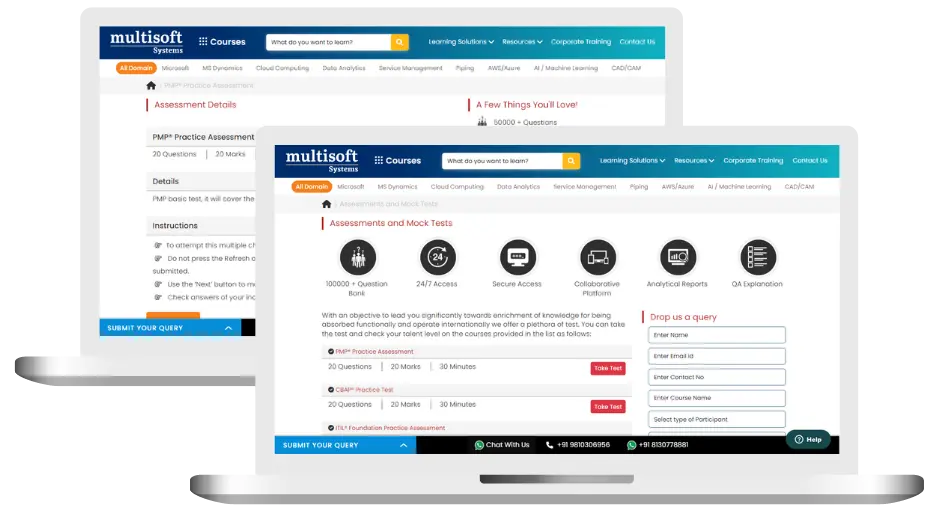
Dynamics 365 Business Central Developer Training (MCQ) Assessment
This assessment tests understanding of course content through MCQ and short answers, analytical thinking, problem-solving abilities, and effective communication of ideas. Some Multisoft Assessment Features :
- User-friendly interface for easy navigation
- Secure login and authentication measures to protect data
- Automated scoring and grading to save time
- Time limits and countdown timers to manage duration.
Dynamics 365 Business Central Developer Corporate Training
Employee training and development programs are essential to the success of businesses worldwide. With our best-in-class corporate trainings you can enhance employee productivity and increase efficiency of your organization. Created by global subject matter experts, we offer highest quality content that are tailored to match your company’s learning goals and budget.
Global Clients



Customized Training
Be it schedule, duration or course material, you can entirely customize the trainings depending on the learning requirements
Expert
Mentors
Be it schedule, duration or course material, you can entirely customize the trainings depending on the learning requirements
360º Learning Solution
Be it schedule, duration or course material, you can entirely customize the trainings depending on the learning requirements
Learning Assessment
Be it schedule, duration or course material, you can entirely customize the trainings depending on the learning requirements
Why Dynamics 365 Business Central Developer Training for Your Professional Growth
Strengthen your professional capabilities with practical learning, industry-relevant knowledge, and skills applicable to real-world business and technology environments.
Industry-Relevant Skills
Gain knowledge aligned with current industry practices, technologies, processes, and professional requirements.
Practical Learning
Understand concepts through practical scenarios, instructor-led discussions, exercises, and use cases.
Enhanced Professional Capability
Strengthen your ability to work confidently with relevant tools, workflows, platforms, and business processes.
Broader Career Opportunities
Add valuable capabilities to your profile and explore opportunities across relevant roles, projects, and industries.
Adapt to Changing Technologies
Stay familiar with evolving technologies, methodologies, and practices shaping modern enterprise environments.
Professional Recognition
Demonstrate your training achievement with a course completion certificate from Multisoft Systems.
 Zoom-in
Certification Training Achievements: Recognizing Professional Expertise
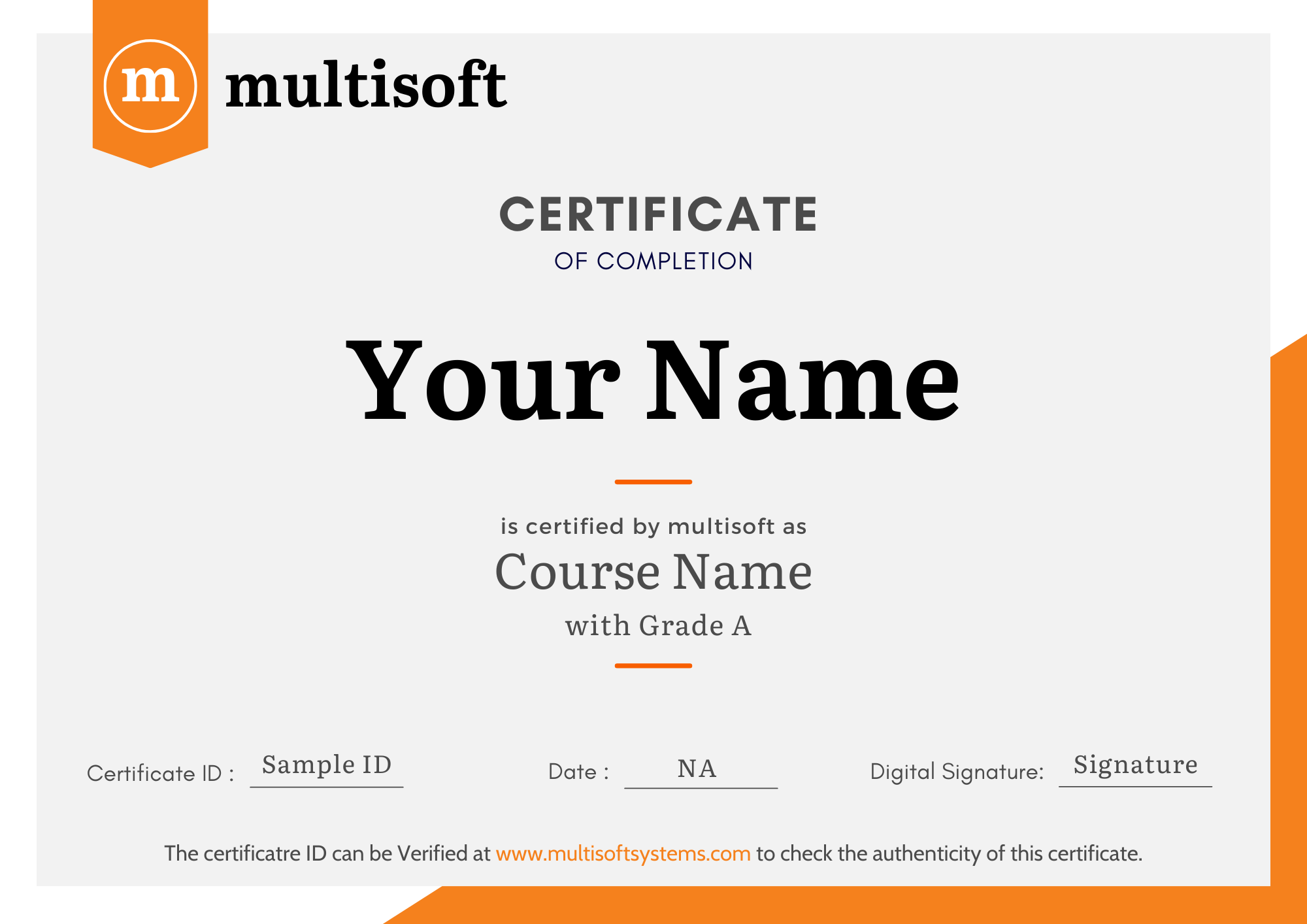
Multisoft Systems is the “one-top learning platform” for everyone. Get trained with certified industry experts and receive a globally-recognized training certificate. Some Multisoft Training Certificate Features :
- Globally recognized certificate
- Course ID & Course Name
- Certificate with Date of Issuance
- Name and Digital Signature of the Awardee
Trending Courses
Why Learners Choose Multisoft Systems
Compare key training features and see how Multisoft Systems focuses on structured learning, practical understanding, and learner support.
Training Features That Matter
Evaluate the learning experience across important areas before selecting a training program.
Instructor-Led Learning
Structured sessions guided by experienced trainers.
Practical Learning
Hands-on exposure that supports concept understanding.
Flexible Learning Options
Learning formats designed around different schedules.
Learner Support
Assistance throughout the training journey.
Learning Resources
Resources that support revision and continued learning.
Training Certificate
Recognition after successful course completion.
Choose Training That Goes Beyond Theory
Multisoft Systems combines guided learning, practical exposure, flexible delivery, learner support, and structured resources to create a more complete training experience.

SAP SuccessFactors Recruiting: Features, Processes, and Career Opportunities
Recruiting the right talent is essential for business growth, but... Read Article
ServiceNow ITOM Training: Skills, Benefits, and Career Opportunities
Modern businesses rely on IT infrastructure to support applications, digital... Read Article
SAP Hybris Training Functional & Developer: Skills, Modules, and Career Opportunities
SAP Hybris is associated with digital commerce solutions that help... Read Article
SAP Hybris Cloud for Customer: Project Implementation, Skills, and Career Guide
Implementing a customer relationship management platform involves much more than... Read ArticleDynamics 365 Business Central Developer Training Trainer Profile
19+ Years Experienced
Our Dynamics 365 Business Central Developer Training Corporate & Certification Program trainers bring 13+ years of proven industry expertise, delivering practical insights aligned with real project environments.
Trained 3950+ Professionals
Our expert trainers have successfully trained 3350+ professionals through structured, real-time training programs designed for industry readiness and career growth.
Certified Experts & Real-Time Project Learning
Build strong practical skills through live project-based training sessions led by certified industry experts with real-world experience.
Hands-on Learning Approach
Gain practical exposure through real-time scenarios, industry case studies, and hands-on assignments that simulate actual project challenges.
Certification Training Guidance
Receive expert support to prepare effectively, practice strategically, and confidently achieve globally recognized certification success.
Customized Training Delivery
Flexible training approach tailored to individual learning goals, skill levels, and evolving industry requirements for maximum effectiveness.
Dynamics 365 Business Central Developer Training FAQ's
This course is ideal for Business Central developers, ERP consultants, software engineers, IT professionals, and anyone looking to specialize in Dynamics 365 Business Central development.
What Attendees are Saying
Our clients love working with us! They appreciate our expertise, excellent communication, and exceptional results. Trustworthy partners for business success.
Share Feedback



